ROOM64 / KNOWLEDGE / ERPNEXT

2 Step 301 Redirect in your ERPNext Website

What is 301 Redirect?A  301 Redirect is used to make sure that search engines and users are sent to the correct page. A 301 status code is used when any page has been permanently m

อ่านต้นฉบับที่ ERPNext Official Docs ↗
เอกสารอ้างอิงภาษาอังกฤษเนื้อหาจากเอกสาร ERPNext คงรายละเอียดและโค้ดตามต้นฉบับ · ต้นฉบับอัปเดต 2026-03-04 ชื่อเมนูและ DocType ที่ใช้ได้ขึ้นอยู่กับเวอร์ชันและรุ่นที่ทีมใช้งาน

Website · เว็บไซต์และร้านค้าออนไลน์ · 2 Step 301 Redirect in your ERPNext Website

What is 301 Redirect?
A  301 Redirect is used to make sure that search engines and users are sent to the correct page. A 301 status code is used when any page has been permanently moved to another location. Users will now see the new URL as it has replaced the old page.
2 Step 301 Redirects with ERPNext:
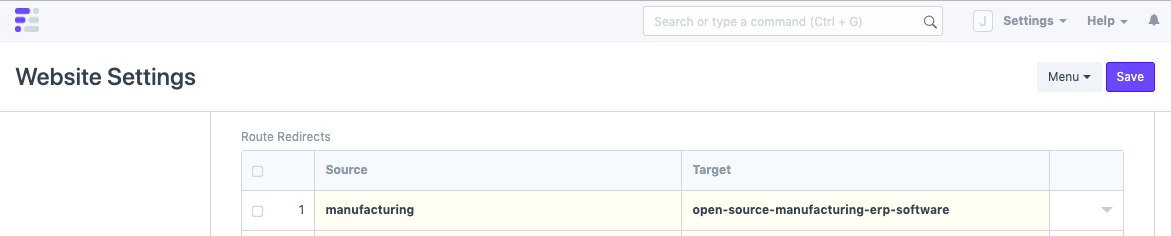
Step 1: Open Website Settings via the awesome bar (Global Search Bar) and expand the heading, "Redirects"
ภาพประกอบ 2 Step 301 Redirect in your ERPNext Website จาก ERPNext
Step 2: Enter the old URL in Source and the new URL in Target and save the document.
ภาพประกอบ 2 Step 301 Redirect in your ERPNext Website จาก ERPNext
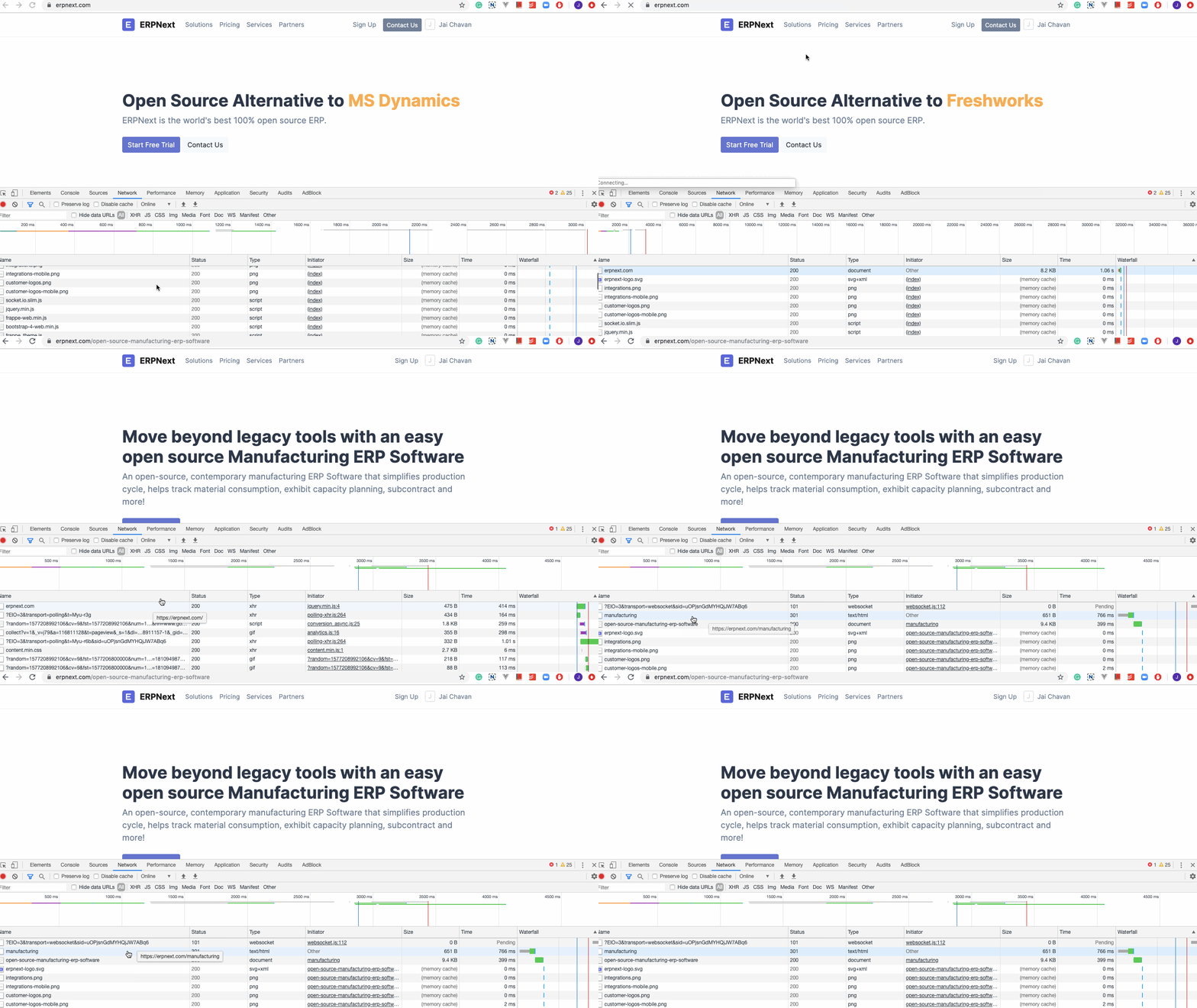
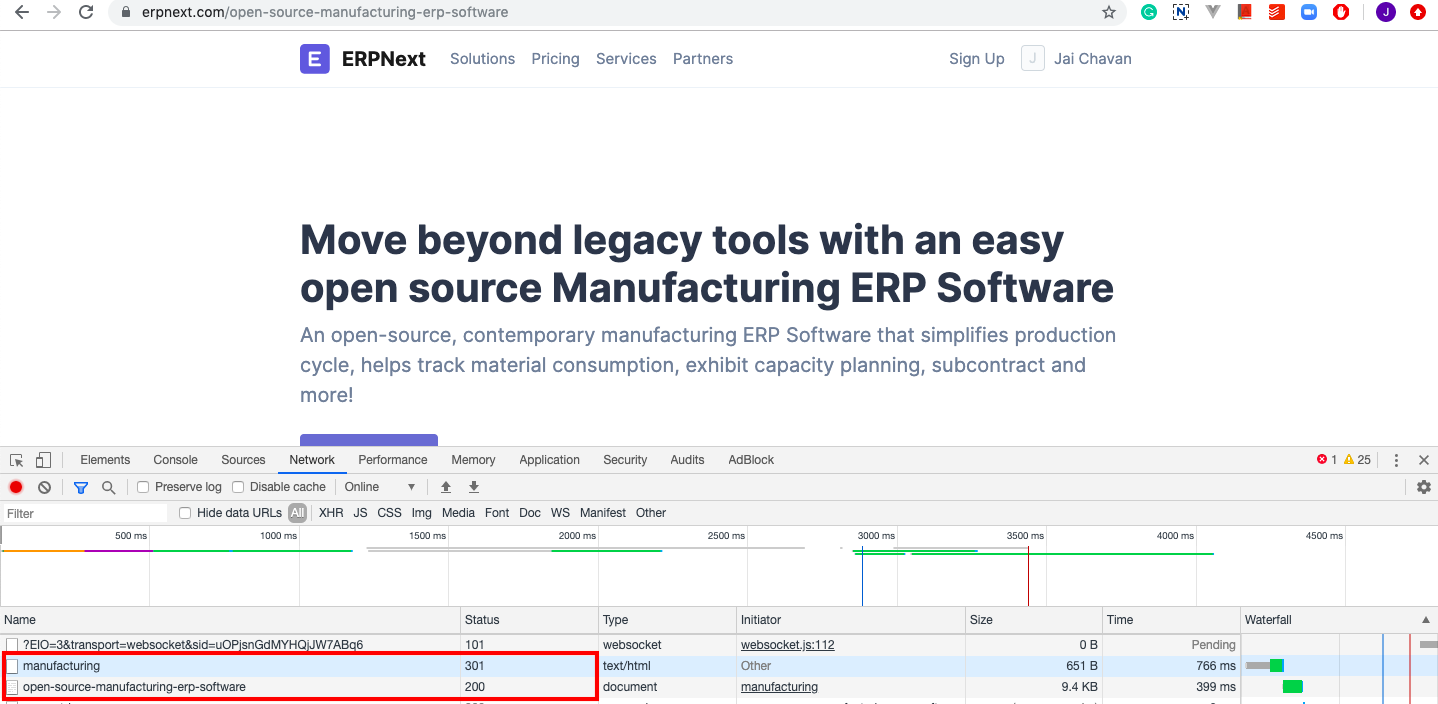
Watch the Redirect in action:
ภาพประกอบ 2 Step 301 Redirect in your ERPNext Website จาก ERPNext

ภาพประกอบ 2 Step 301 Redirect in your ERPNext Website จาก ERPNext

เนื้อหาเอกสารอ้างอิงและภาพประกอบมาจาก ERPNext / Frappe Official Docs · บทความแนะนำภาษาไทยเรียบเรียงโดย Room64 · เว็บไซต์นี้เป็นคู่มือประกอบการใช้งานโดย Room64 · เอกสารทางการ ↗

มีงานที่อยากให้ Software, AI หรือ Automation ช่วยอยู่ไหม?

เล่า workflow หรือปัญหาที่ทีมกำลังเจอ เราช่วยดูได้ว่าควรใช้ระบบสำเร็จรูป เชื่อมเครื่องมือเดิม หรือพัฒนาเพิ่มเฉพาะส่วนไหน

คุยกับเราทาง LINEhello@room64.net