ROOM64 / KNOWLEDGE / ERPNEXT

Add/Remove Fields from Print Format

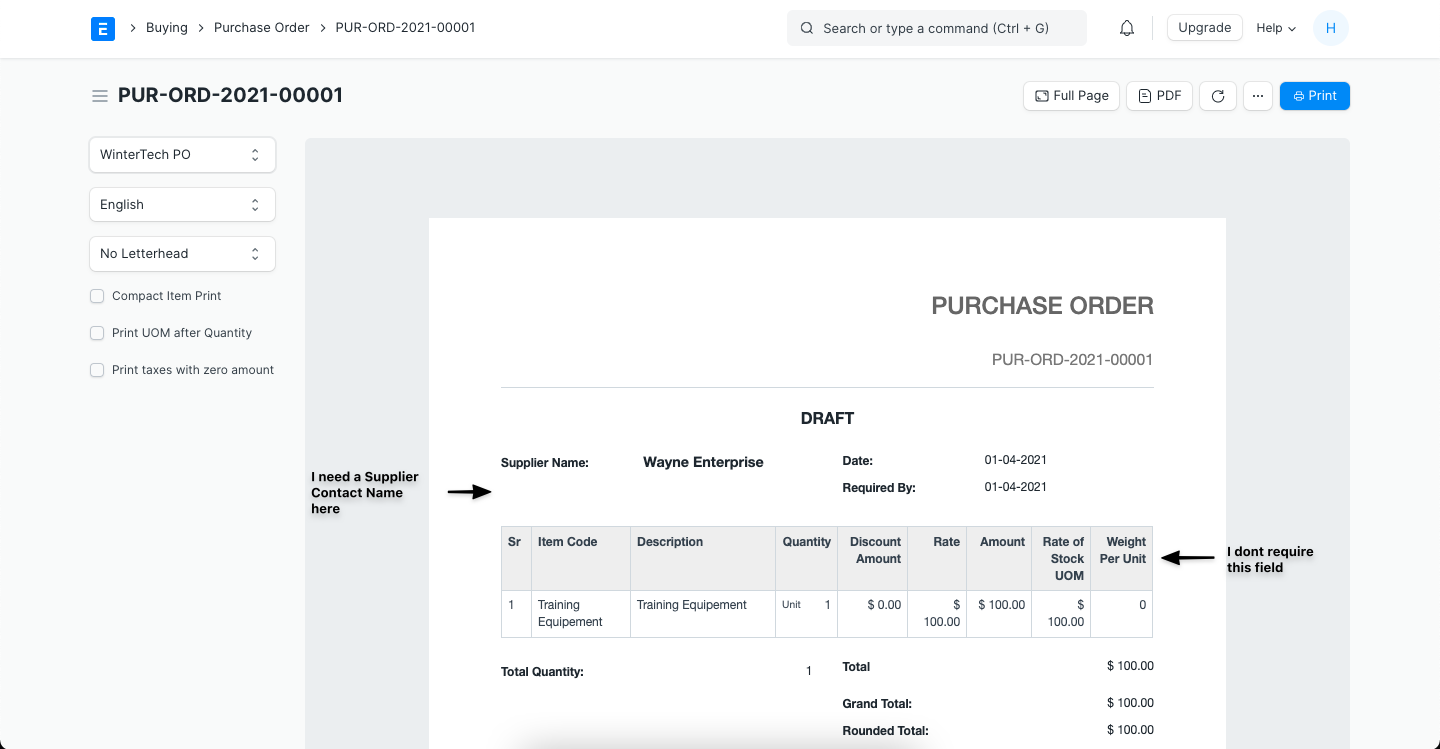
To explain, let's consider Purchase Order which has the following fields in the Print Format, and here, I want to add 'Supplier's Contact Name' under Supplier Name and remove the '

อ่านต้นฉบับที่ ERPNext Official Docs ↗
เอกสารอ้างอิงภาษาอังกฤษเนื้อหาจากเอกสาร ERPNext คงรายละเอียดและโค้ดตามต้นฉบับ · ต้นฉบับอัปเดต 2026-03-02 ชื่อเมนูและ DocType ที่ใช้ได้ขึ้นอยู่กับเวอร์ชันและรุ่นที่ทีมใช้งาน

Projects · โครงการและงานบริการ · Add/Remove Fields from Print Format

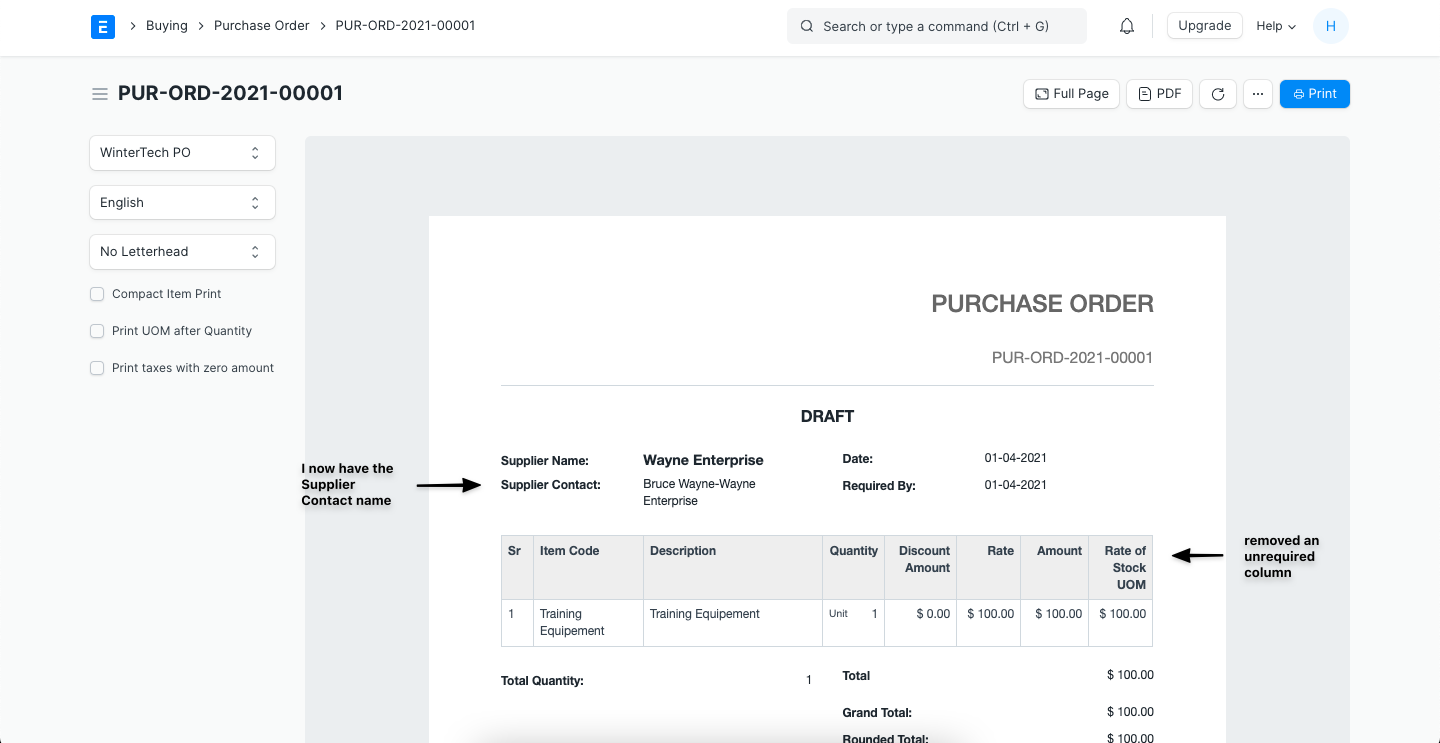
To explain, let's consider Purchase Order which has the following fields in the Print Format, and here, I want to add 'Supplier's Contact Name' under Supplier Name and remove the 'Weight Per Unit' column from the Item's table.

ภาพประกอบ Add/Remove Fields from Print Format จาก ERPNext

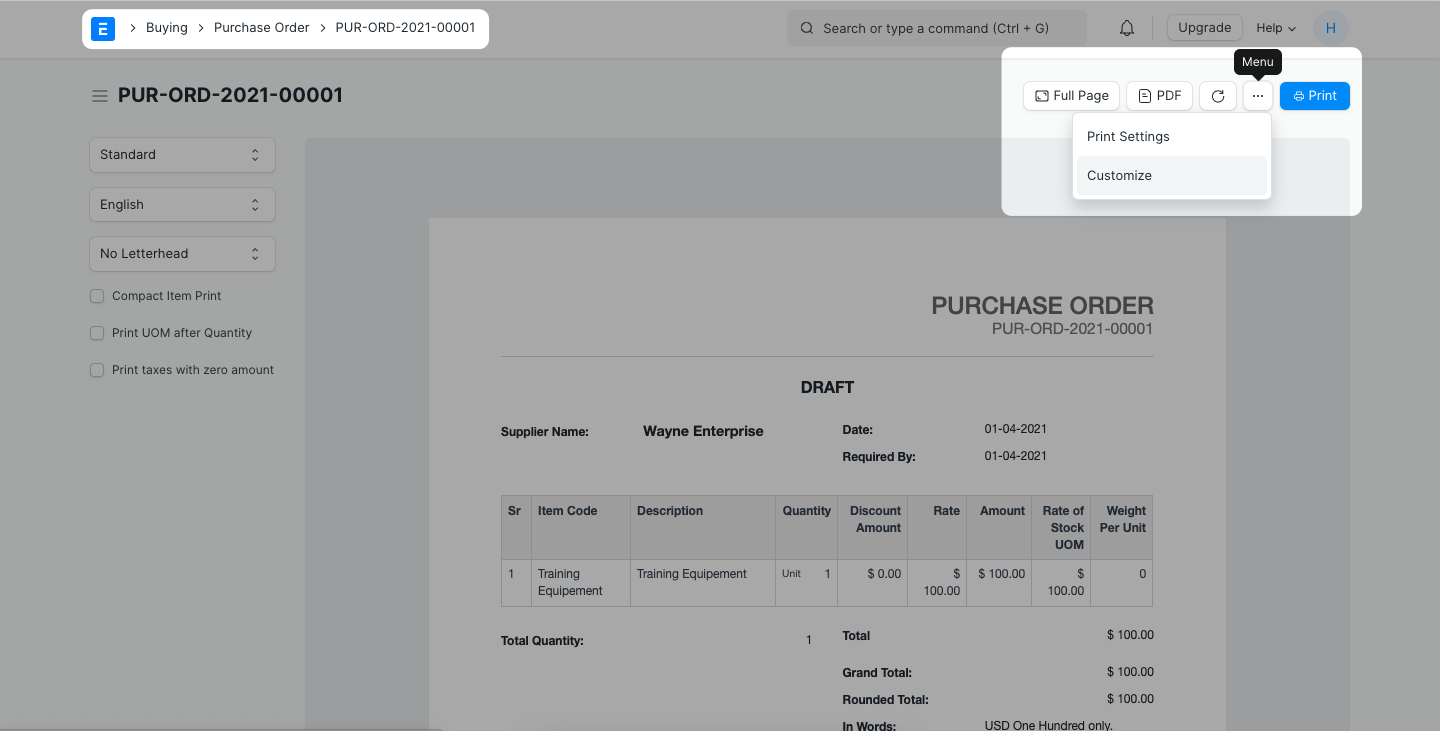
Step 1: Navigate to the Print View of the document you want to change the Print Format of -> Menu (...) -> Customize

ภาพประกอบ Add/Remove Fields from Print Format จาก ERPNext

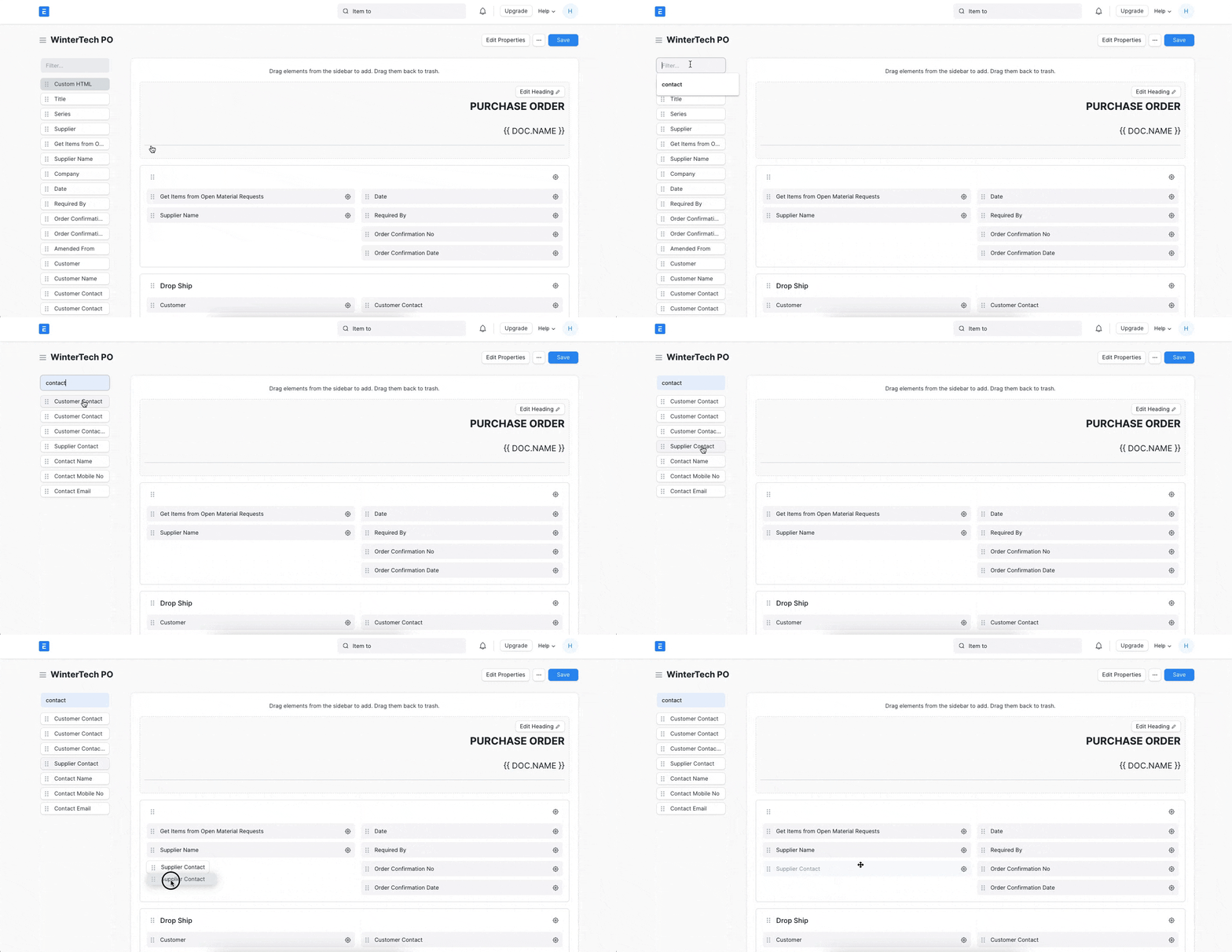
Step 2: Search for the field by name and add it to the desired location

ภาพประกอบ Add/Remove Fields from Print Format จาก ERPNext

Follow the same drag and drop method to remove the fields as well.

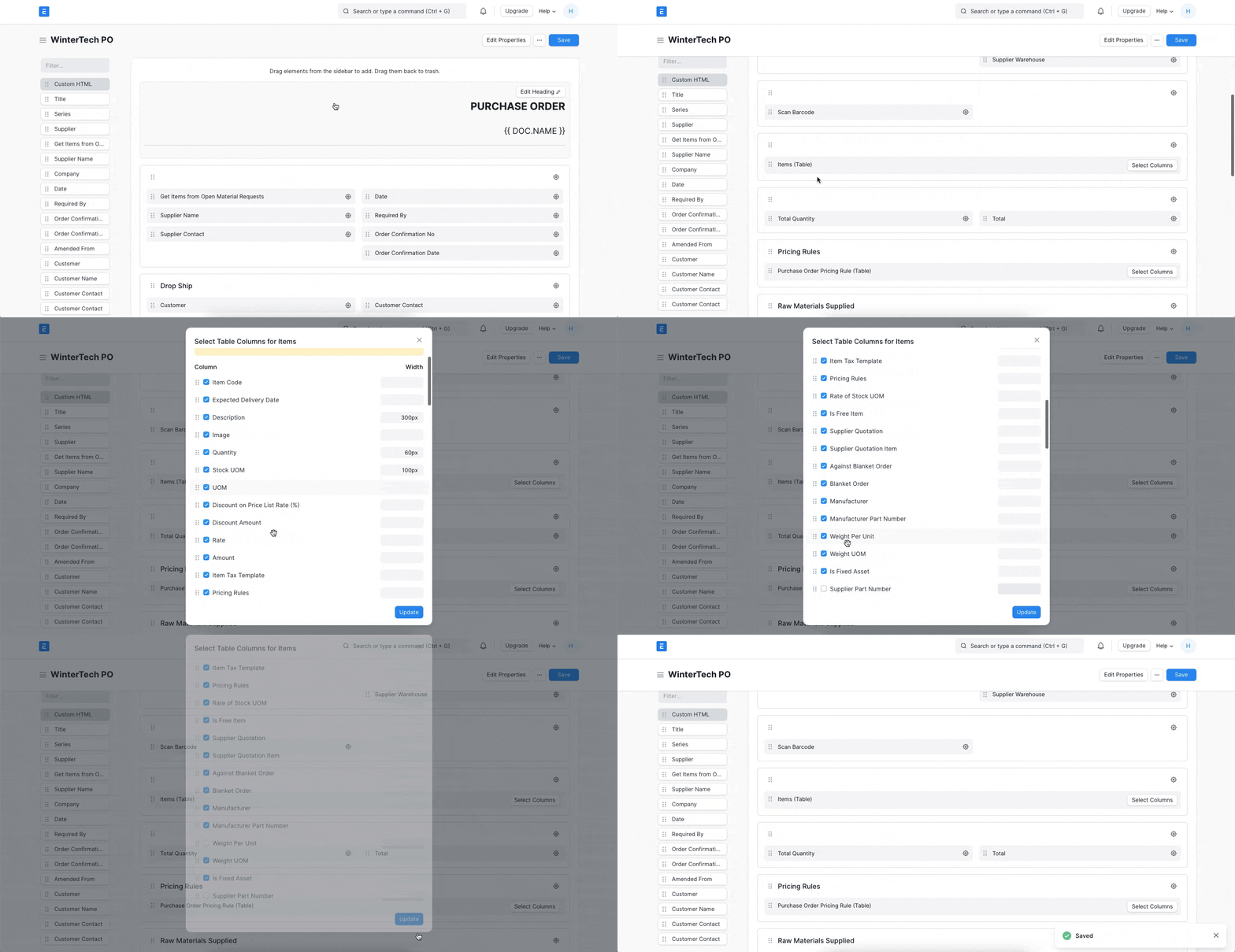
Step 3: To add/remove the fields from the child table of the document: Locate the table -> Select Columns -> Check/Uncheck as you wish.

ภาพประกอบ Add/Remove Fields from Print Format จาก ERPNext

The result:

ภาพประกอบ Add/Remove Fields from Print Format จาก ERPNext

เนื้อหาเอกสารอ้างอิงและภาพประกอบมาจาก ERPNext / Frappe Official Docs · บทความแนะนำภาษาไทยเรียบเรียงโดย Room64 · เว็บไซต์นี้เป็นคู่มือประกอบการใช้งานโดย Room64 · เอกสารทางการ ↗

มีงานที่อยากให้ Software, AI หรือ Automation ช่วยอยู่ไหม?

เล่า workflow หรือปัญหาที่ทีมกำลังเจอ เราช่วยดูได้ว่าควรใช้ระบบสำเร็จรูป เชื่อมเครื่องมือเดิม หรือพัฒนาเพิ่มเฉพาะส่วนไหน

คุยกับเราทาง LINEhello@room64.net