
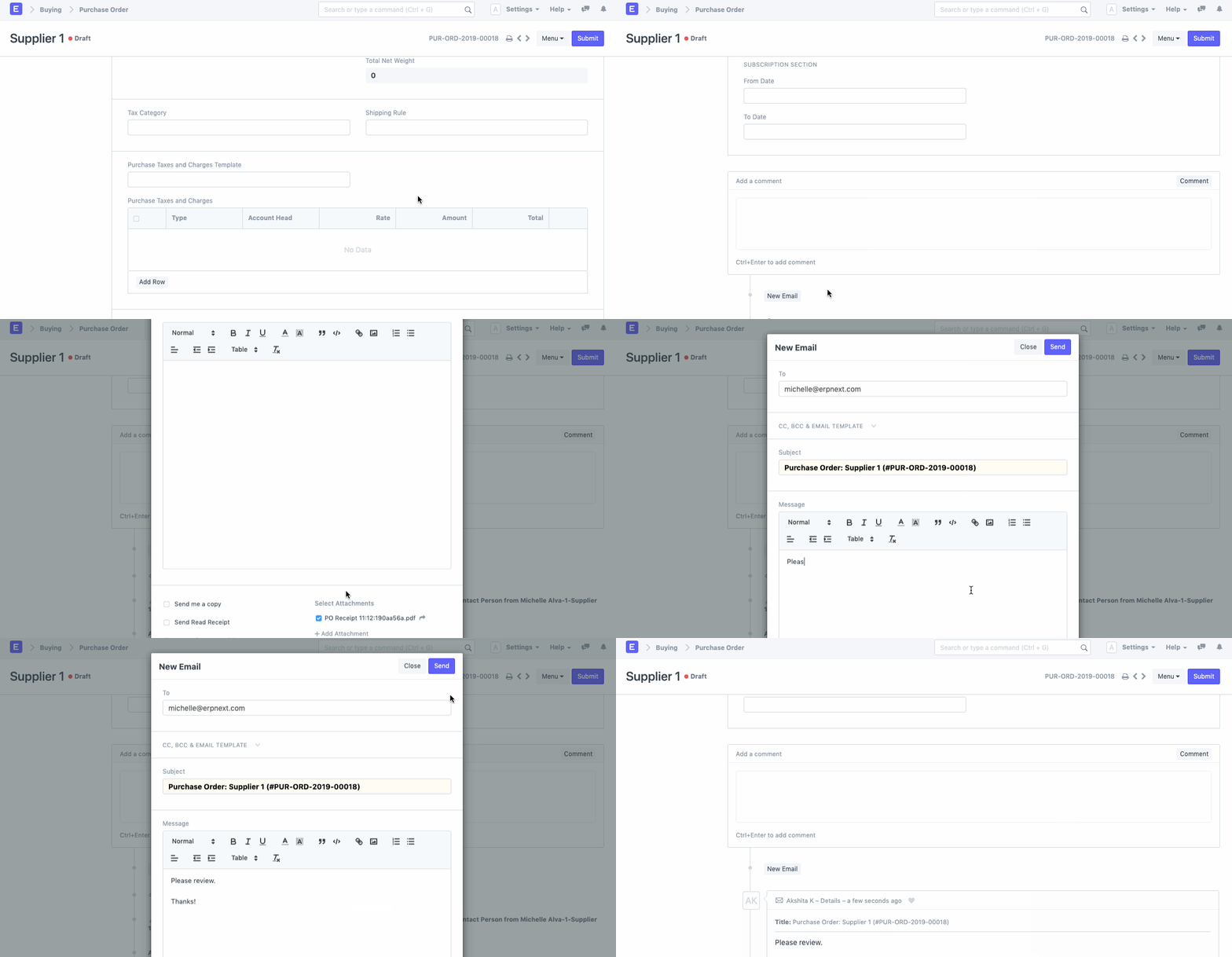
You can add attachments to outgoing emails on-the-go in ERPNext.
If you have certain files attached to your document and wish to attach the same to the outgoing email, you can do so by simply picking it from the attachments list.
ROOM64 / KNOWLEDGE / ERPNEXT
You can add attachments to outgoing emails on-the-go in ERPNext.
อ่านต้นฉบับที่ ERPNext Official Docs ↗Projects · โครงการและงานบริการ · Adding Attachments to Outgoing Messages
You can add attachments to outgoing emails on-the-go in ERPNext.
If you have certain files attached to your document and wish to attach the same to the outgoing email, you can do so by simply picking it from the attachments list.
+เริ่มจากบทสนทนา
เล่า workflow หรือปัญหาที่ทีมกำลังเจอ เราช่วยดูได้ว่าควรใช้ระบบสำเร็จรูป เชื่อมเครื่องมือเดิม หรือพัฒนาเพิ่มเฉพาะส่วนไหน
คุยกับเราทาง LINEhello@room64.netส่งอีเมลหาเรา