
Some organizations keep advances in a separate party account until an invoice is issued. Configure the account carefully so the advance remains tied to the Customer or Supplier and can be reclassified during allocation.
Before you begin
Confirm the correct Company, currency, receivable or payable account, and bank or cash ledger. Use submitted source documents and keep the bank reference or remittance advice available.
Use Advance in Separate Party Account
- Create the separate receivable or payable account with the correct root type and account type.
- Enable the relevant advance-account setting for the Company or transaction flow.
- Record the advance against the party and the separate account.
- When the invoice is posted, reconcile the advance and verify the reclassification entries.
- Confirm both the party ledger and General Ledger after allocation.
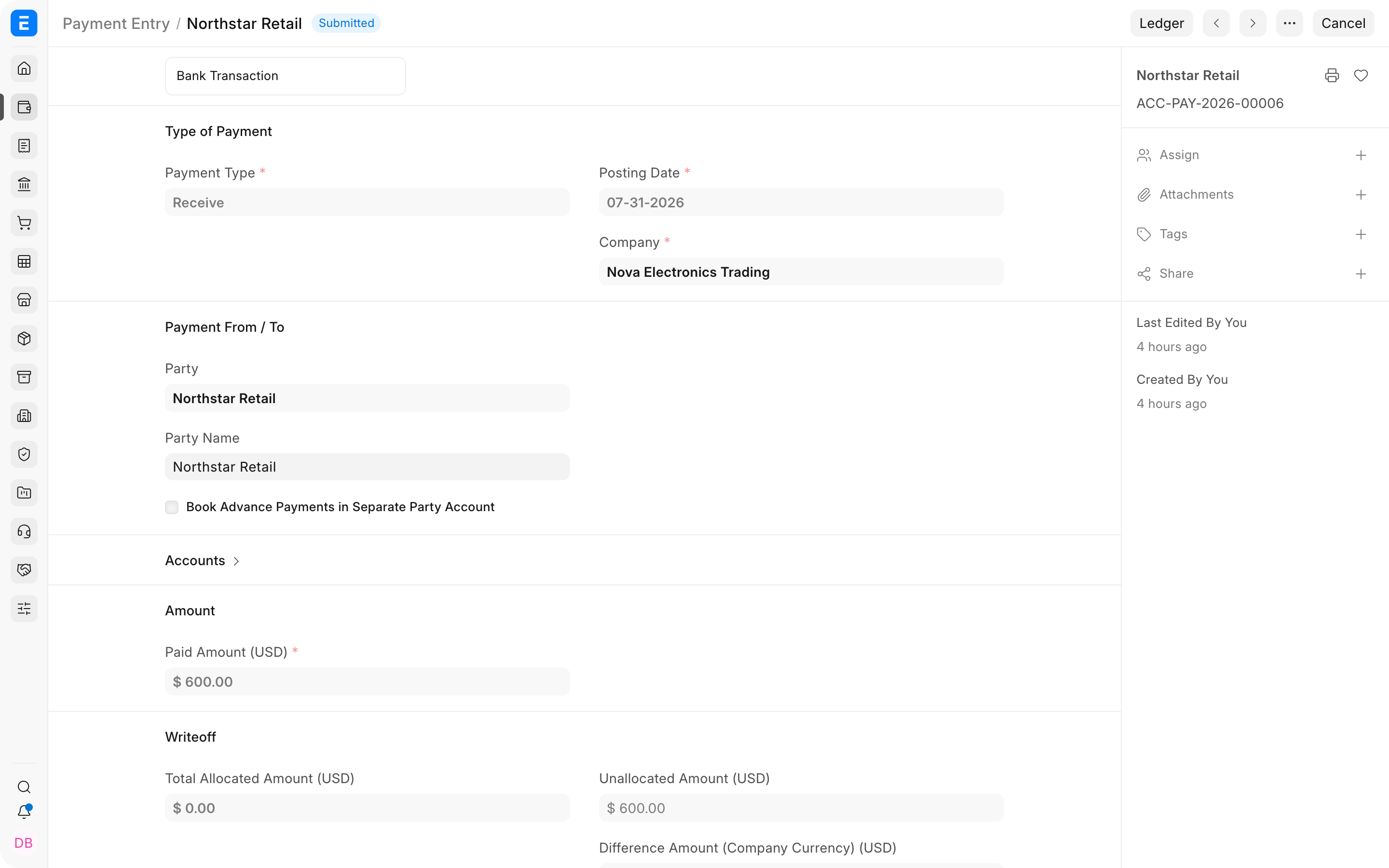
Important fields and what they mean
| Field | What it controls |
|---|---|
| Party Type and Party | Keeps the advance attributable to a Customer or Supplier. |
| Paid From or Paid To | Separate advance account used by the entry. |
| Reference | Order or other commercial commitment. |
| Unallocated Amount | Advance still awaiting an invoice. |
| Account Currency | Currency in which the advance account is maintained. |
What happens after you submit or process
ERPNext updates the relevant accounting records and, where applicable, the outstanding or unallocated amounts. Review the General Ledger, party ledger, and source document status before treating the workflow as complete. A saved draft does not affect the ledger.
Troubleshooting
The advance is not available on the invoice
Confirm that the payment and invoice use the same party, Company, currency, and configured advance receivable or payable account. The separate advance feature must be enabled before the payment is posted, and the party's default advance account must be configured correctly.
The advance remains in the separate account after allocation
Check whether reconciliation completed and review the generated ledger entries. A manual Journal Entry to an unrelated liability or asset account will not participate in the standard clearing workflow.
Existing advances still use the normal receivable or payable account
Changing the setting does not rewrite historical entries. Apply the new configuration prospectively unless your accountant approves a controlled migration entry.
Frequently asked questions
Why use a separate party account for advances?
It presents customer advances as liabilities and supplier advances as assets instead of negative receivable or payable balances. Use it when that presentation matches your accounting policy.
Can the setting be enabled after transactions already exist?
The setting can be enabled, but existing ledger entries retain their original accounts. Test reporting and reconciliation before changing the treatment on a live site.
Can one advance be allocated to several invoices?
One advance can be allocated in parts to eligible invoices for the same party and account. The unused balance remains available until it is allocated or refunded.
Does an Order have to exist before recording the advance?
An Order is not mandatory. Linking the payment to a Sales Order or Purchase Order improves traceability when the commercial commitment already exists.
