ROOM64 / KNOWLEDGE / ERPNEXT

Bulk Assign Tasks in a Project

Use Case : Need to bulk assign all the Tasks in a Project to aUser.Steps:

อ่านต้นฉบับที่ ERPNext Official Docs ↗
เอกสารอ้างอิงภาษาอังกฤษเนื้อหาจากเอกสาร ERPNext คงรายละเอียดและโค้ดตามต้นฉบับ · ต้นฉบับอัปเดต 2026-02-27 ชื่อเมนูและ DocType ที่ใช้ได้ขึ้นอยู่กับเวอร์ชันและรุ่นที่ทีมใช้งาน

Projects · โครงการและงานบริการ · Bulk Assign Tasks in a Project

Use Case : Need to bulk assign all the Tasks in a Project to aUser.
Steps:

  1. Create a Project.
  2. Create Tasks in that Project.
  3. Go to Task List and filter the Tasks based on the Project as shown below:
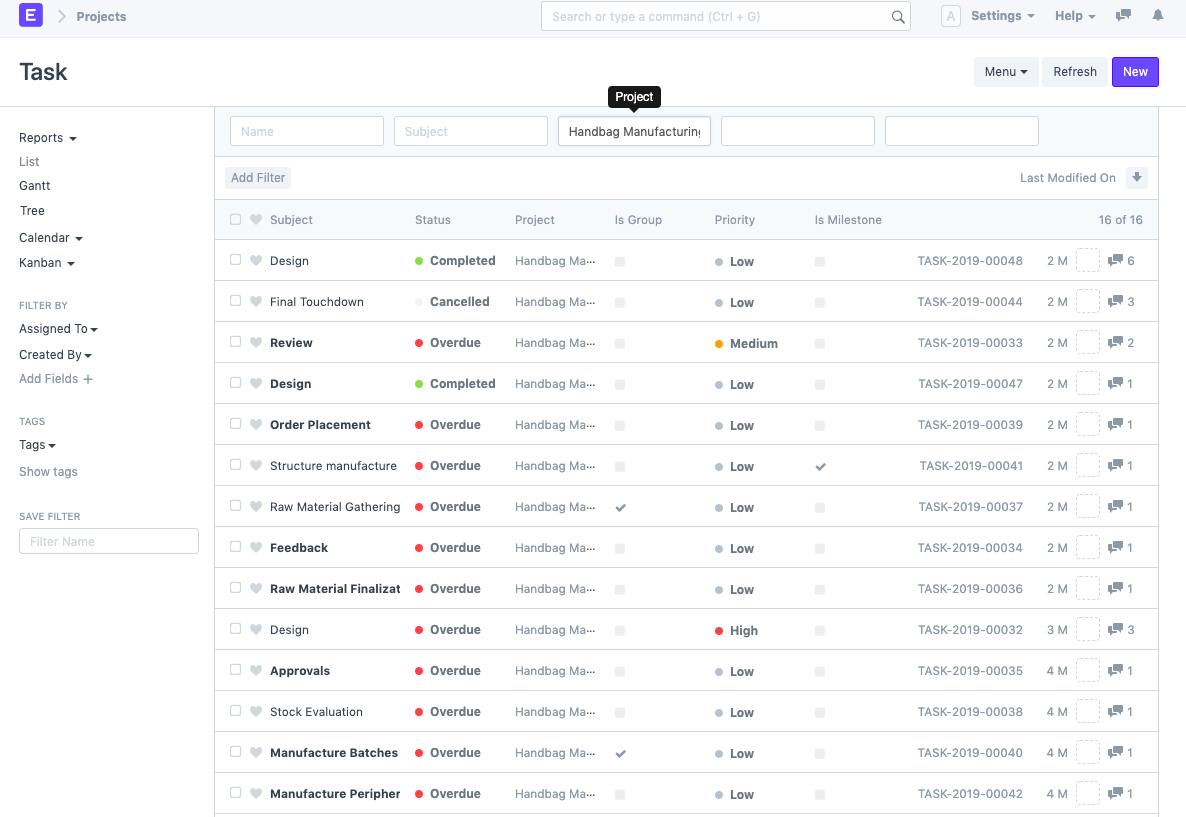
    ภาพประกอบ Bulk Assign Tasks in a Project จาก ERPNext
  4. Select all the Tasks (or the Tasks you wish to assign to the User).
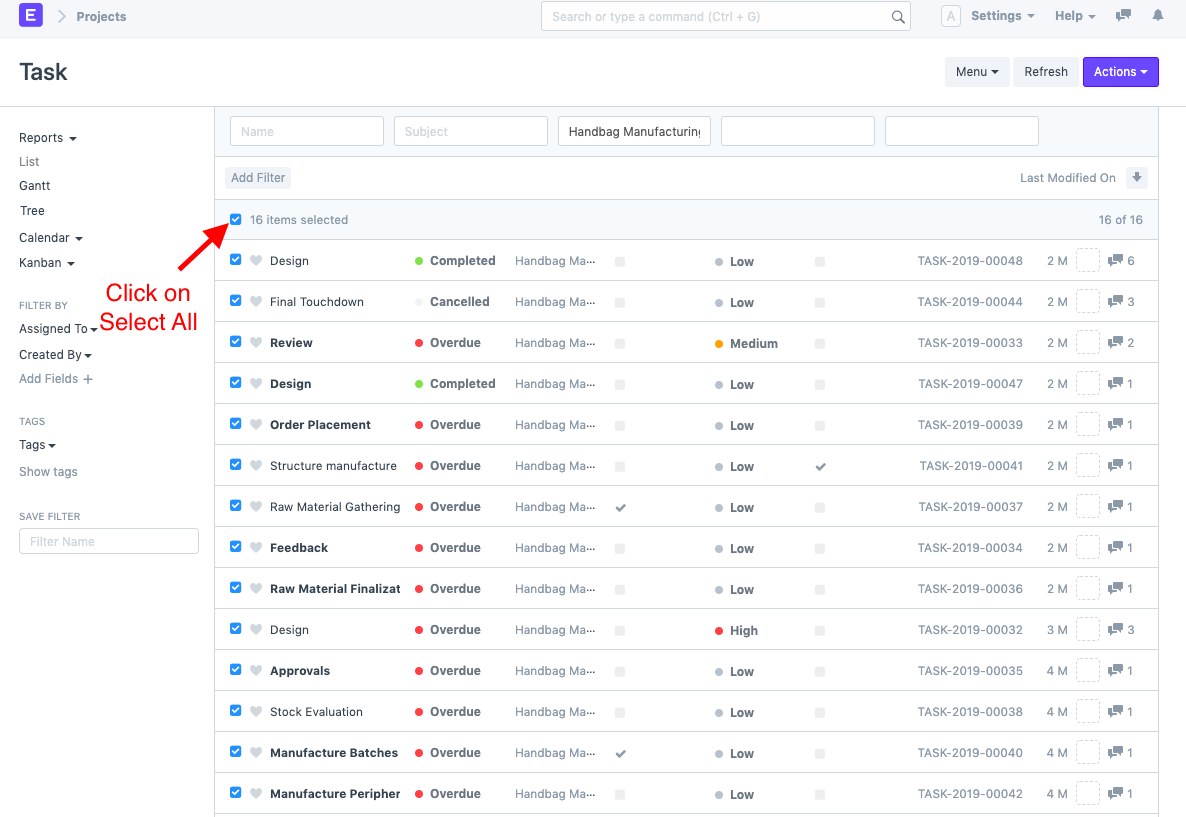
    ภาพประกอบ Bulk Assign Tasks in a Project จาก ERPNext
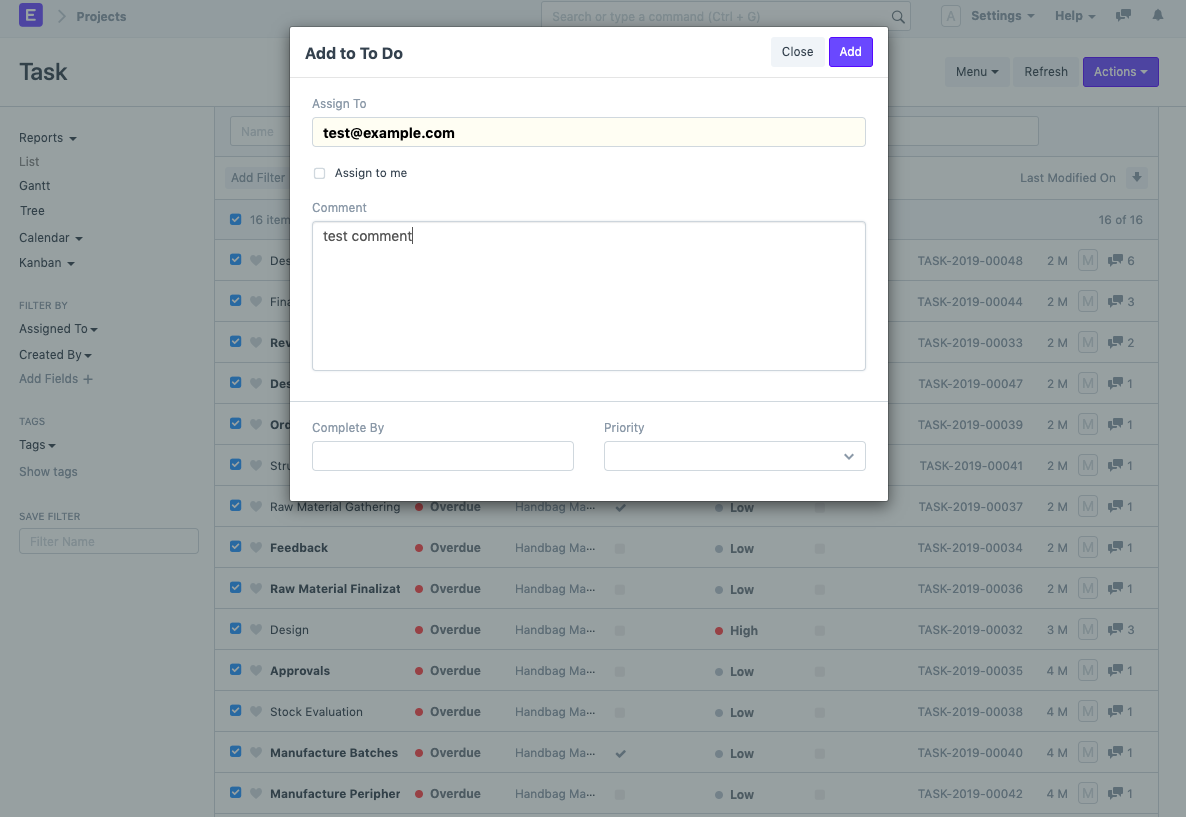
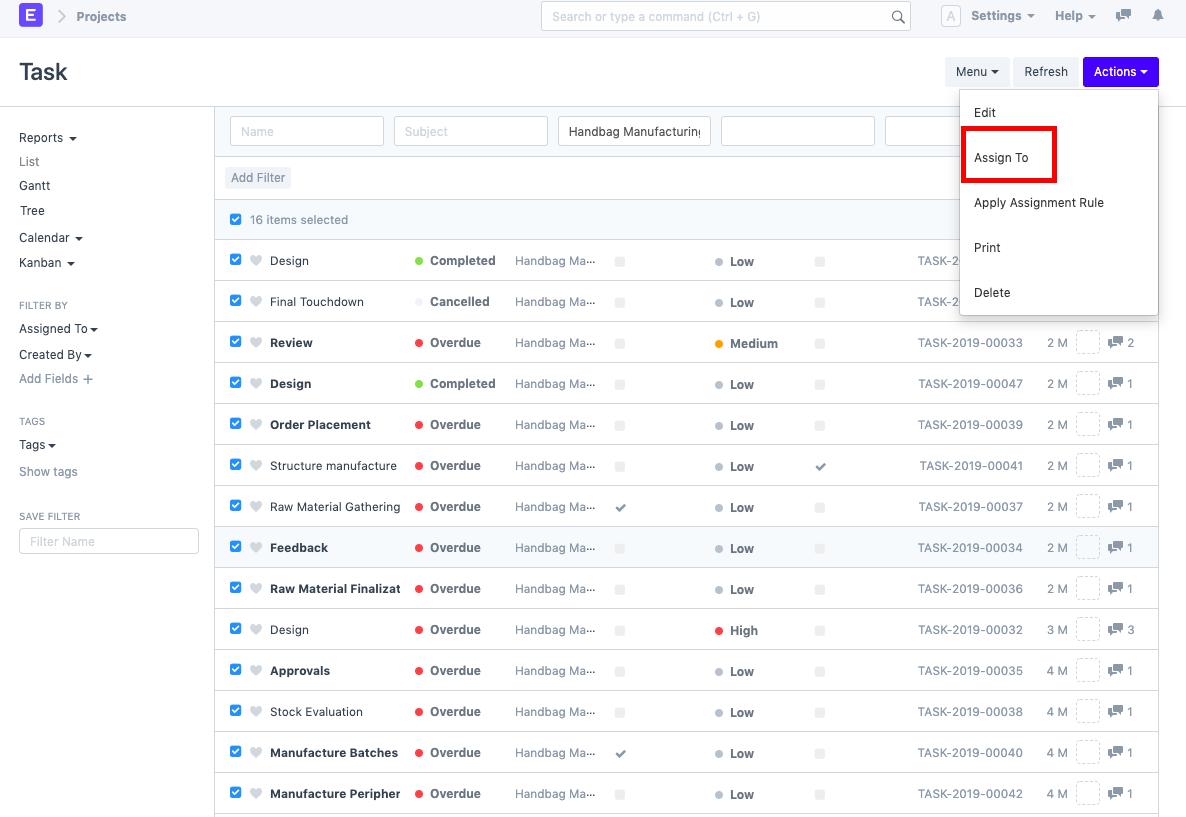
  5. Go to Actions > "Assign To" and select the User to whom you wish to assign these Tasks.
    ภาพประกอบ Bulk Assign Tasks in a Project จาก ERPNext
    ภาพประกอบ Bulk Assign Tasks in a Project จาก ERPNext
    You can also enter other details such as Comments, Completed By and bulk set the Priority of the Tasks.
  6. Click on Add.
    Note: You can follow the above steps to bulk assign any documents in ERPNext.

เนื้อหาเอกสารอ้างอิงและภาพประกอบมาจาก ERPNext / Frappe Official Docs · บทความแนะนำภาษาไทยเรียบเรียงโดย Room64 · เว็บไซต์นี้เป็นคู่มือประกอบการใช้งานโดย Room64 · เอกสารทางการ ↗

มีงานที่อยากให้ Software, AI หรือ Automation ช่วยอยู่ไหม?

เล่า workflow หรือปัญหาที่ทีมกำลังเจอ เราช่วยดูได้ว่าควรใช้ระบบสำเร็จรูป เชื่อมเครื่องมือเดิม หรือพัฒนาเพิ่มเฉพาะส่วนไหน

คุยกับเราทาง LINEhello@room64.net