ROOM64 / KNOWLEDGE / ERPNEXT

Calculating Freight in taxes in ERPNext

When freight is supposed to be calculated in forwarding charges as a tax rate, we can follow the steps as below:

อ่านต้นฉบับที่ ERPNext Official Docs ↗
เอกสารอ้างอิงภาษาอังกฤษเนื้อหาจากเอกสาร ERPNext คงรายละเอียดและโค้ดตามต้นฉบับ · ต้นฉบับอัปเดต 2026-03-02 ชื่อเมนูและ DocType ที่ใช้ได้ขึ้นอยู่กับเวอร์ชันและรุ่นที่ทีมใช้งาน

Buying · งานจัดซื้อ · Calculating Freight in taxes in ERPNext

สารบัญในหน้านี้

Use case: To calculate freight forwarding charges with tax rate

When freight is supposed to be calculated in forwarding charges as a tax rate, we can follow the steps as below:

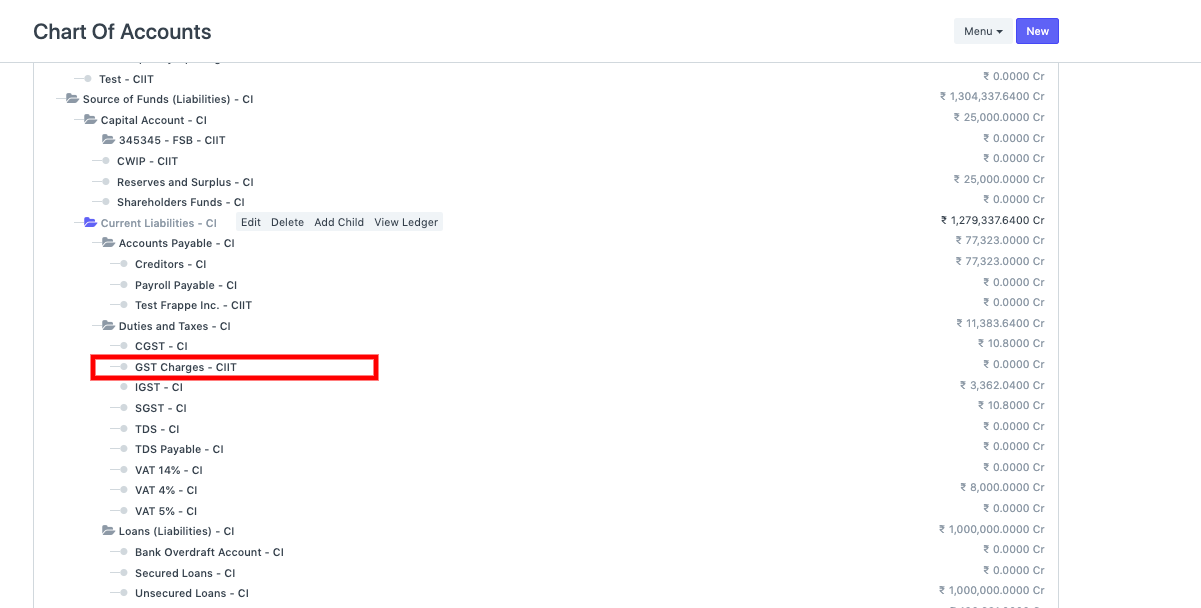
  • You can create a ledger in the taxes account specifically in Chart of Accounts, else you can consider GST tax account in the taxations for calculation of the Freight charges.

ภาพประกอบ Calculating Freight in taxes in ERPNext จาก ERPNext

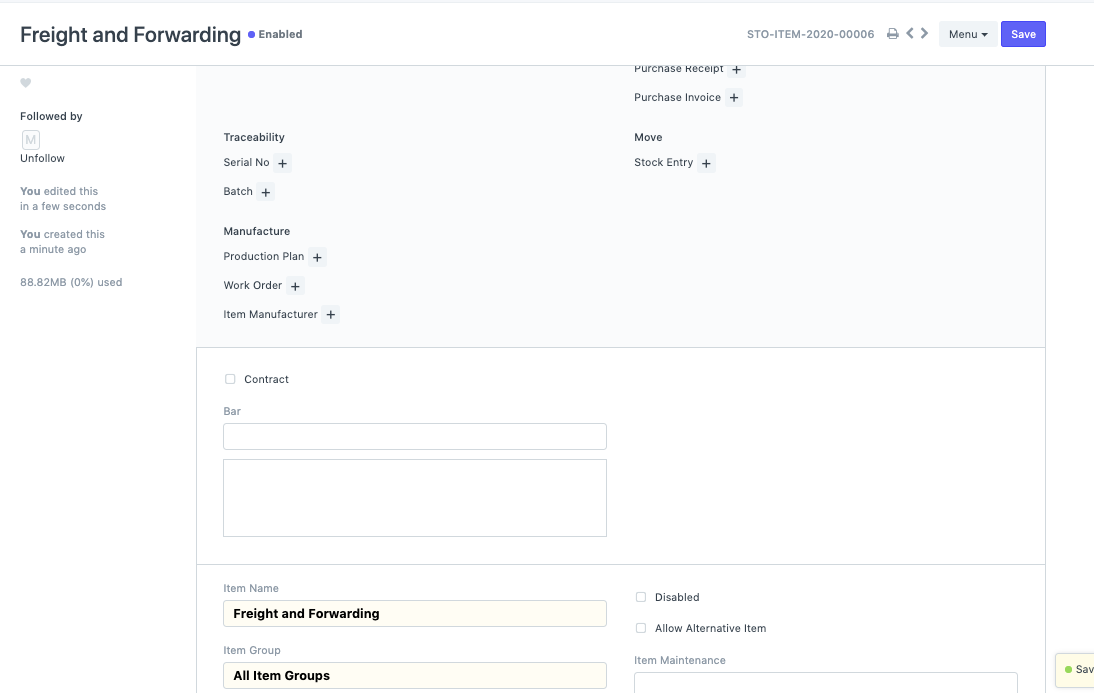
  • Now create an Item with the name : Freight and Forwarding

ภาพประกอบ Calculating Freight in taxes in ERPNext จาก ERPNext

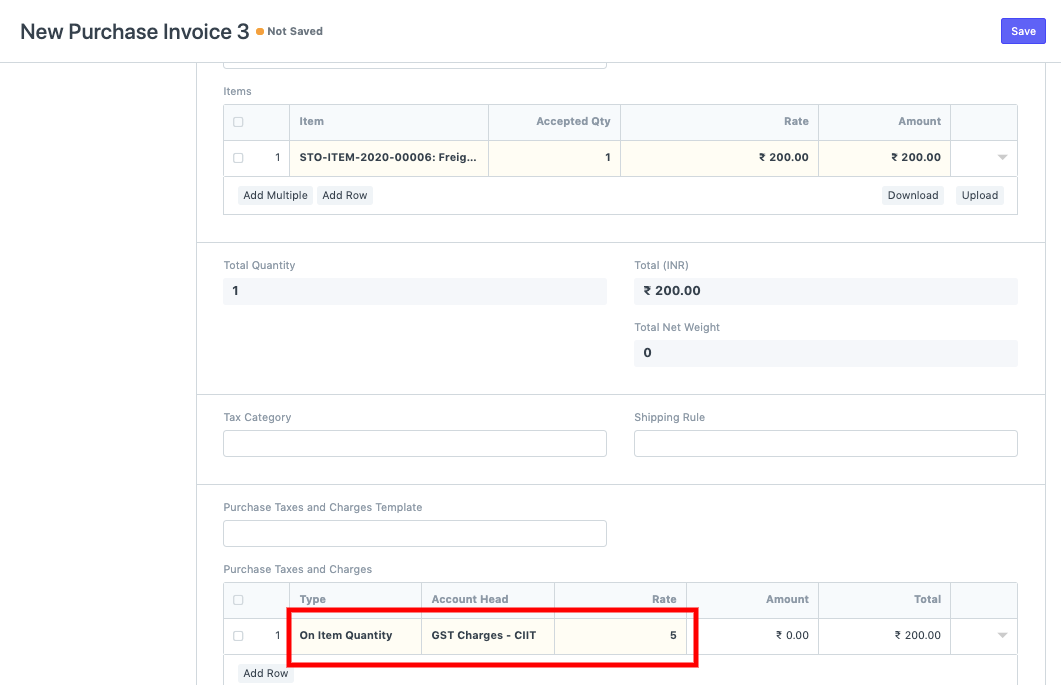
  • You can now create Purchase Invoice for the Supplier and add this item to calculate the Taxes related to the freight. You can set the freight tax based on the Net total or Item Quantity as per the company policy.

ภาพประกอบ Calculating Freight in taxes in ERPNext จาก ERPNext

เนื้อหาเอกสารอ้างอิงและภาพประกอบมาจาก ERPNext / Frappe Official Docs · บทความแนะนำภาษาไทยเรียบเรียงโดย Room64 · เว็บไซต์นี้เป็นคู่มือประกอบการใช้งานโดย Room64 · เอกสารทางการ ↗

มีงานที่อยากให้ Software, AI หรือ Automation ช่วยอยู่ไหม?

เล่า workflow หรือปัญหาที่ทีมกำลังเจอ เราช่วยดูได้ว่าควรใช้ระบบสำเร็จรูป เชื่อมเครื่องมือเดิม หรือพัฒนาเพิ่มเฉพาะส่วนไหน

คุยกับเราทาง LINEhello@room64.net