
ROOM64 / KNOWLEDGE / ERPNEXT

Field Level Permission Management

Restricting a field based on Roles can be easily configured using Perm Level, which is required by most organizations. To define a Perm Level , you can go to the respective form an

อ่านต้นฉบับที่ ERPNext Official Docs ↗
เอกสารอ้างอิงภาษาอังกฤษเนื้อหาจากเอกสาร ERPNext คงรายละเอียดและโค้ดตามต้นฉบับ · ต้นฉบับอัปเดต 2026-03-02 ชื่อเมนูและ DocType ที่ใช้ได้ขึ้นอยู่กับเวอร์ชันและรุ่นที่ทีมใช้งาน

Introduction · เริ่มต้นและตั้งค่า · Field Level Permission Management

สารบัญในหน้านี้

Restricting a field based on Roles can be easily configured using Perm Level, which is required by most organizations. To define a Perm Level , you can go to the respective form and Customize it.

Let's take a scenario where the organization doesn't want its Employee (Accounts User) to edit the Rate of the item while creating a Sales Invoice . To do that, we can simply make the Item Rate field a read-only.

Step 1: Customize Form

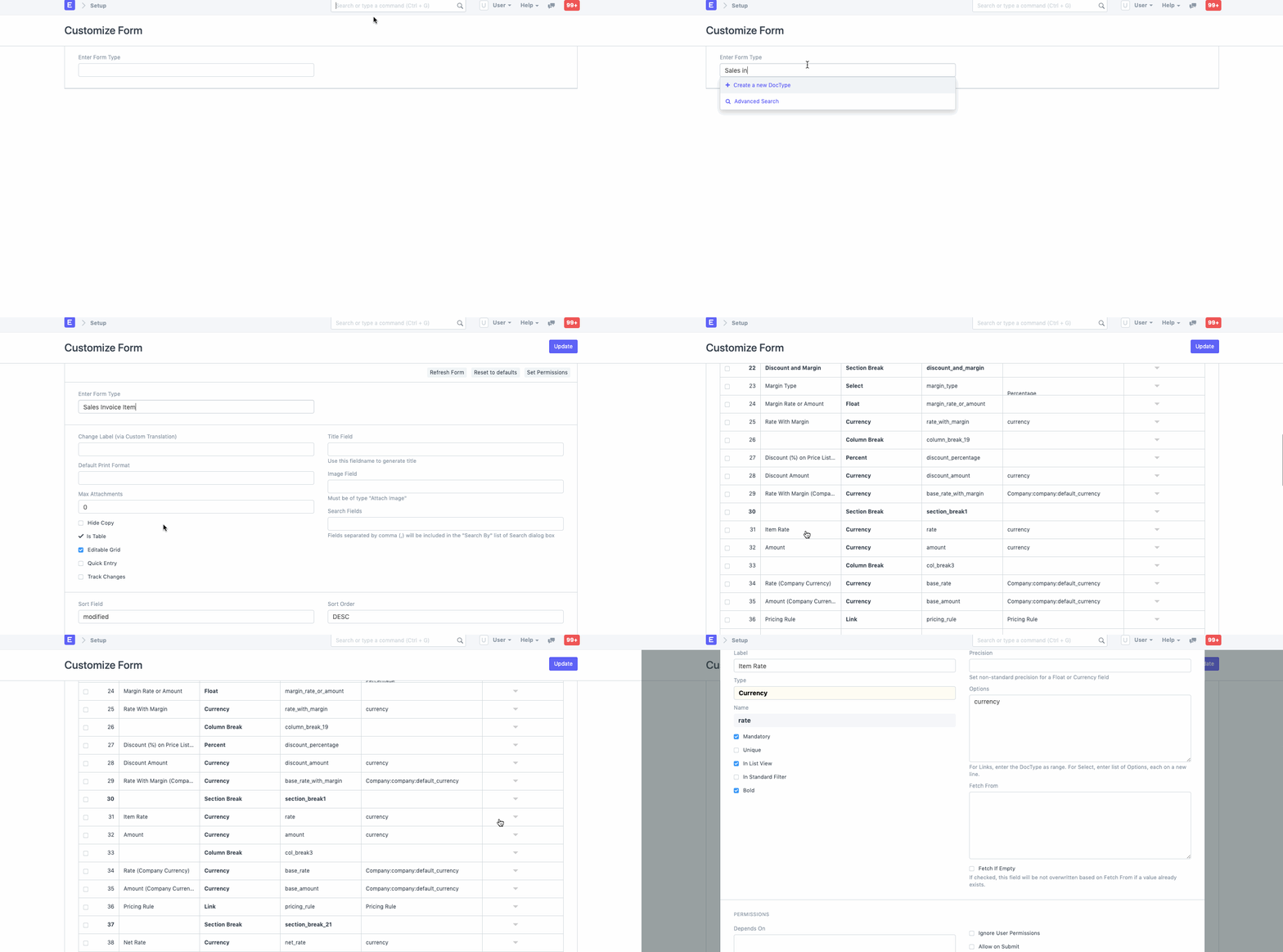
To achieve this, go to Customize Form , select DocType as Sales Invoice Item , scroll to the Item Rate field and expand it.
ภาพประกอบ Field Level Permission Management จาก ERPNext

Step 2: Perm Level

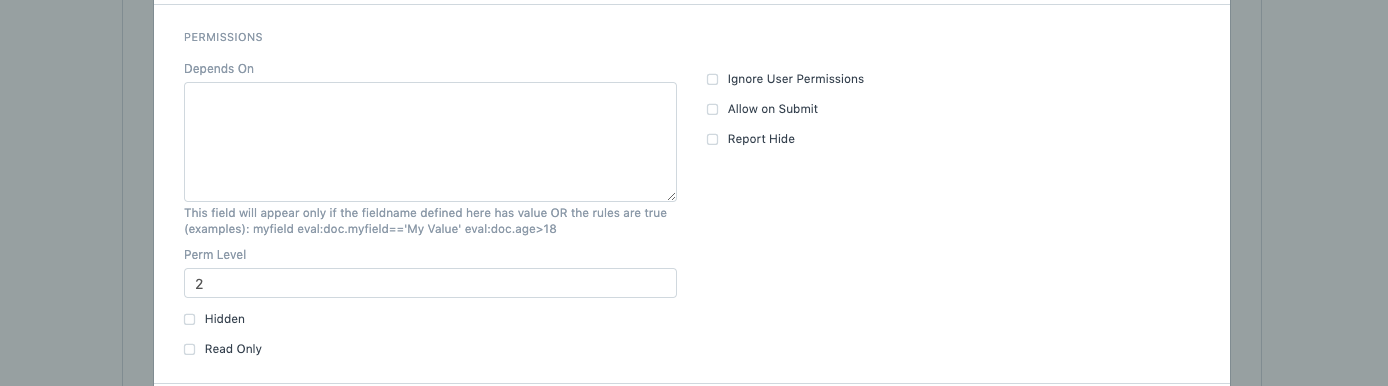
Search for the Perm Level , enter the number (0, 1, 2, 3, etc), and Save it.
ภาพประกอบ Field Level Permission Management จาก ERPNext

Step 3: Permission Rule

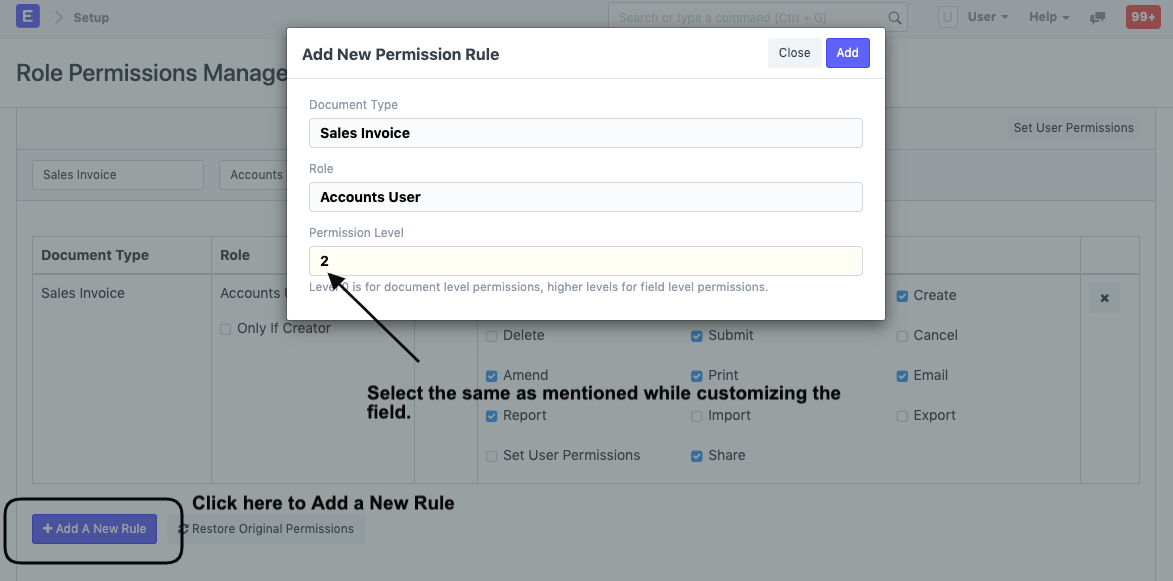
Once saved, click on Add a New Rule in Role Permission Manager and select the Document Type and the Role, in our case, Accounts User, set the Perm Level as 2 and grant the Employee Read access.
ภาพประกอบ Field Level Permission Management จาก ERPNext

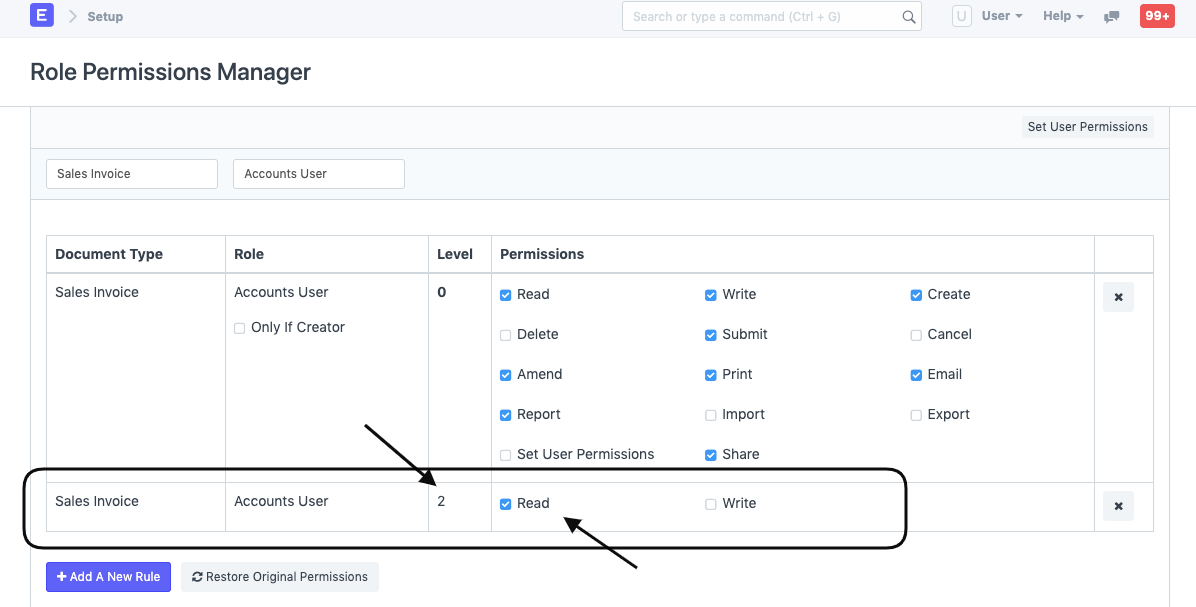
This is how the Role Permissions Manager will display the newly created Rule with Perm Level as 2:
ภาพประกอบ Field Level Permission Management จาก ERPNext

Step 4: Validate View

Now, as you can see in the Sales Invoice the User can only read the Item Rate field which will be fetched automatically from the Price List.
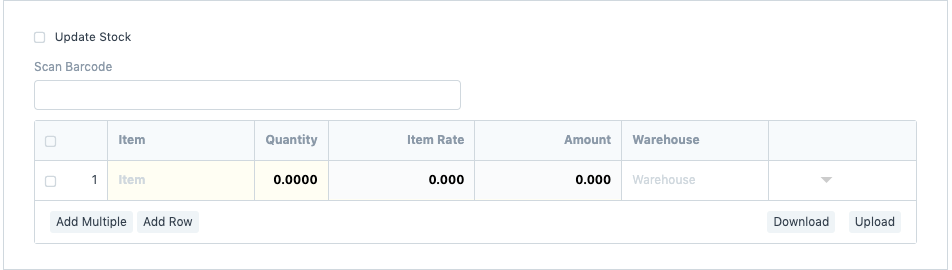

ภาพประกอบ Field Level Permission Management จาก ERPNext

เนื้อหาเอกสารอ้างอิงและภาพประกอบมาจาก ERPNext / Frappe Official Docs · บทความแนะนำภาษาไทยเรียบเรียงโดย Room64 · เว็บไซต์นี้เป็นคู่มือประกอบการใช้งานโดย Room64 · เอกสารทางการ ↗

มีงานที่อยากให้ Software, AI หรือ Automation ช่วยอยู่ไหม?

เล่า workflow หรือปัญหาที่ทีมกำลังเจอ เราช่วยดูได้ว่าควรใช้ระบบสำเร็จรูป เชื่อมเครื่องมือเดิม หรือพัฒนาเพิ่มเฉพาะส่วนไหน

คุยกับเราทาง LINEhello@room64.net