
ROOM64 / KNOWLEDGE / ERPNEXT

Client Scripts

Client Scripts are small code snippets that are executed in the browser to extend or customize the standard functionality of ERPNext.

อ่านต้นฉบับที่ ERPNext Official Docs ↗
เอกสารอ้างอิงภาษาอังกฤษเนื้อหาจากเอกสาร ERPNext คงรายละเอียดและโค้ดตามต้นฉบับ · ต้นฉบับอัปเดต 2026-03-02 ชื่อเมนูและ DocType ที่ใช้ได้ขึ้นอยู่กับเวอร์ชันและรุ่นที่ทีมใช้งาน

Projects · โครงการและงานบริการ · Client Scripts

Client Scripts are small code snippets that are executed in the browser to extend or customize the standard functionality of ERPNext.

Build > Scripting > Client Script
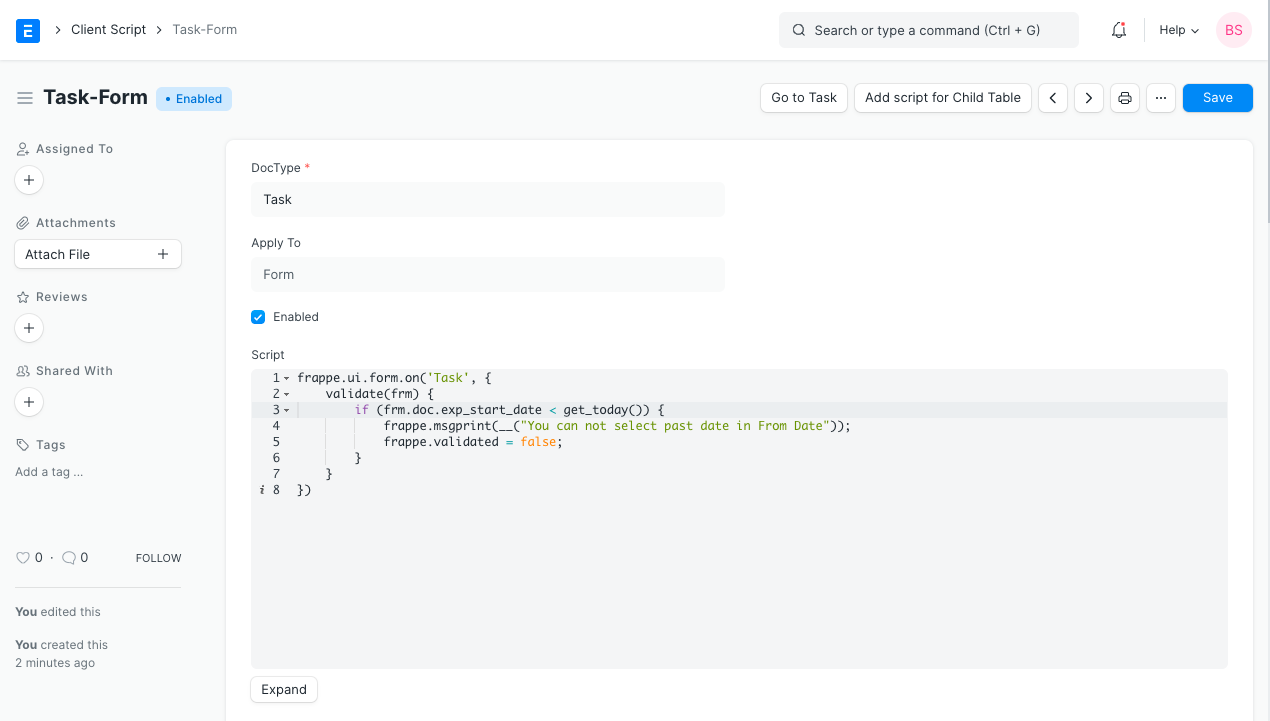
Client Script

  1. How to Create a Custom Script

Create a Custom Script (you must have System Manager role for this):

  1. Go to Custom Script List and click on New.

  2. You will be redirected to a page wherein you will be asked to enter the DocType for which you wish to create a Custom Script.

  3. Type your Custom Script and make sure it is enabled.

  4. Save.

  5. Notes


  • Server Custom Scripts are only available for the Administrator.
  • Client Custom Scripts are in JavaScript and Server Custom Scripts are in Python.
  • For testing, make sure to go to Tools > Clear Cache and refresh after updating a Custom Script.

เนื้อหาเอกสารอ้างอิงและภาพประกอบมาจาก ERPNext / Frappe Official Docs · บทความแนะนำภาษาไทยเรียบเรียงโดย Room64 · เว็บไซต์นี้เป็นคู่มือประกอบการใช้งานโดย Room64 · เอกสารทางการ ↗

มีงานที่อยากให้ Software, AI หรือ Automation ช่วยอยู่ไหม?

เล่า workflow หรือปัญหาที่ทีมกำลังเจอ เราช่วยดูได้ว่าควรใช้ระบบสำเร็จรูป เชื่อมเครื่องมือเดิม หรือพัฒนาเพิ่มเฉพาะส่วนไหน

คุยกับเราทาง LINEhello@room64.net