
ERPNext allows you to delete all the transactions like Sales Invoices, Sales Order, Payment Entries etc associated with a company, while keeping the master data intact.
Often, users setup all the master data and then create a few dummy records to test/explore the system. Then, they want to delete the dummy records and start over again.
Transaction Deletion Record
This feature allows you to delete all the records associated with a specified company, except for the ones belonging to the DocTypes listed in the Excluded DocTypes table.
If you really want to wipe out the transactions, then follow these steps. However, the deleted transactions can't be restored.
- Create a new "Transaction Deletion Record" document.
- Enter the name of the Company whose records you wish to delete.
- Modify the "Excluded DocTypes" table if needed.
- Save and Submit.
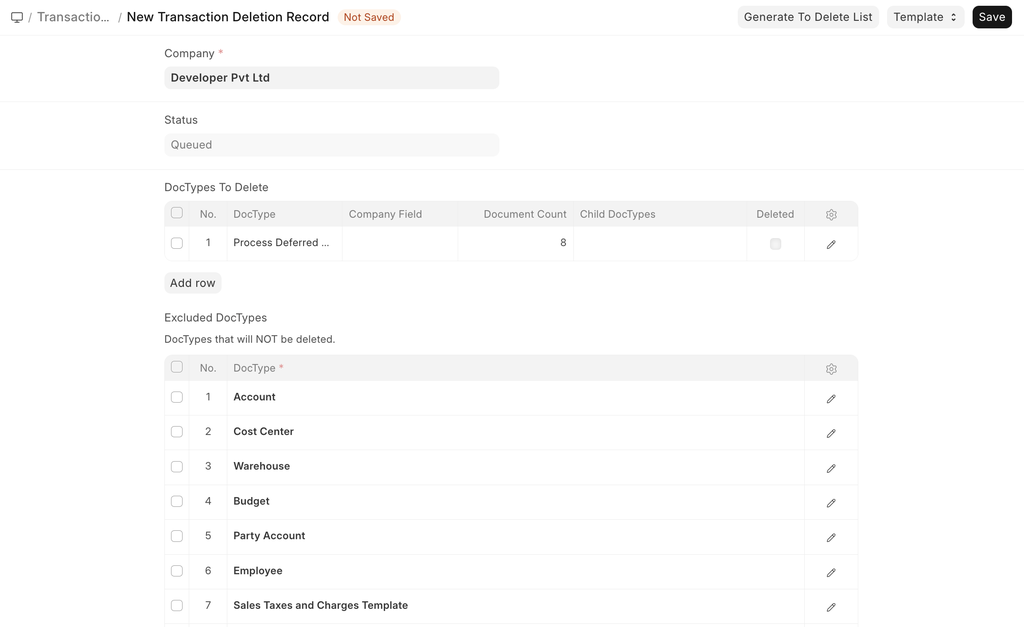
The Summary table displays the names of the DocTypes whose records were deleted as well as the number of records that were deleted.
Delete Transactions
- Go to Home > Accounting > Company and find your company.
- On the top right, you'll find the Delete Transactions button under Manage .
- Enter your password.
- Enter the company name to confirm.
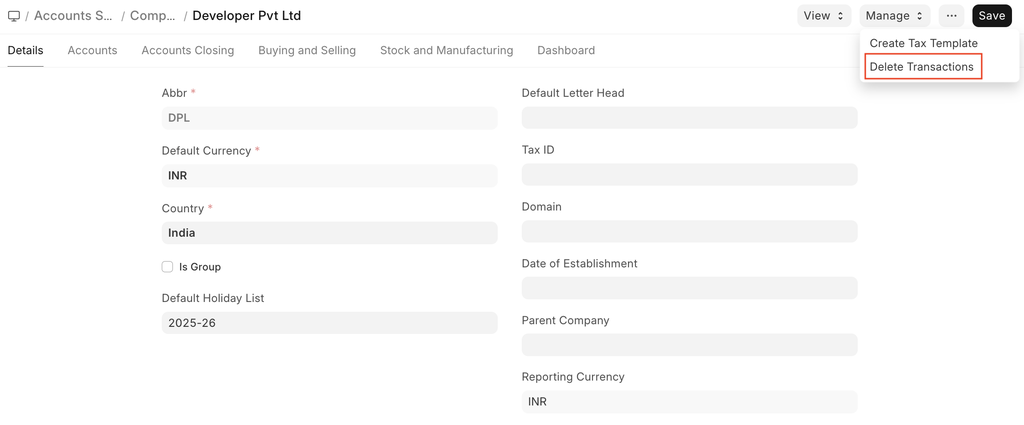
This will submit a record in the Transaction Deletion Record DocType.
:::note To perform this action, the user must have the role of System Manager. :::
