
ROOM64 / KNOWLEDGE / ERPNEXT

Disassembly Order

The 'Disassembly Order' in ERPNext is used to dismantle finished goods and return the components that are in good condition back to the store. The system allows users to change the

อ่านต้นฉบับที่ ERPNext Official Docs ↗
เอกสารอ้างอิงภาษาอังกฤษเนื้อหาจากเอกสาร ERPNext คงรายละเอียดและโค้ดตามต้นฉบับ · ต้นฉบับอัปเดต 2026-02-26 ชื่อเมนูและ DocType ที่ใช้ได้ขึ้นอยู่กับเวอร์ชันและรุ่นที่ทีมใช้งาน

Stock · สต็อกและคลังสินค้า · Disassembly Order

The 'Disassembly Order' in ERPNext is used to dismantle finished goods and return the components that are in good condition back to the store. The system allows users to change the valuation rate of the components when adding them back to the store.

To create the "Disassembly Order", open the work order which are in Completed state or Closed state. Click on create button and after that "Disassembly Order"
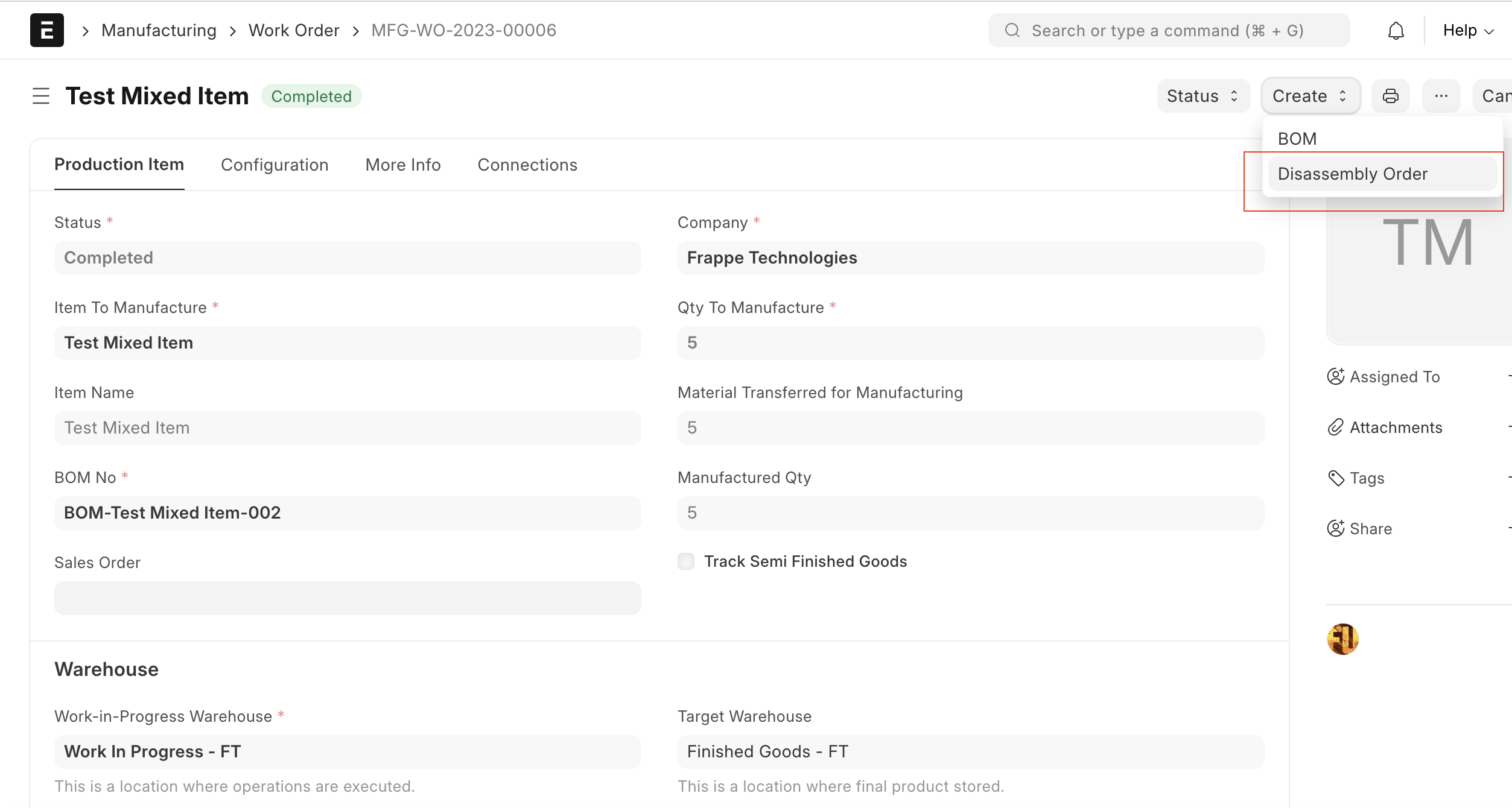
work-order-disassembly-order

Once user clicked on the "Disassembly Order" button, the system will open the stock entry with type as "Disassemble"
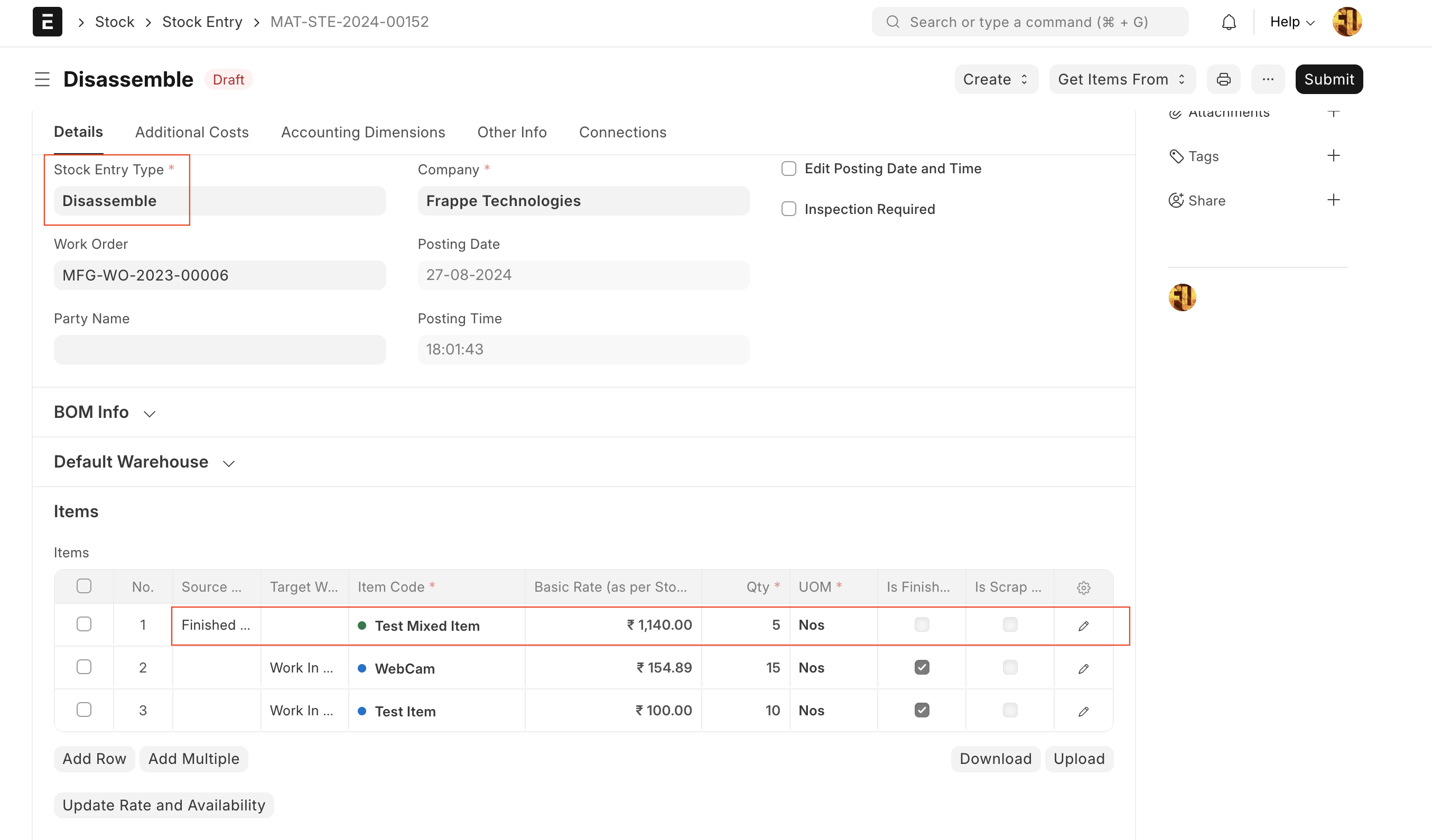
stock-entry-disassembly-order

  • Users can manually removed items which are not in a good condition
  • The system, by default, fetches the basic rate based on past transactions. If users want, they can edit the basic rate for the raw materials.

เนื้อหาเอกสารอ้างอิงและภาพประกอบมาจาก ERPNext / Frappe Official Docs · บทความแนะนำภาษาไทยเรียบเรียงโดย Room64 · เว็บไซต์นี้เป็นคู่มือประกอบการใช้งานโดย Room64 · เอกสารทางการ ↗

มีงานที่อยากให้ Software, AI หรือ Automation ช่วยอยู่ไหม?

เล่า workflow หรือปัญหาที่ทีมกำลังเจอ เราช่วยดูได้ว่าควรใช้ระบบสำเร็จรูป เชื่อมเครื่องมือเดิม หรือพัฒนาเพิ่มเฉพาะส่วนไหน

คุยกับเราทาง LINEhello@room64.net