
ROOM64 / KNOWLEDGE / ERPNEXT

Duplicate Records

'Duplicate' is a feature that helps you to copy values of existing document as-is into a new document.

อ่านต้นฉบับที่ ERPNext Official Docs ↗
เอกสารอ้างอิงภาษาอังกฤษเนื้อหาจากเอกสาร ERPNext คงรายละเอียดและโค้ดตามต้นฉบับ · ต้นฉบับอัปเดต 2026-03-04 ชื่อเมนูและ DocType ที่ใช้ได้ขึ้นอยู่กับเวอร์ชันและรุ่นที่ทีมใช้งาน

Projects · โครงการและงานบริการ · Duplicate Records

สารบัญในหน้านี้

'Duplicate' is a feature that helps you to copy values of existing document as-is into a new document.

Scenario

A customer has placed a 'reorder' for certain items with an electronic items supplier.

Since the new Sales Order will have all the details the same as that of the original Sales order, the supplier can simply open the original one and 'Duplicate' the order. The values of the original document will get updated as it is in the new Sales Order. Any changes, if required can be made thereafter.

To make a Duplicate document, you can go to the original document and click on 'Duplicate' from the Drop-Down menu.
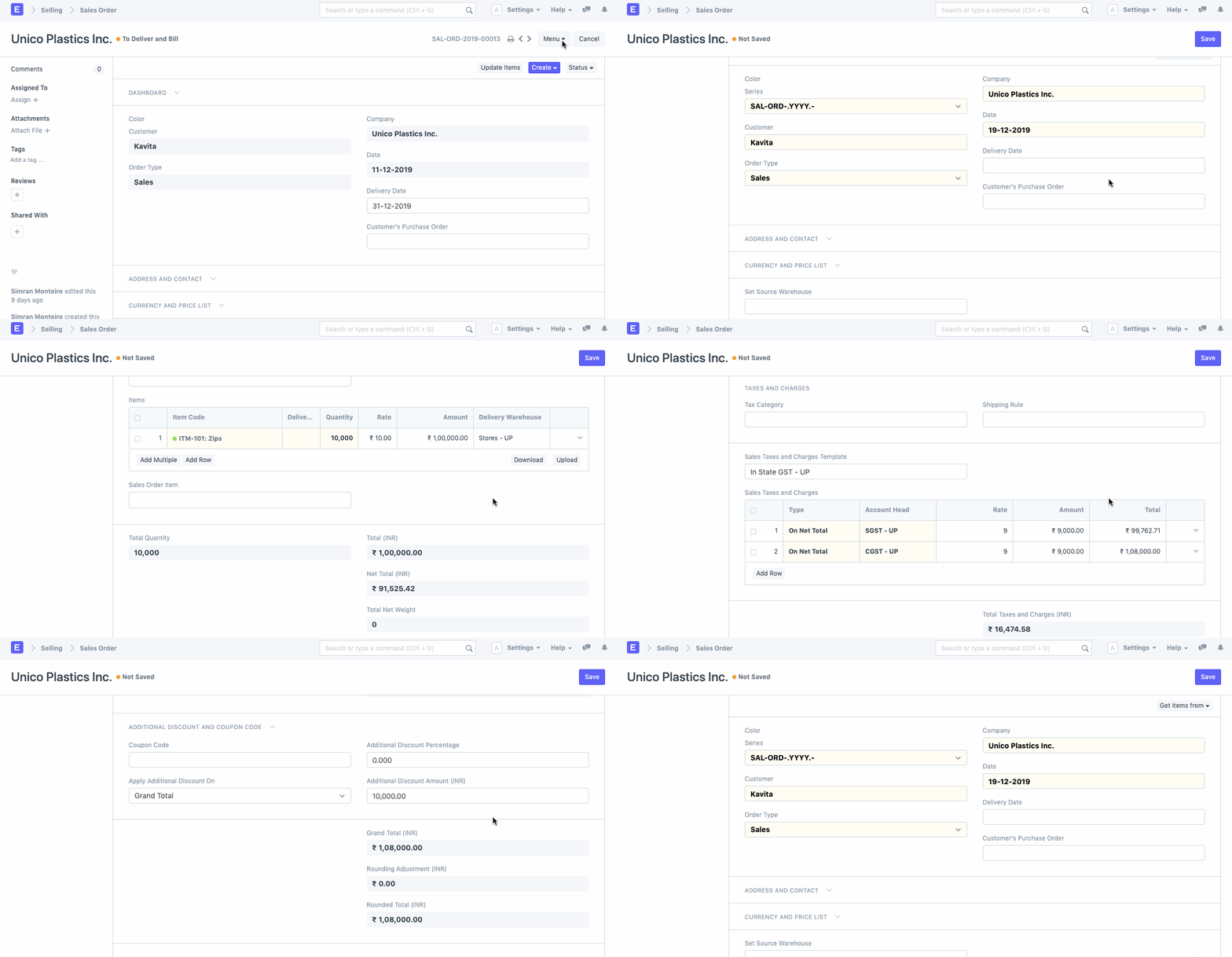

Duplicate Record

เนื้อหาเอกสารอ้างอิงและภาพประกอบมาจาก ERPNext / Frappe Official Docs · บทความแนะนำภาษาไทยเรียบเรียงโดย Room64 · เว็บไซต์นี้เป็นคู่มือประกอบการใช้งานโดย Room64 · เอกสารทางการ ↗

มีงานที่อยากให้ Software, AI หรือ Automation ช่วยอยู่ไหม?

เล่า workflow หรือปัญหาที่ทีมกำลังเจอ เราช่วยดูได้ว่าควรใช้ระบบสำเร็จรูป เชื่อมเครื่องมือเดิม หรือพัฒนาเพิ่มเฉพาะส่วนไหน

คุยกับเราทาง LINEhello@room64.net