ROOM64 / KNOWLEDGE / ERPNEXT
Email Digest
Email Digests allow you to get regular updates about your sales, expenses and other critical numbers directly in your Email Inbox.
อ่านต้นฉบับที่ ERPNext Official Docs ↗เอกสารอ้างอิงภาษาอังกฤษเนื้อหาจากเอกสาร ERPNext คงรายละเอียดและโค้ดตามต้นฉบับ · ต้นฉบับอัปเดต 2026-03-02 ชื่อเมนูและ DocType ที่ใช้ได้ขึ้นอยู่กับเวอร์ชันและรุ่นที่ทีมใช้งาน
Projects · โครงการและงานบริการ · Email Digest
สารบัญในหน้านี้
Email Digests allow you to get regular updates about your sales, expenses and other critical numbers directly in your Email Inbox.
Email Digests are a great way for top managers to keep track of the big numbers like “Sales Booked” or “Amount Collected” or “Invoices Raised” etc.
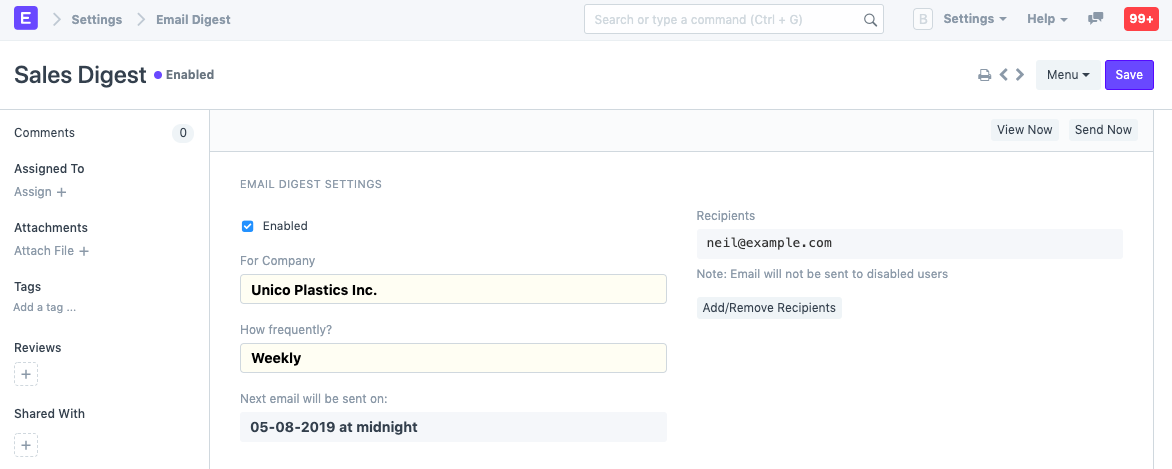
To set up Email Digest, go to:
Home > Settings > Email Digest
- Enter a name for the Email digest.
- Set the frequency of mails to be sent.
- Add or remove recipients.
- Select the items to be included in the digest.
- Save.
Example:
- Auto Email Reports
- Sending Email

