
In Standard Reports of ERPNext such as SOA, Accounts Receivable/Payable etc , we provide an option to Add/Remove Columns from the documents and display it in the Report, these columns are only meant for reference at that particular moment of time.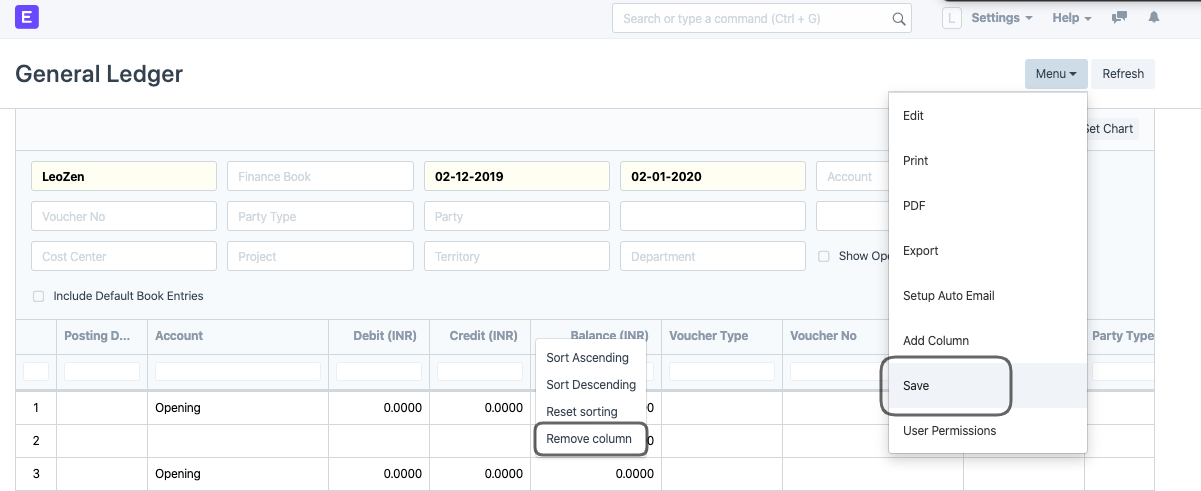
If the User needs to Export along with the changes made by him in the Report, the User needs to Save the Report and then Export it.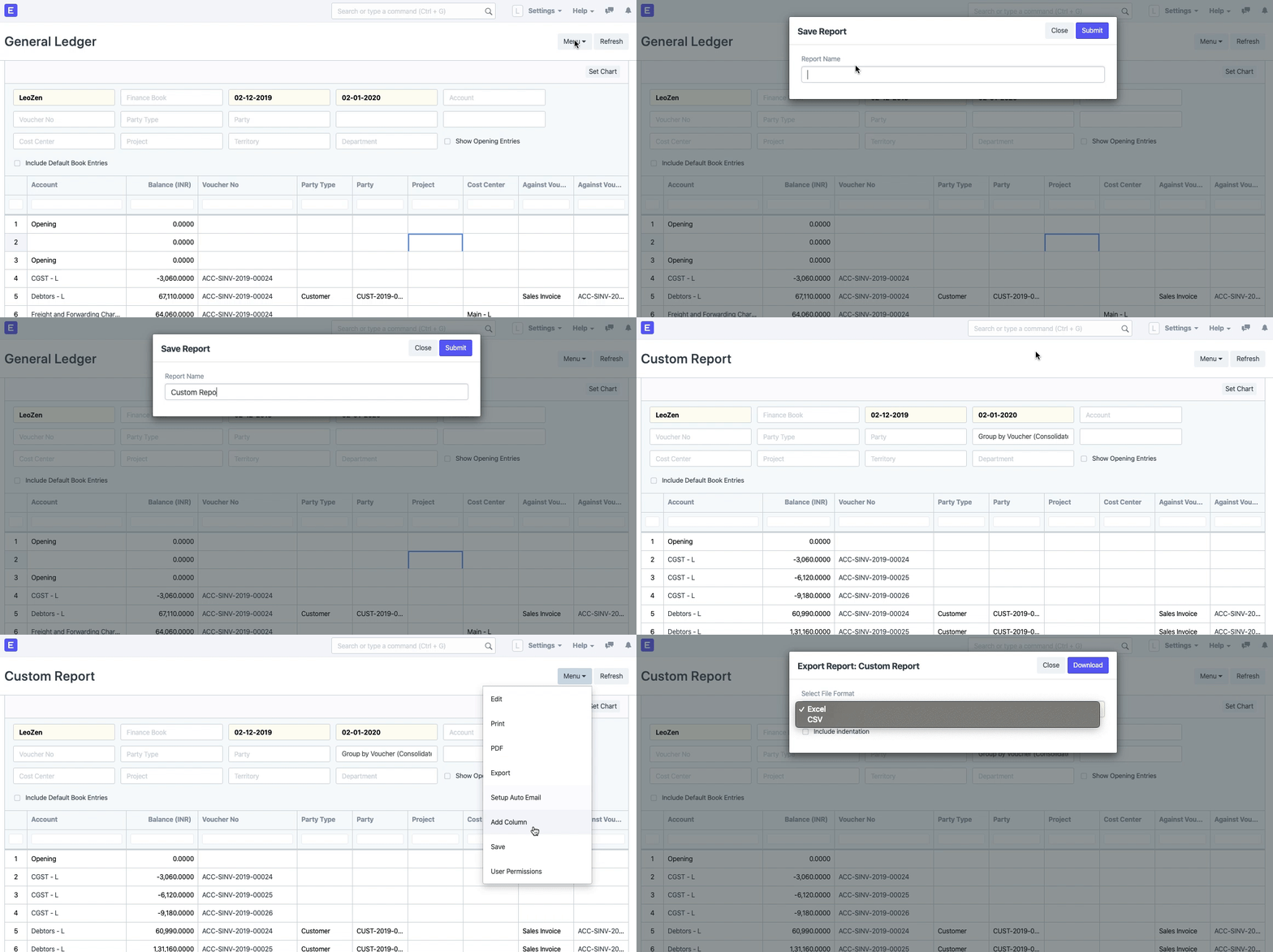
ROOM64 / KNOWLEDGE / ERPNEXT
Add columns in Standard Report and Export
In Standard Reports of ERPNext such as SOA, Accounts Receivable/Payable etc , we provide an option to Add/Remove Columns from the documents and display it in the Report, these colu
อ่านต้นฉบับที่ ERPNext Official Docs ↗เอกสารอ้างอิงภาษาอังกฤษเนื้อหาจากเอกสาร ERPNext คงรายละเอียดและโค้ดตามต้นฉบับ · ต้นฉบับอัปเดต 2026-03-04 ชื่อเมนูและ DocType ที่ใช้ได้ขึ้นอยู่กับเวอร์ชันและรุ่นที่ทีมใช้งาน
Projects · โครงการและงานบริการ · Add columns in Standard Report and Export
