ROOM64 / KNOWLEDGE / ERPNEXT
Edit Export/Print permissions for reports
To handle Export/Print permissions for a report, use Role Permission Manager of the DocType the report is created from.
อ่านต้นฉบับที่ ERPNext Official Docs ↗เอกสารอ้างอิงภาษาอังกฤษเนื้อหาจากเอกสาร ERPNext คงรายละเอียดและโค้ดตามต้นฉบับ · ต้นฉบับอัปเดต 2026-03-04 ชื่อเมนูและ DocType ที่ใช้ได้ขึ้นอยู่กับเวอร์ชันและรุ่นที่ทีมใช้งาน
Introduction · เริ่มต้นและตั้งค่า · Edit Export/Print permissions for reports
สารบัญในหน้านี้
To handle Export/Print permissions for a report, use Role Permission Manager of the DocType the report is created from.
Step 1:
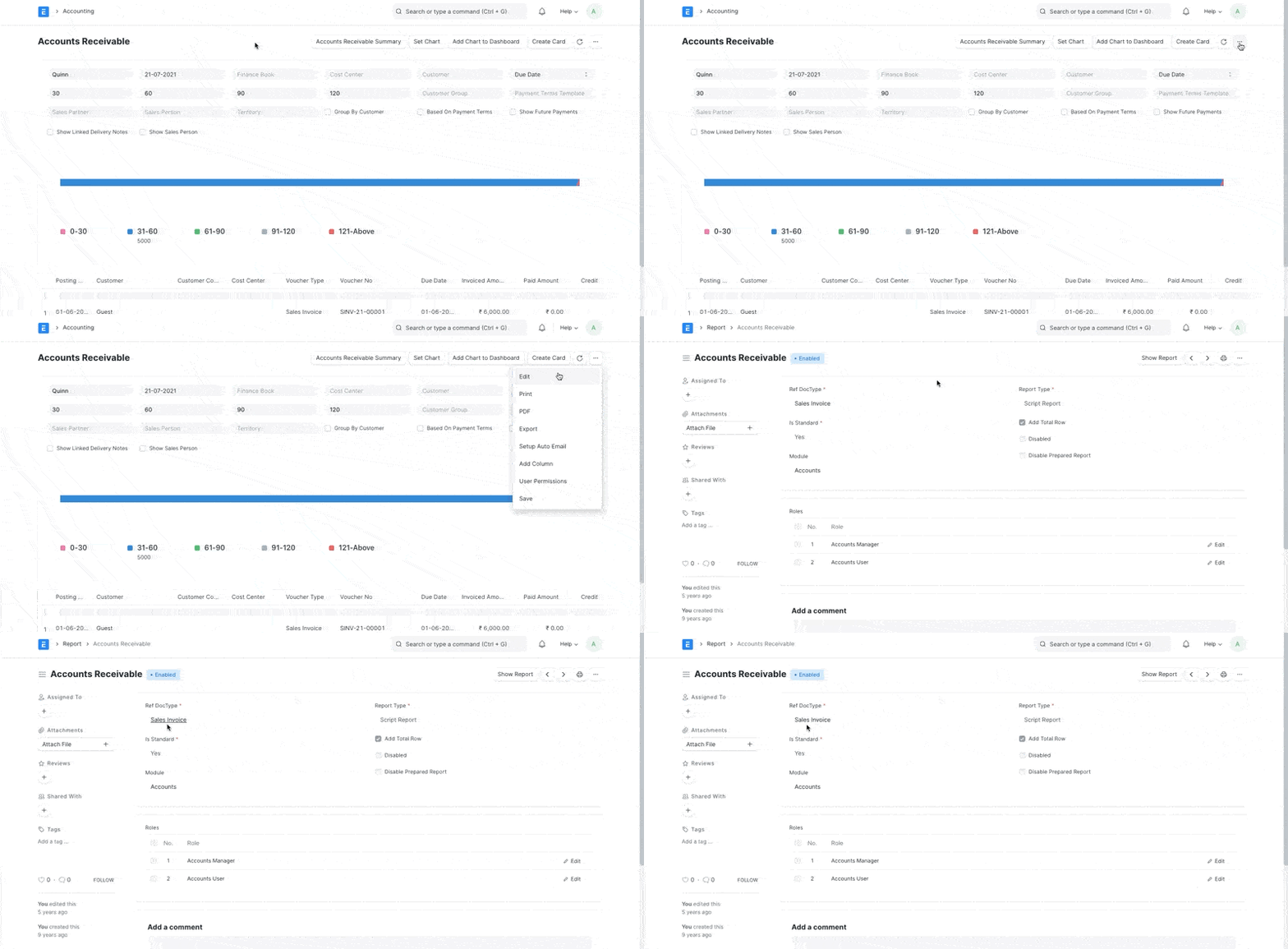
Find out from which Document Type the Report is generated from
Step 2:
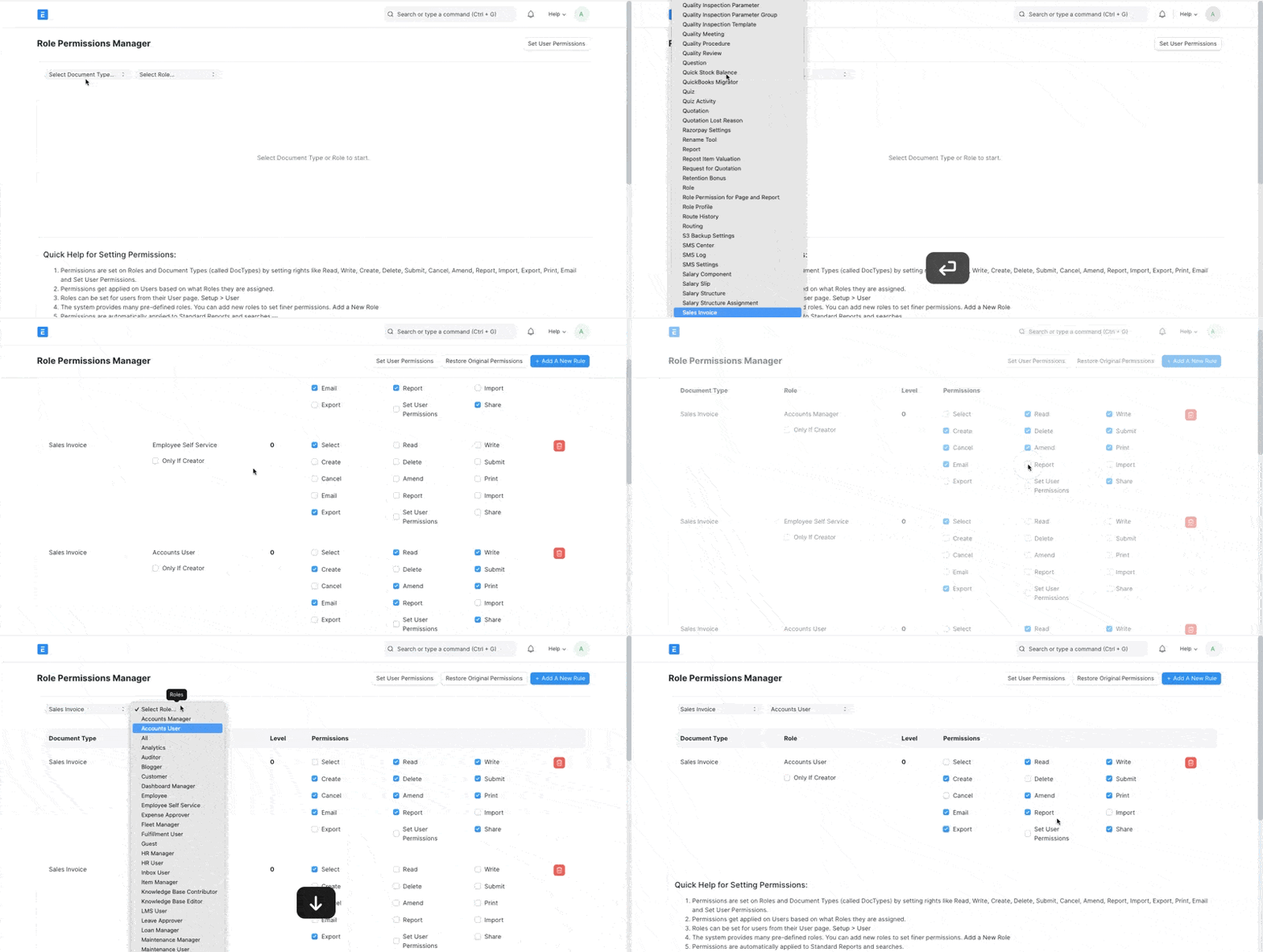
Go to Role Permission Manager, filter using the same Document Type (Sales Invoice in our example) and edit the permissions based on Roles