ROOM64 / KNOWLEDGE / ERPNEXT

Restore Deleted Documents

Use Case: Need to restore/ retrieve the documents that were deleted.Steps:

อ่านต้นฉบับที่ ERPNext Official Docs ↗
เอกสารอ้างอิงภาษาอังกฤษเนื้อหาจากเอกสาร ERPNext คงรายละเอียดและโค้ดตามต้นฉบับ · ต้นฉบับอัปเดต 2026-03-04 ชื่อเมนูและ DocType ที่ใช้ได้ขึ้นอยู่กับเวอร์ชันและรุ่นที่ทีมใช้งาน

Projects · โครงการและงานบริการ · Restore Deleted Documents

Use Case: Need to restore/ retrieve the documents that were deleted.
Steps:

  1. Go to Settings > Deleted Documents (or search for "Deleted Document list" in the search bar).

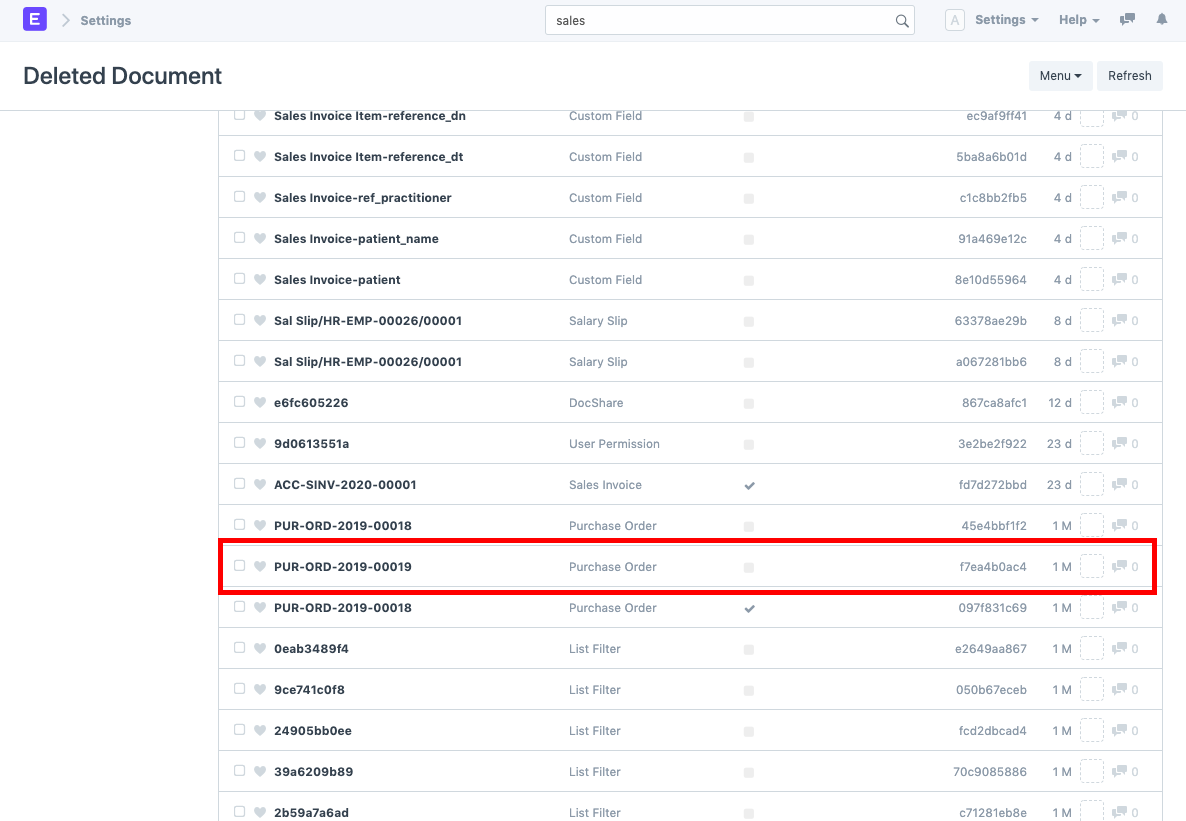
  2. Search for the deleted document. You can also filter out the document based on the Deleted DocType. For example we need to restore the Purchase Order, PUR-ORD-2019-00019. To do so, search for the same in the deleted document list and open it.
    ภาพประกอบ Restore Deleted Documents จาก ERPNext

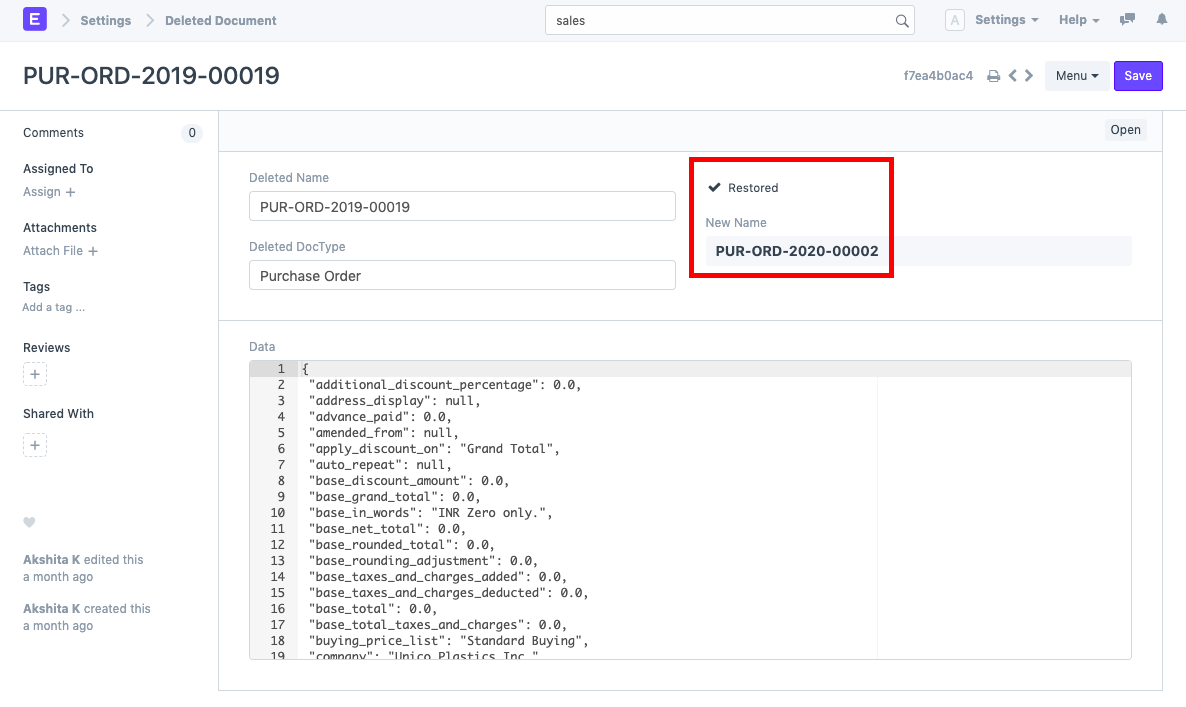
  3. Click on the "Restore" button as shown below. Also note the Data box which gives the information on various fields of the document. This helps you confirm whether it is the same document you want to restore.
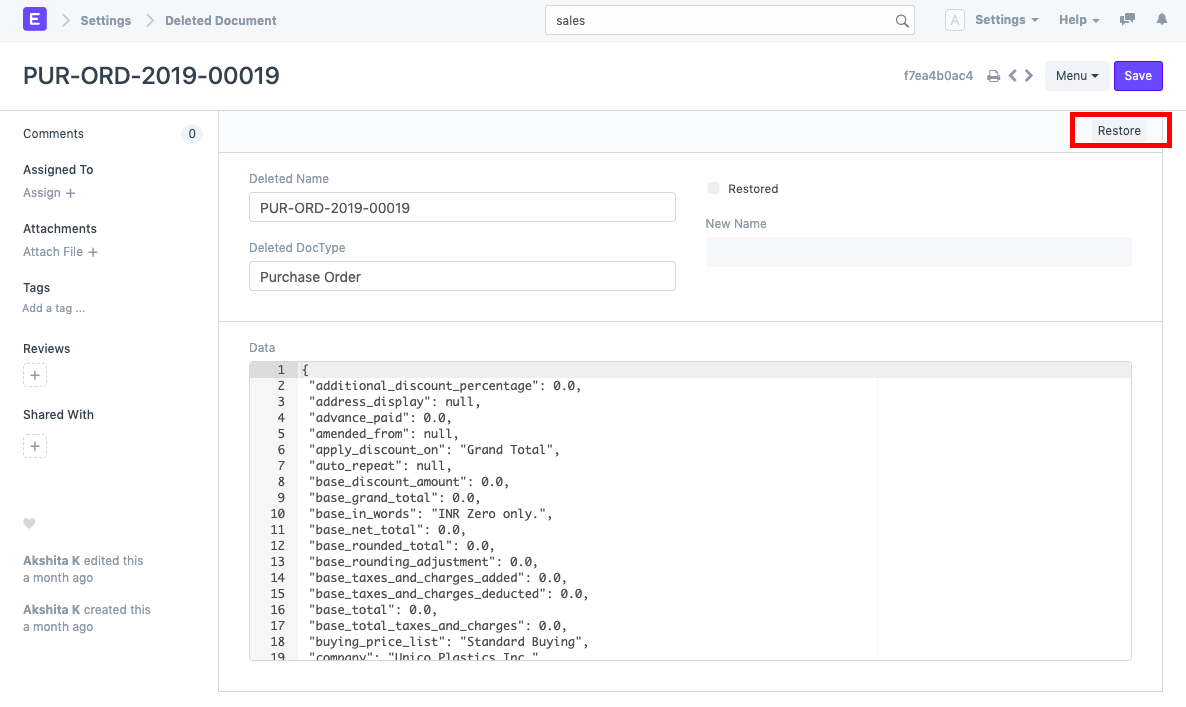
    ภาพประกอบ Restore Deleted Documents จาก ERPNext

  4. Once the Restore button is clicked, the document gets restored in Draft State with a New Name according to the Naming Series.
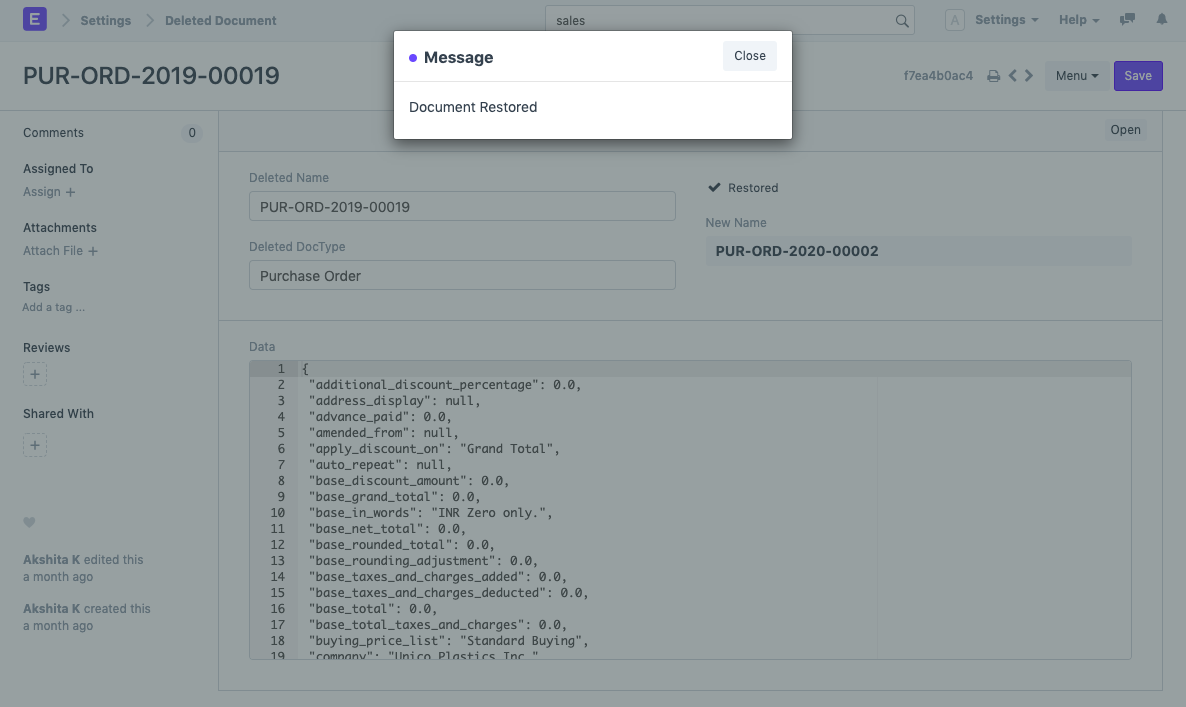
    ภาพประกอบ Restore Deleted Documents จาก ERPNext
    ภาพประกอบ Restore Deleted Documents จาก ERPNext

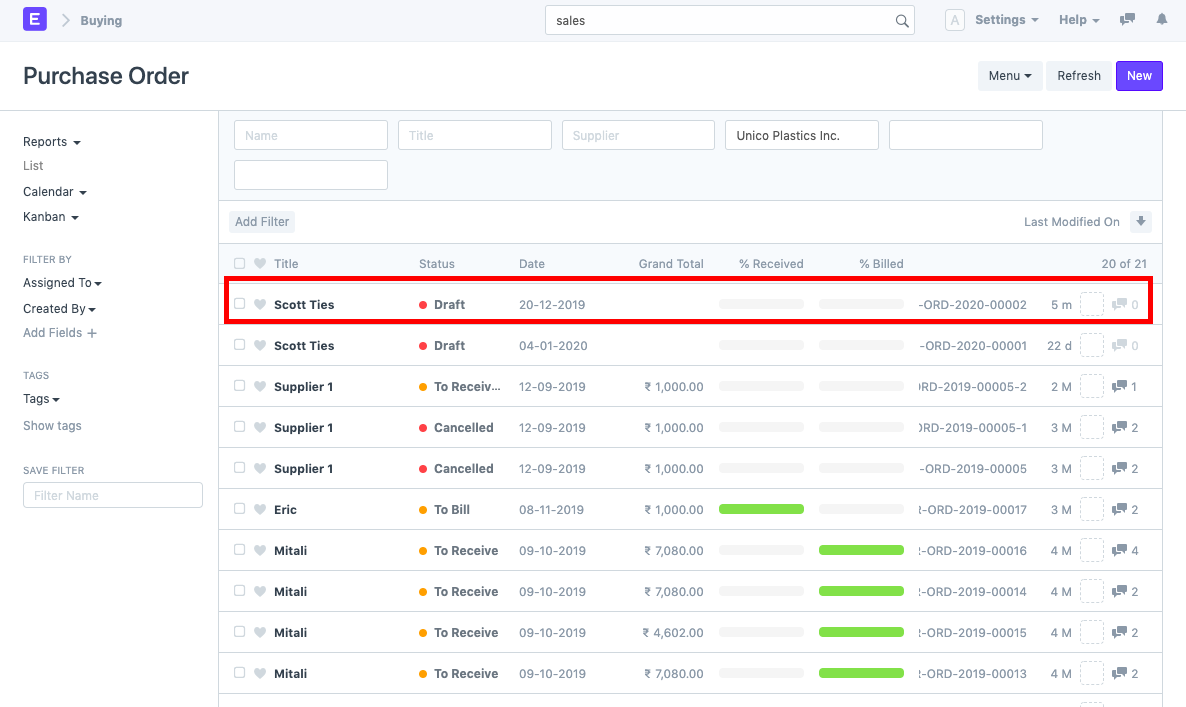
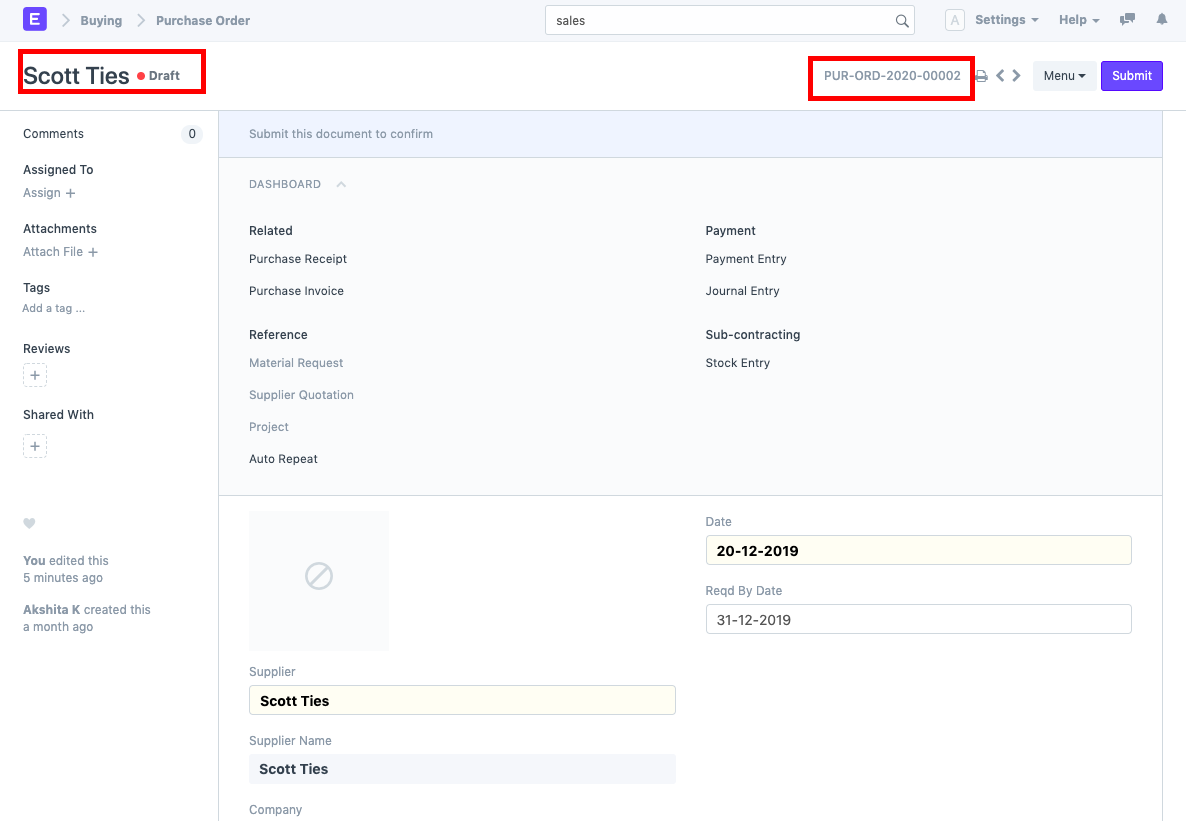
  5. You can directly open the newly restored document through the "Open" button or search for the same in that document's list (in this case, Purchase Order list).
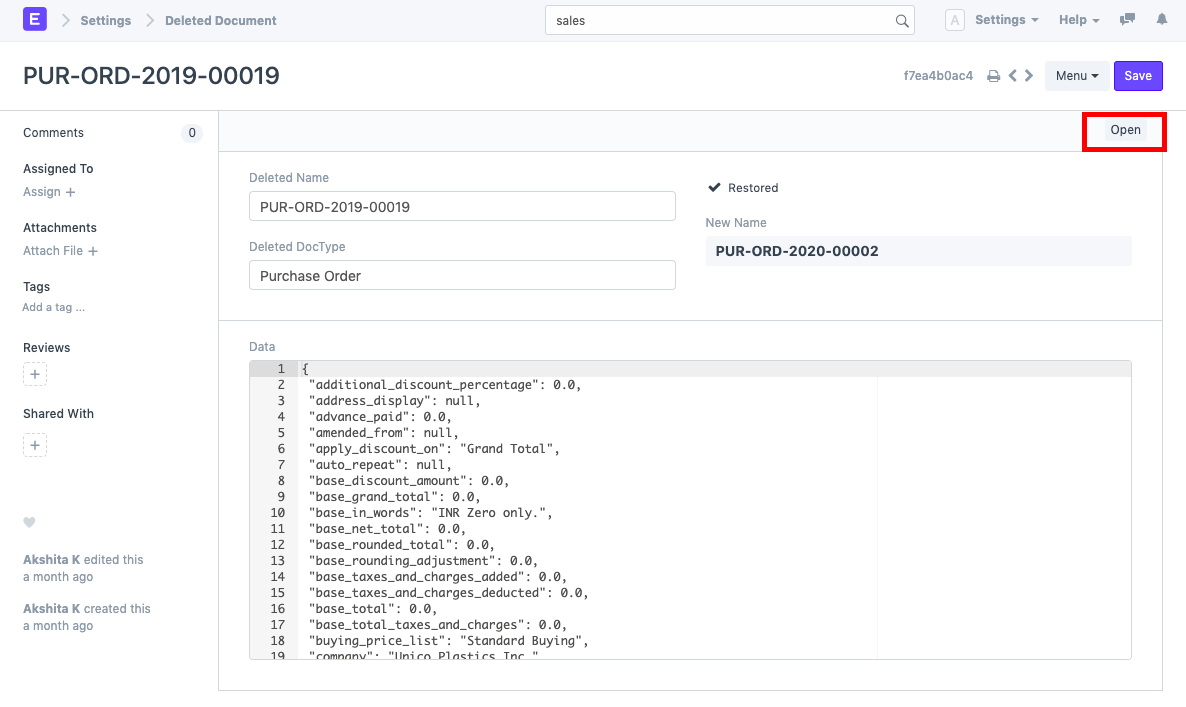
    ภาพประกอบ Restore Deleted Documents จาก ERPNext
    ภาพประกอบ Restore Deleted Documents จาก ERPNext
    ภาพประกอบ Restore Deleted Documents จาก ERPNext

เนื้อหาเอกสารอ้างอิงและภาพประกอบมาจาก ERPNext / Frappe Official Docs · บทความแนะนำภาษาไทยเรียบเรียงโดย Room64 · เว็บไซต์นี้เป็นคู่มือประกอบการใช้งานโดย Room64 · เอกสารทางการ ↗

มีงานที่อยากให้ Software, AI หรือ Automation ช่วยอยู่ไหม?

เล่า workflow หรือปัญหาที่ทีมกำลังเจอ เราช่วยดูได้ว่าควรใช้ระบบสำเร็จรูป เชื่อมเครื่องมือเดิม หรือพัฒนาเพิ่มเฉพาะส่วนไหน

คุยกับเราทาง LINEhello@room64.net