ROOM64 / KNOWLEDGE / ERPNEXT
Sync DocTypes with Events Calendar
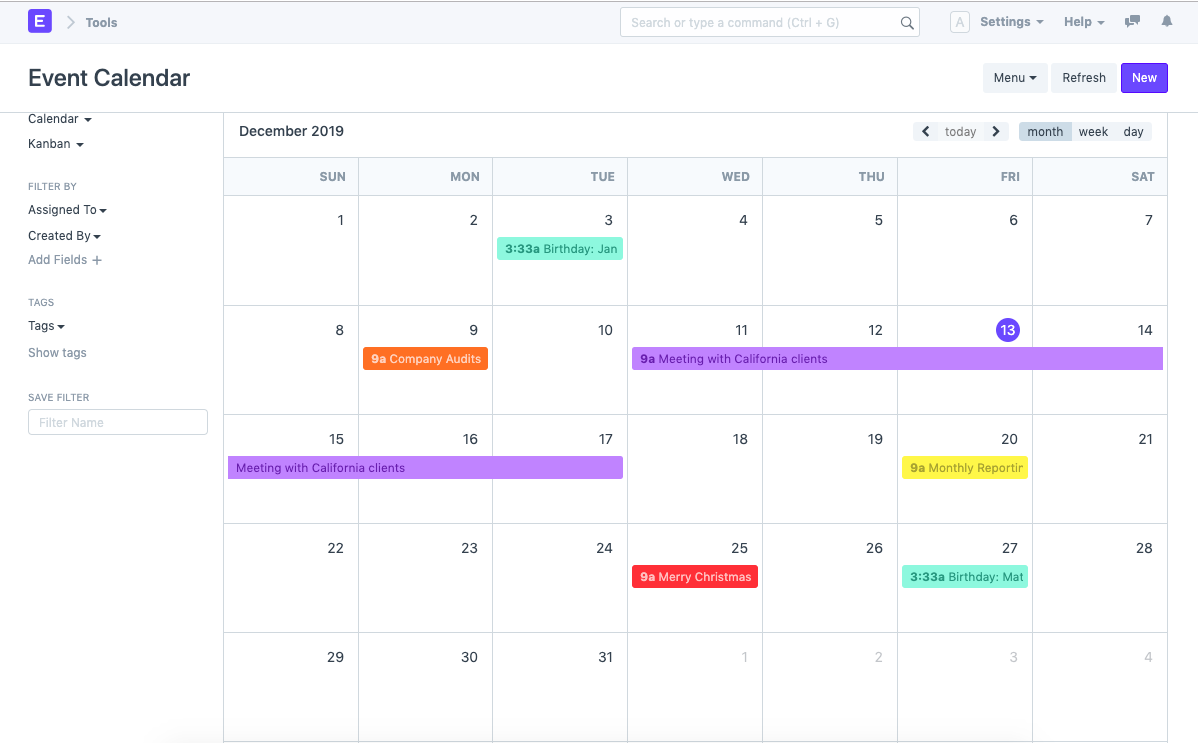
Create calendar view for sales order, sales invoice or any other doc-types by following these simple steps
อ่านต้นฉบับที่ ERPNext Official Docs ↗เอกสารอ้างอิงภาษาอังกฤษเนื้อหาจากเอกสาร ERPNext คงรายละเอียดและโค้ดตามต้นฉบับ · ต้นฉบับอัปเดต 2026-03-04 ชื่อเมนูและ DocType ที่ใช้ได้ขึ้นอยู่กับเวอร์ชันและรุ่นที่ทีมใช้งาน
Projects · โครงการและงานบริการ · Sync DocTypes with Events Calendar
Create calendar view for sales order, sales invoice or any other doc-types by following these simple steps
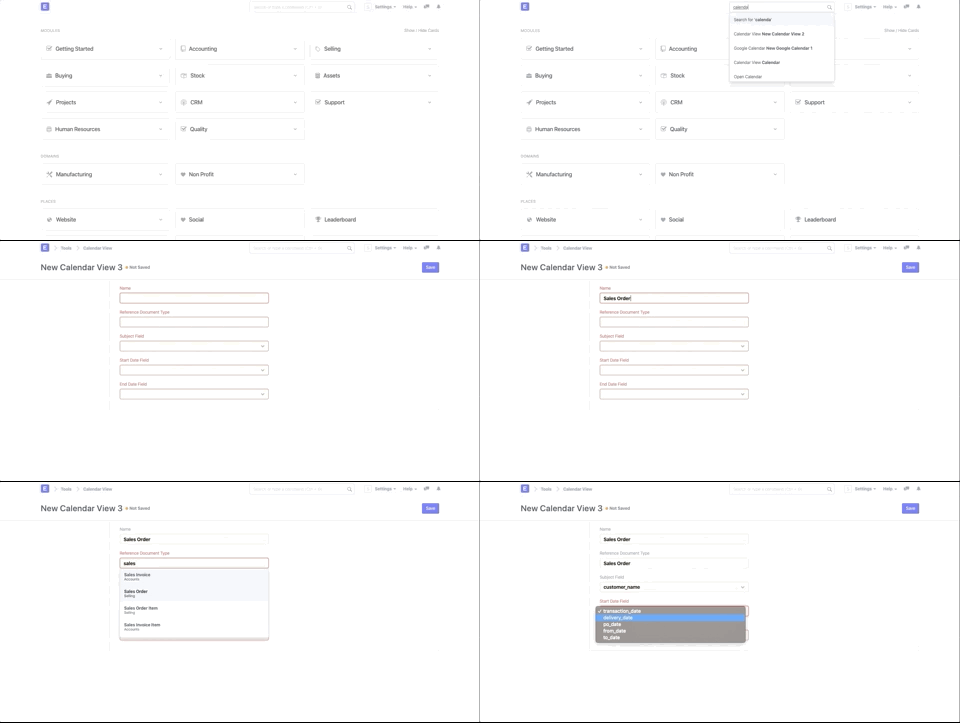
- Type 'Calendar View List' in the awesome bar/ Search bar.
- Click on new to create a new Calendar List
- Select the Reference Doc-Type you want to be view in the calendar. Eg: Sales Order
- Set the Start date and End date fields. Eg: Delivery Date.
- Save your changes.