
ROOM64 / KNOWLEDGE / ERPNEXT

Item Attribute

The attributes can be defined based on item's physical appearance and capabilities. Defining item attributes properly will be helpful in creating item variants as a combination of

อ่านต้นฉบับที่ ERPNext Official Docs ↗
เอกสารอ้างอิงภาษาอังกฤษเนื้อหาจากเอกสาร ERPNext คงรายละเอียดและโค้ดตามต้นฉบับ · ต้นฉบับอัปเดต 2026-03-06 ชื่อเมนูและ DocType ที่ใช้ได้ขึ้นอยู่กับเวอร์ชันและรุ่นที่ทีมใช้งาน

Stock · สต็อกและคลังสินค้า · Item Attribute

สารบัญในหน้านี้

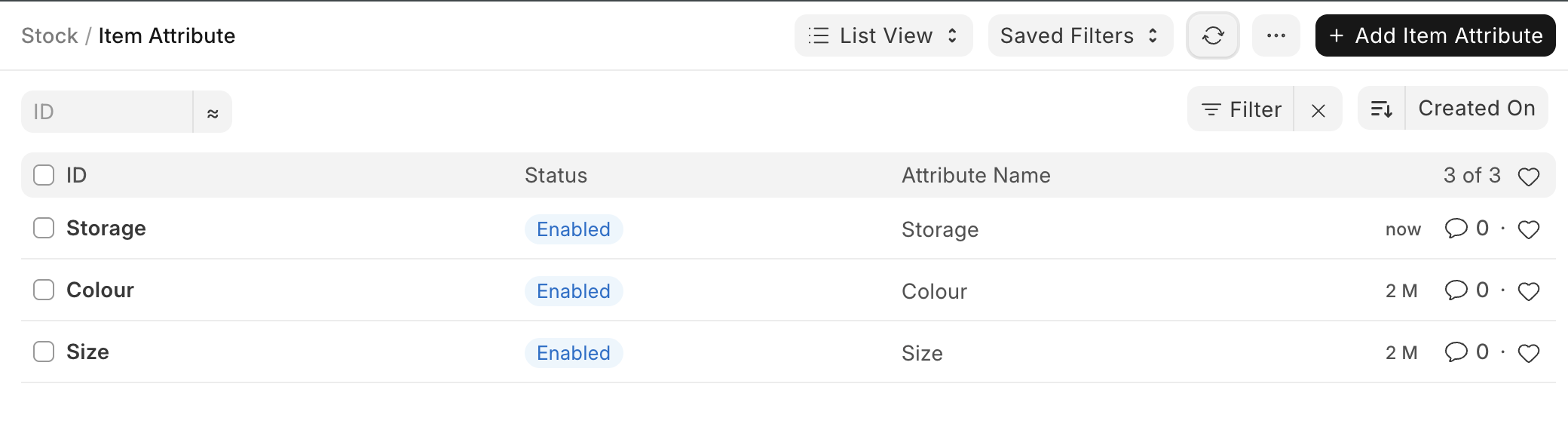
'Item Attributes' are the characteristics based on which Item Variants are created.

The attributes can be defined based on item's physical appearance and capabilities. Defining item attributes properly will be helpful in creating item variants as a combination of multiple attributes.
ภาพประกอบ Item Attribute จาก ERPNext

To access the Item Attribute list, go to:

Home > Stock > Settings > Item Attribute

How to create an Item Attribute?

  1. Go to the Item Attribute list, click on 'Add Item Attribute'.
  2. Enter a name for the Attribute.
  3. Enter the attribute values in the table.
  4. Save.

The attribute values can be numeric or non-numeric.

Non-Numeric Attributes

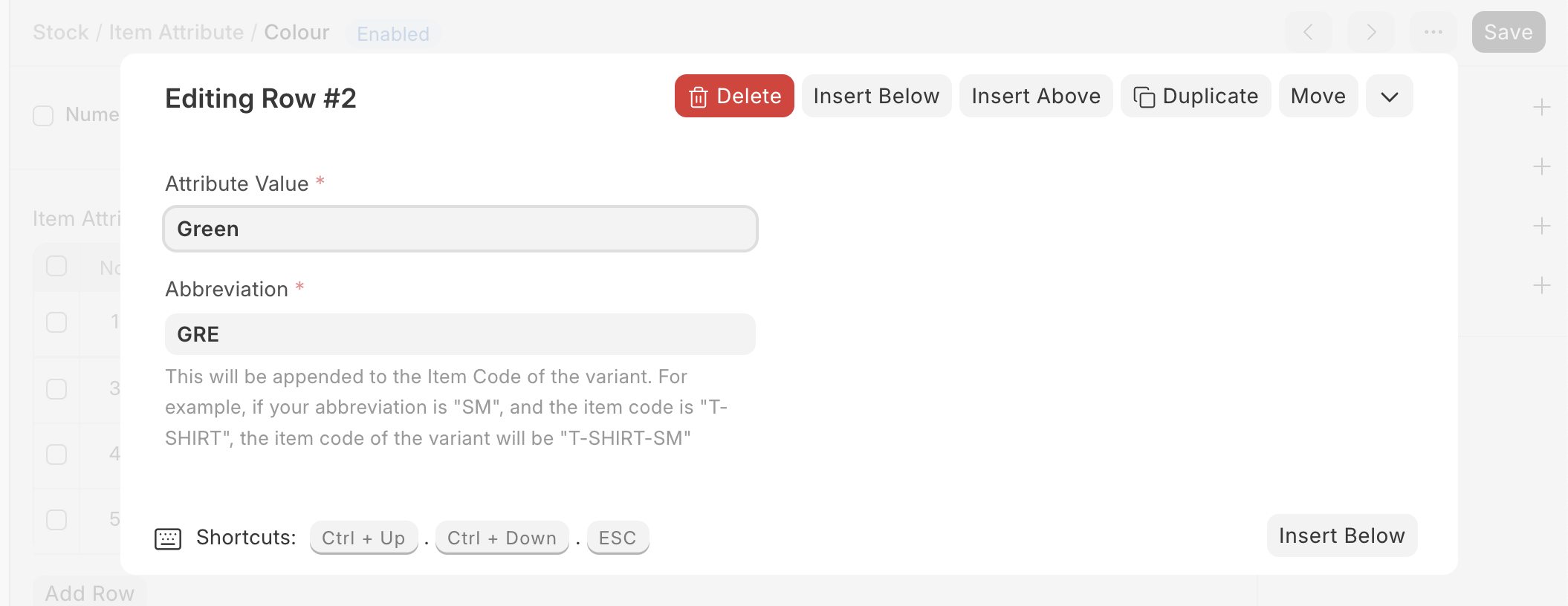
For Non-numeric attributes, specify attribute values along with their abbreviations in the Attribute Values table.
ภาพประกอบ Item Attribute จาก ERPNext

Numeric Attribute

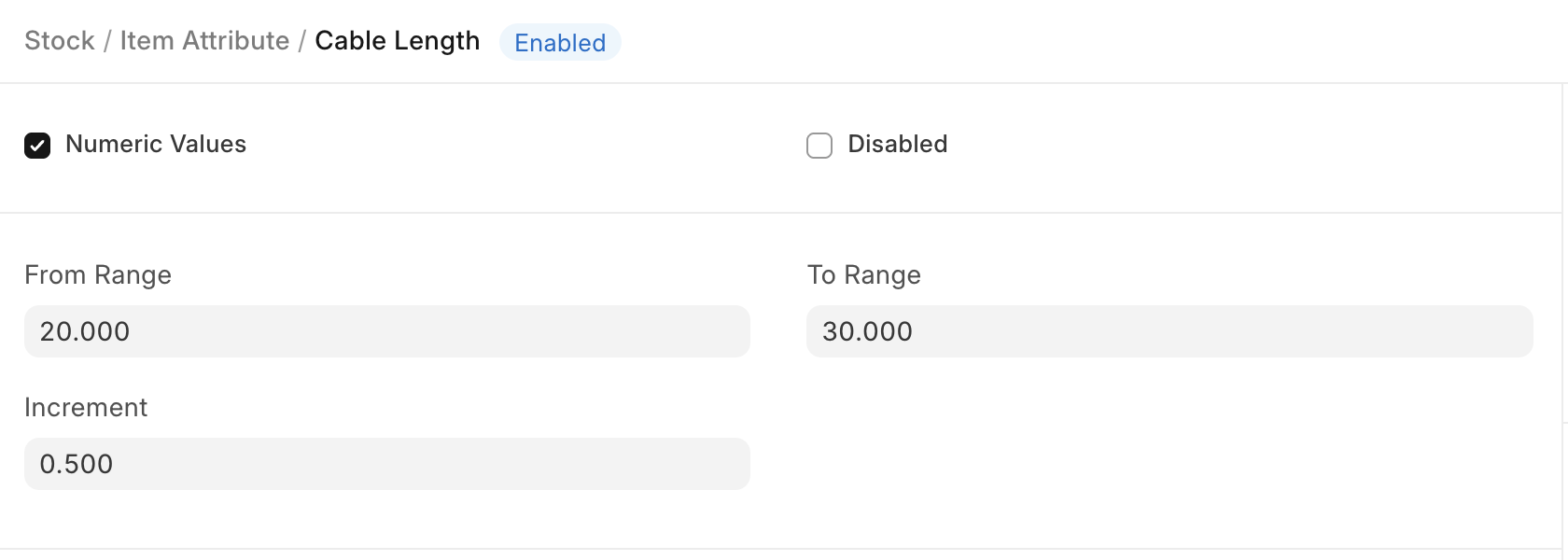
If your attribute is 'Numeric', then specify the range and increment so that the system can generate respective variants.

In the following example, the cable length is of range 1 to 5 and the increment is 1. Hence, the variants will be 1,2,3,4,5.

ภาพประกอบ Item Attribute จาก ERPNext

เนื้อหาเอกสารอ้างอิงและภาพประกอบมาจาก ERPNext / Frappe Official Docs · บทความแนะนำภาษาไทยเรียบเรียงโดย Room64 · เว็บไซต์นี้เป็นคู่มือประกอบการใช้งานโดย Room64 · เอกสารทางการ ↗

มีงานที่อยากให้ Software, AI หรือ Automation ช่วยอยู่ไหม?

เล่า workflow หรือปัญหาที่ทีมกำลังเจอ เราช่วยดูได้ว่าควรใช้ระบบสำเร็จรูป เชื่อมเครื่องมือเดิม หรือพัฒนาเพิ่มเฉพาะส่วนไหน

คุยกับเราทาง LINEhello@room64.net