In ERPNext POS module, the invoices are auto generated. You can set your complete POS system right with the following configuration steps:
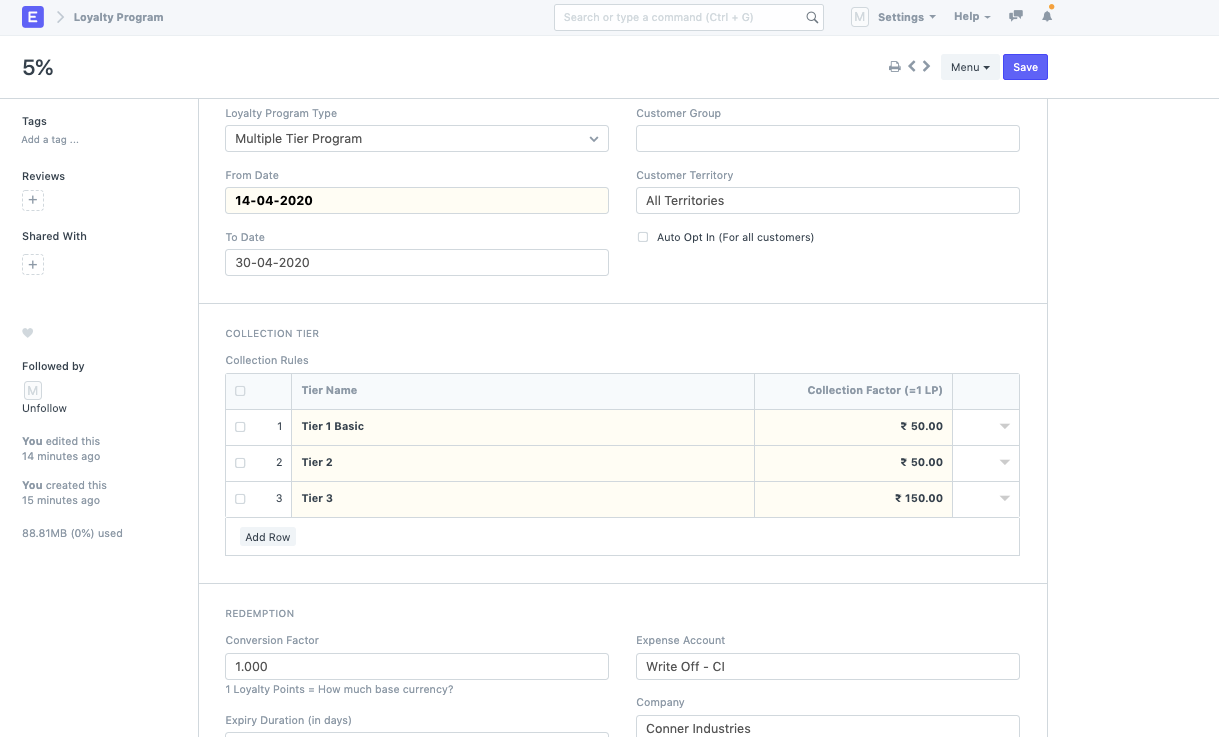
Create a Loyalty program in the doctype: You can set Single Tier or a Multiple Tier Program based on the slabs existing in the amount of Purchase that is done in ERPNext.
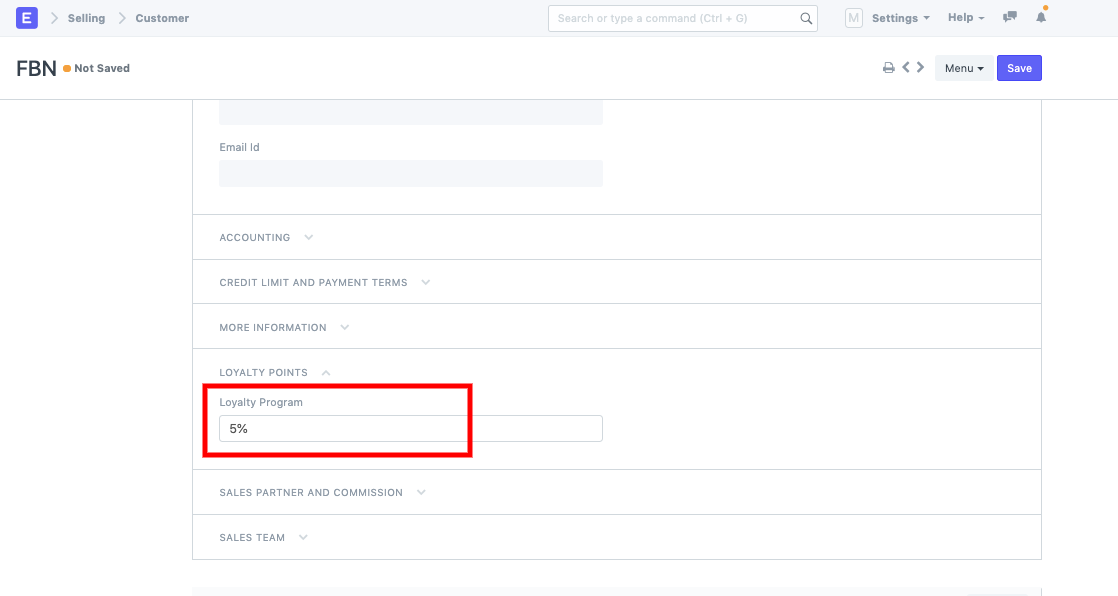
* Once the loyalty program is set, you can create a Customer and link the Loyalty program to it.
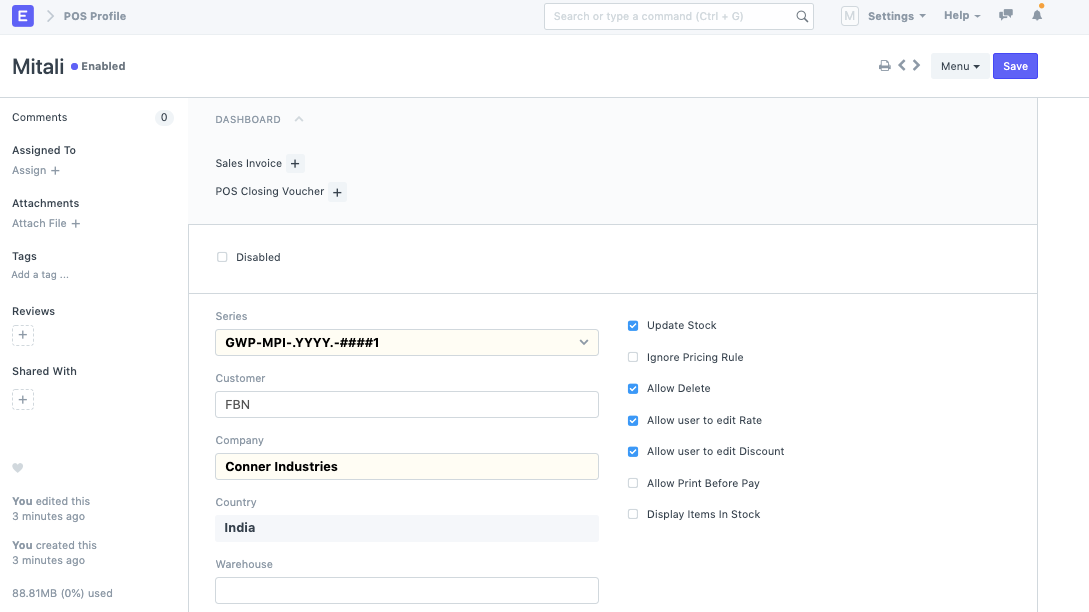
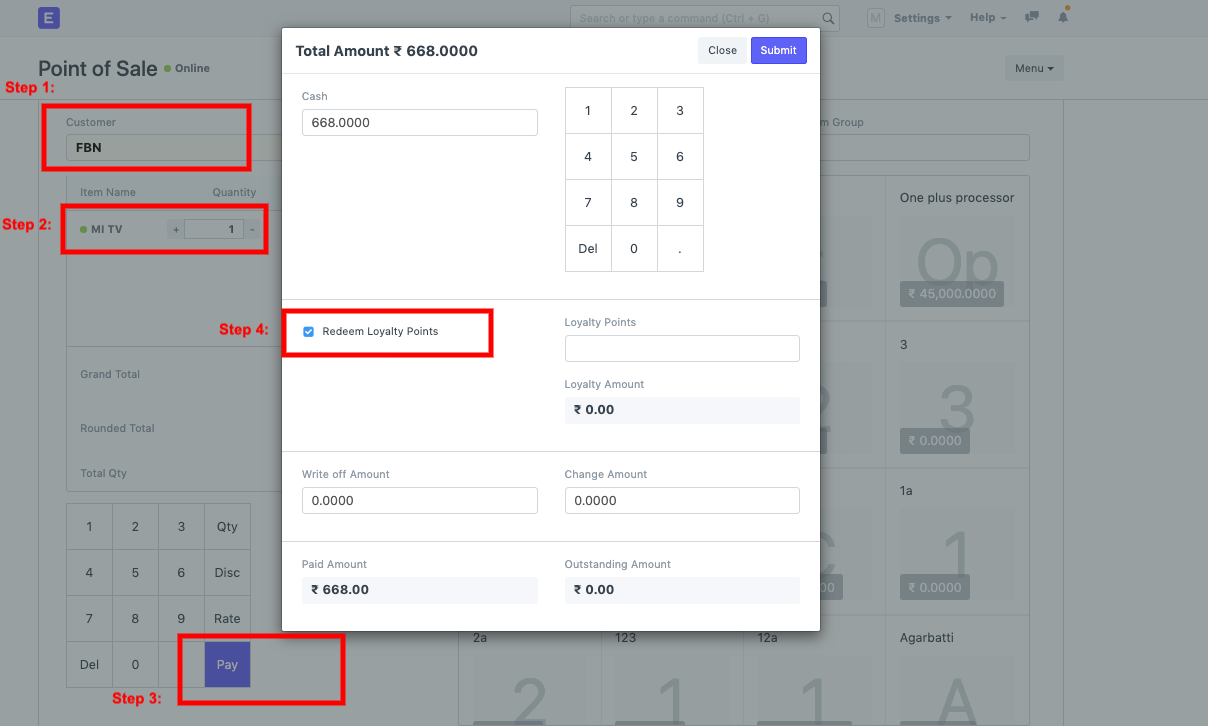
Once this Customer is linked to the Loyalty program, you can now setup your POS profile if it is not set yet: Now, you can go to POS transaction:* Select Customer
Add items
Pay
Check the field --> Redeem Loyalty Points
+เริ่มจากบทสนทนา
มีงานที่อยากให้
Software, AI หรือ
Automation ช่วยอยู่ไหม?

 * Once the loyalty program is set, you can create a Customer and link the Loyalty program to it.
 Once this Customer is linked to the Loyalty program, you can now setup your POS profile if it is not set yet: