
The Maintenance Schedule shows all upcoming Maintenance Visits.
All machines require regular maintenance, especially those that contain a lot of moving parts, so if you are in the business of maintaining those or have some of them in your own premises, this is a useful tool to plan a calendar of activities for its maintenance.
To create a new Maintenance Schedule go to:
Home > Support > Maintenance > Maintenance Schedule
A Maintenance Schedule is usually created from a Sales Order of type 'Maintenance'.
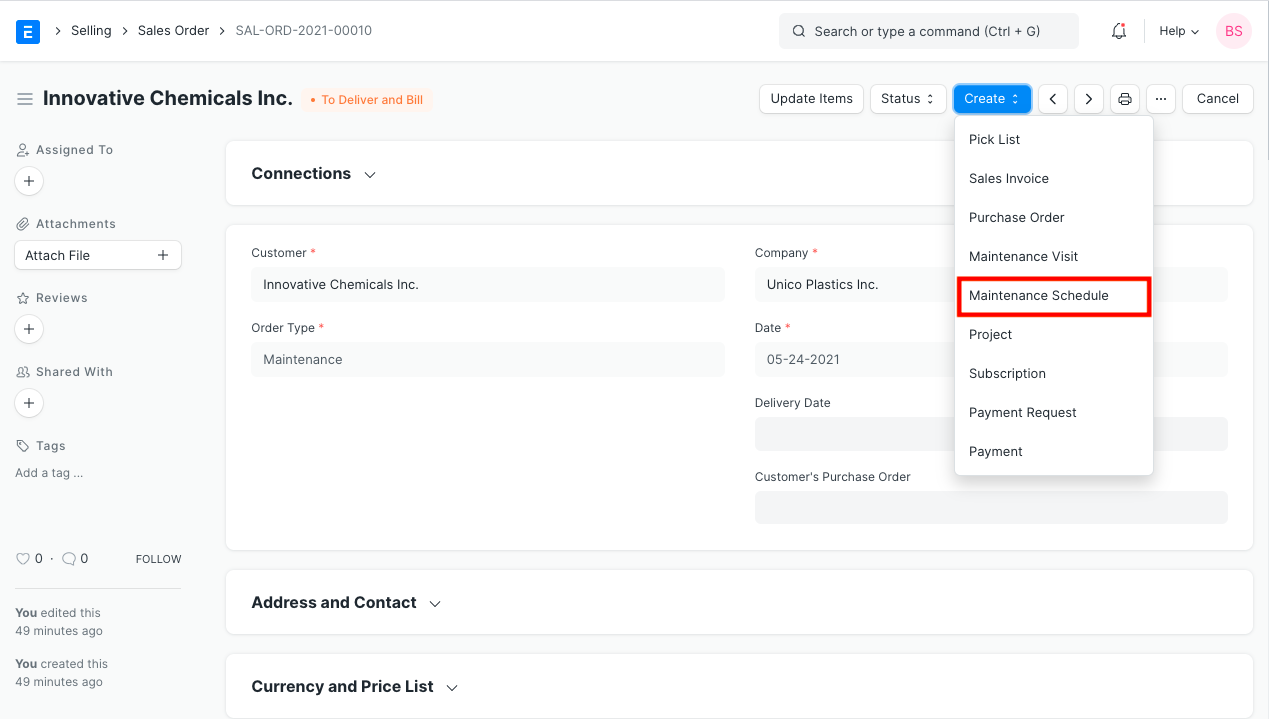
1. Prerequisites
2. How to Create a Maintenance Schedule
- Go to the Maintenance Schedule, click on New.
- Select the Customer and the Items for which maintenance needs to be done.
- Set the start and end dates.
- Select a Periodicity to set how frequently the visits will happen. The options are "Weekly", "Monthly", "Quarterly", "Half Yearly", "Yearly" and "Random". Maintenance Schedule will get generated based on selected Periodicity. Selecting Random will generate random dates
- The Number of Visits will be set as per the Periodicity selected. Eg: If you selected Weekly and set the whole month between the start and dates, 4 visits are ideal.
- Select the Sales Person performing the visits.
- Save.
- After saving, click on the Generate Schedule button to generate a Maintenance Schedule.
- Submit.
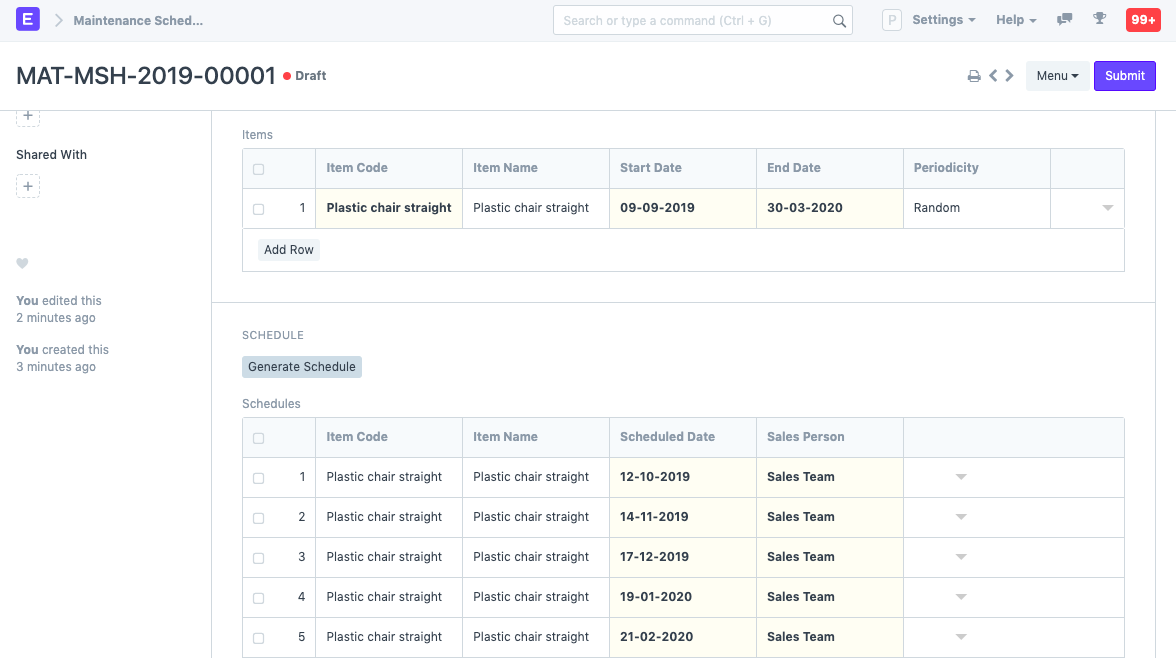
The Generate Schedule button will generate a separate row for each maintenance activity. Each Item in a Maintenance Schedule is allocated to a Sales Person.
When the document is Submitted Calendar events are created for the Sales Person User for each maintenance.
