
ROOM64 / KNOWLEDGE / ERPNEXT

Naming Series as Per GST Rules

Rule 46 (b) of the CGST Rules 2017 specifies that the tax invoice issued by a registered person should have a consecutive serial number , not exceeding sixteen characters, in one o

อ่านต้นฉบับที่ ERPNext Official Docs ↗
เอกสารอ้างอิงภาษาอังกฤษเนื้อหาจากเอกสาร ERPNext คงรายละเอียดและโค้ดตามต้นฉบับ · ต้นฉบับอัปเดต 2026-07-31 ชื่อเมนูและ DocType ที่ใช้ได้ขึ้นอยู่กับเวอร์ชันและรุ่นที่ทีมใช้งาน

Introduction · เริ่มต้นและตั้งค่า · Naming Series as Per GST Rules

Rule 46 (b) of the CGST Rules 2017 specifies that the tax invoice issued by a registered person should have a consecutive serial number , not exceeding sixteen characters, in one or multiple series, containing alphabets or numerals or special characters – hyphen or dash and slash symbolized as “-” and “/” respectively

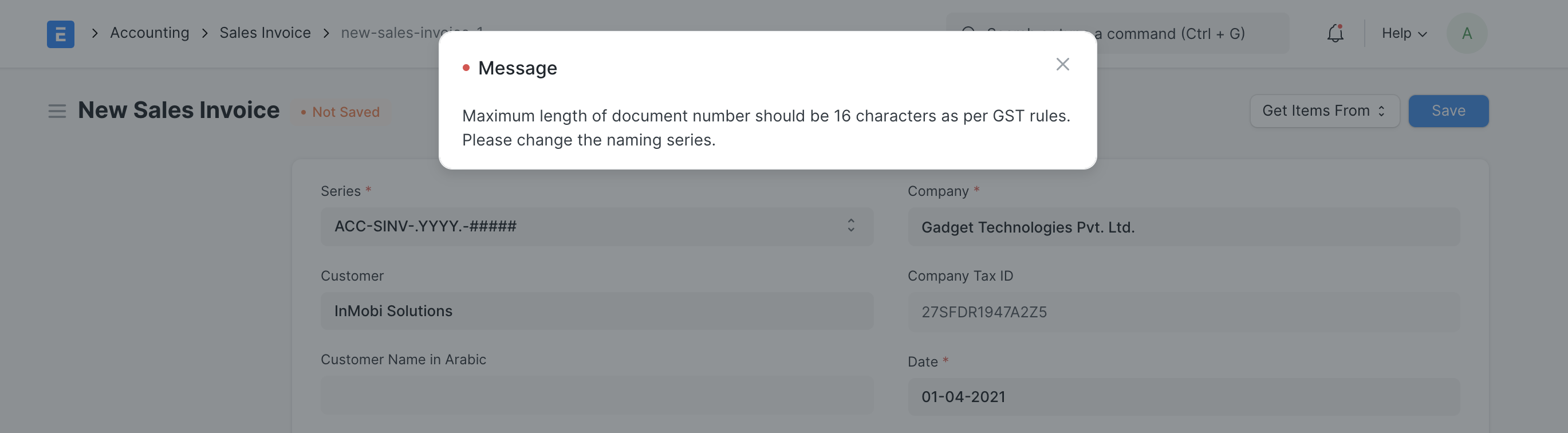
This validation will come into effect in ERPNext from the new fiscal year i.e FY 2021-22. If you encounter an error similar to one shown in the screenshot below, follow the below steps to resolve the issue and add a new naming series for Sales and Purchase Invoices
ภาพประกอบ Naming Series as Per GST Rules จาก ERPNext

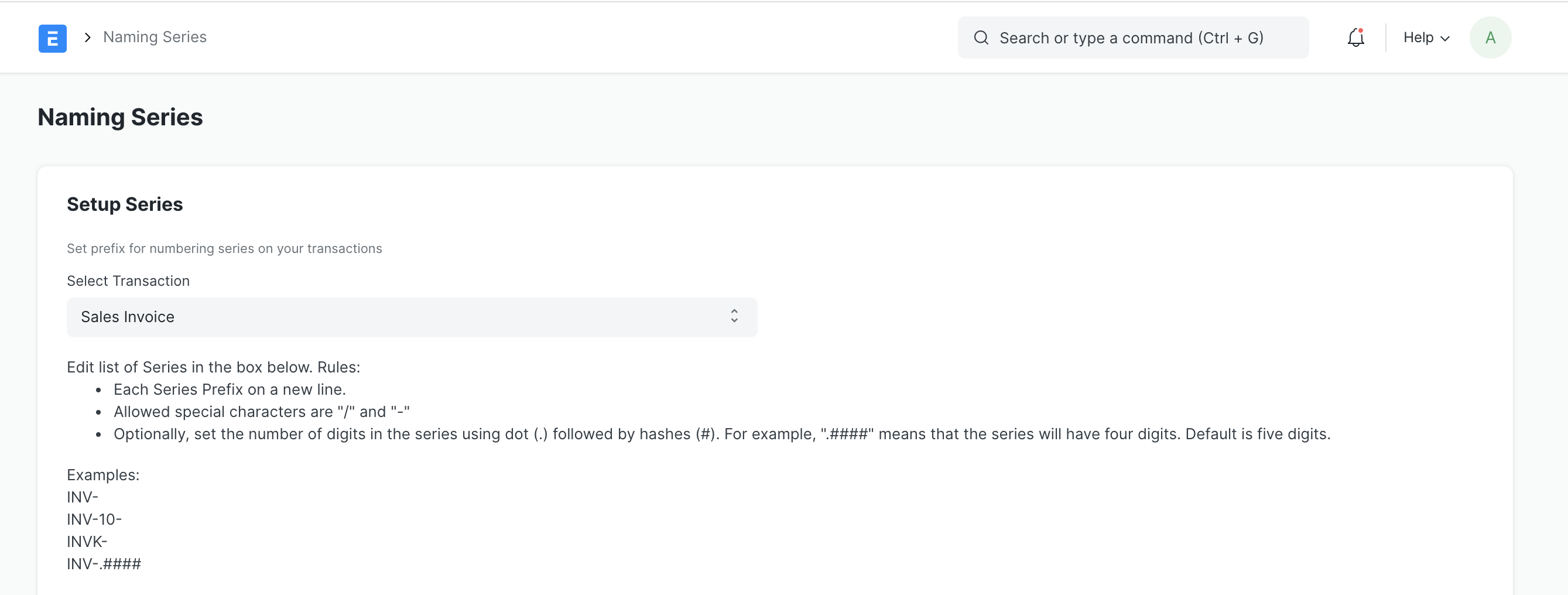
Step 1: Go to "Naming Series" doctype and select transaction as "Sales Invoice"
ภาพประกอบ Naming Series as Per GST Rules จาก ERPNext

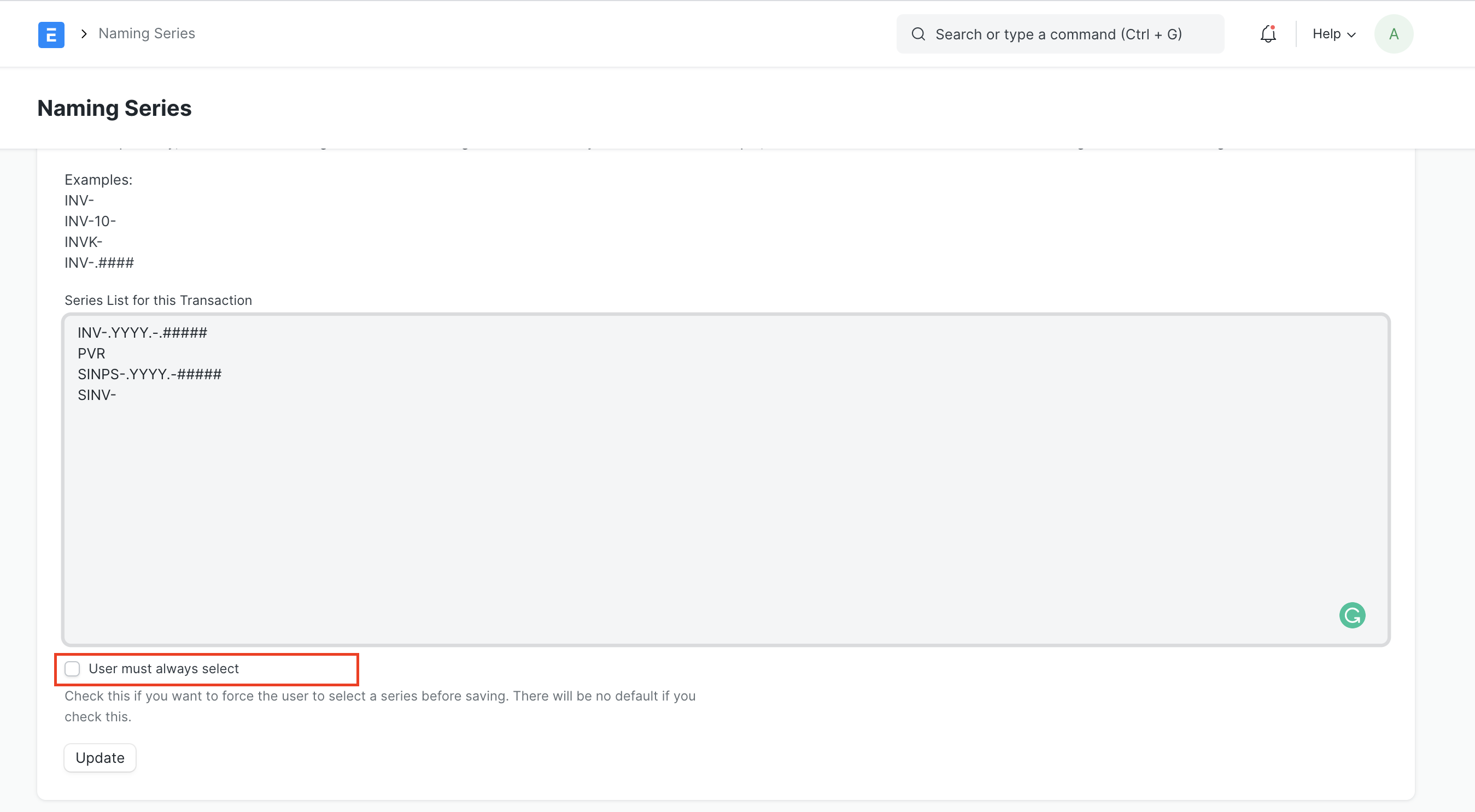
Step 2: Add a new naming series having maximum upto 16 characters. For eg INV-.YYYY.-.#####. Add this as the first option and don't check "User must always select" inorder to make this as the defaut naming series

ภาพประกอบ Naming Series as Per GST Rules จาก ERPNext

เนื้อหาเอกสารอ้างอิงและภาพประกอบมาจาก ERPNext / Frappe Official Docs · บทความแนะนำภาษาไทยเรียบเรียงโดย Room64 · เว็บไซต์นี้เป็นคู่มือประกอบการใช้งานโดย Room64 · เอกสารทางการ ↗

มีงานที่อยากให้ Software, AI หรือ Automation ช่วยอยู่ไหม?

เล่า workflow หรือปัญหาที่ทีมกำลังเจอ เราช่วยดูได้ว่าควรใช้ระบบสำเร็จรูป เชื่อมเครื่องมือเดิม หรือพัฒนาเพิ่มเฉพาะส่วนไหน

คุยกับเราทาง LINEhello@room64.net