ROOM64 / KNOWLEDGE / ERPNEXT

Print Headings

Print Headings are the names/titles you can give your transactions.

อ่านต้นฉบับที่ ERPNext Official Docs ↗
เอกสารอ้างอิงภาษาอังกฤษเนื้อหาจากเอกสาร ERPNext คงรายละเอียดและโค้ดตามต้นฉบับ · ต้นฉบับอัปเดต 2026-03-02 ชื่อเมนูและ DocType ที่ใช้ได้ขึ้นอยู่กับเวอร์ชันและรุ่นที่ทีมใช้งาน

Projects · โครงการและงานบริการ · Print Headings

สารบัญในหน้านี้

Print Headings are the names/titles you can give your transactions.

These transactions include Sales Invoices, Supplier Quotations, etc. You can create a list of names for different business communications.

If you want to rename a transaction on how it appears when printing, you can do so via Print Headings. For example, a Quotation is also called a "Proposal", Estimate", or "Pro Forma Invoice".

To access Print Headings go to:

Home > Settings > Print Heading

1. How to create a Print Heading

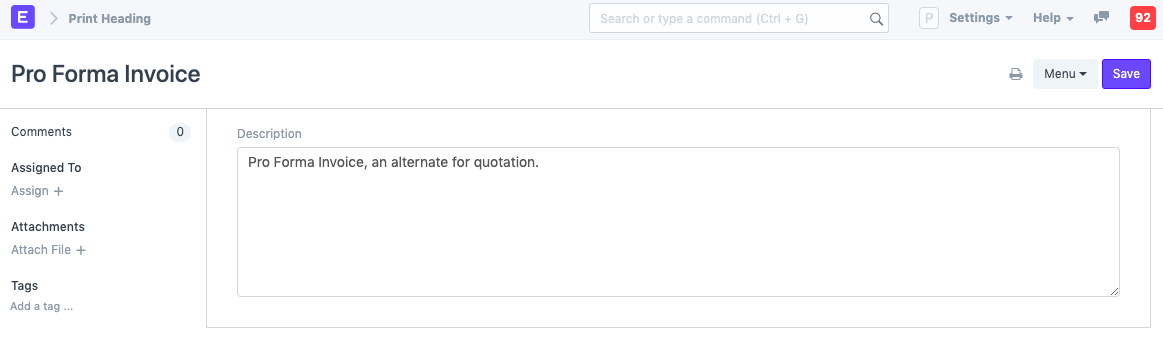
  1. Go to the Print Heading list, click on New.
  2. Enter the heading that will appear on the document.
  3. Save.

Print Heading

To use the print heading, select the created print heading in the 'Print Heading' field transaction, shown as follows:
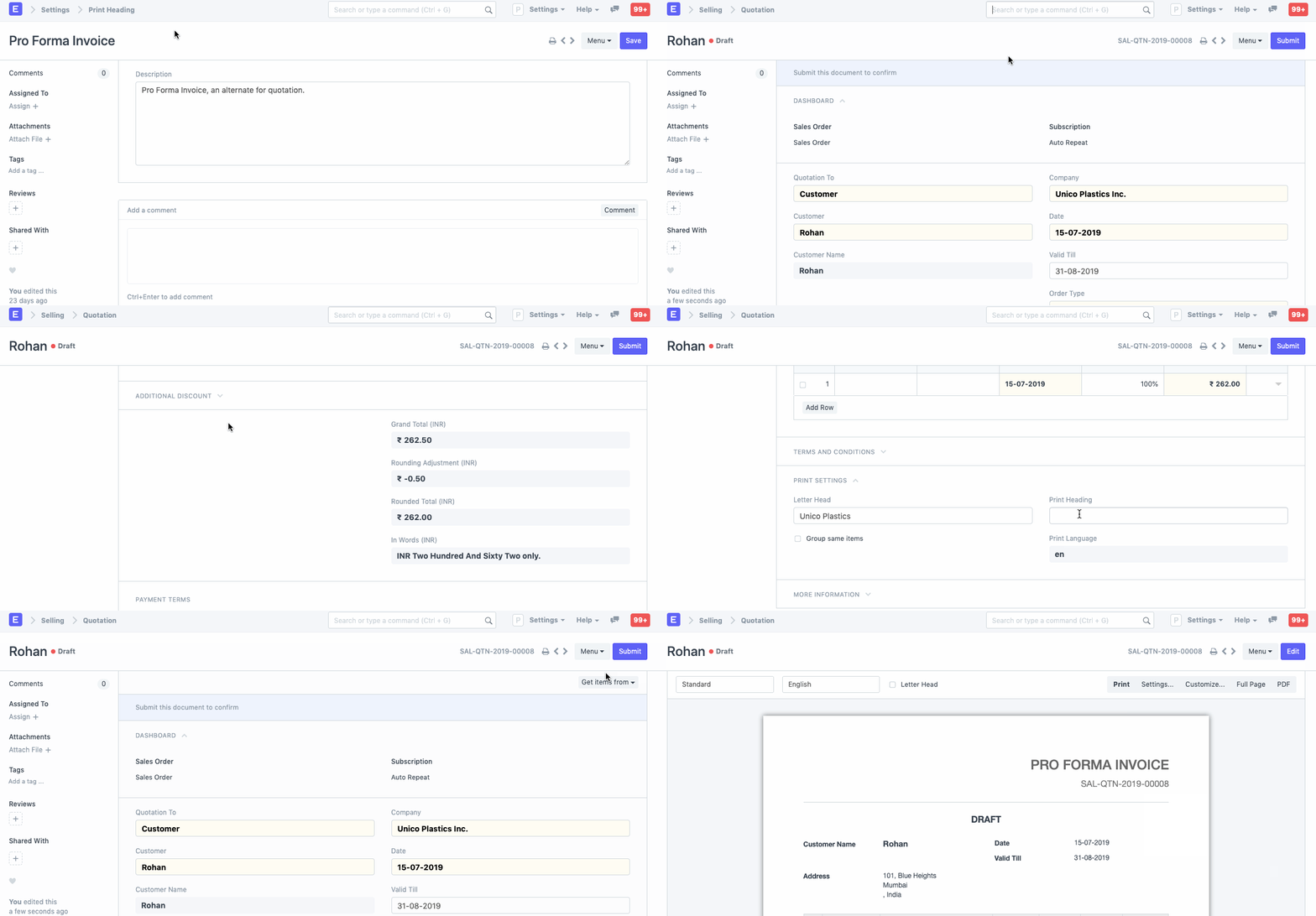
Using a Print Heading

Example of a change in print heading is shown as follows:
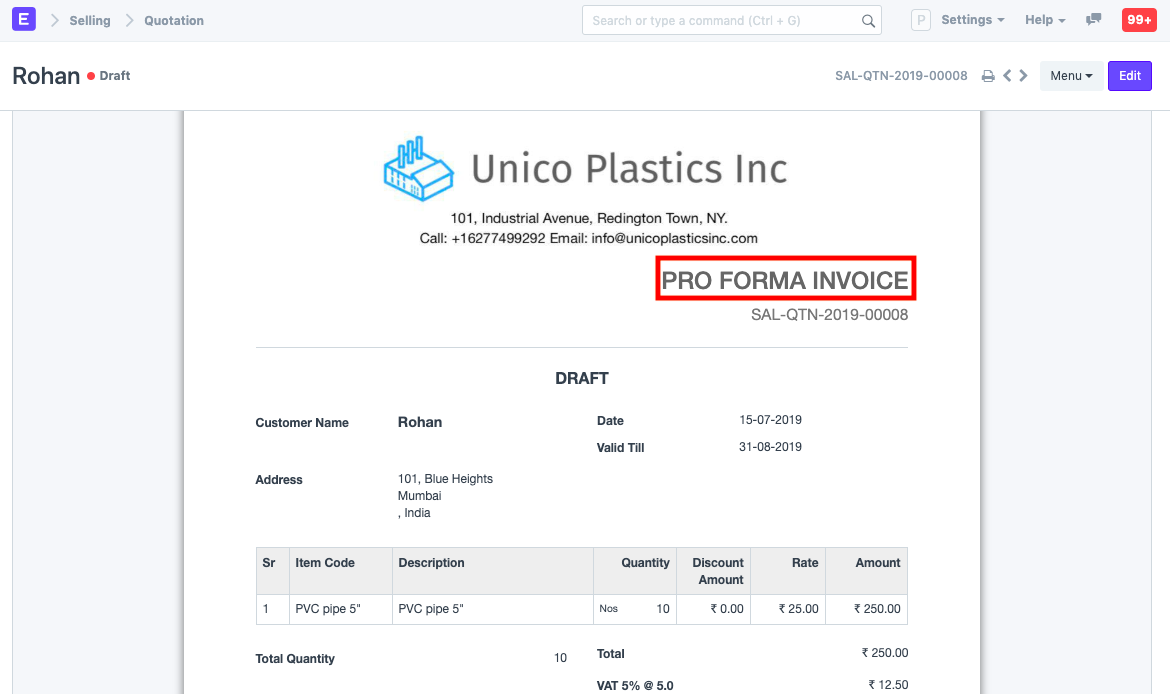
Print Heading

2. Video

  1. Print Format
  2. Print Style
  3. Letter Head
  4. Cheque Print Template
  5. Quotation
เนื้อหาเอกสารอ้างอิงและภาพประกอบมาจาก ERPNext / Frappe Official Docs · บทความแนะนำภาษาไทยเรียบเรียงโดย Room64 · เว็บไซต์นี้เป็นคู่มือประกอบการใช้งานโดย Room64 · เอกสารทางการ ↗

มีงานที่อยากให้ Software, AI หรือ Automation ช่วยอยู่ไหม?

เล่า workflow หรือปัญหาที่ทีมกำลังเจอ เราช่วยดูได้ว่าควรใช้ระบบสำเร็จรูป เชื่อมเครื่องมือเดิม หรือพัฒนาเพิ่มเฉพาะส่วนไหน

คุยกับเราทาง LINEhello@room64.net