
A Project Update is the status of the Project which can be sent to all the stakeholders of the Project.
Each time you want to update the stakeholders about the project, you can send a Project Update to them.
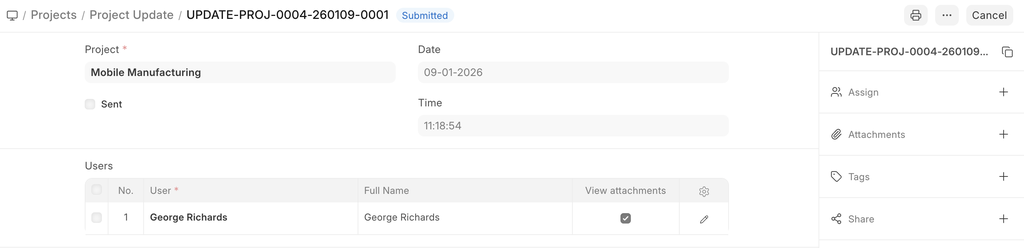
To access Project Update, go to:
Home > Projects > Projects > Project Update
How to Create a Project Update
- Go to the Project Update List and click on New.
- Add the name of the Project for which you want to send an update.
- Add the name of the Users to whom you want to send the Project Update in the Child Table. These Users could be your Customers or any other Internal or External Stake Holders.
- Save and Submit.
Once you have submitted the Project Update, an email is sent to the selected stakeholders with project updates.
Additional Details
When you expand the table which has the names of the Users, you will be able to add the following details:
- You can select whether you want to send a Welcome Email to any particular User while sending them the Project Update.
- You can select whether you want any particular User to view Attachments in the Project Update.
- You can add the description of the Current Status of the Project in the 'Project Status' field which will indicate the progress of the project.
