
A purchased Item being returned to the Supplier is known as a Purchase Return.
With the Purchase Return feature, you can return products to the Supplier. This may be for a number of reasons, like defects in the goods, quality not matching, the buyer not needing the stock anymore, etc.
In ERPNext, a Purchase Return can be created against a submitted Purchase Receipt (to return the stock) or against a submitted Purchase Invoice (as a Debit Note).
1. Prerequisites
Before creating and using a Purchase Return, it is advised that you create the following first:
2. How to Create a Purchase Return
2.1 Return Against a Purchase Receipt
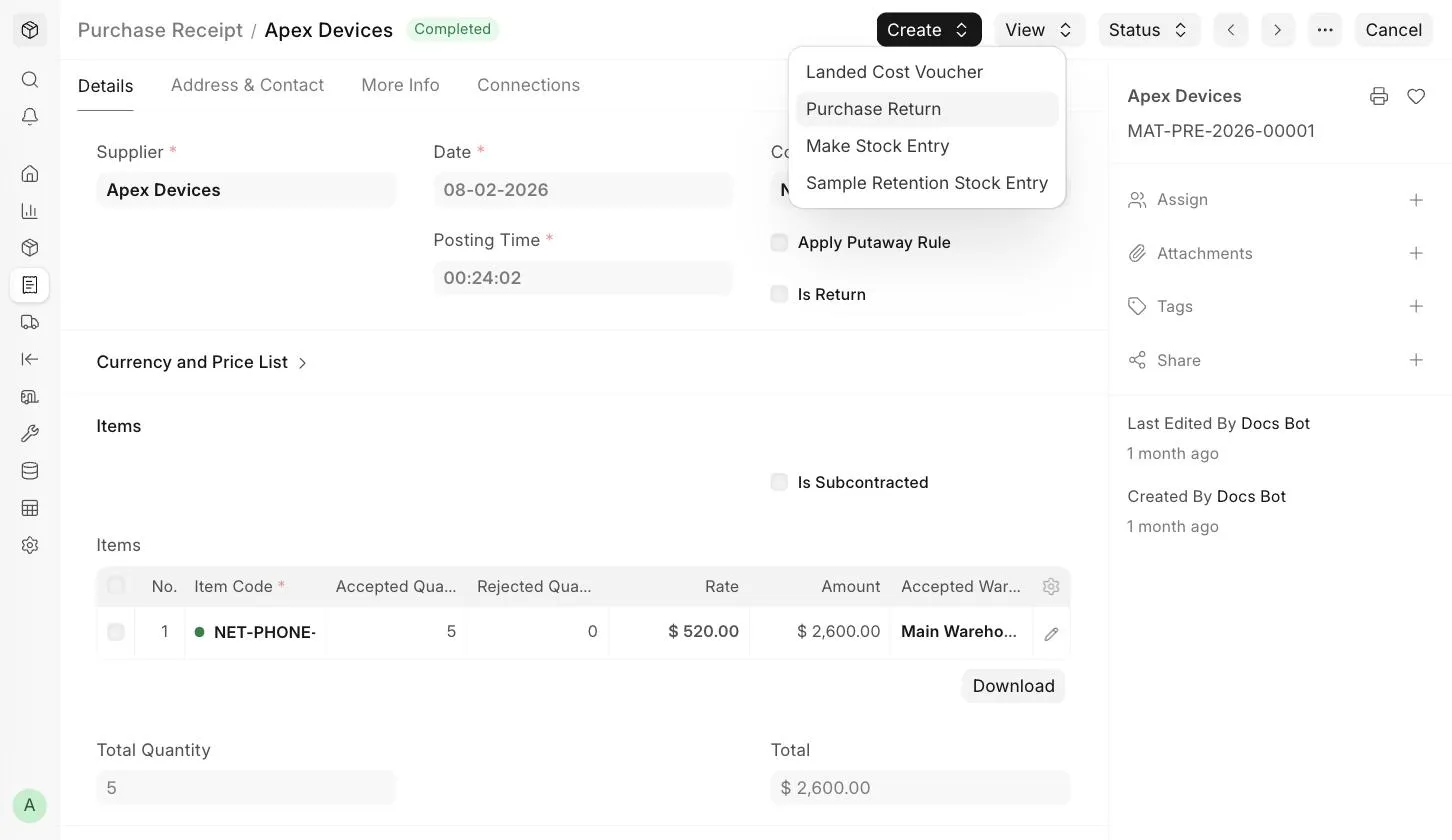
- Open the original submitted Purchase Receipt against which the Supplier delivered the Items.
- Click on Create > Purchase Return .
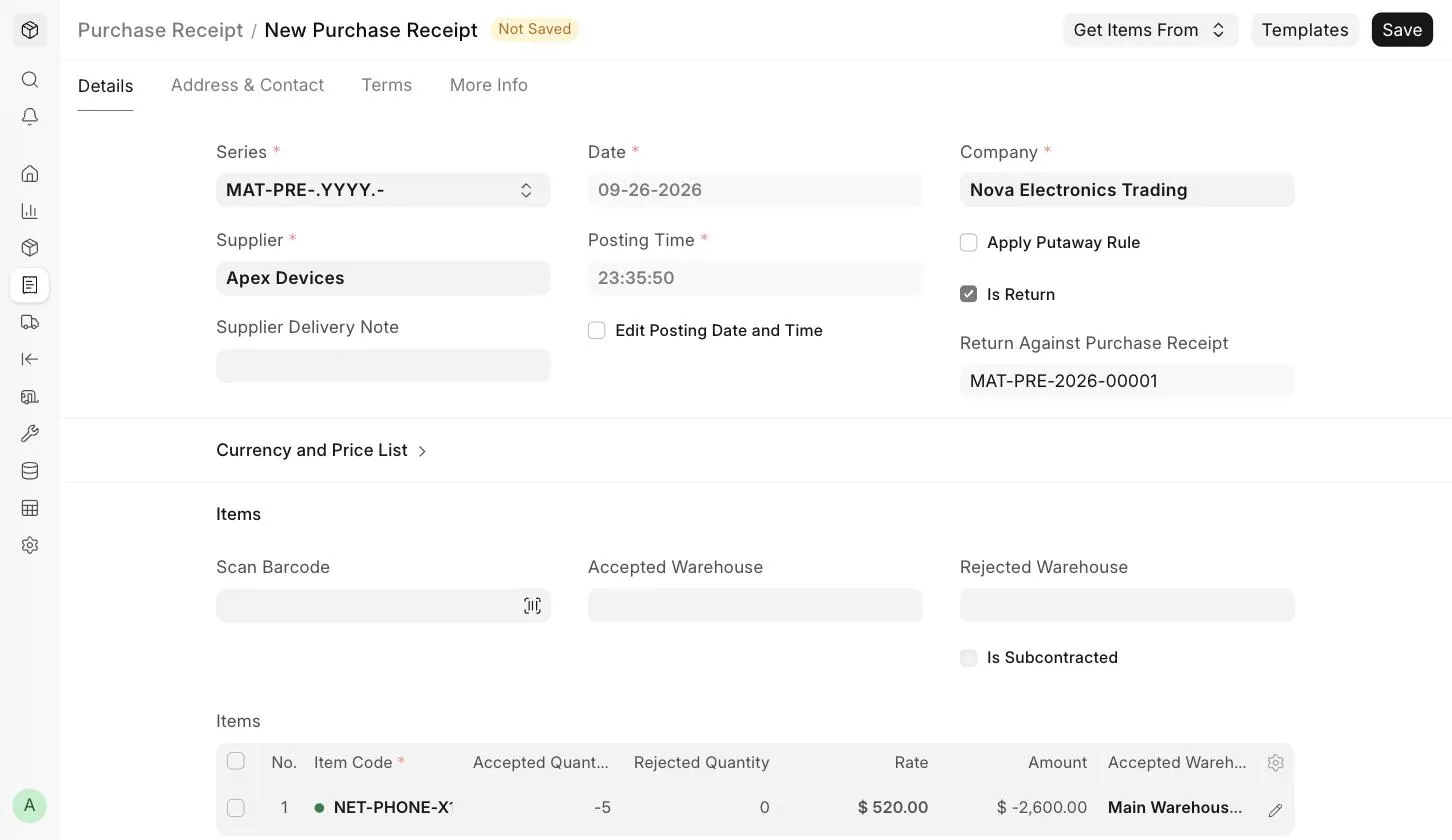
- A new Purchase Receipt will open with Is Return checked and Return Against Purchase Receipt set to the original Purchase Receipt. The quantities, amounts and taxes will be in negative.
- If you are returning only some of the Items, or a lower quantity, update or remove the rows in the Items table.
- Save and Submit.
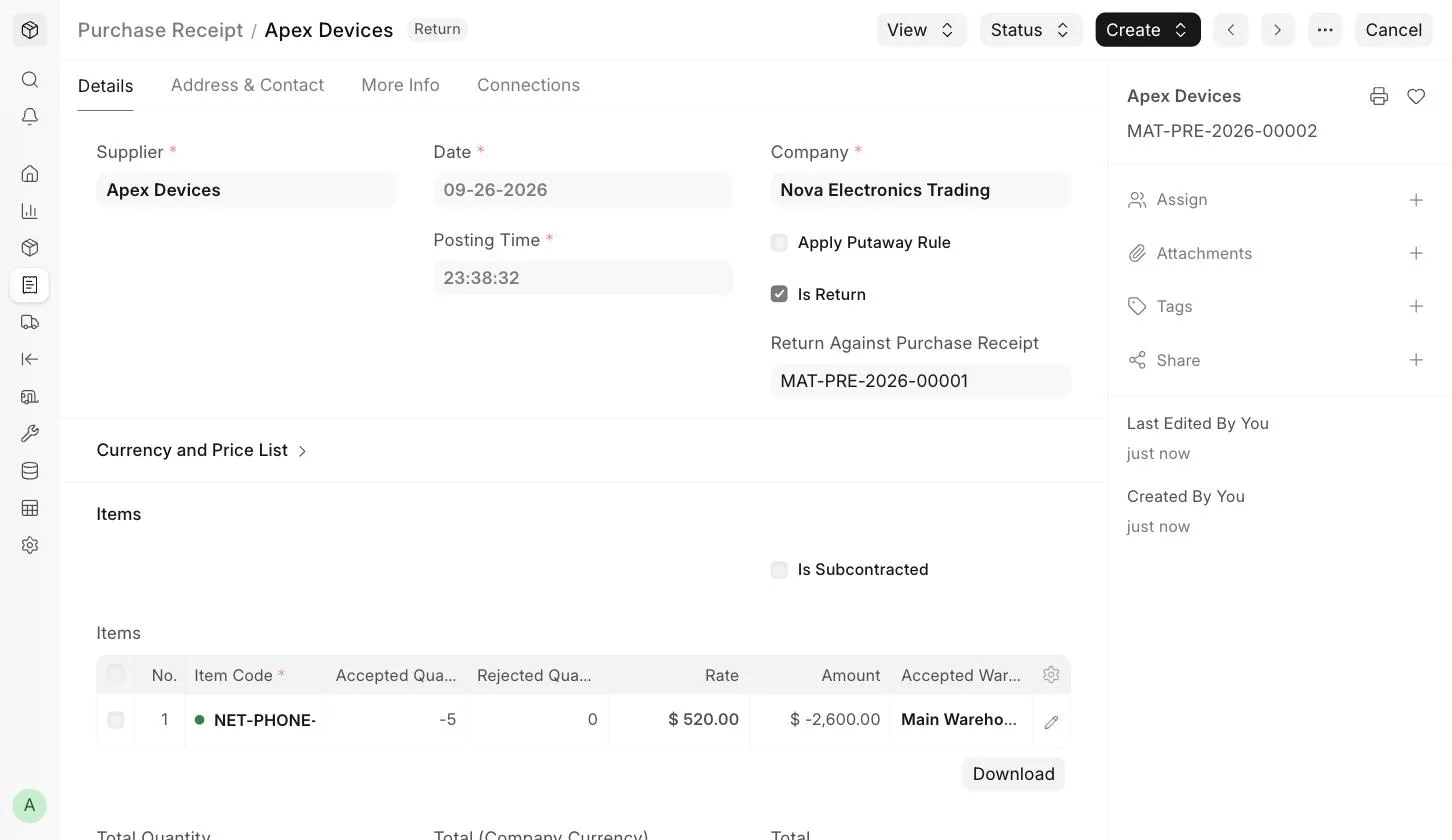
Once submitted, the status of the return Purchase Receipt will be Return .
2.2 Return Against a Purchase Invoice (Debit Note)
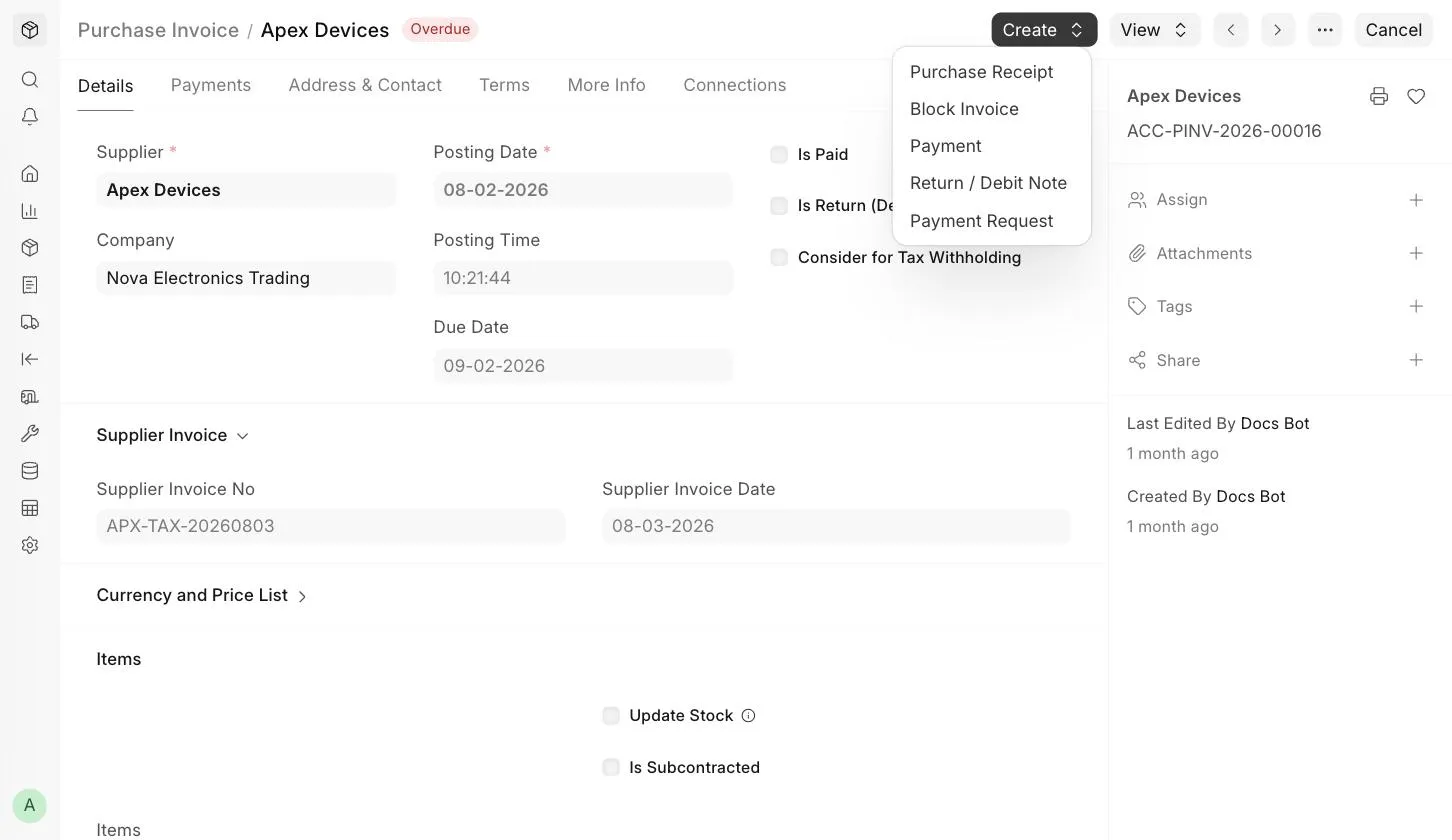
To return Items that have already been billed, or to record a debit note for the Supplier, open the submitted Purchase Invoice and click on Create > Return / Debit Note . A new Purchase Invoice will open with Is Return (Debit Note) checked and negative quantities and amounts. Save and Submit it.
:::note A Debit Note updates stock only if Update Stock is enabled in it. Otherwise, it only reverses the accounting entries of the original Purchase Invoice. :::
3. Impact on Stock and Accounts
3.1 Stock Ledger
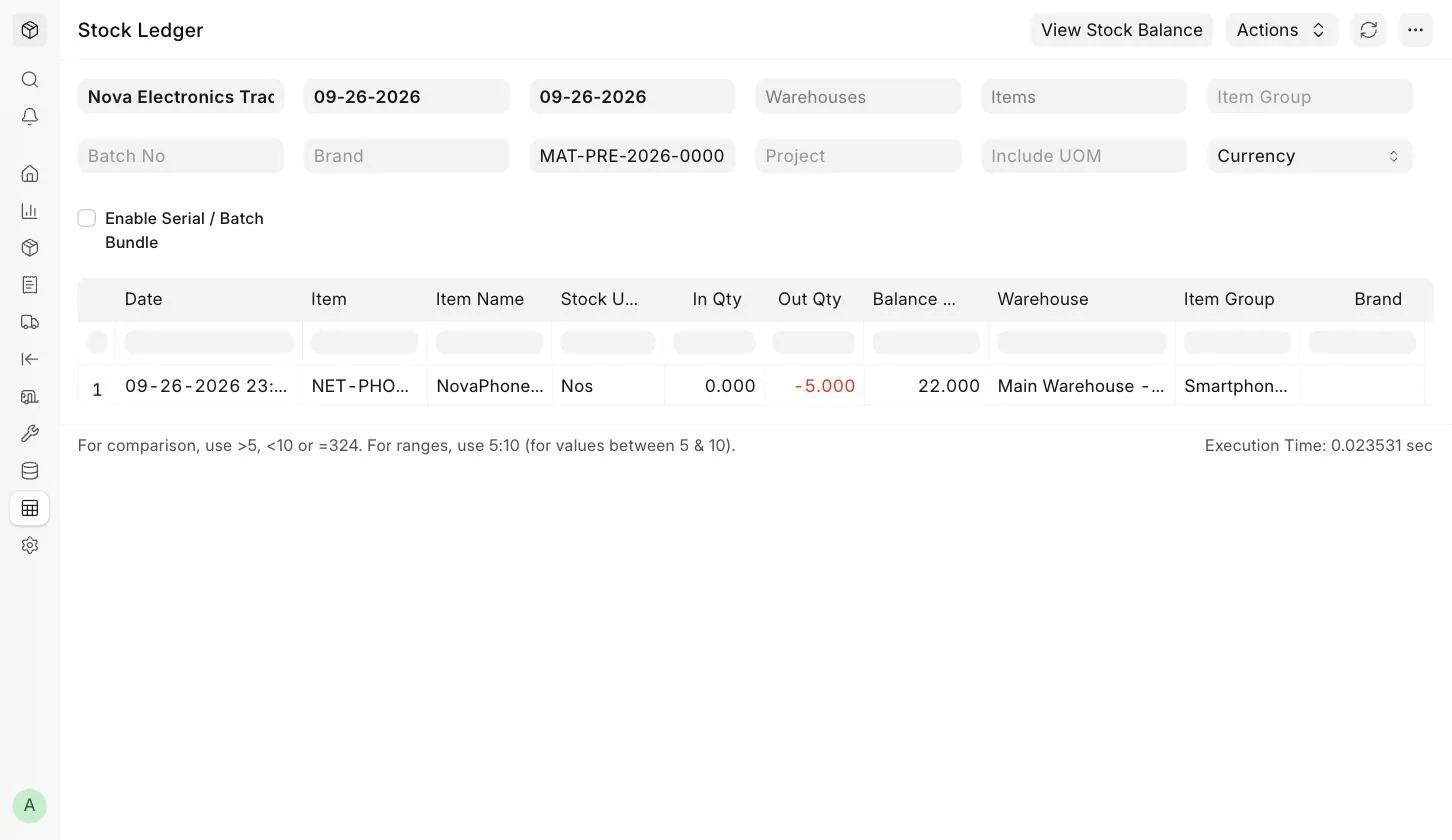
On submission of a Purchase Return against a Purchase Receipt, the system reduces the Item quantity from the Warehouse mentioned in the Items table. The returned quantity is valued at the rate of the original Purchase Receipt. You can view this from View > Stock Ledger in the return Purchase Receipt.
3.2 Accounting Ledger
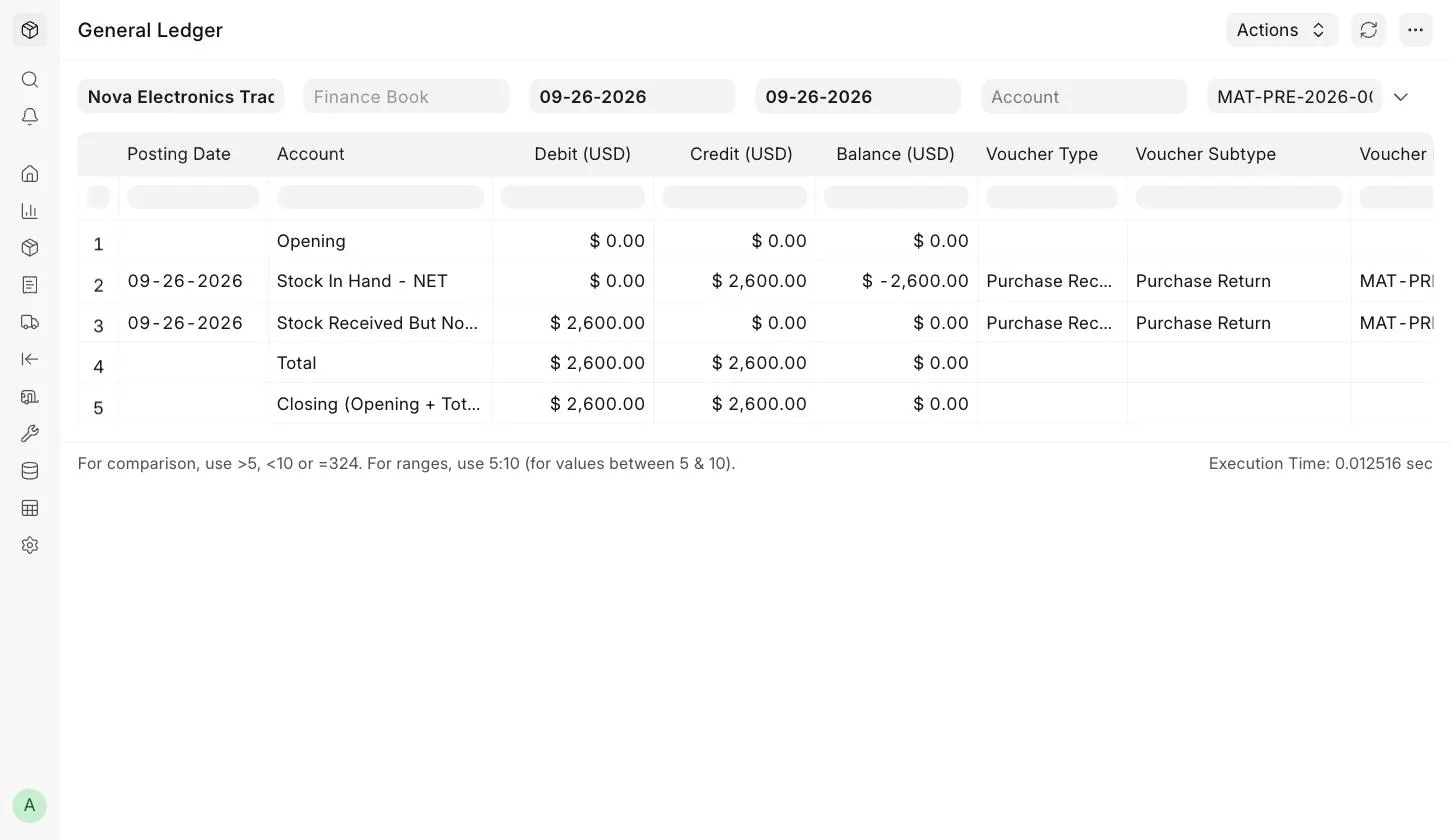
If Perpetual Inventory is enabled, the system also posts accounting entries to keep the warehouse account balance in sync with the stock balance. The Stock In Hand account is credited and the Stock Received But Not Billed account is debited. You can view this from View > Accounting Ledger in the return Purchase Receipt.
3.3 Impact on the Original Purchase Receipt
On creating a Purchase Return against a Purchase Receipt:
- The Returned Quantity in the original Purchase Receipt, and in any Purchase Order linked to it, is updated.
- If all the Items are returned, the original Purchase Receipt's status changes to Return Issued . If the original Purchase Receipt was already fully billed, its status remains Completed .
