
ROOM64 / KNOWLEDGE / ERPNEXT

Quick Stock Balance

Quick Stock Balance is a tool that can be used to quickly retrieve the current stock balance (quantity) and value of an item, in the specified warehouse, on the specified date.

อ่านต้นฉบับที่ ERPNext Official Docs ↗
เอกสารอ้างอิงภาษาอังกฤษเนื้อหาจากเอกสาร ERPNext คงรายละเอียดและโค้ดตามต้นฉบับ · ต้นฉบับอัปเดต 2026-02-27 ชื่อเมนูและ DocType ที่ใช้ได้ขึ้นอยู่กับเวอร์ชันและรุ่นที่ทีมใช้งาน

Stock · สต็อกและคลังสินค้า · Quick Stock Balance

สารบัญในหน้านี้

Quick Stock Balance is a tool that can be used to quickly retrieve the current stock balance (quantity) and value of an item, in the specified warehouse, on the specified date.

It comes in handy during audits, while verifying stock details before transactions, etc.

To access this tool, go to:

Home > Stock > Tools > Quick Stock Balance

1. Using Quick Stock Balance

Item and Warehouse are the basic fields required to fully utilize Quick Stock Balance. Item Barcode can also be used to fetch stock details.
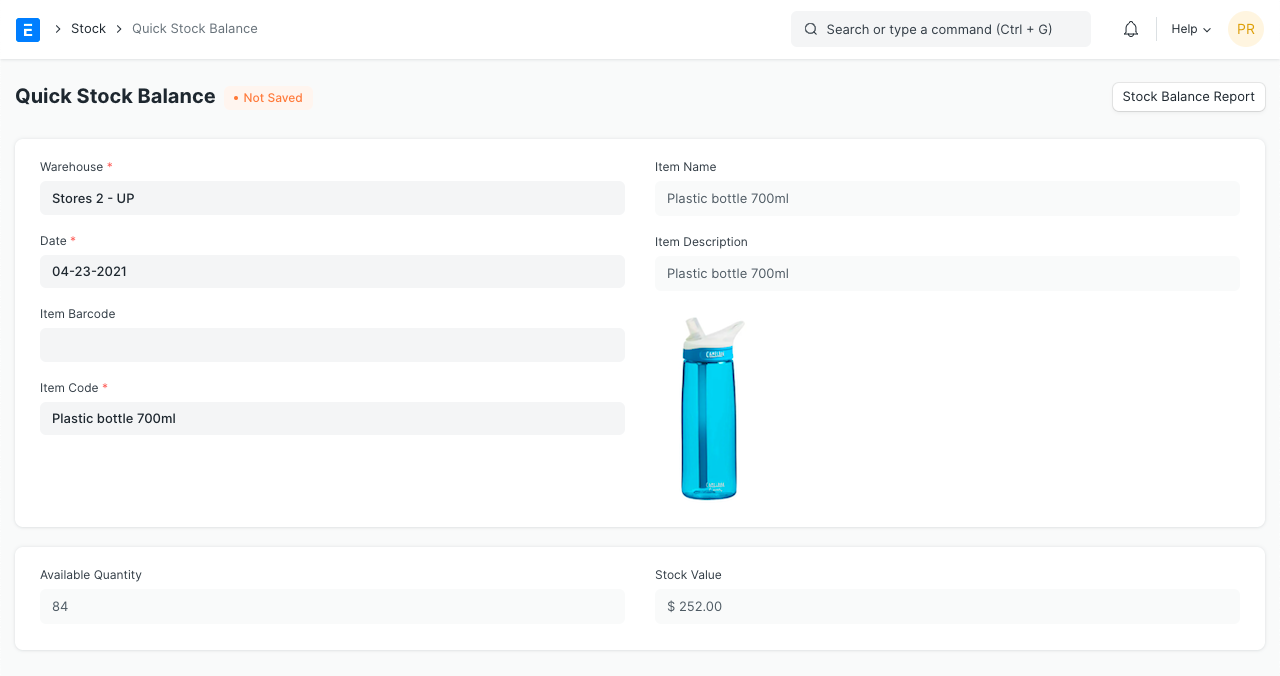
Quick Stock Balance

You can opt to select a different warehouse or date. The stock value and quantity, will be fetched real-time according to the specified values.

You can also view the Stock Balance report by clicking on 'Stock Balance Report' . It will redirect you to the report with the Item and Warehouse filters populated.
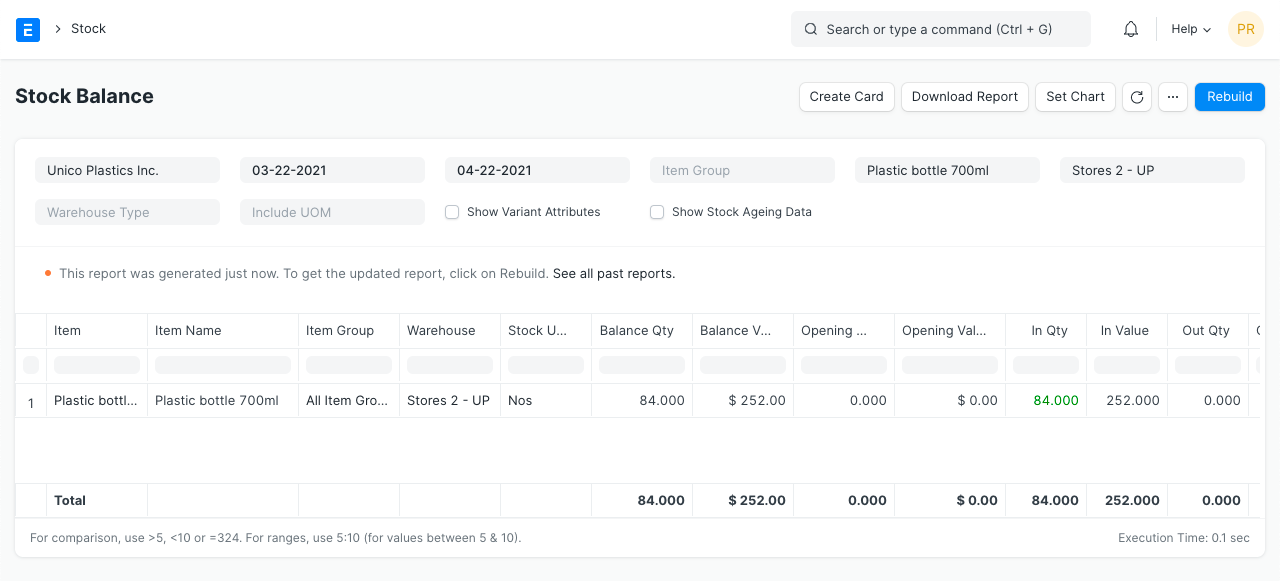

Stock Balance Report

  1. Stock Level Report
  2. Stock Entry
เนื้อหาเอกสารอ้างอิงและภาพประกอบมาจาก ERPNext / Frappe Official Docs · บทความแนะนำภาษาไทยเรียบเรียงโดย Room64 · เว็บไซต์นี้เป็นคู่มือประกอบการใช้งานโดย Room64 · เอกสารทางการ ↗

มีงานที่อยากให้ Software, AI หรือ Automation ช่วยอยู่ไหม?

เล่า workflow หรือปัญหาที่ทีมกำลังเจอ เราช่วยดูได้ว่าควรใช้ระบบสำเร็จรูป เชื่อมเครื่องมือเดิม หรือพัฒนาเพิ่มเฉพาะส่วนไหน

คุยกับเราทาง LINEhello@room64.net