ROOM64 / KNOWLEDGE / ERPNEXT

Remove Link at the Bottom of the Print Page

Question:

อ่านต้นฉบับที่ ERPNext Official Docs ↗
เอกสารอ้างอิงภาษาอังกฤษเนื้อหาจากเอกสาร ERPNext คงรายละเอียดและโค้ดตามต้นฉบับ · ต้นฉบับอัปเดต 2026-03-04 ชื่อเมนูและ DocType ที่ใช้ได้ขึ้นอยู่กับเวอร์ชันและรุ่นที่ทีมใช้งาน

Projects · โครงการและงานบริการ · Remove Link at the Bottom of the Print Page

Question:

How to remove the ERPNext link at the bottom of the page while printing it?
ภาพประกอบ Remove Link at the Bottom of the Print Page จาก ERPNext

Solution:

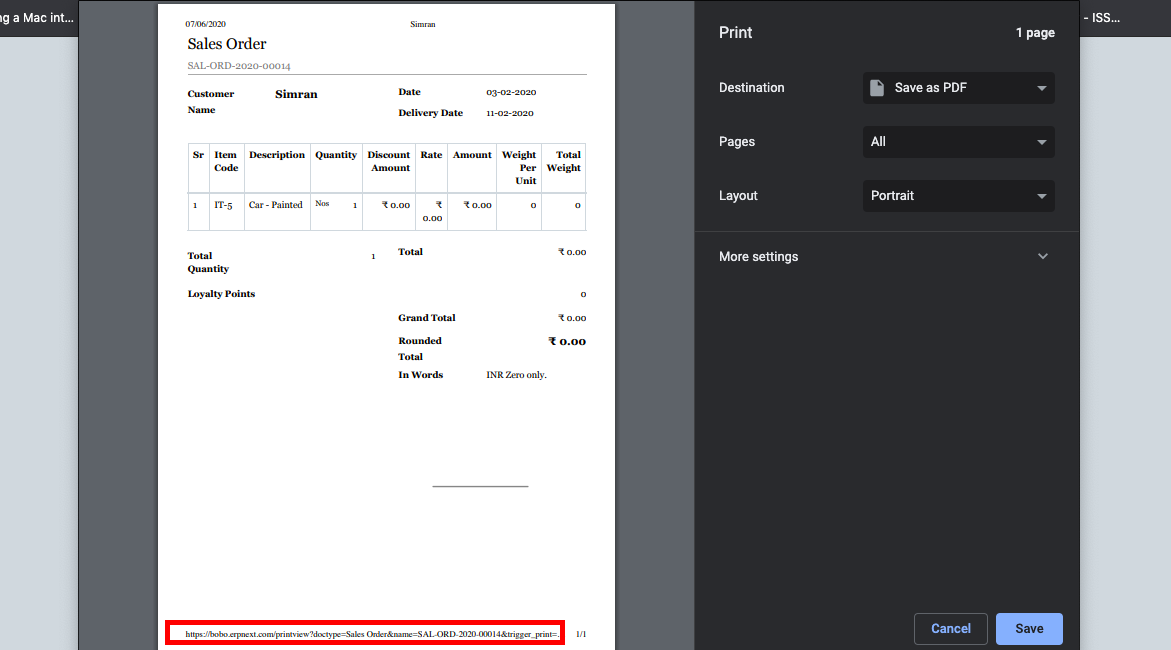
To remove the url at the bottom of the print page, following the below steps:

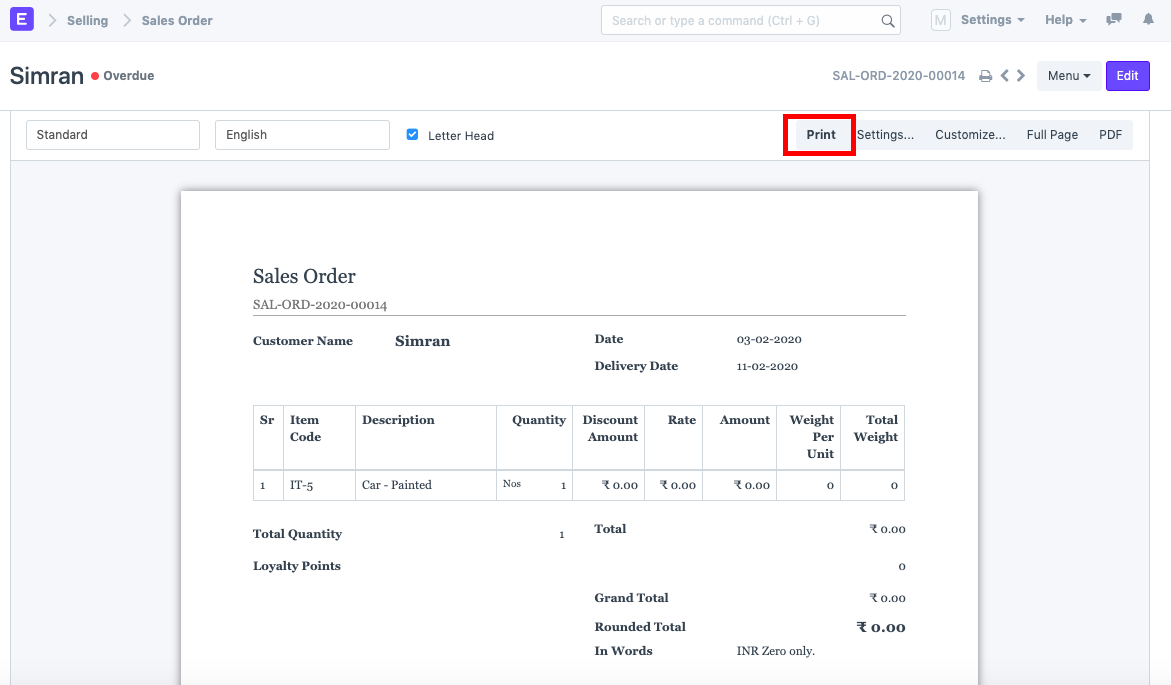
  1. Click on the Print button.

ภาพประกอบ Remove Link at the Bottom of the Print Page จาก ERPNext

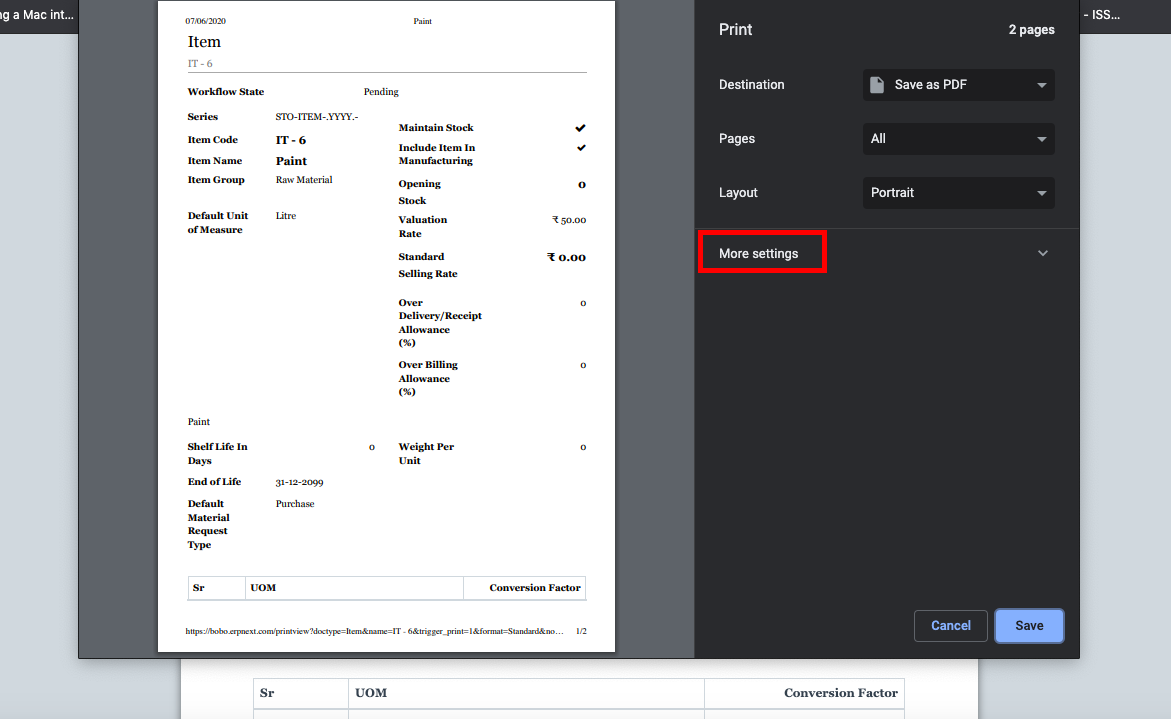
  1. Click on "More Settings"

ภาพประกอบ Remove Link at the Bottom of the Print Page จาก ERPNext

  1. Uncheck the "Headers and Footers" checkbox.
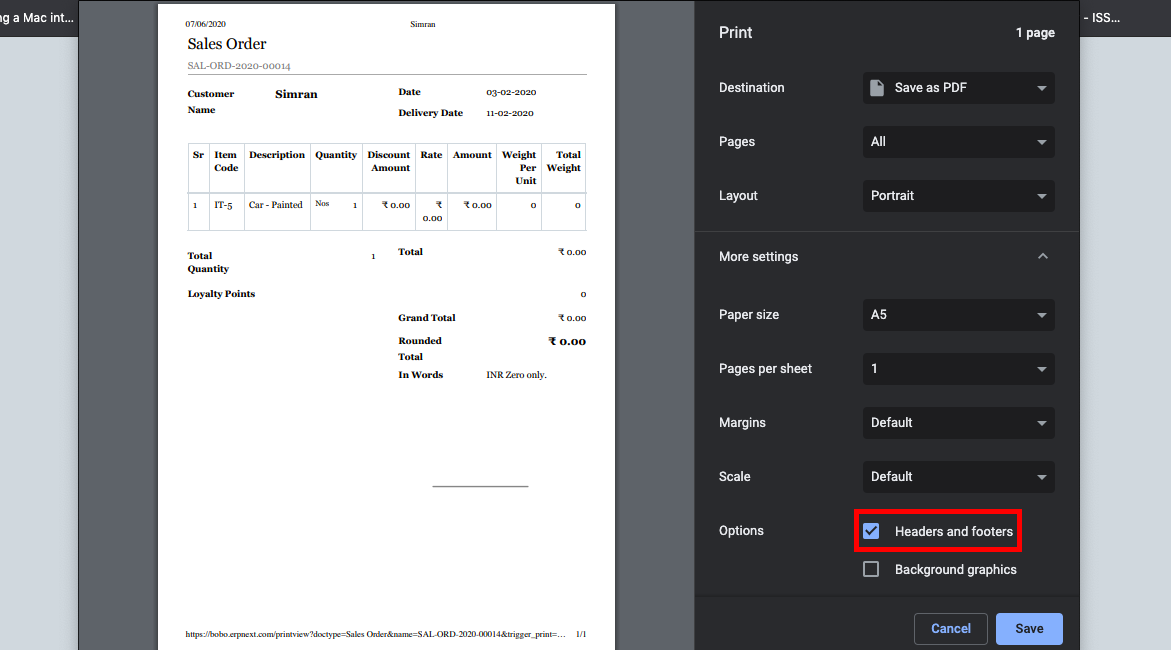
ภาพประกอบ Remove Link at the Bottom of the Print Page จาก ERPNext

  1. Click on Save.
เนื้อหาเอกสารอ้างอิงและภาพประกอบมาจาก ERPNext / Frappe Official Docs · บทความแนะนำภาษาไทยเรียบเรียงโดย Room64 · เว็บไซต์นี้เป็นคู่มือประกอบการใช้งานโดย Room64 · เอกสารทางการ ↗

มีงานที่อยากให้ Software, AI หรือ Automation ช่วยอยู่ไหม?

เล่า workflow หรือปัญหาที่ทีมกำลังเจอ เราช่วยดูได้ว่าควรใช้ระบบสำเร็จรูป เชื่อมเครื่องมือเดิม หรือพัฒนาเพิ่มเฉพาะส่วนไหน

คุยกับเราทาง LINEhello@room64.net