ROOM64 / KNOWLEDGE / ERPNEXT

Remove Description in Print Format

Question:

อ่านต้นฉบับที่ ERPNext Official Docs ↗
เอกสารอ้างอิงภาษาอังกฤษเนื้อหาจากเอกสาร ERPNext คงรายละเอียดและโค้ดตามต้นฉบับ · ต้นฉบับอัปเดต 2026-03-02 ชื่อเมนูและ DocType ที่ใช้ได้ขึ้นอยู่กับเวอร์ชันและรุ่นที่ทีมใช้งาน

Projects · โครงการและงานบริการ · Remove Description in Print Format

Question:

I want to remove the description from the from my print format since it takes up too much space:
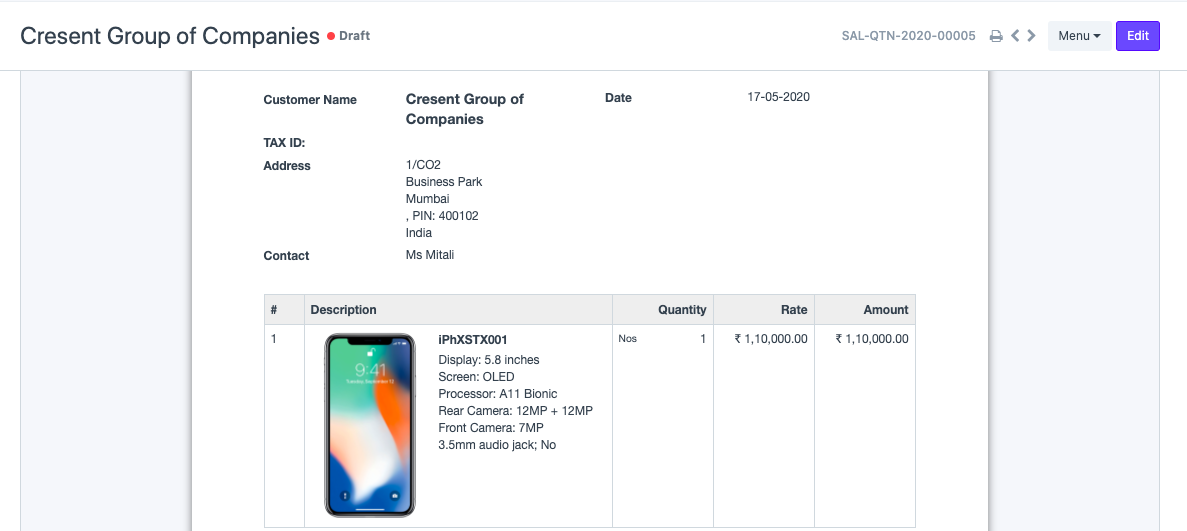
ภาพประกอบ Remove Description in Print Format จาก ERPNext

But when I do so using the print format builder , I end up losing my Item Code and Name as well. How to fix this?
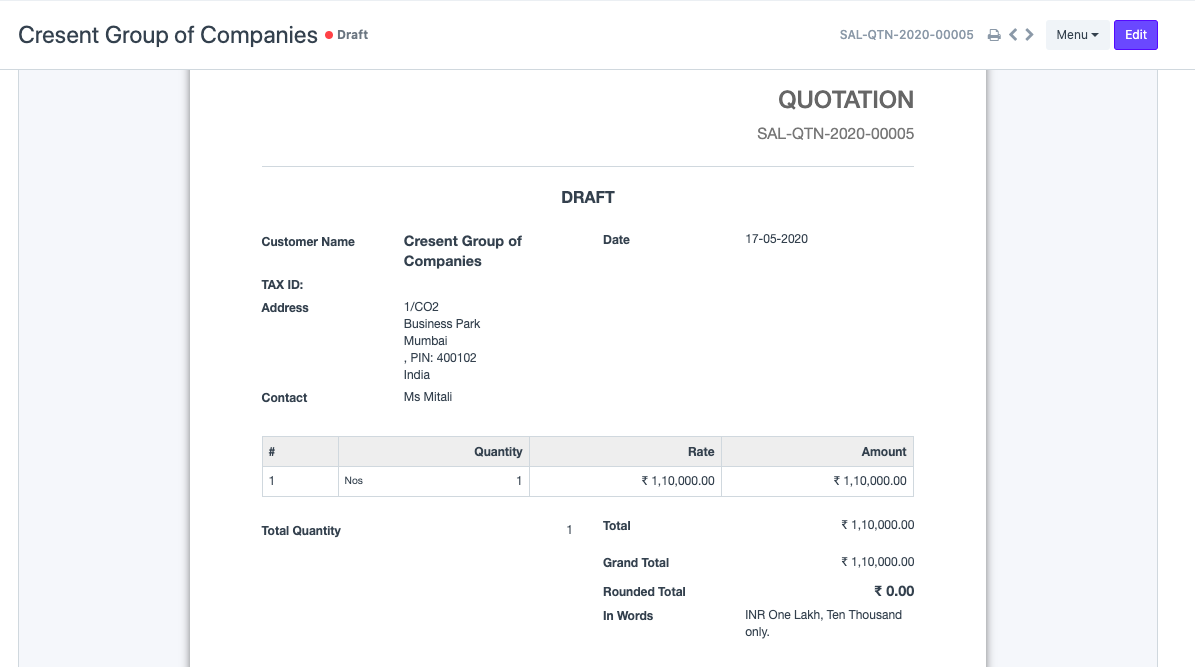
ภาพประกอบ Remove Description in Print Format จาก ERPNext

Answer:

This is because you have Compact Item Print option enabled in the Print Settings.
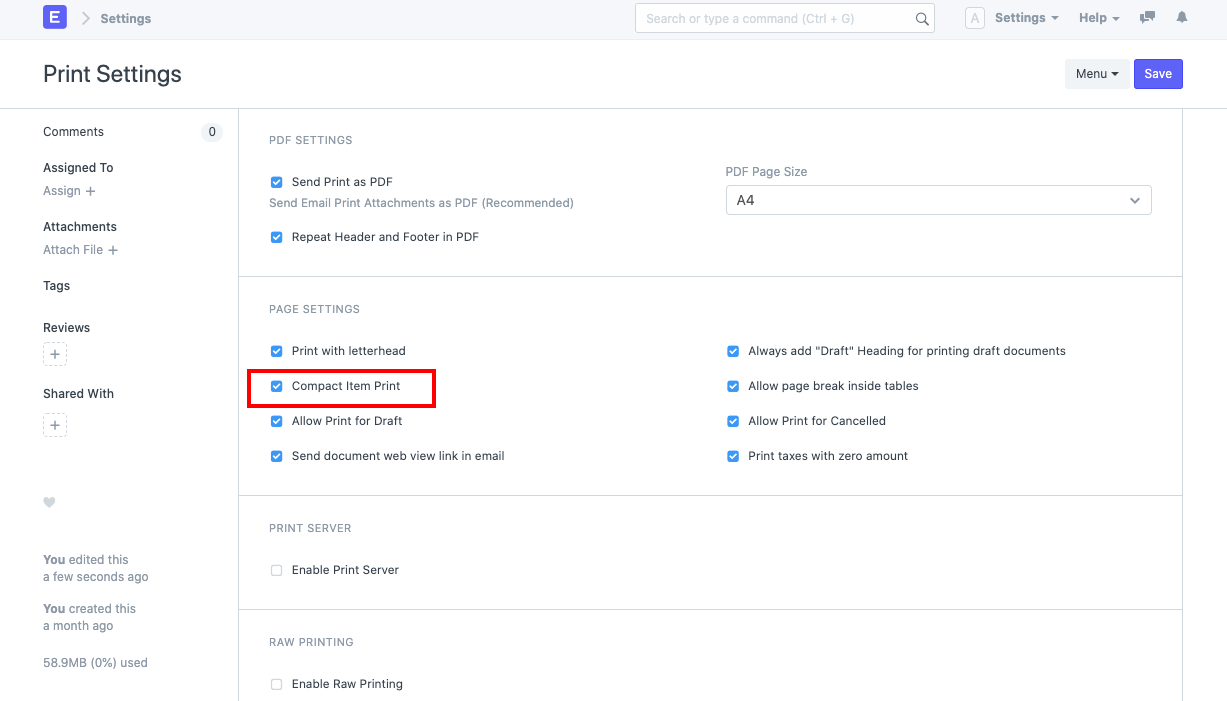
ภาพประกอบ Remove Description in Print Format จาก ERPNext

You can disable this option and then uncheck the Description in the print format builder. This should solve the issue for you.
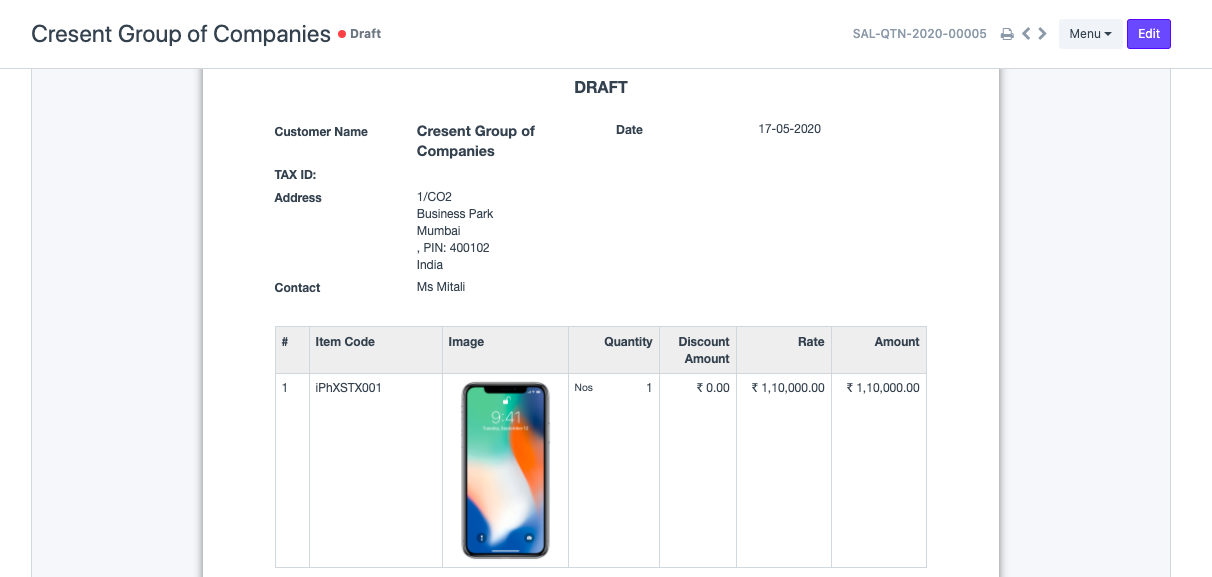

ภาพประกอบ Remove Description in Print Format จาก ERPNext

เนื้อหาเอกสารอ้างอิงและภาพประกอบมาจาก ERPNext / Frappe Official Docs · บทความแนะนำภาษาไทยเรียบเรียงโดย Room64 · เว็บไซต์นี้เป็นคู่มือประกอบการใช้งานโดย Room64 · เอกสารทางการ ↗

มีงานที่อยากให้ Software, AI หรือ Automation ช่วยอยู่ไหม?

เล่า workflow หรือปัญหาที่ทีมกำลังเจอ เราช่วยดูได้ว่าควรใช้ระบบสำเร็จรูป เชื่อมเครื่องมือเดิม หรือพัฒนาเพิ่มเฉพาะส่วนไหน

คุยกับเราทาง LINEhello@room64.net
