
Using Renaming feature, you can change the name of a master document.
Using this feature you can also merge two master documents into a single one.
Check List of Renamable Documents for the list of all the documents that can be renamed in the system.
Steps to rename a Document
Step 1 : Go to the document that you wish to rename.
Step 2 : From the drop-down menu, select the option 'Rename'.
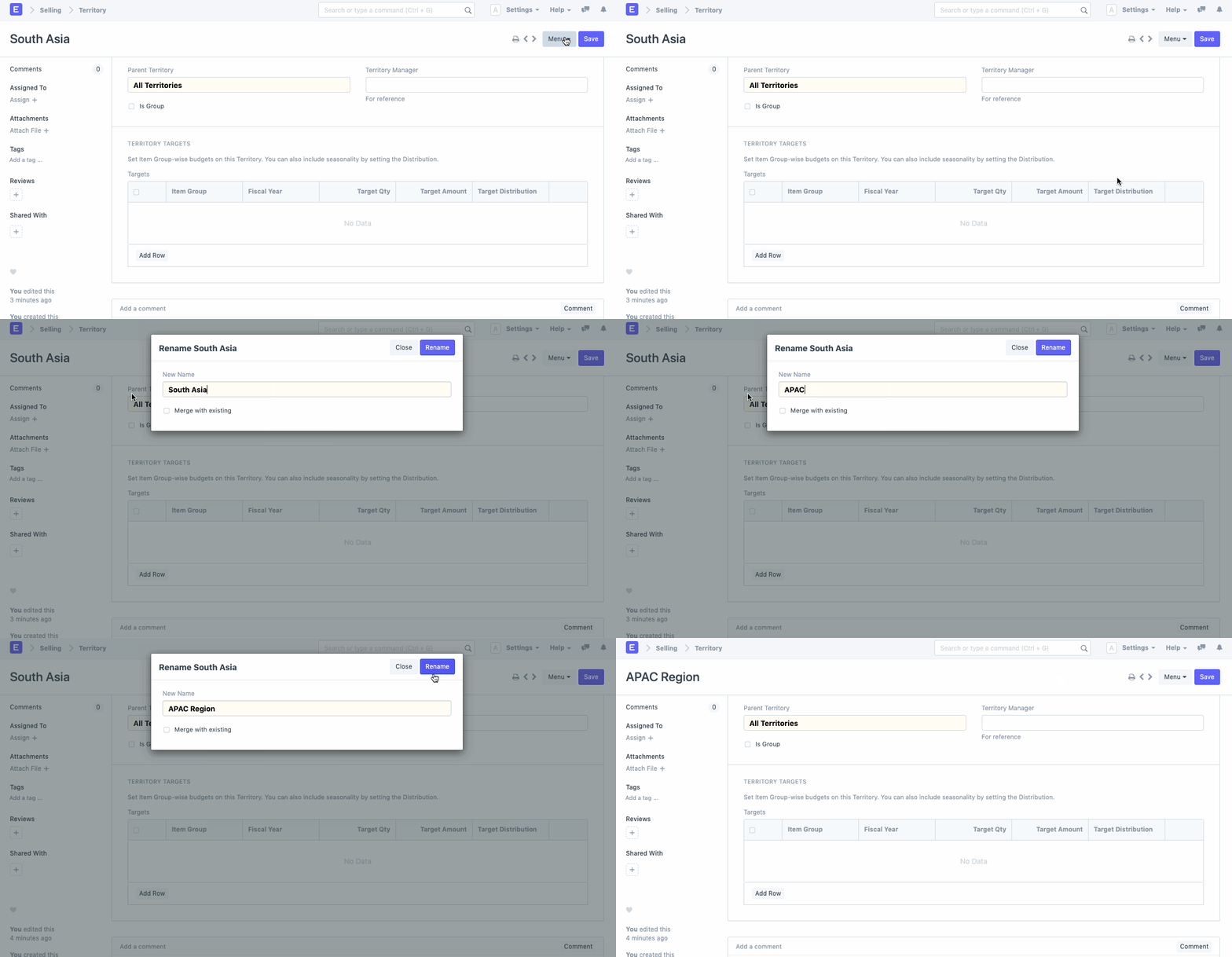
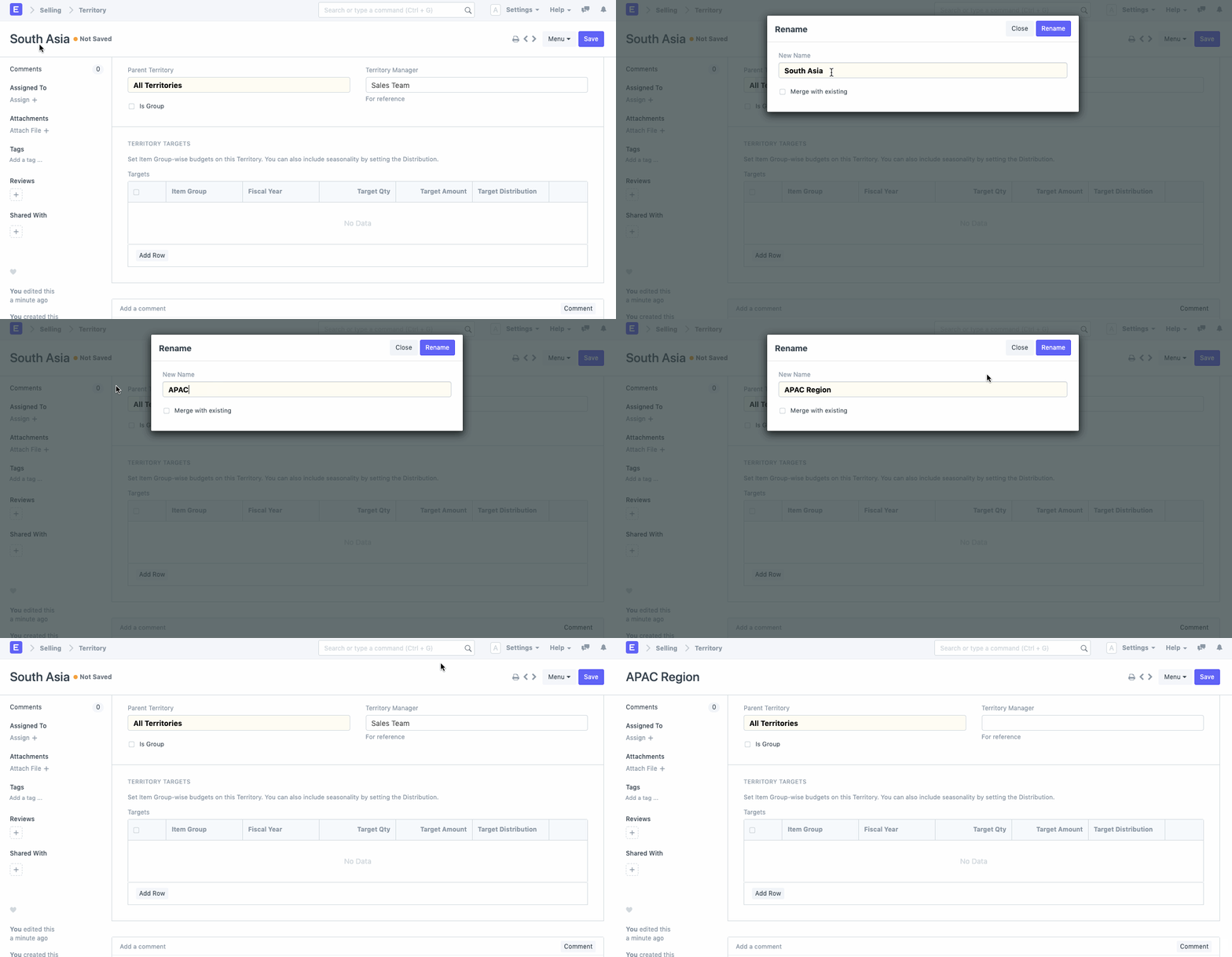
Alternatively, you can also click on the Title of the document, which will result in a pop-up, wherein you will be able to change the name of the document that you wish to rename.
Effect of Renaming
Renaming a document will affect all the existing transactions liked to this document. E.g., If you are changing the Item Code for an Item, the same will be updated in all the existing transactions wherein this Item is linked.
List of Renamable Documents
Following is the list of all the documents that can be renamed.
- Contact
- Address
- Warehouse
- Supplier
- Customer
- User
- Sales Partner
- Project
- Cost Center
- Item Group
- Item
- Company
- Role
- Earning Type
- Note
- Serial No
- Account
- Territory
- Terms and Conditions
- Supplier Group
- Workstation
- Employee
- Sales Taxes and Charges Master
- Purchase Taxes and Charges Master
- Price List
- Party Type
- Mode of Payment
- Designation
- Department
- Deduction Type
- Customer Group
- Brand
- Branch
- Sales Person
