
Nova Industries buys a specialist service from Orion Advisory, a supplier that does not charge tax on its invoice. Local rules require Nova, as the buyer, to recognise and settle the tax itself. Reverse charge accounting separates the supplier payable from the tax liability and, where allowed, records the related input tax credit.
ERPNext provides the accounting building blocks, but the tax rate, eligibility, return reporting, and account classification come from your local tax rules. Have a tax adviser approve the template before production use.
Set up the accounts
| Account | Purpose |
|---|---|
| RCM Tax Payable | Liability for tax the company must settle. |
| RCM Input Tax Credit | Eligible recoverable tax. |
| RCM Tax Expense | Non-creditable portion, when applicable. |
Create a purchase tax template
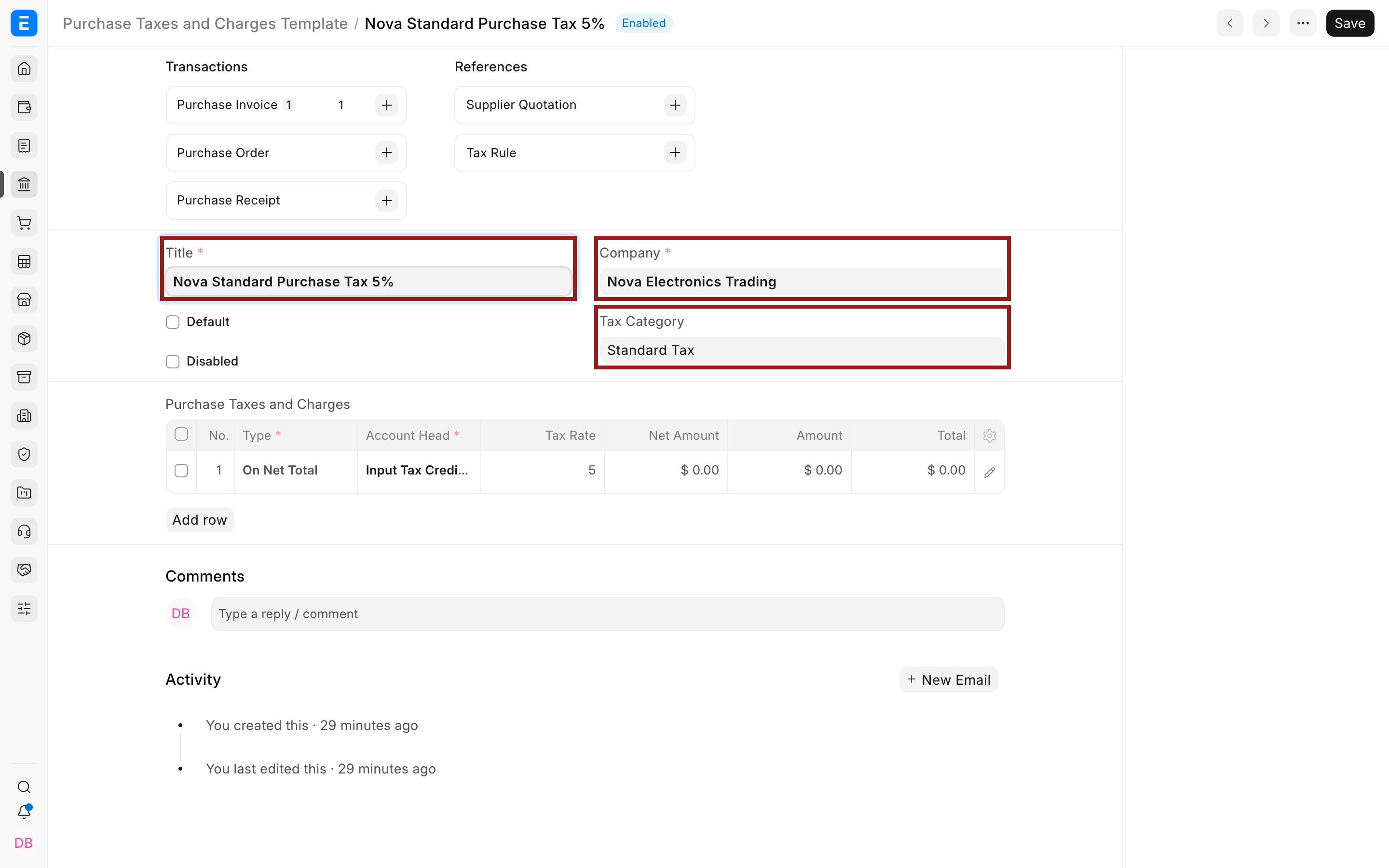
- Create a Purchase Taxes and Charges Template dedicated to reverse charge.
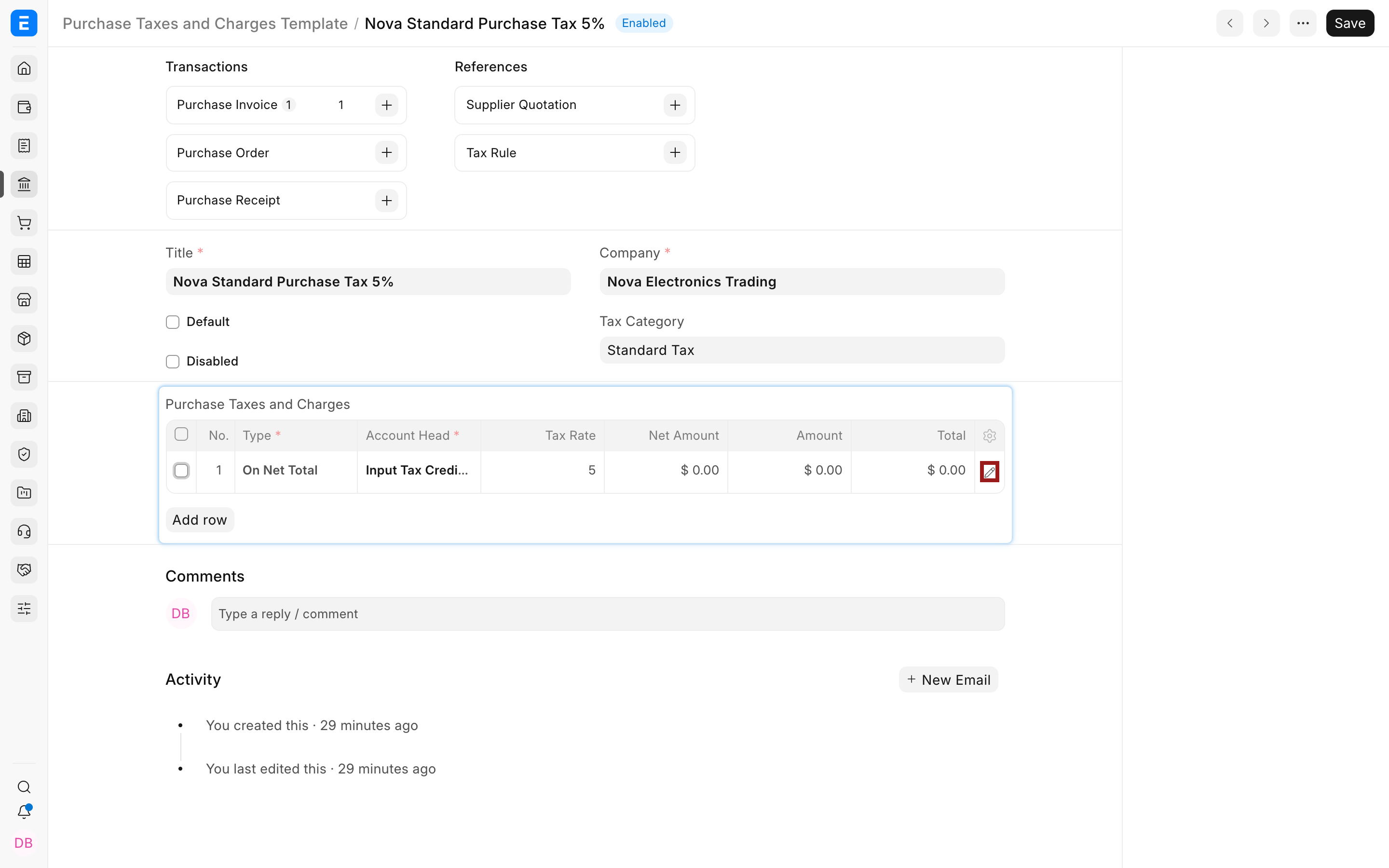
- Add a tax row that credits the RCM payable account at the approved rate.
- Add a matching input-credit row when the tax is recoverable, or use an expense account for the non-creditable portion.
- Test the supplier payable, tax liability, input credit, and invoice total before enabling the template for routine use.
Apply and verify
- Create the Purchase Invoice for the supplier’s bill amount.
- Apply the RCM template in Taxes and Charges.
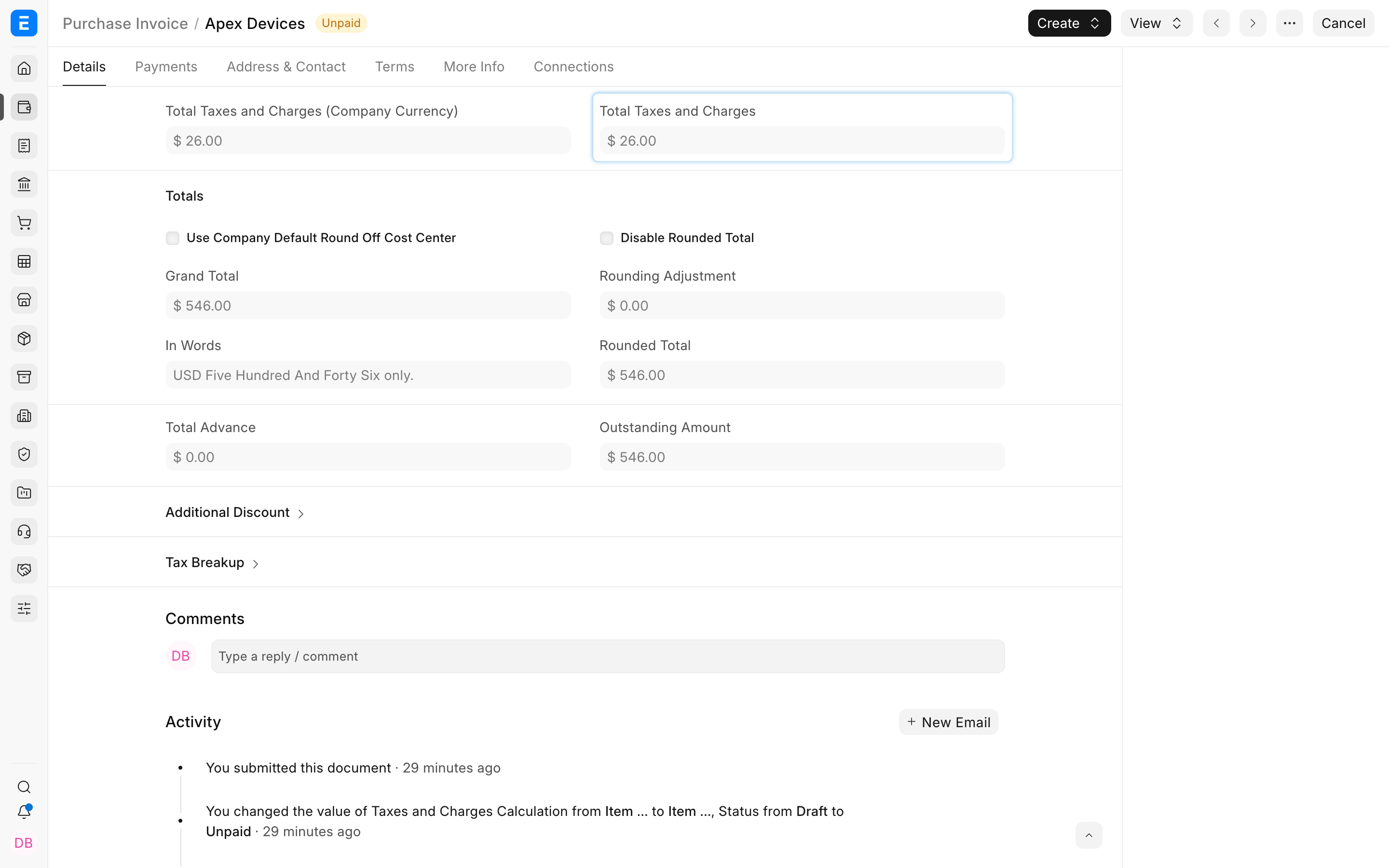
- Confirm the supplier outstanding amount does not incorrectly include tax the supplier did not charge.
- Submit and inspect Accounting Ledger or General Ledger.
- Settle or adjust the RCM payable through the approved tax-payment process.
Troubleshooting
The supplier payable includes the reverse charge tax
Review Add or Deduct, Included in Print Rate, account heads, and the second input-credit or expense row. The supplier should normally remain payable only for the supplier bill when the supplier did not charge the tax.
The tax credit is only partly eligible
Split the amount between an input-credit account and a tax-expense account using approved rates or rows.
Frequently asked questions
Is this configuration country-neutral?
The accounting pattern is reusable, but the legal rules are not. Use country-specific rates, accounts, returns, and evidence.
