
Routing is a template of BOM Operations.
A Routing stores all Operations along with the description, hourly rate, operation time, batch size, etc. Creating a Routing for your BOM Operations is useful when similar Operations are used for manufacturing different items.
Prerequisites
How to Create a Routing
- Go to the Routing list, click on New.
- Enter a name for the Routing.
- Enter the Operations in the BOM Operation table:
- Select the Operation.
- The default Workstation will be fetched.
- Enter the Hourly Rate for running this Operation.
- Enter the Operation Time in minutes.
- Enter the Batch Size, i.e. the number of units processed in this Operation.
- The Operating Cost will be calculated based on the Hourly Rate and the Operation Time.
- Save.
Once created, a Routing can be selected in a BOM to fetch the Operations stored in the Routing.

Sequence ID in Routing
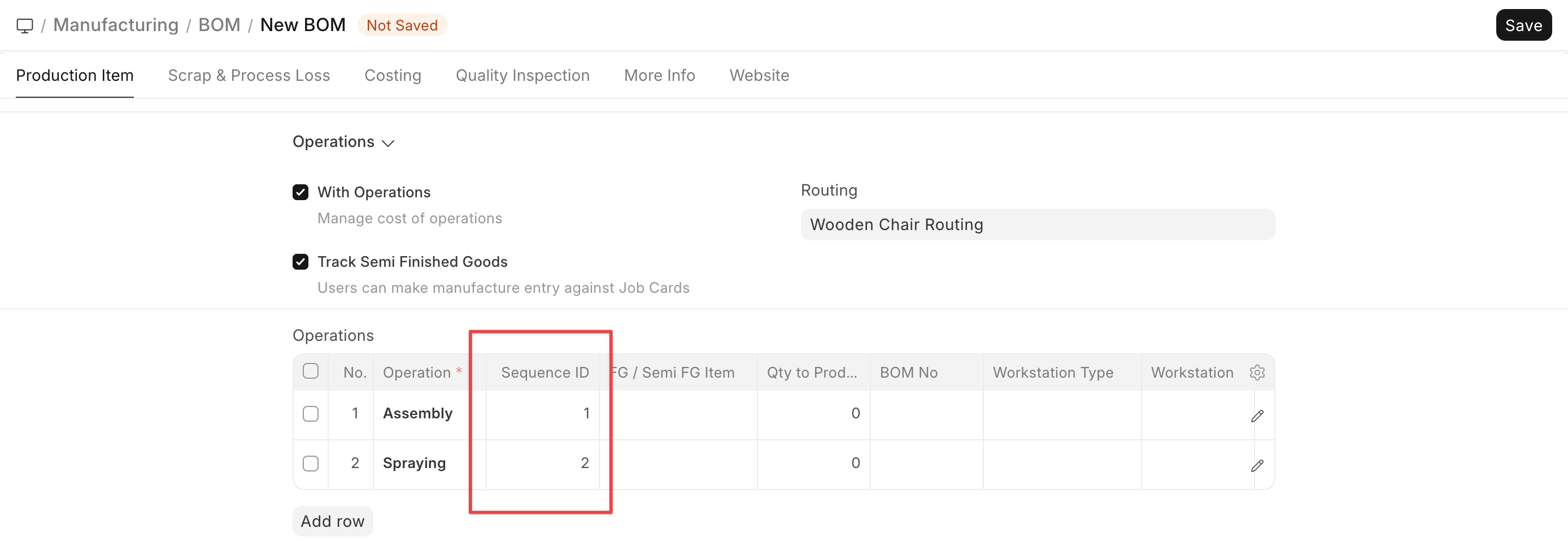
Sequence ID enforces the users to complete the operations sequentially via Job Card. In case a user tries to complete an operation before completing any of its precedent operations as per the Sequence ID, the system throws a validation error.

