
The salary of an employee can be calculated based on the number of hours that he has worked for on a particular project.
To enable the same, you may choose to create the Employee's Salary Slip directly from a Timesheet.
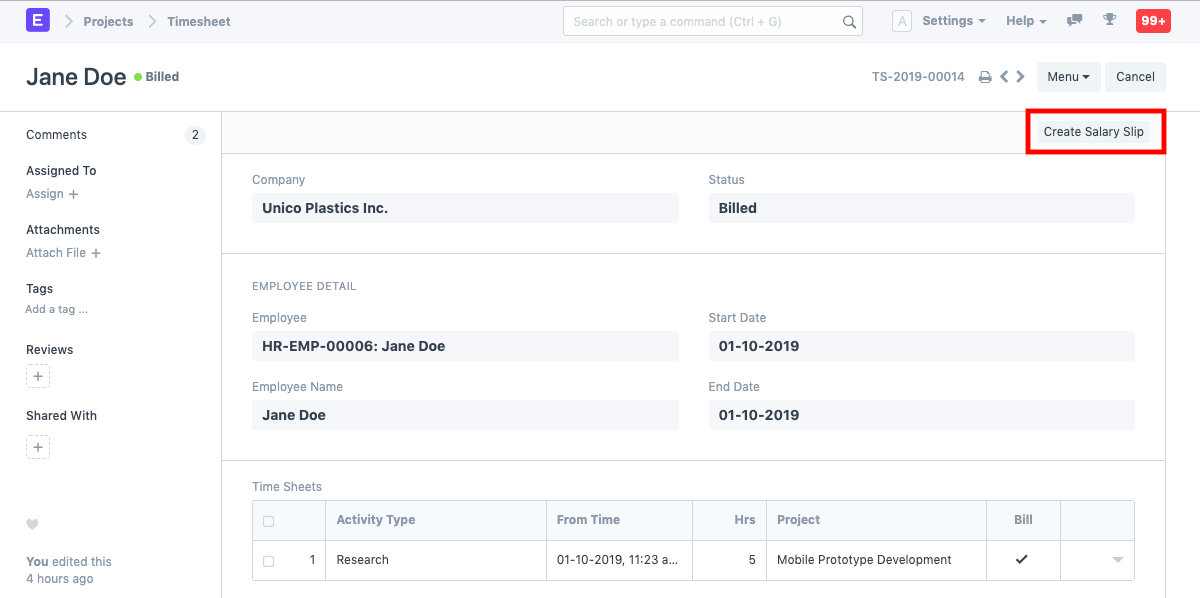
1. How to Create A Salary Slip from A Timesheet
- Once the Timesheet is submitted, and an invoice has been generated, go to the Timesheet and click on 'Create Salary Slip'.
- All the details, like the Employee, Employee Name, Posting Date, Company Name, Letter Head, etc. will get captured from the Timesheet.
- Dates : Since this Salary Slip is getting generated out of a Timesheet, it will auto-fetch the Start Date and End Date from the Timesheet. However, the same can be changed.
- Salary Slip Timesheet : The details of the Timesheet from which the Salary Slip was created will be captured. You can also more Timesheets here to create a single Salary Slip against multiple Timesheets.
- Save and Submit.
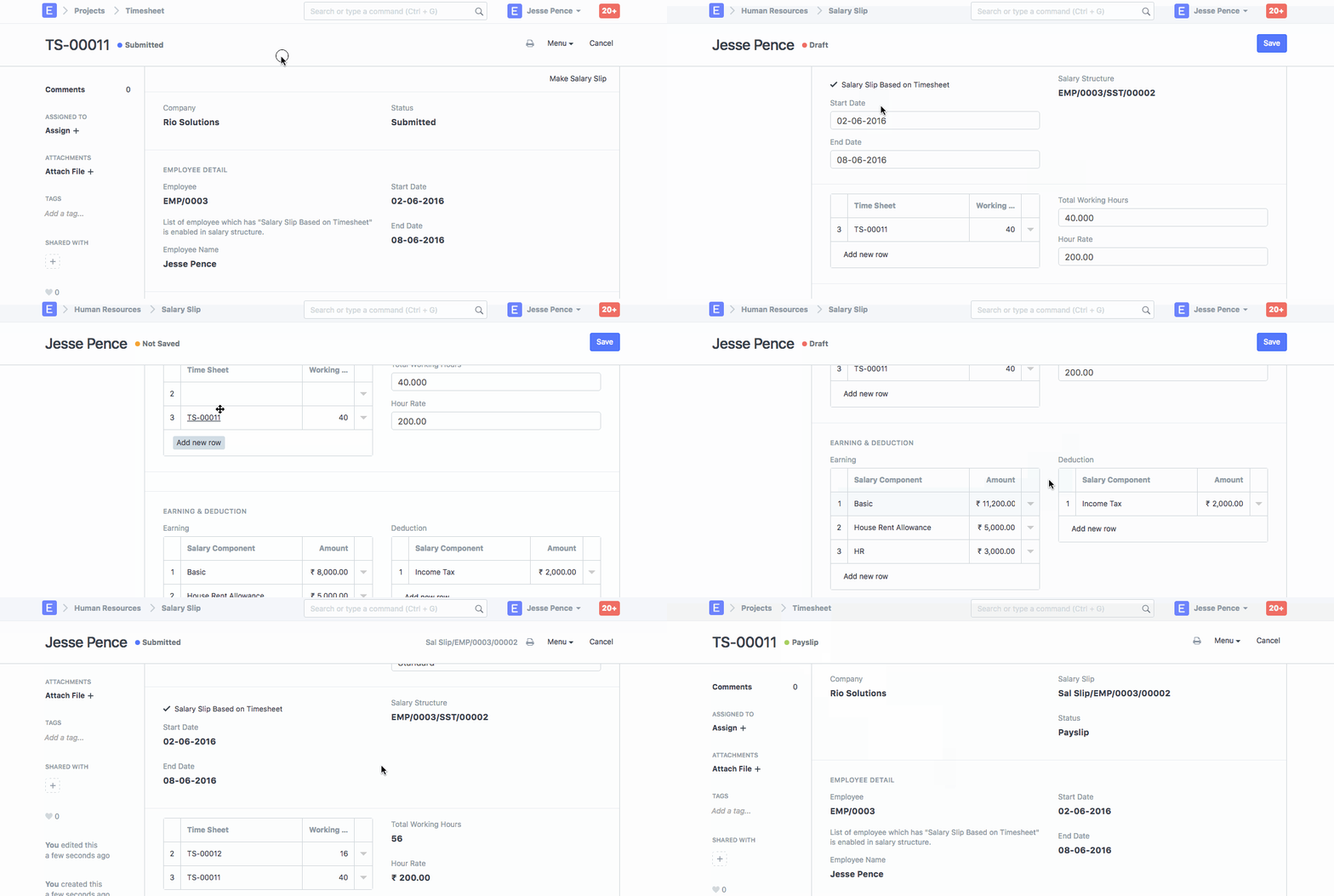
1.1. Additional Details while Creating a Salary Slip form a Time Sheet:
- Earnings and Deduction : Any Earnings like HRA, Incentives etc. or Deductions like Income Tax, Provident Fund etc. in the Salary generated from the Timesheet can be mentioned here.
- Other Information : According to the Salary Structure of the Employee, the Gross payment information, the Loan Repayment Information, and the Net Pay information will get auto-captured.
- For a detailed guide on setting up overtime via timesheets, click here .
