ROOM64 / KNOWLEDGE / ERPNEXT

Search Record by Specific Field

While creating any DocType, you may want to link a particular field to another DocType. For example, in Sales Order DocType, 'Customer' field allows you to select an existing custo

อ่านต้นฉบับที่ ERPNext Official Docs ↗
เอกสารอ้างอิงภาษาอังกฤษเนื้อหาจากเอกสาร ERPNext คงรายละเอียดและโค้ดตามต้นฉบับ · ต้นฉบับอัปเดต 2026-03-04 ชื่อเมนูและ DocType ที่ใช้ได้ขึ้นอยู่กับเวอร์ชันและรุ่นที่ทีมใช้งาน

Projects · โครงการและงานบริการ · Search Record by Specific Field

สารบัญในหน้านี้

While creating any DocType, you may want to link a particular field to another DocType. For example, in Sales Order DocType, 'Customer' field allows you to select an existing customer. Such fields are called Link Fields .

Using Link Fields you can create a

Let's assume that you want to see that Item in a Sales Order along with its Item Group. The steps to do this are given below:

Step 1: Go to Customize Form

Home > Customization > Form Customization > Customize Form

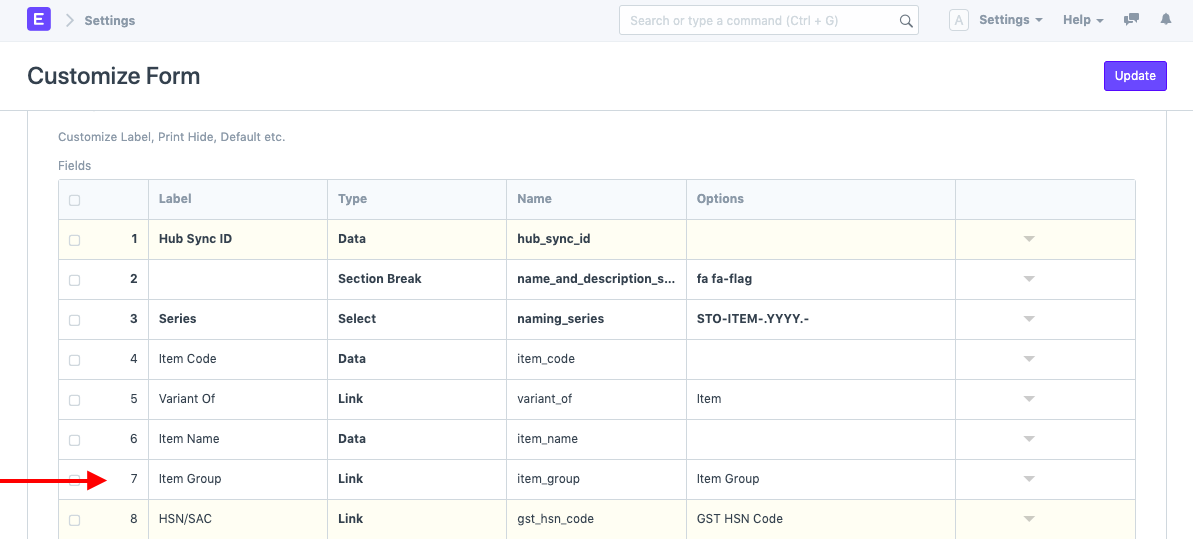
Step 2: Select the Document for which you want multiple fields to be visible in the Search Field

Here, we will select the Document Item.

Step 3: Search Field

Update Warehouse field name in the Search By field.
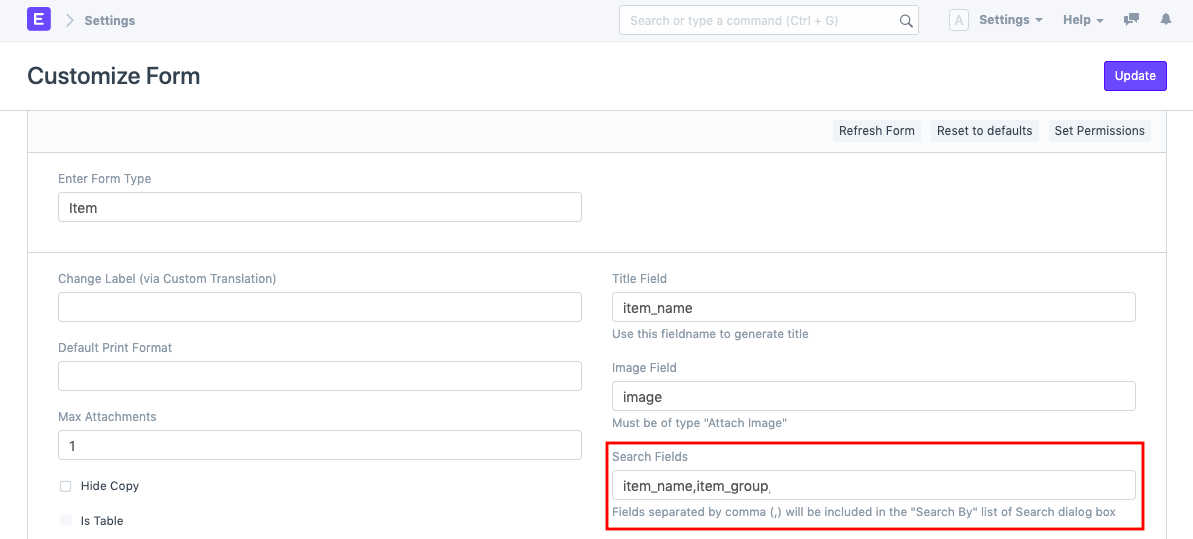
Search By in Customize Form Search By in Customize Form

Once these settings have been updated, while creating a Sales Order, when you select the Item, you will also be able to the warehouse there.
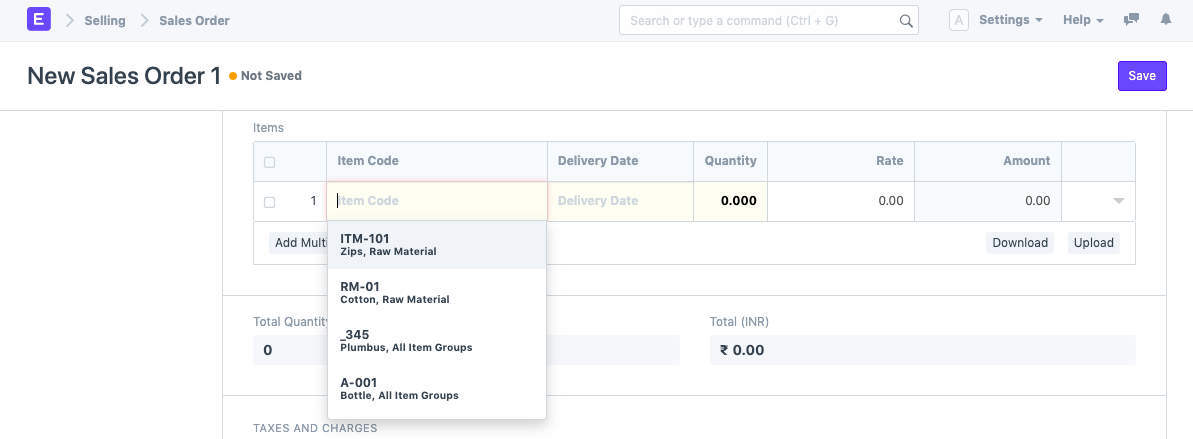

Search By in Customize Form

เนื้อหาเอกสารอ้างอิงและภาพประกอบมาจาก ERPNext / Frappe Official Docs · บทความแนะนำภาษาไทยเรียบเรียงโดย Room64 · เว็บไซต์นี้เป็นคู่มือประกอบการใช้งานโดย Room64 · เอกสารทางการ ↗

มีงานที่อยากให้ Software, AI หรือ Automation ช่วยอยู่ไหม?

เล่า workflow หรือปัญหาที่ทีมกำลังเจอ เราช่วยดูได้ว่าควรใช้ระบบสำเร็จรูป เชื่อมเครื่องมือเดิม หรือพัฒนาเพิ่มเฉพาะส่วนไหน

คุยกับเราทาง LINEhello@room64.net