The Serial and Batch Traceability Report is used to track the full movement and lifecycle of serialized or batched items across your supply chain. Thre are two types of traceabilit
The Serial and Batch Traceability Report is used to track the full movement and lifecycle of serialized or batched items across your supply chain. Thre are two types of traceability methods
To view Serial No and Batch Traceability Report GoTo
Stock > Serial No and Batch > click on "Serial No and Batch Traceability"
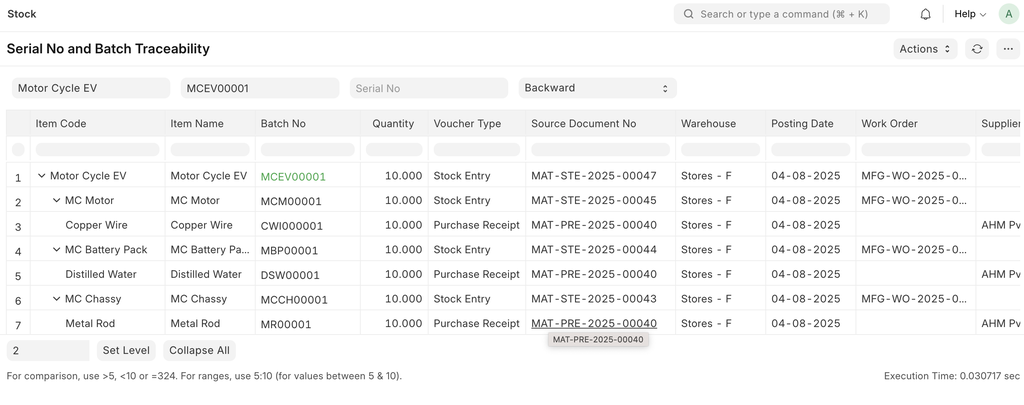
Backward Traceability
To find out which components are required to manufacture the batch and where they came from, use the Backward Traceability filter.
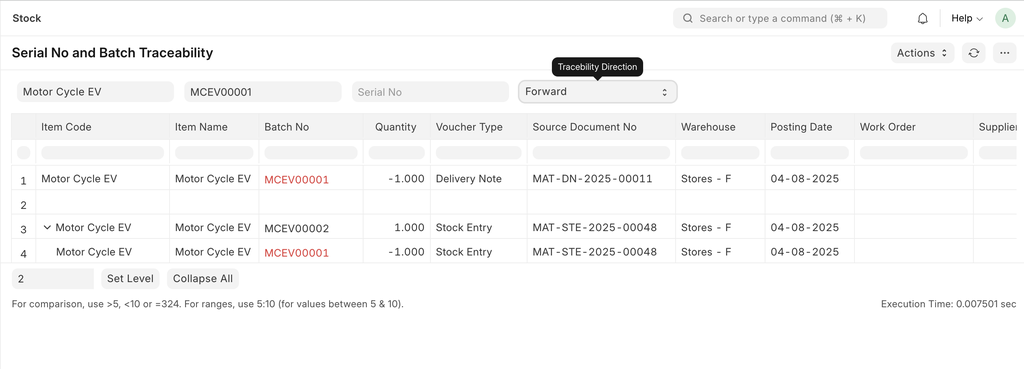
Forward Traceability
To find out where the batch has been used or to whom it was delivered, use the Forward Traceability filter.
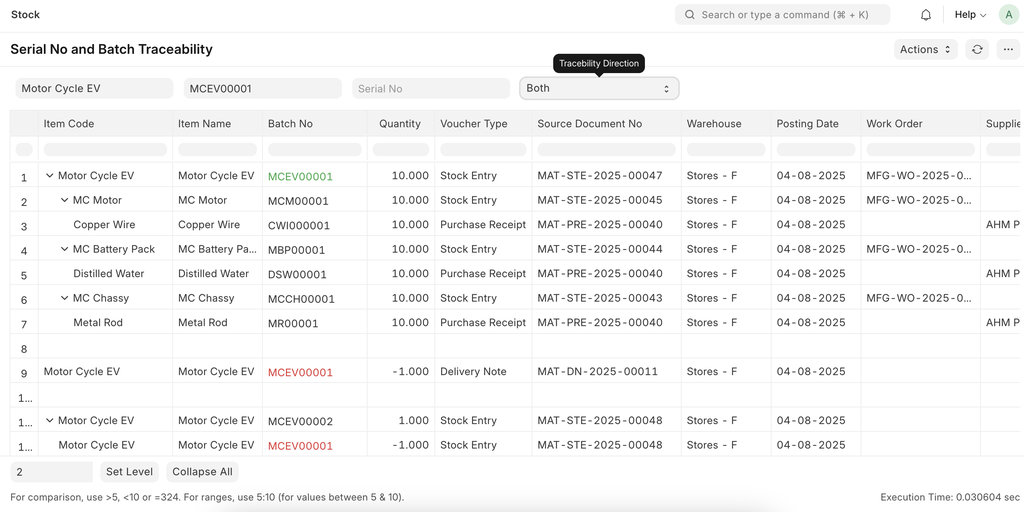
Backward and Forward (Both) Traceability
+เริ่มจากบทสนทนา
มีงานที่อยากให้
Software, AI หรือ
Automation ช่วยอยู่ไหม?