ROOM64 / KNOWLEDGE / ERPNEXT

Setting Company Sales Goal

Defining and achieving sales goals/targets can help your company reach new goals and increase revenue.

อ่านต้นฉบับที่ ERPNext Official Docs ↗
เอกสารอ้างอิงภาษาอังกฤษเนื้อหาจากเอกสาร ERPNext คงรายละเอียดและโค้ดตามต้นฉบับ · ต้นฉบับอัปเดต 2026-07-24 ชื่อเมนูและ DocType ที่ใช้ได้ขึ้นอยู่กับเวอร์ชันและรุ่นที่ทีมใช้งาน

Selling · งานขาย · Setting Company Sales Goal

สารบัญในหน้านี้

Defining and achieving sales goals/targets can help your company reach new goals and increase revenue.

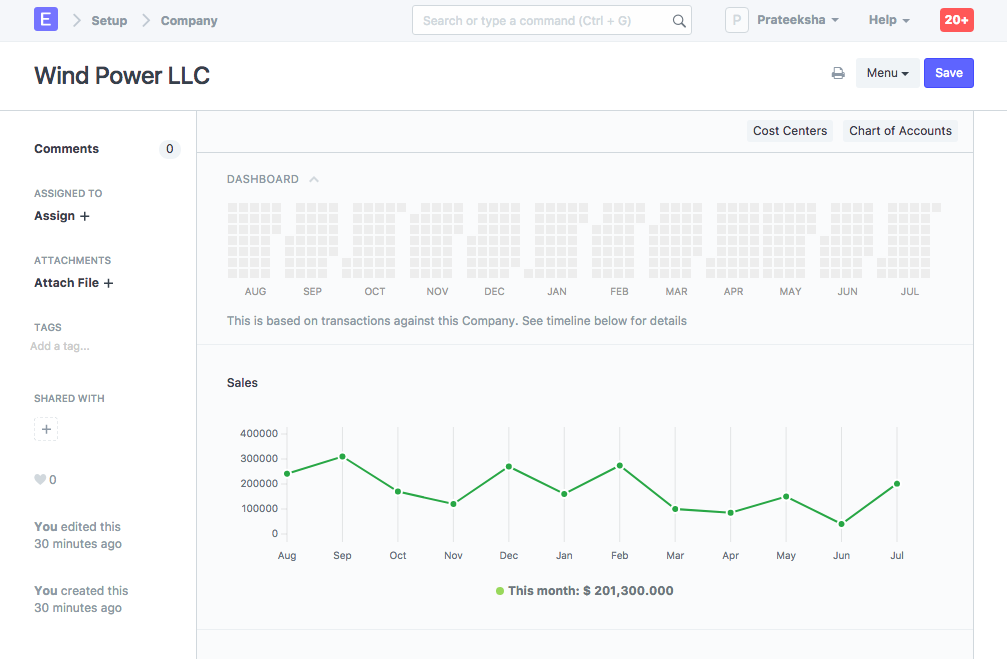
  1. Monthly sales targets can be set for a Company via the Company master under the Sales Settings section. By default, the Company master dashboard displays month-wise past sales stats.

Sales Graph

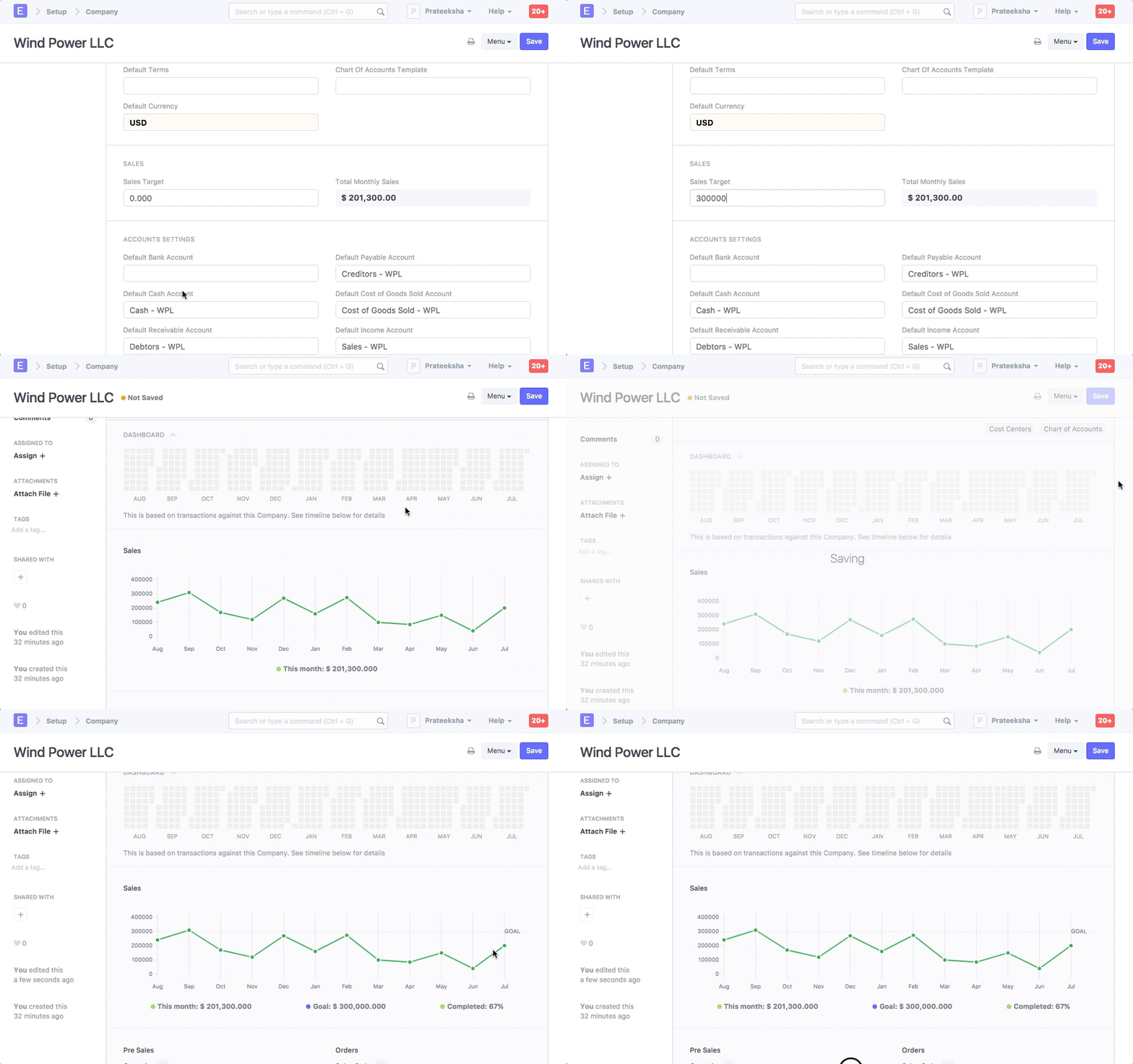
  1. You can set the Sales Target field to track progress against the graph:

Setting Sales Goal

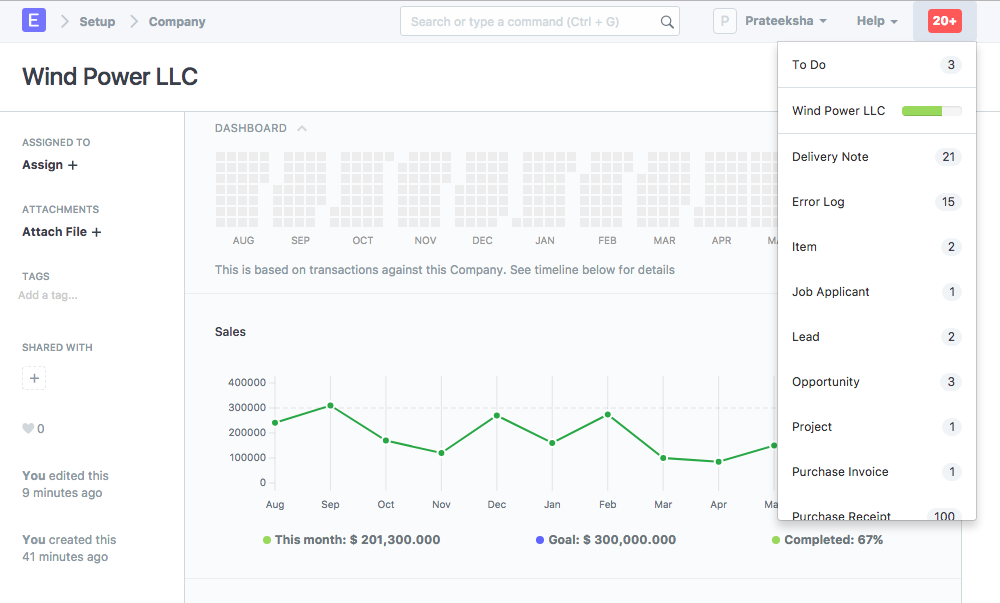
  1. The target progress is also shown in notifications:

Sales Notification

  1. Company Setup
  2. Sales Order
  3. Sales Partner
เนื้อหาเอกสารอ้างอิงและภาพประกอบมาจาก ERPNext / Frappe Official Docs · บทความแนะนำภาษาไทยเรียบเรียงโดย Room64 · เว็บไซต์นี้เป็นคู่มือประกอบการใช้งานโดย Room64 · เอกสารทางการ ↗

มีงานที่อยากให้ Software, AI หรือ Automation ช่วยอยู่ไหม?

เล่า workflow หรือปัญหาที่ทีมกำลังเจอ เราช่วยดูได้ว่าควรใช้ระบบสำเร็จรูป เชื่อมเครื่องมือเดิม หรือพัฒนาเพิ่มเฉพาะส่วนไหน

คุยกับเราทาง LINEhello@room64.net