
ROOM64 / KNOWLEDGE / ERPNEXT

Linking stock warehouse and accounts

The value of stock stored in the warehouses needs to be tracked.

อ่านต้นฉบับที่ ERPNext Official Docs ↗
เอกสารอ้างอิงภาษาอังกฤษเนื้อหาจากเอกสาร ERPNext คงรายละเอียดและโค้ดตามต้นฉบับ · ต้นฉบับอัปเดต 2026-03-02 ชื่อเมนูและ DocType ที่ใช้ได้ขึ้นอยู่กับเวอร์ชันและรุ่นที่ทีมใช้งาน

Stock · สต็อกและคลังสินค้า · Linking stock warehouse and accounts

The value of stock stored in the warehouses needs to be tracked.

Each warehouse is linked to a ledger in chart of accounts through the 'Account' field in the warehouse.
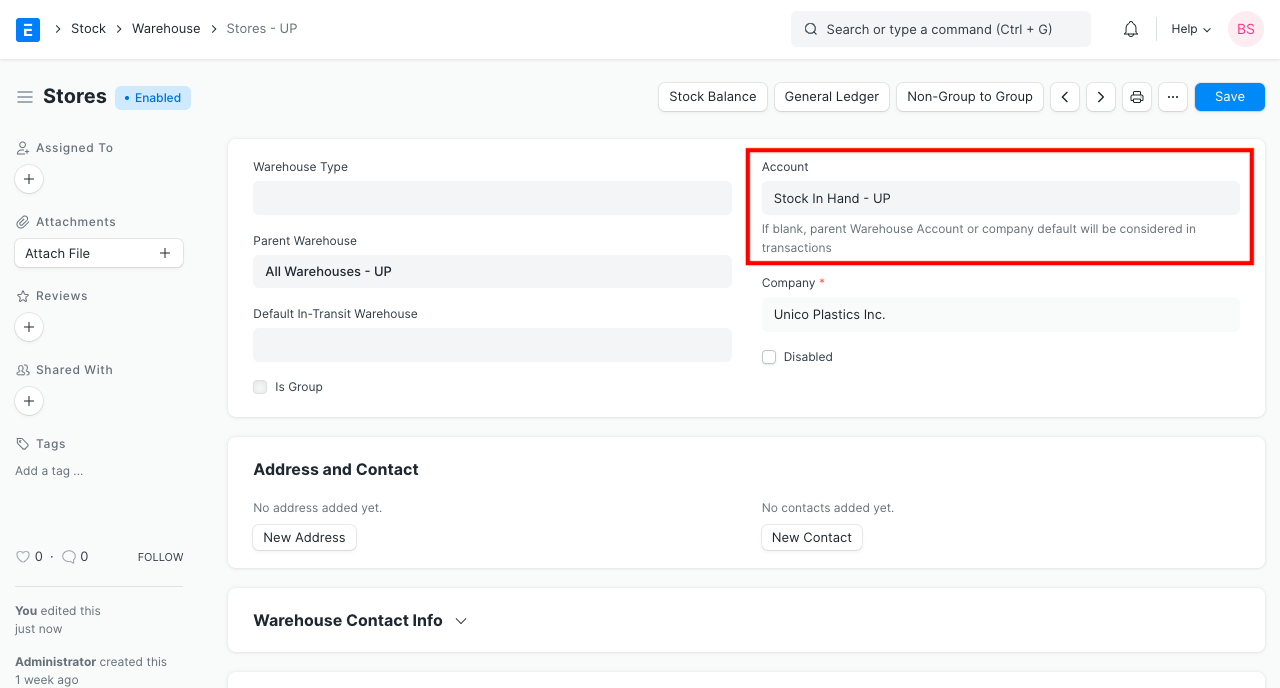
Stock Asset Ledger in Warehouse

If the Account field is empty in a warehouse, then the Account mentioned in the parent of that warehouse is considered. If an Account could not be determined by tracing the hierarchy, then the Default Inventory Account mentioned in the Company record is considered.
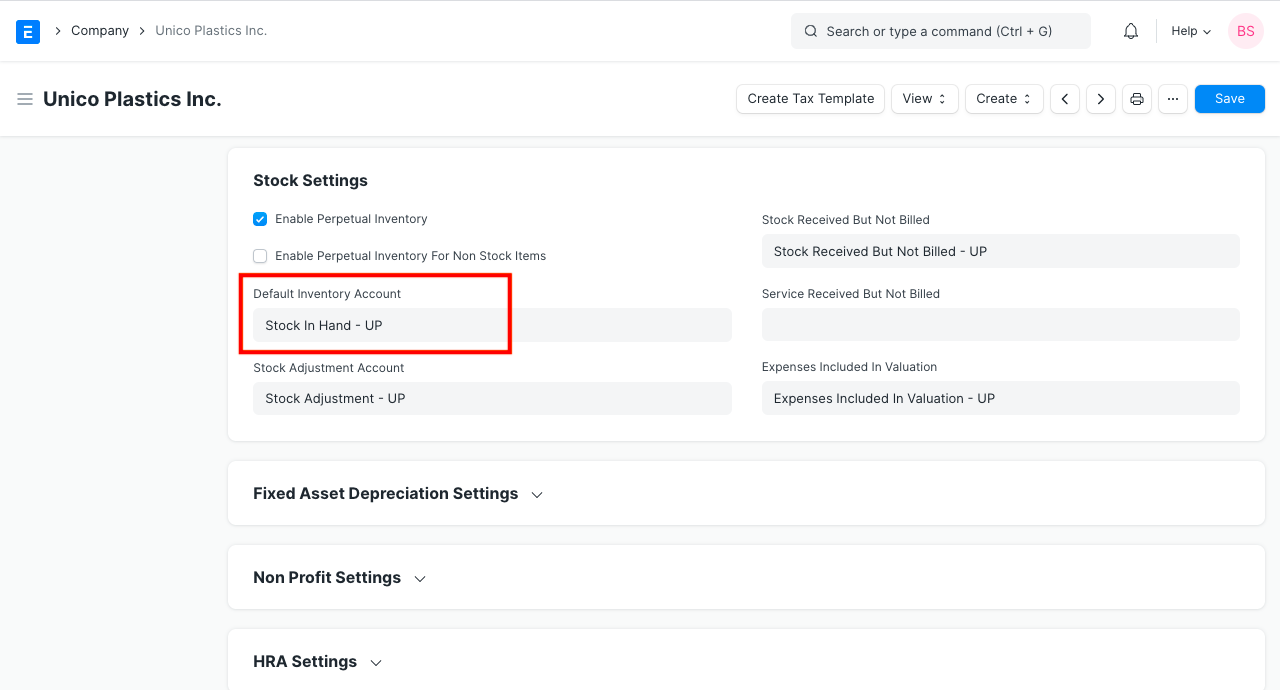
Default Inventory Account in Company

When a company is created, a ledger named 'Stock In Hand' is created by default in Chart of Accounts.

Chart of Accounts > Assets > Current Assets > Stock Assets > Stock In Hand.

If required, you can create additional ledgers under 'Stock Assets' group.
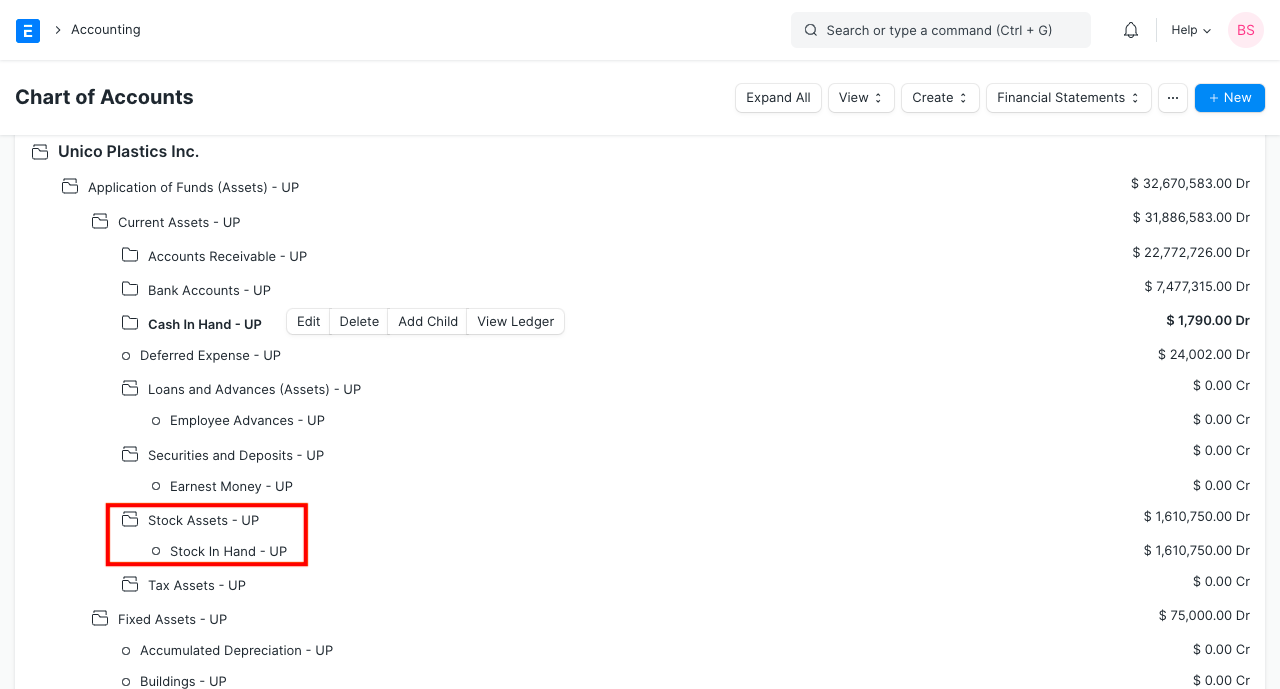
Stock Asset Ledger in Chart of Accounts

เนื้อหาเอกสารอ้างอิงและภาพประกอบมาจาก ERPNext / Frappe Official Docs · บทความแนะนำภาษาไทยเรียบเรียงโดย Room64 · เว็บไซต์นี้เป็นคู่มือประกอบการใช้งานโดย Room64 · เอกสารทางการ ↗

มีงานที่อยากให้ Software, AI หรือ Automation ช่วยอยู่ไหม?

เล่า workflow หรือปัญหาที่ทีมกำลังเจอ เราช่วยดูได้ว่าควรใช้ระบบสำเร็จรูป เชื่อมเครื่องมือเดิม หรือพัฒนาเพิ่มเฉพาะส่วนไหน

คุยกับเราทาง LINEhello@room64.net
