
This guide outlines the steps to migrate from the OSS version of NocoDB to the Enterprise Edition. Migration is supported for both on-prem and cloud deployments.
Prerequisites
Before you begin, ensure the following:
- The OSS version of NocoDB (
Instance-1) is accessible. - You have access to the Enterprise Edition of NocoDB (
Instance-2) — either self-hosted (on-prem) or provisioned via a cloud subscription on NocoDB.- If using the self-hosted (on-prem) Enterprise Edition, it must be running version v0.262.2 or higher.
- You have administrative access to both instances.
Steps
The migration process consists of two parts:
Part 1: Generate Migration URL
On the Enterprise Edition ( Instance-2 )
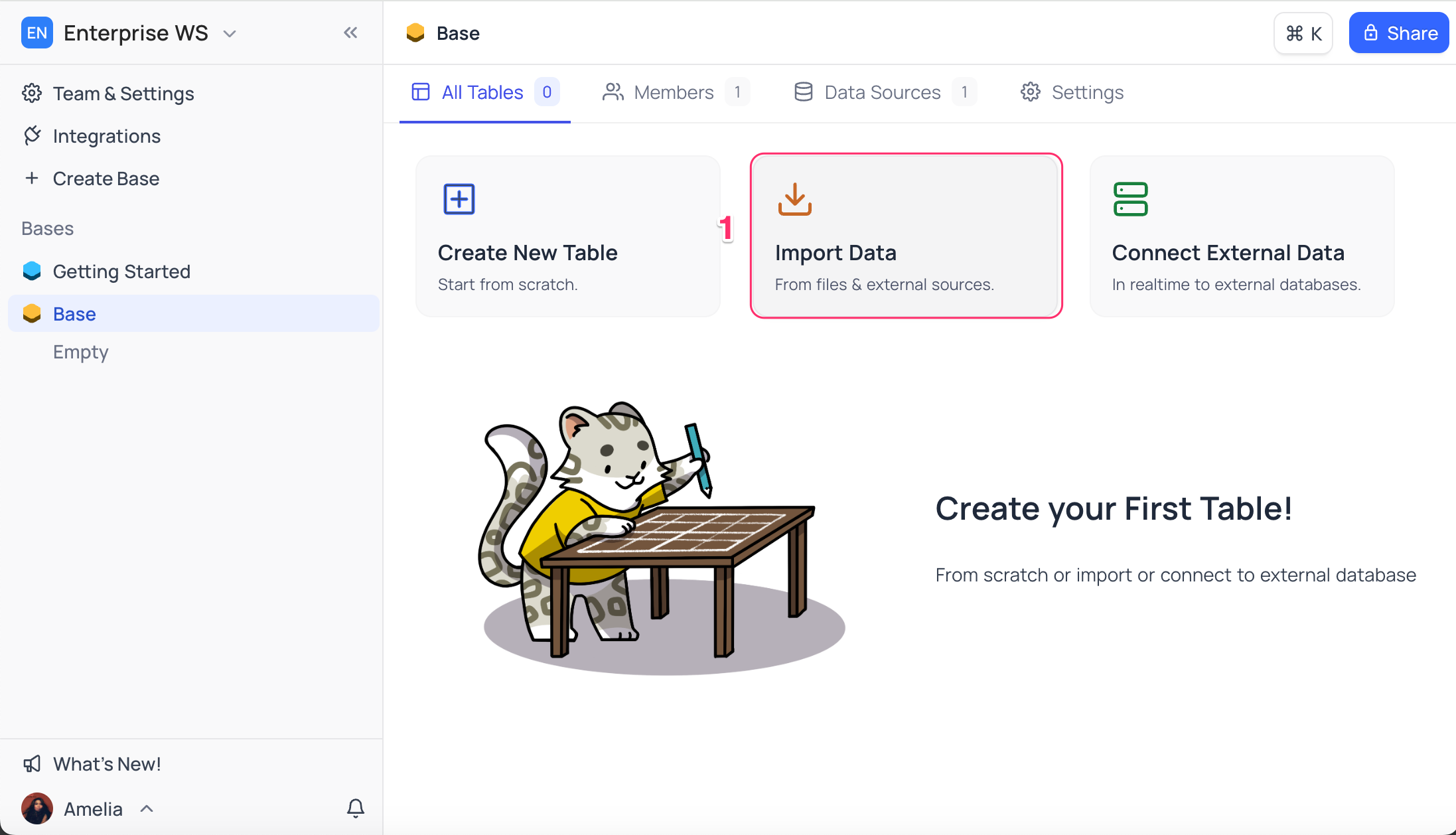
- On the base homepage, click Import Data .
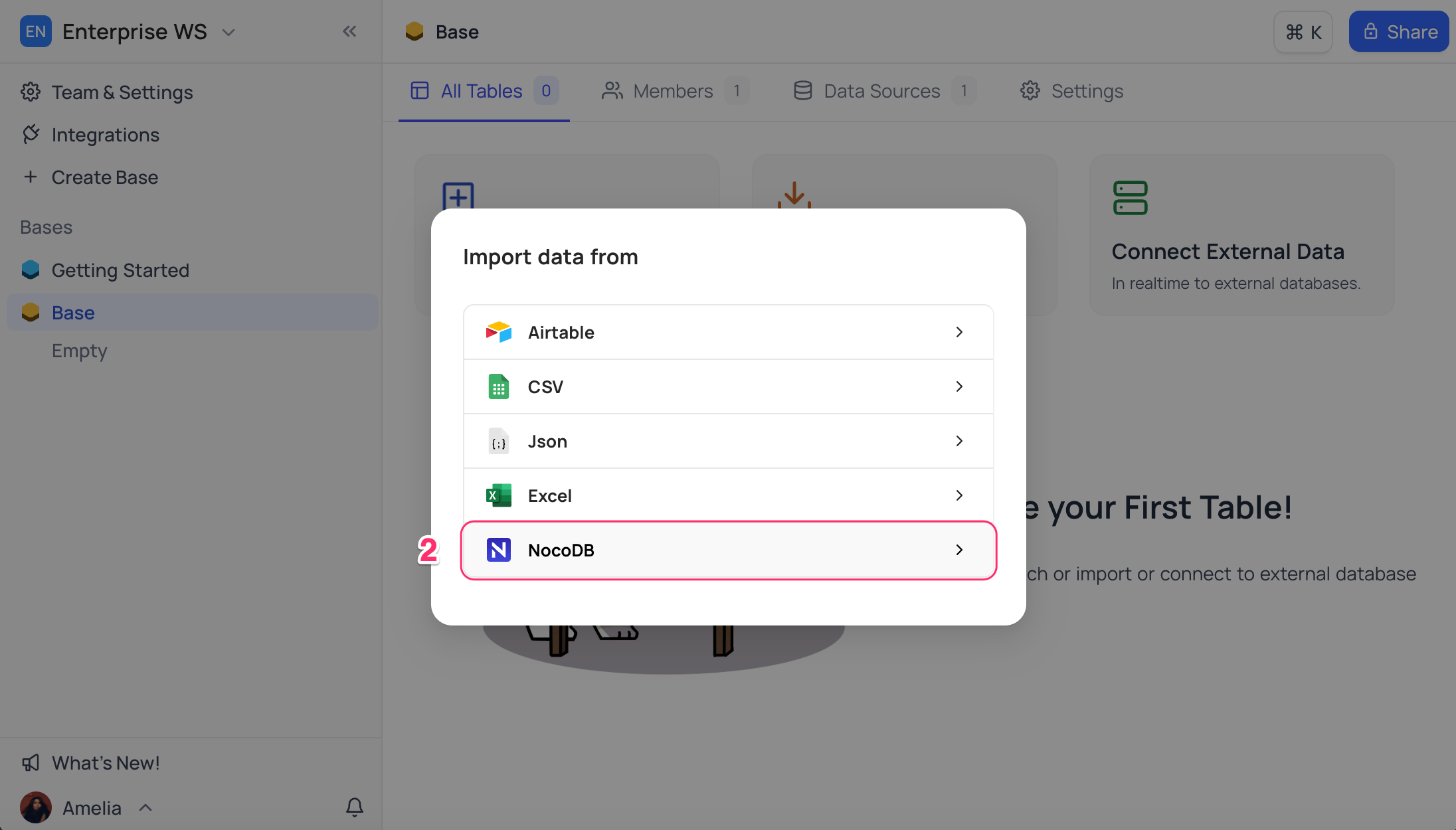
- Choose NocoDB as the data source.
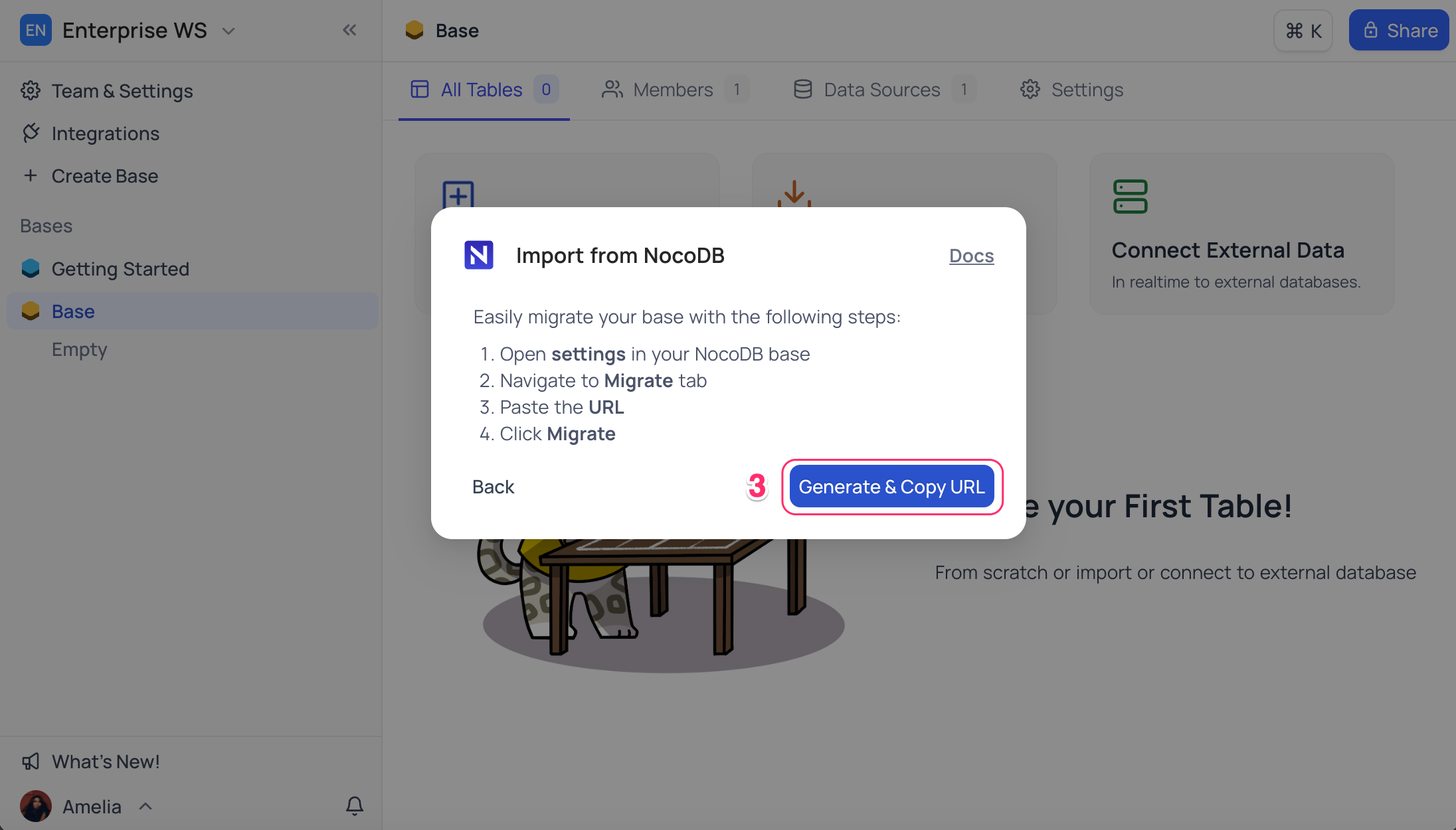
- Click Generate & Copy URL .
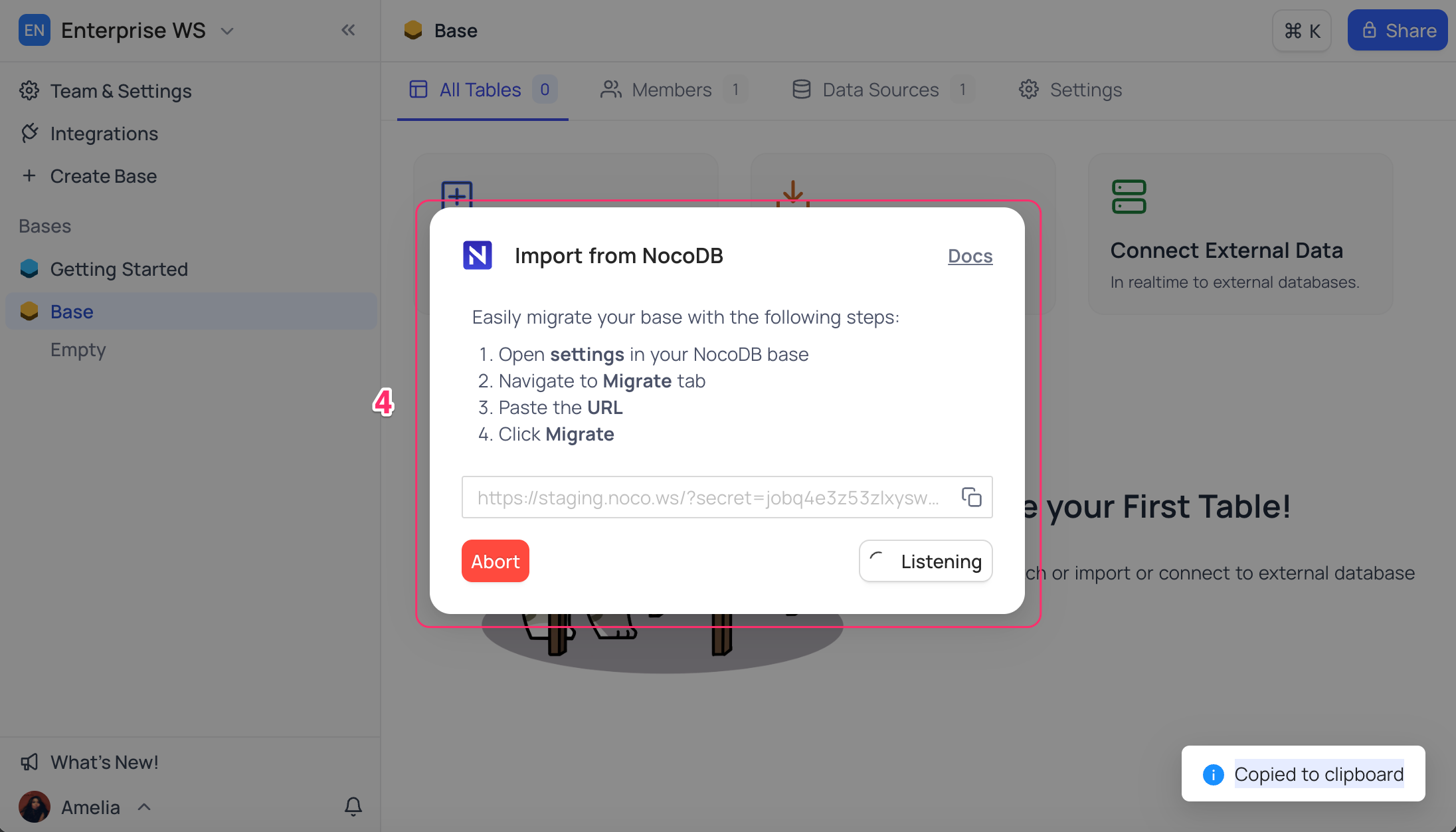
- The URL will be copied to your clipboard. The modal will now enter listening mode , waiting for a migration request from the OSS instance.
Part 2: Migrate Base from Self hosted instance
On the OSS instance ( Instance-1 ):
- Open the base context menu and select Settings .
- Navigate to the Migrate tab.
- Paste the migration URL copied from Instance-2.
- Click Migrate .
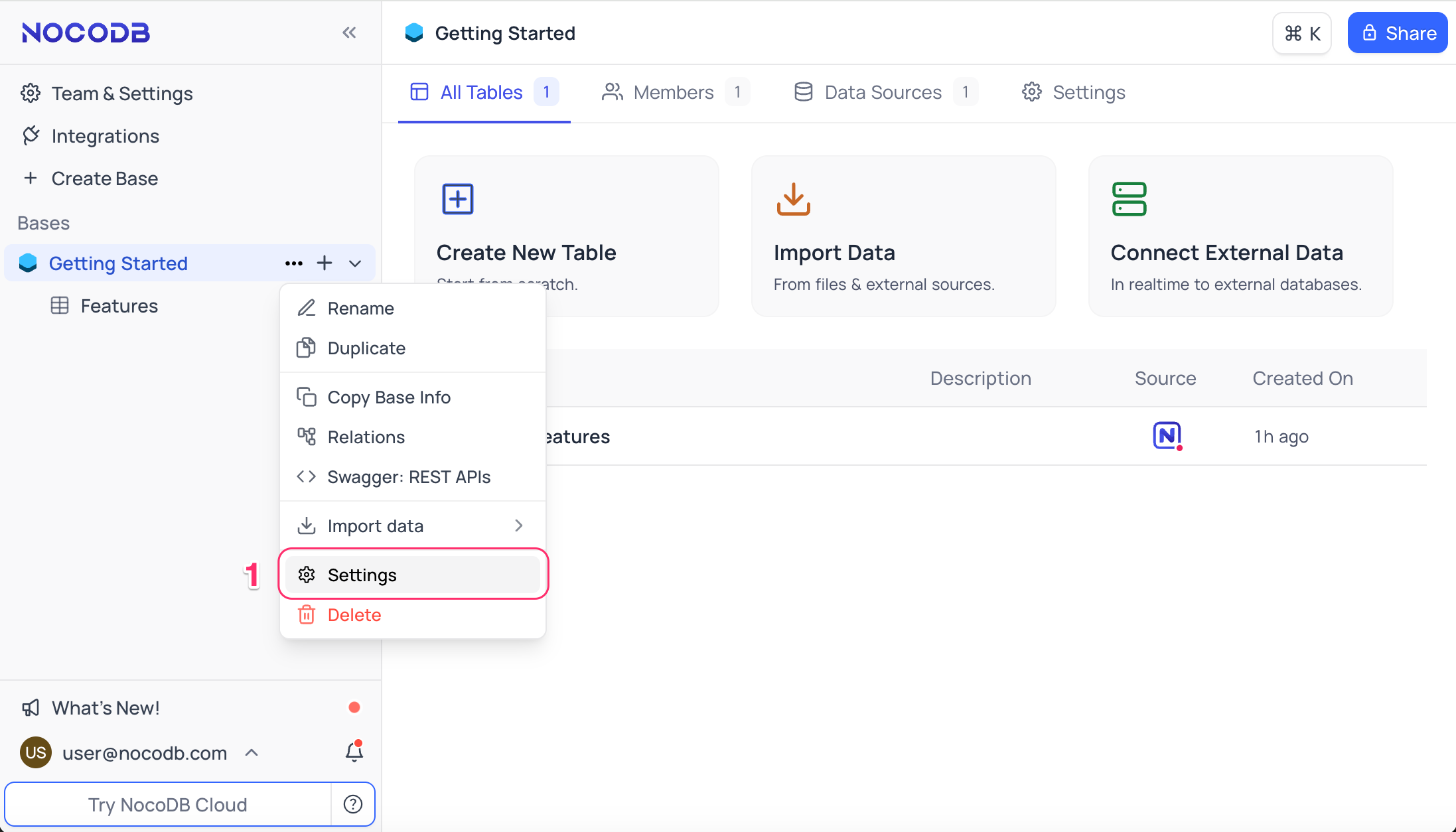
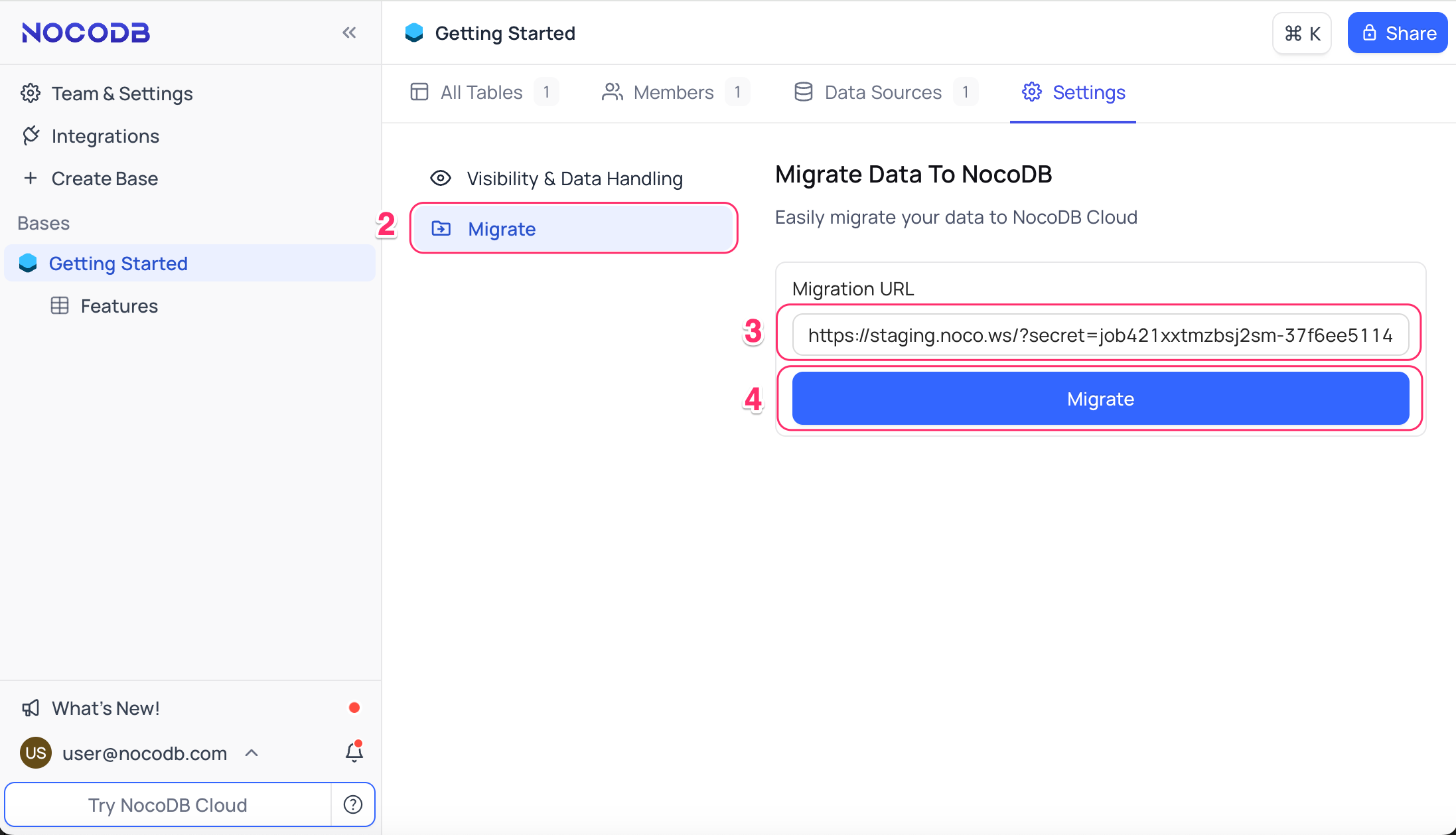
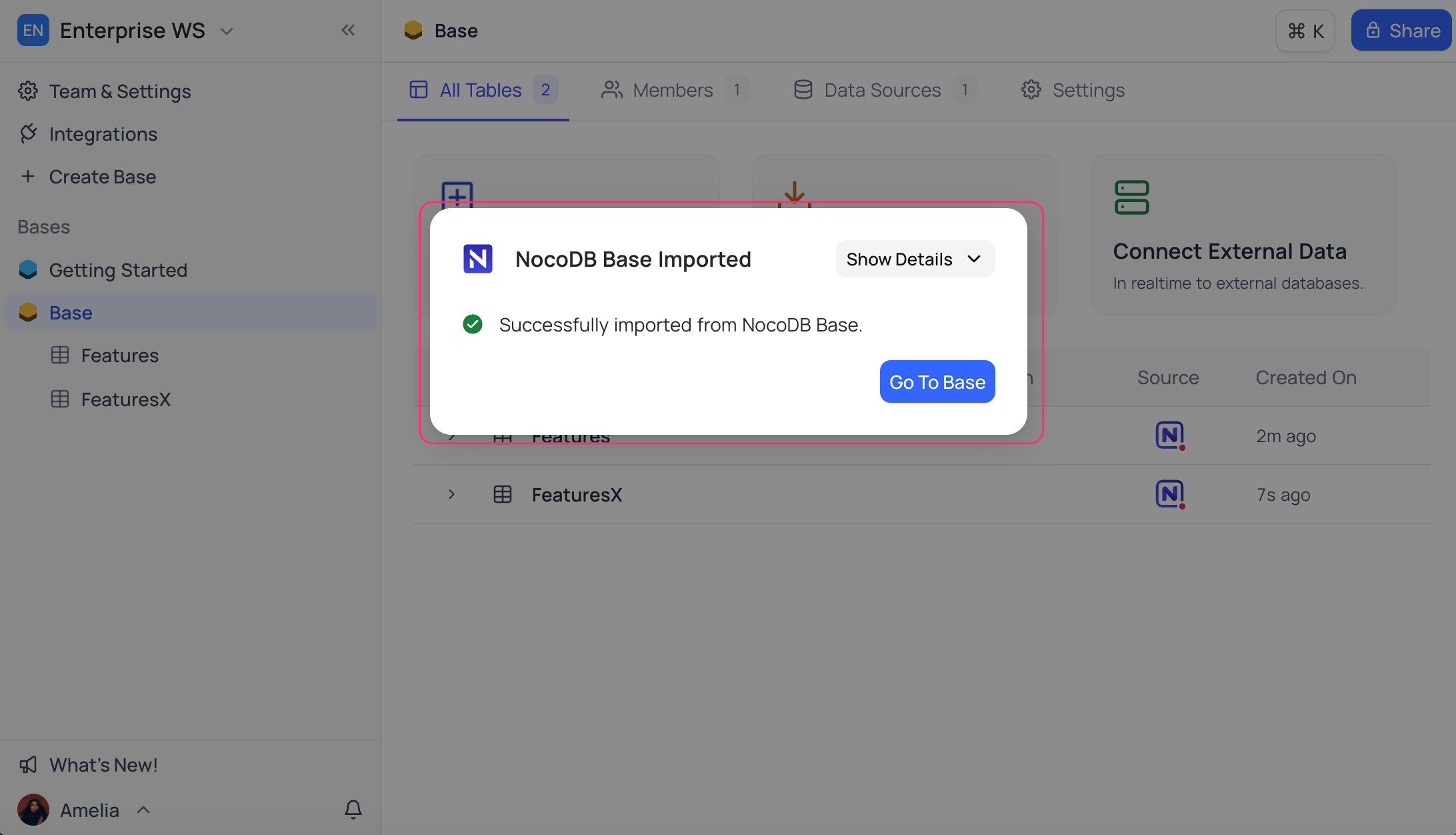
Once the migration is triggered, a status popup will appear on the OSS instance (Instance-1). Upon successful completion, a confirmation message will be displayed on the Enterprise Edition (Instance-2).
Click Go to Base to access the migrated base.
Related pages
- Community Edition vs Enterprise Edition : Complete overview of the differences between NocoDBs Community vs Enterprise Edition.
- NocoDB Pricing Guide : Transparent, Scalable, and Business-Friendly
- Admin Panel : This article explains how to use the Admin Panel in Cloud & Self hosted Enterprise Edition.
