
Dashboard permissions in NocoDB: control who can see and who can edit each dashboard.
Dashboard permissions allow you to control who can see and who can edit each dashboard, using the same permission system as tables and fields. Restrict a finance dashboard to the people who work with it, or open a company dashboard to everyone while limiting editing to its maintainers.
Configuring Dashboard Permissions
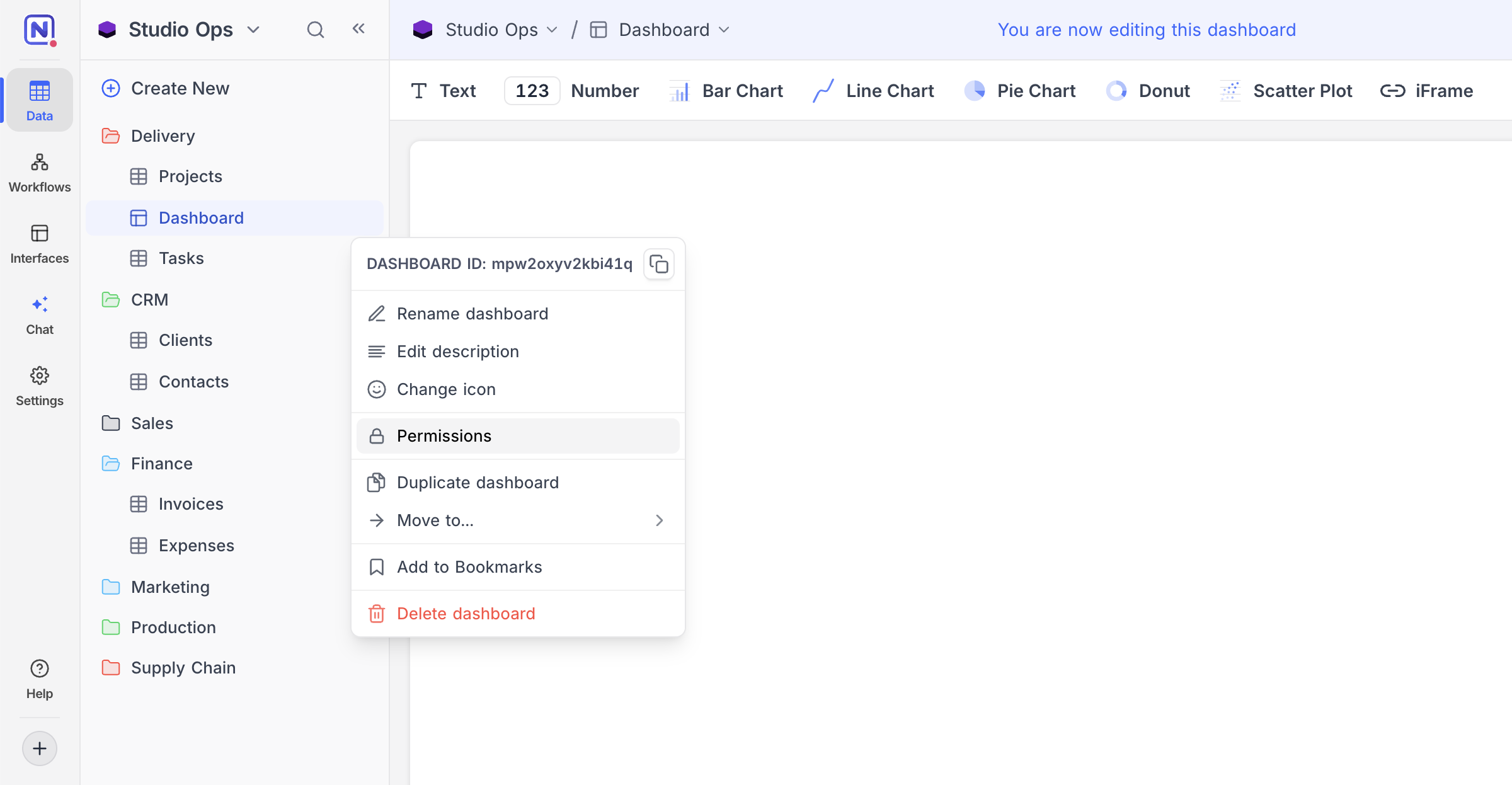
Click the
⋯icon next to the dashboard name in the sidebar.Select Permissions .
Use the dropdowns to configure:
- Dashboard Visibility - who can view this dashboard
- Dashboard Editing - who can edit this dashboard and its widgets
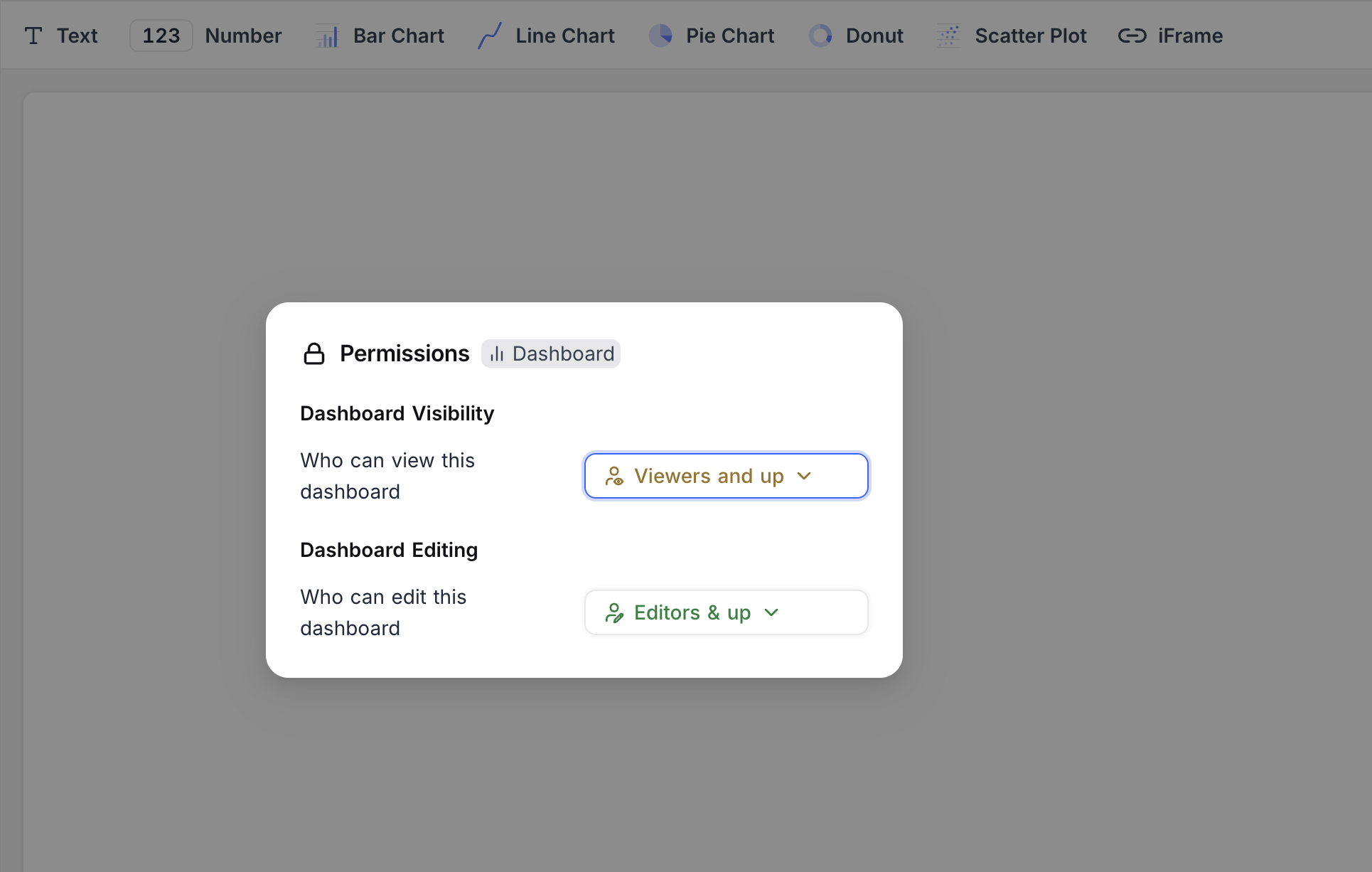
Each permission can be restricted by role (such as Viewers and up or Editors & up ) or limited to specific users or teams , the same permission system used by table permissions . Use Reset to default to remove a custom setting.
Notes
- A dashboard hidden from a user is treated as non-existent for them: it disappears from the sidebar and is excluded from APIs and AI features that list dashboards.
- Editing permissions cover the dashboard and everything on it, including adding, changing, or removing widgets and their filters.
- Base Owners always retain access, so a dashboard can never be locked out of reach.
- Public sharing is unavailable while a dashboard has custom visibility permissions. Reset visibility to default to share the dashboard publicly.
Availability
- Only base Owners and Creators can configure dashboard permissions.
Related pages
- Roles & Permissions : Learn about roles and permissions in NocoDB.
- At Table Level : Table permissions in NocoDB: control table visibility, and who can create or delete records in a table.
- At Field Level : Field permissions in NocoDB: control who can edit the values of a specific field.
- Record Level Security : Define filter-based policies to control which records each role, team, or user can access in a table.
