
Learn how to create a record in NocoDB.
A new record can be added by using the New Record button in the bottom left corner of the grid view. Default behaviour of this button is to add a new empty record at the end of the grid view. Fields for a record can be populated by clicking on the cell and entering the value.
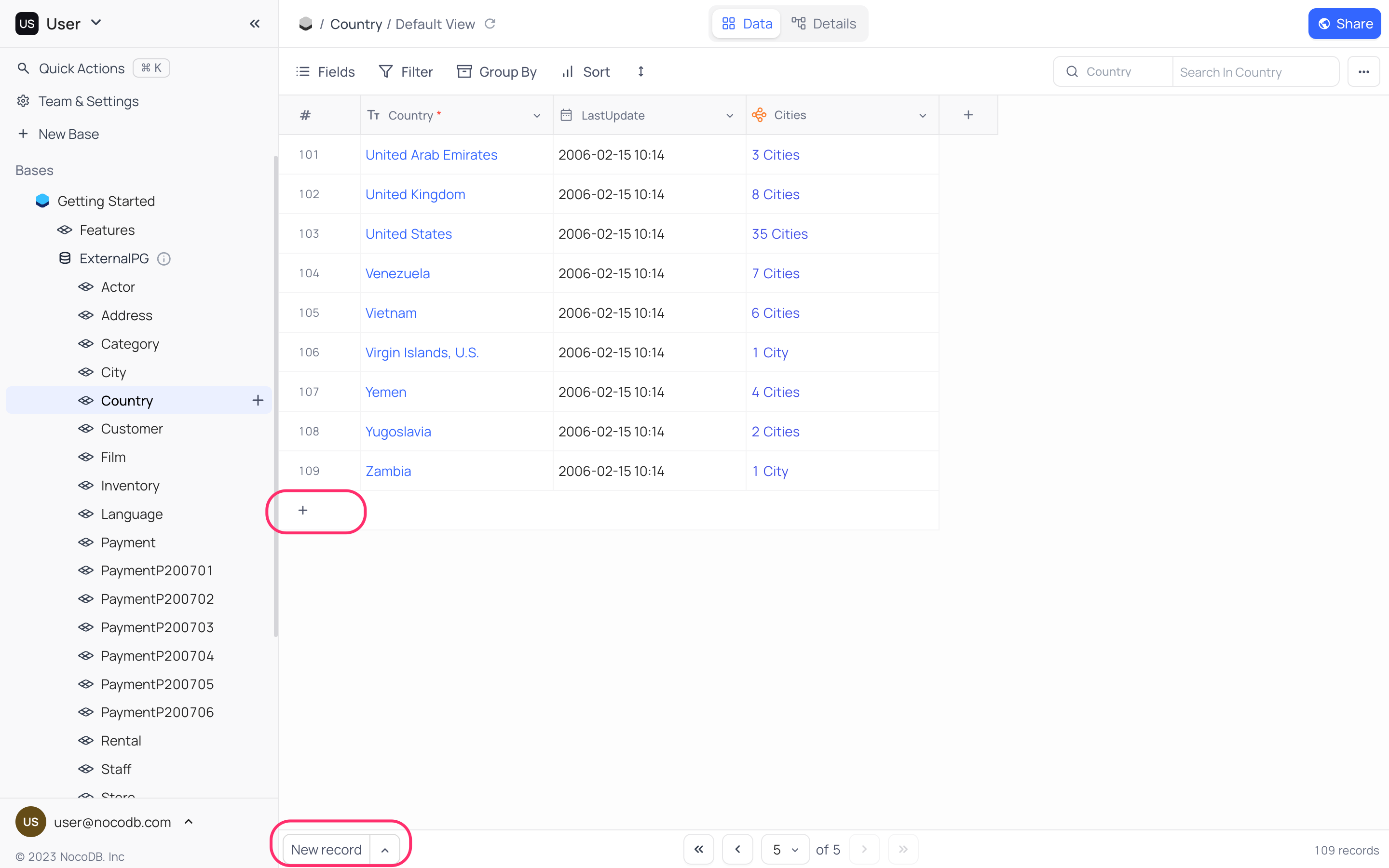
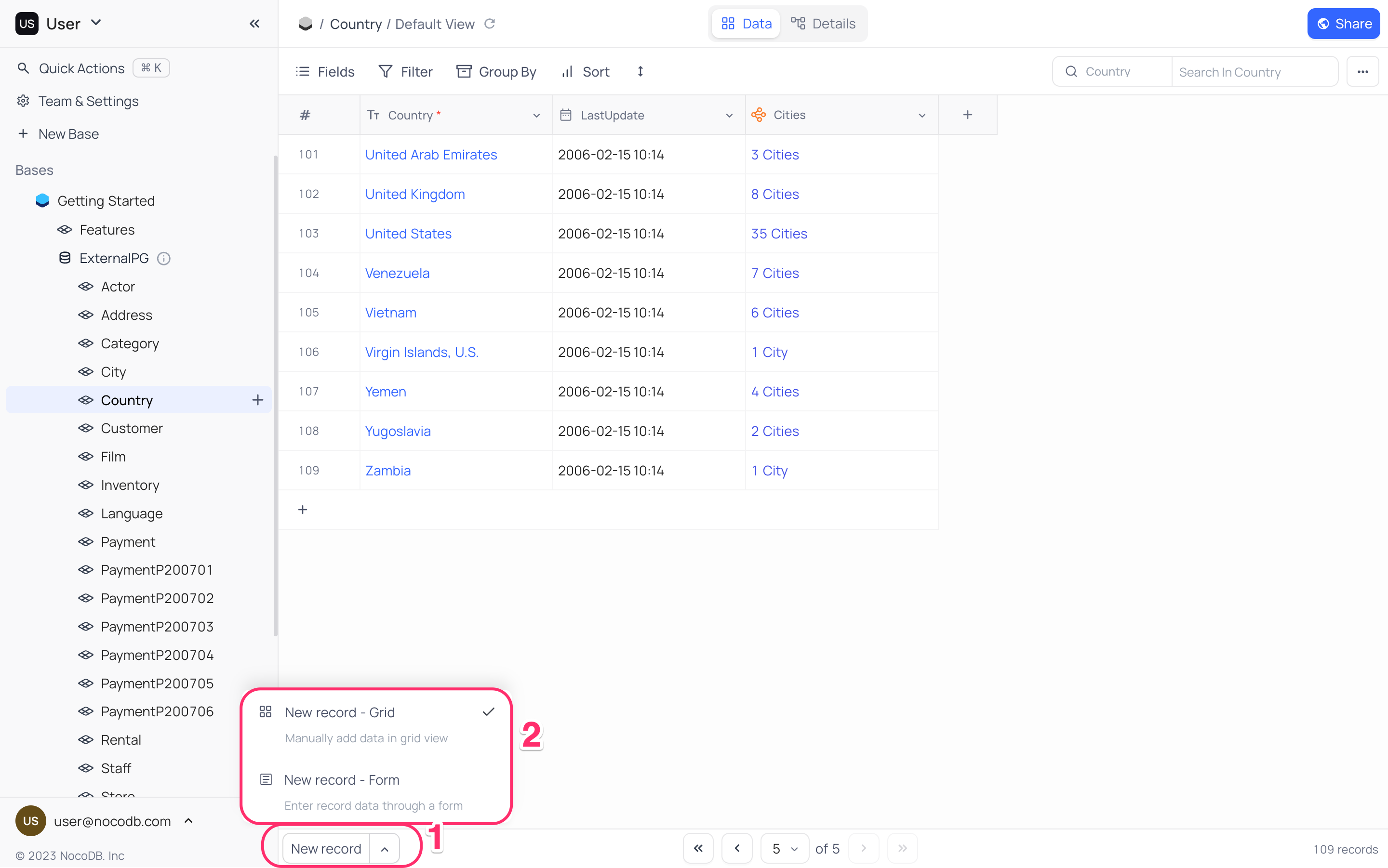
NocoDB also provides convenience of a form to populate fields in a record. To add a new record using a form,
- Click on the up-arrow in
New Recordbutton; this expands options for adding a new record. - Select
New Record - Formoption. This will reconfigure default behaviour ofNew Recordbutton to add a new record using a form.
สั่งงานด้วย NocoAI
Add a record with [Name] set to [Acme Inc] and [Status] set to [Active]Add [5] realistic sample records to this tableCreate records from the list in the attached file
Insert Anywhere
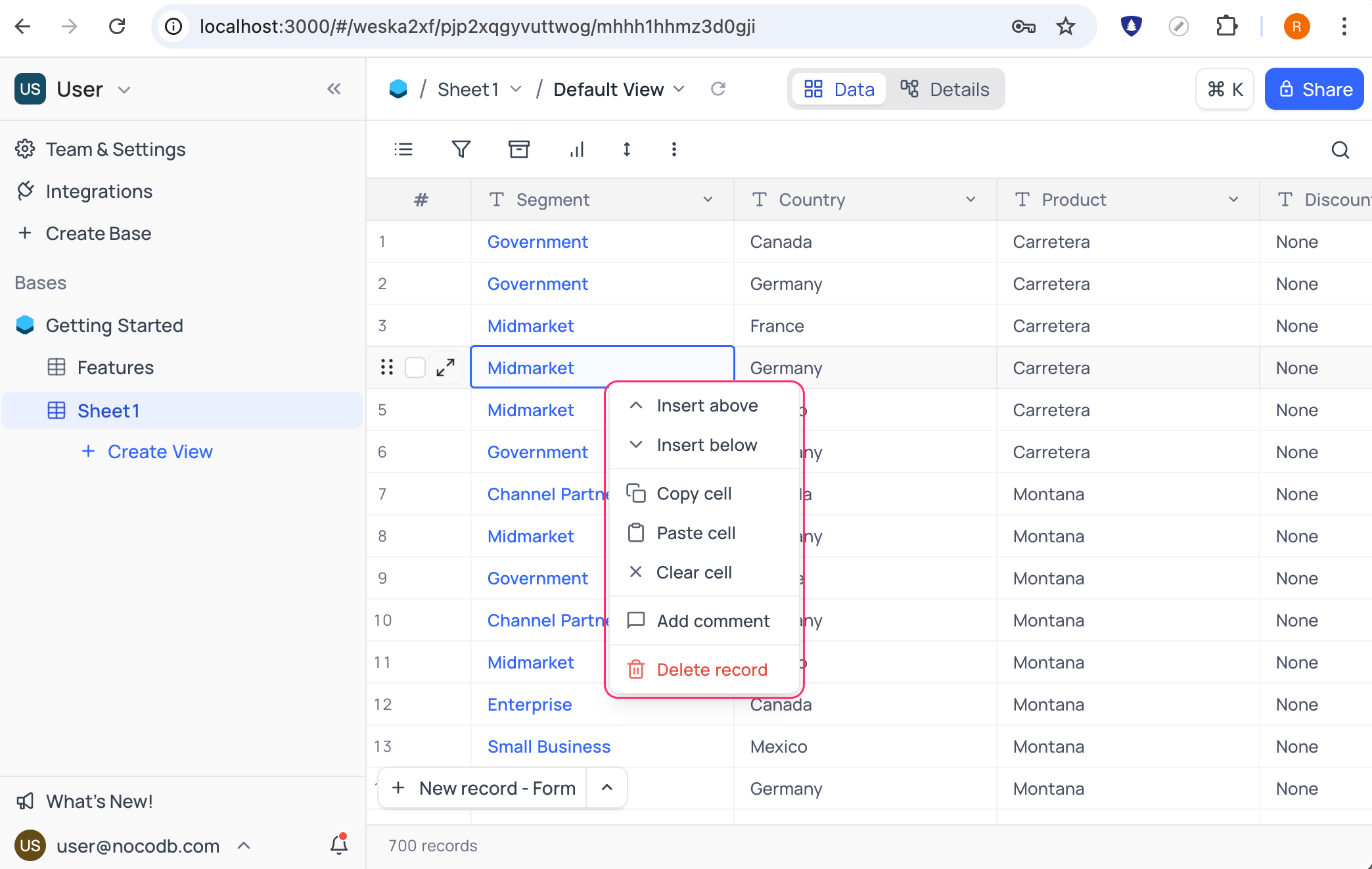
You can insert a new record anywhere in the grid view by using right-click context menu. Click on any record and select from Insert above or Insert below options. A new empty record will be added above or below the selected record.
Good to know
- An empty record can also be added by using
+icon in the last record of the grid view. - When on last record,
Enterkey can be used to add a new empty record to the grid view. - To revert back to default behaviour of
New Recordbutton, click on the up-arrow inNew Recordbutton and selectNew Record - Gridoption
Related
Related pages
- Expanded Record : Learn how to expand a record & work with it in NocoDB.
- Actions on Record : Learn how to perform actions (edit, duplicate, delete, etc) on a record in NocoDB.
- Record Templates : Learn how to create and use record templates in NocoDB to quickly add records with pre-filled values.
- Date Dependencies : Define which records are dependent on others. When you reschedule a record, dependent records are automatically rescheduled.
