
Configure bar chart widgets to compare values across categories in your dashboard
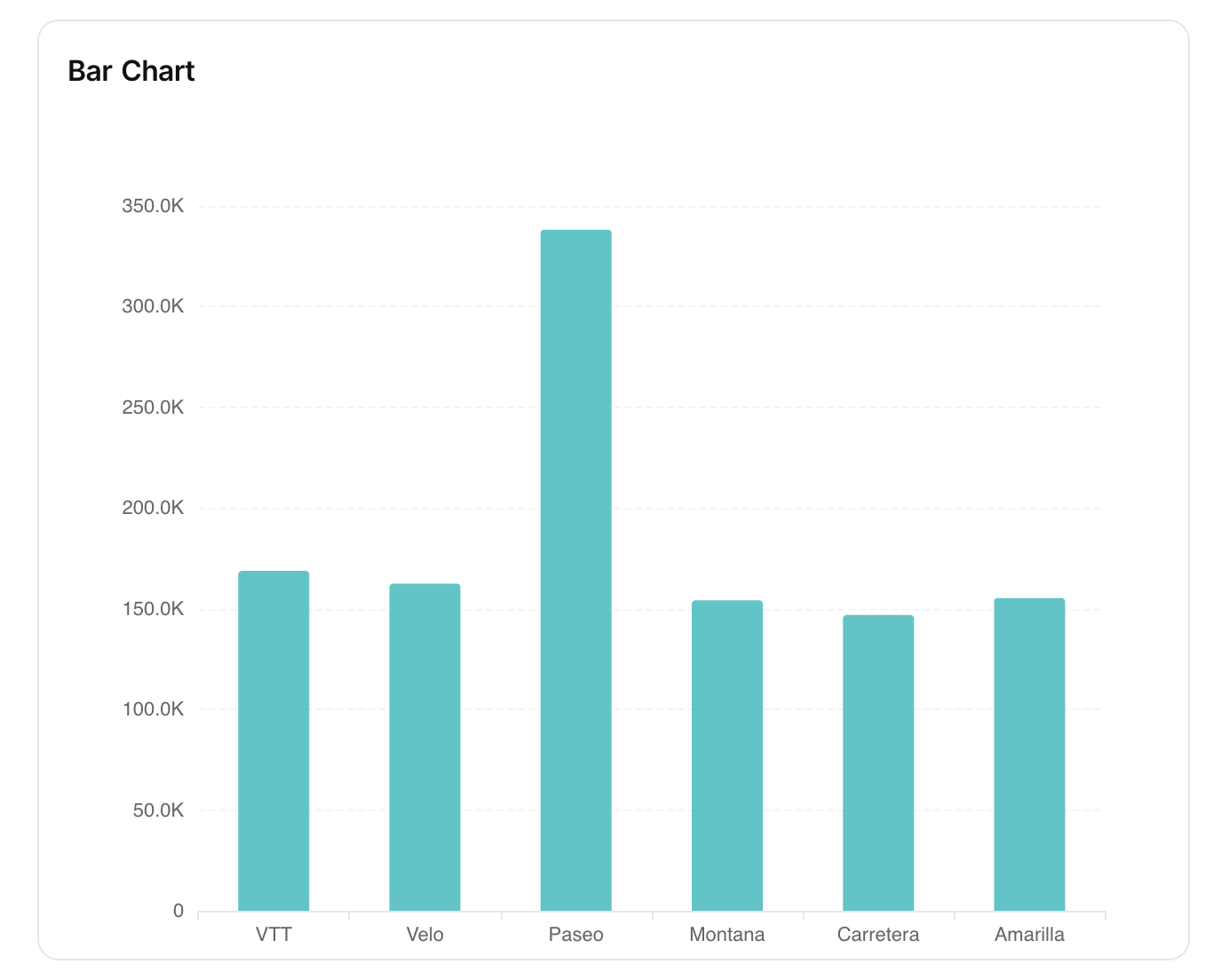
The Bar Chart widget in NocoDB dashboards allows you to compare values across different categories. It is especially useful for highlighting trends, distributions, or comparisons between groups.
สั่งงานด้วย NocoAI
Add a bar chart of [Amount] by [Region] to this dashboardAdd a bar chart of the number of [tasks] per [Owner]Change the [widget name] chart to show only [this year]
Title & Description
- Title : Enter a title for the bar chart widget. This will be displayed prominently at the top of the widget.
- Description : Optionally, add a description to provide context or details about the data being visualized. This will appear below the title.
<img src="/img/v2/dashboards/widget-bar-chart-title.png" alt="Title" style={{ width: "50%" }} />
Data Source
- Table : Select the table from which you want to pull data for the bar chart.
- Records : Choose which records to include:
- All Records : Displays all records from the selected table.
- Records from a view : Uses records from a specific view, allowing you to apply existing filters and sorts.
- Specific Records : Apply custom filters to select only certain records.
<img src="/img/v2/dashboards/widget-bar-chart-source.png" alt="Title" style={{ width: "50%" }} />
Display
X-axis
- Field : Select the field whose values will be shown as categories along the X-axis (e.g., Product, Region, Status).
- Sort By : Choose the criteria to sort categories:
- xAxis Value : Sorts based on the label values.
- yAxis Value : Sorts based on the numeric values plotted.
- Order : Select Default, Ascending, or Descending order.
- Include empty records : Optionally, include categories that do not have values.
- Include others : Toggle to combine small or excess categories into an “Others” group for better readability.
Y-axis
- Fields : Choose the field(s) that determine the bar lengths. You can add multiple fields for comparison.
- Field Summary : Displays the Sum, Average, Min, or Max of a numeric field.
- Start at zero : Ensures the Y-axis always begins at zero, which improves accuracy in comparing bar heights.
<img src="/img/v2/dashboards/widget-bar-chart-axis.png" alt="Title" style={{ width: "50%" }} />
Appearance
Customize the look of the chart to improve readability and alignment with your dashboard:
- Size : Choose the chart size (Small, Medium).
- Show value in chart : Displays numeric values directly on the bars.
- Show count in legend : Adds record counts in the legend alongside category names.
<img src="/img/v2/dashboards/widget-bar-chart-style.png" alt="Title" style={{ width: "50%" }} />
Related pages
- Number : Configure number widgets to display key metrics in your dashboard
- Text : Configure text widgets to add static textual content to your dashboard
- Line Chart : Configure line chart widgets to visualize trends and comparisons over time or categories in your dashboard
- Pie Chart : Configure pie chart widgets to visualize data distribution in your dashboard
- Donut Chart : Configure donut chart widgets to visualize data distribution in your dashboard
- iFrame : Embed external content securely inside your dashboard using the iFrame widget
