
Quickly generate a fully-structured base using natural language prompts with NocoAI
Overview
NocoAI lets you instantly generate a complete base — including tables, views, fields, and relationships — just by describing your needs in natural language. Perfect for non-technical users, fast prototyping, and workflow automation.
Steps to Create a Base Using AI
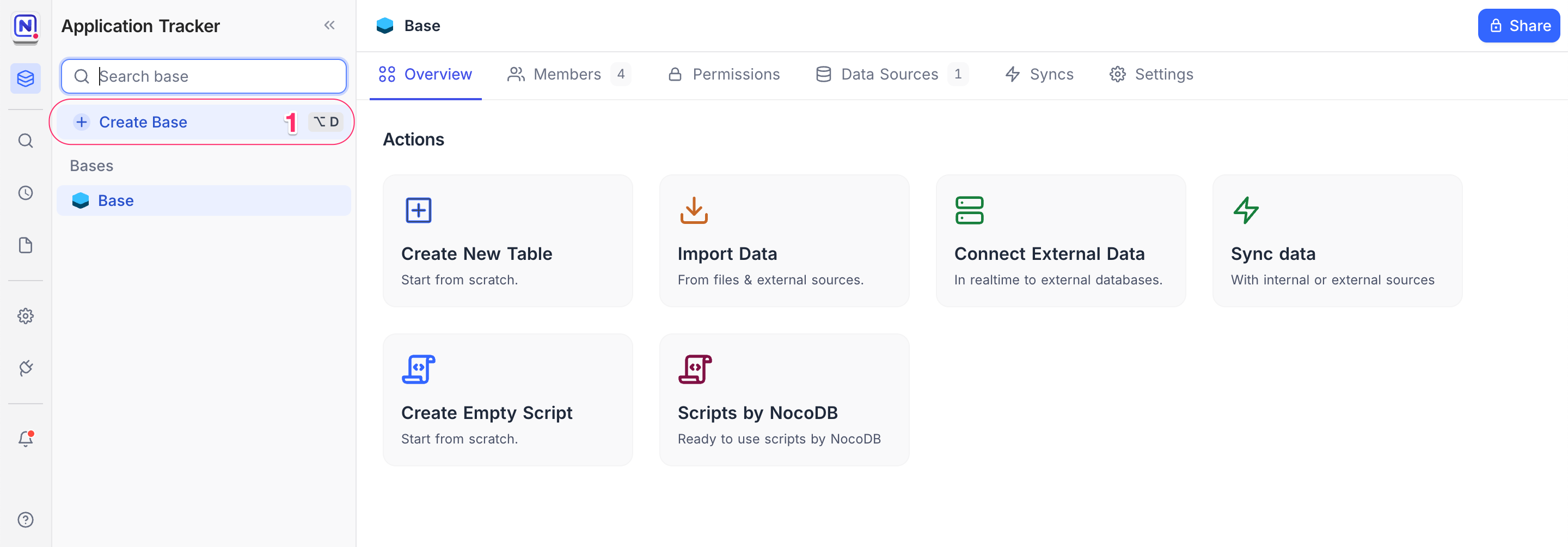
- Click Create Base
From the left sidebar, click + Create Base .
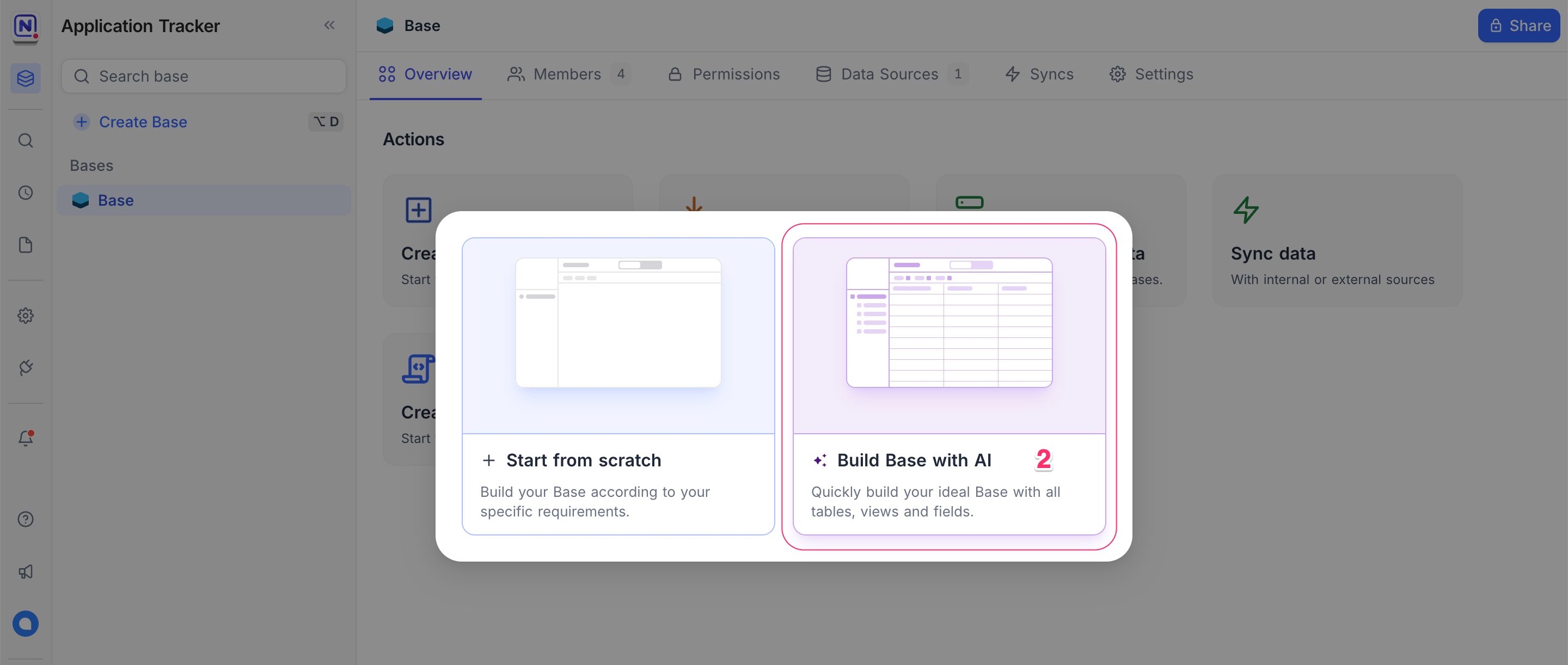
- Choose Build Base with AI
In the dialog, select ✨ Build Base with AI to use AI-powered base generation.
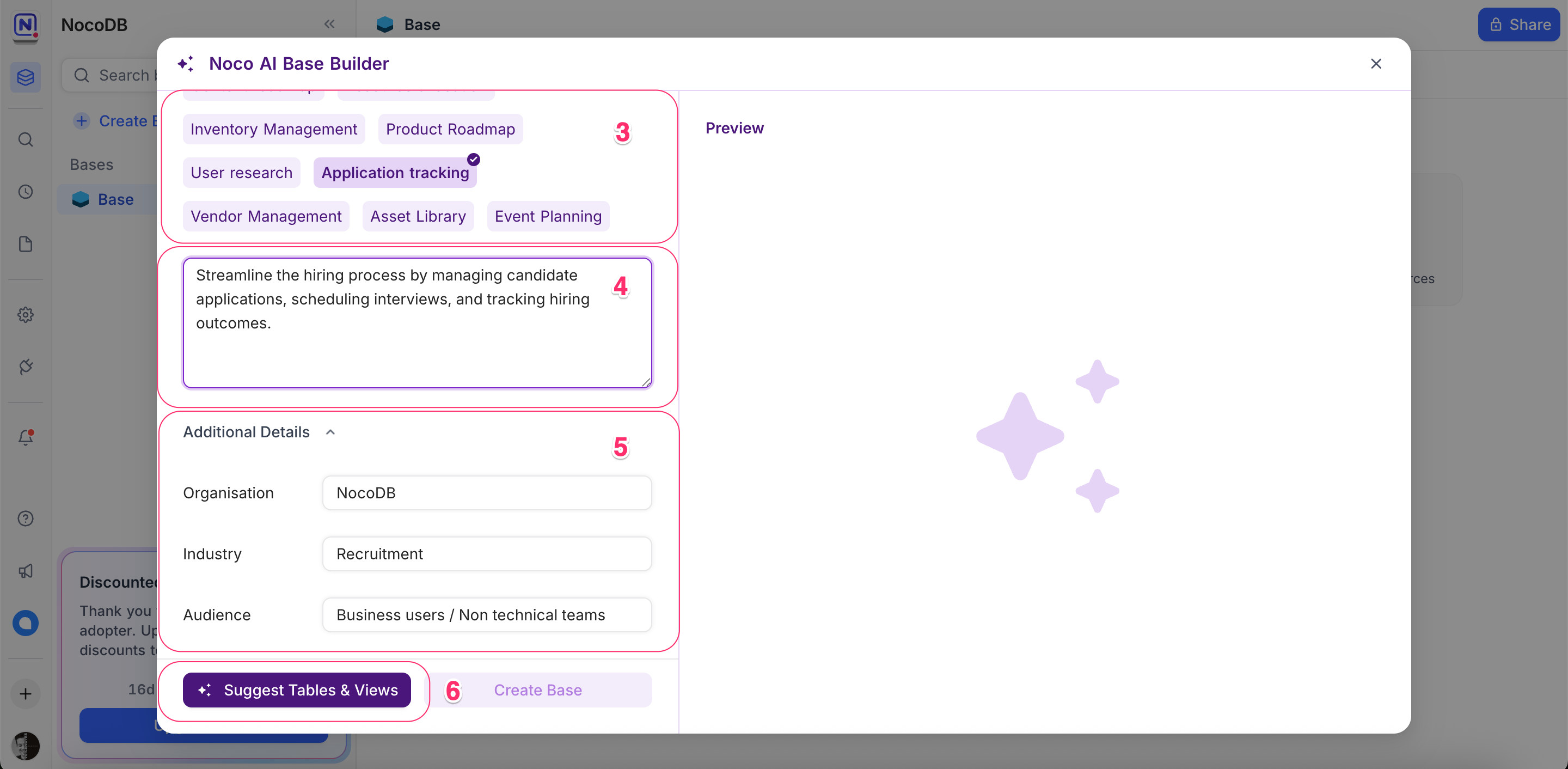
- Select a Use Case (Optional)
Choose a predefined use case to auto-fill a sample prompt.
- OR Write Your Own Prompt
You can edit the suggested prompt or enter your own. For example:
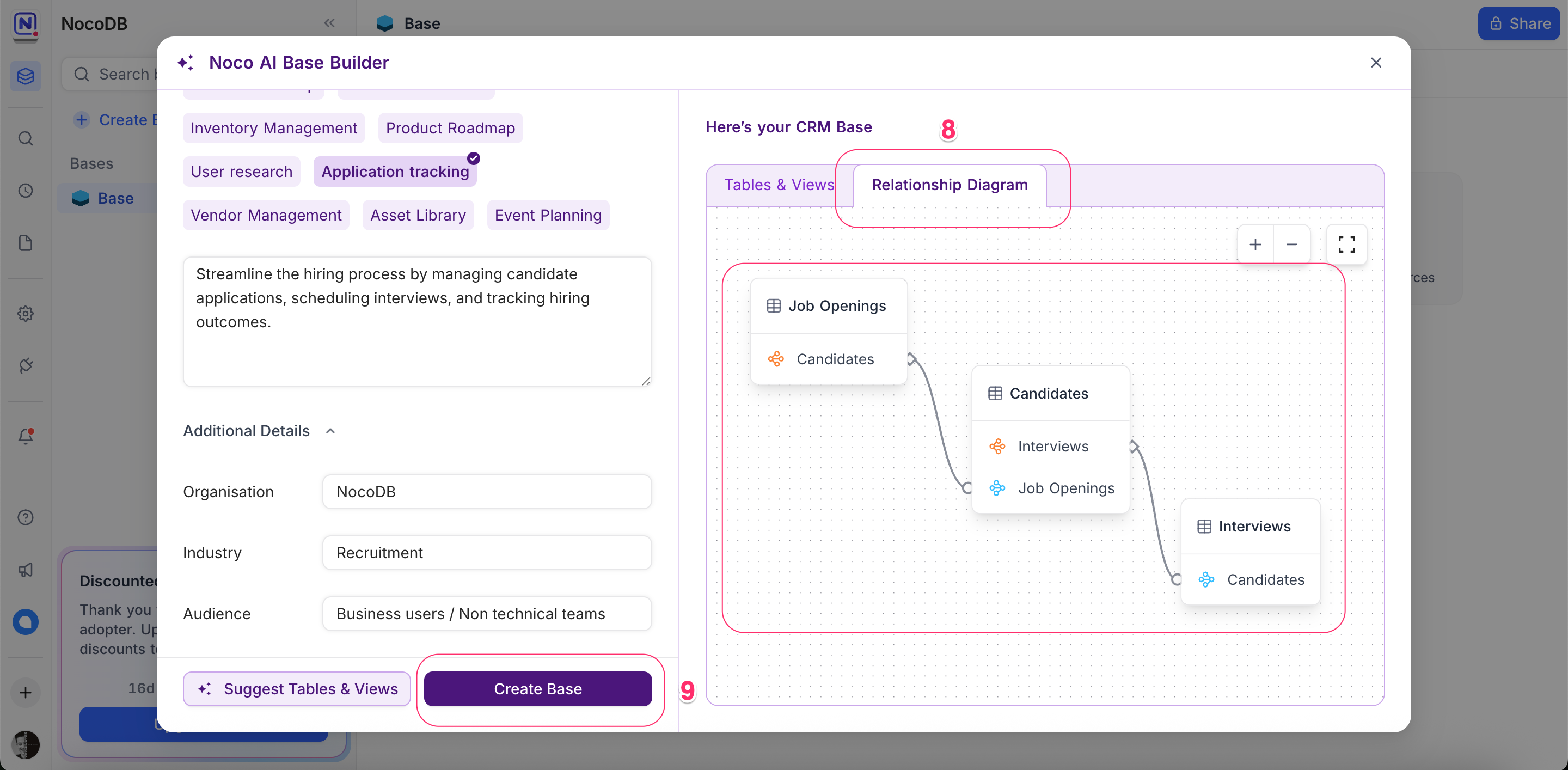
Streamline the hiring process by managing candidate applications, scheduling interviews, and tracking hiring outcomes.
- Add Additional Context (Optional)
Provide more details like organization name, industry, and audience to help tailor AI results.
- Click Suggest Tables & Views
NocoAI will analyze your prompt and generate the recommended schema.
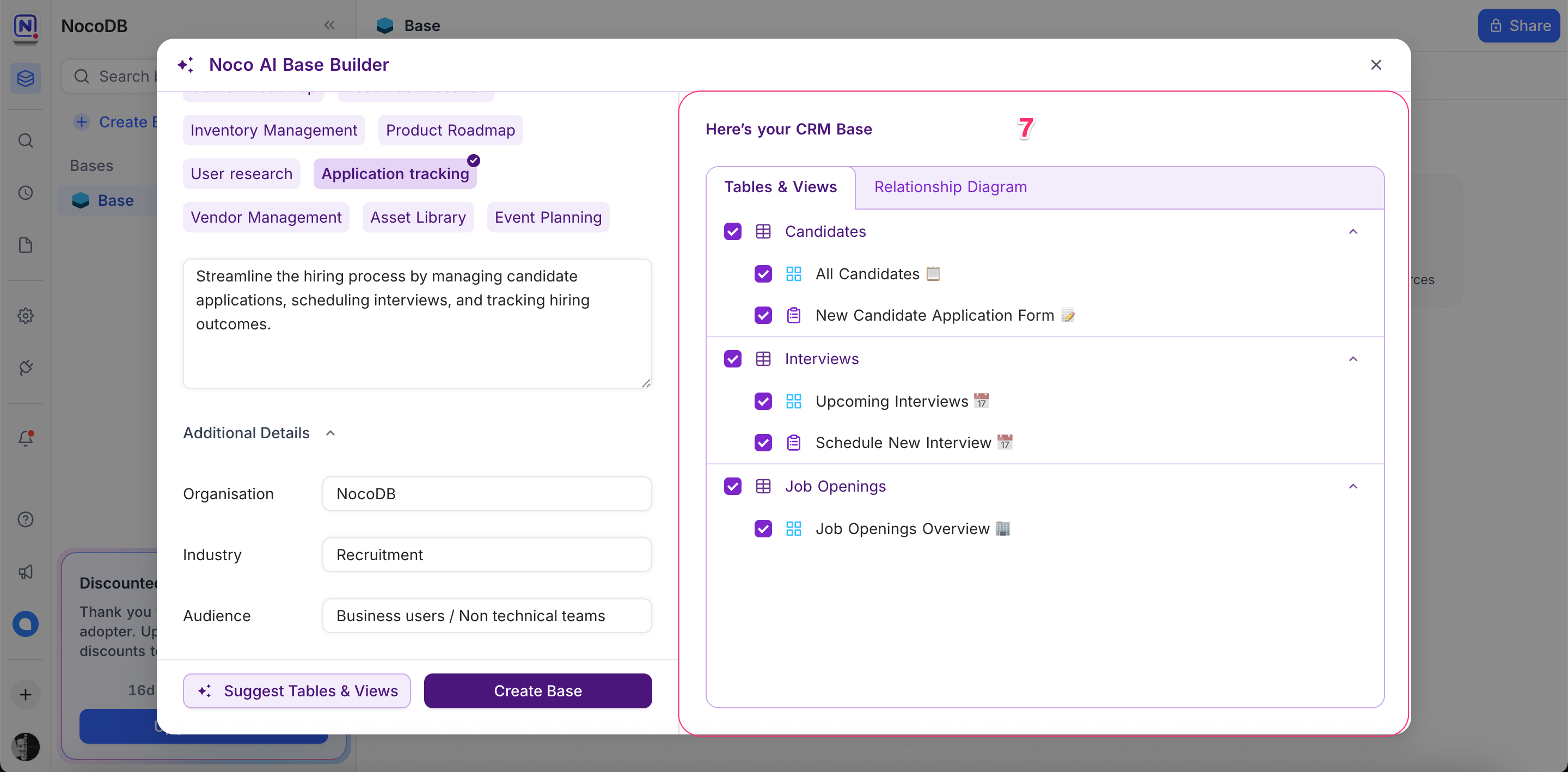
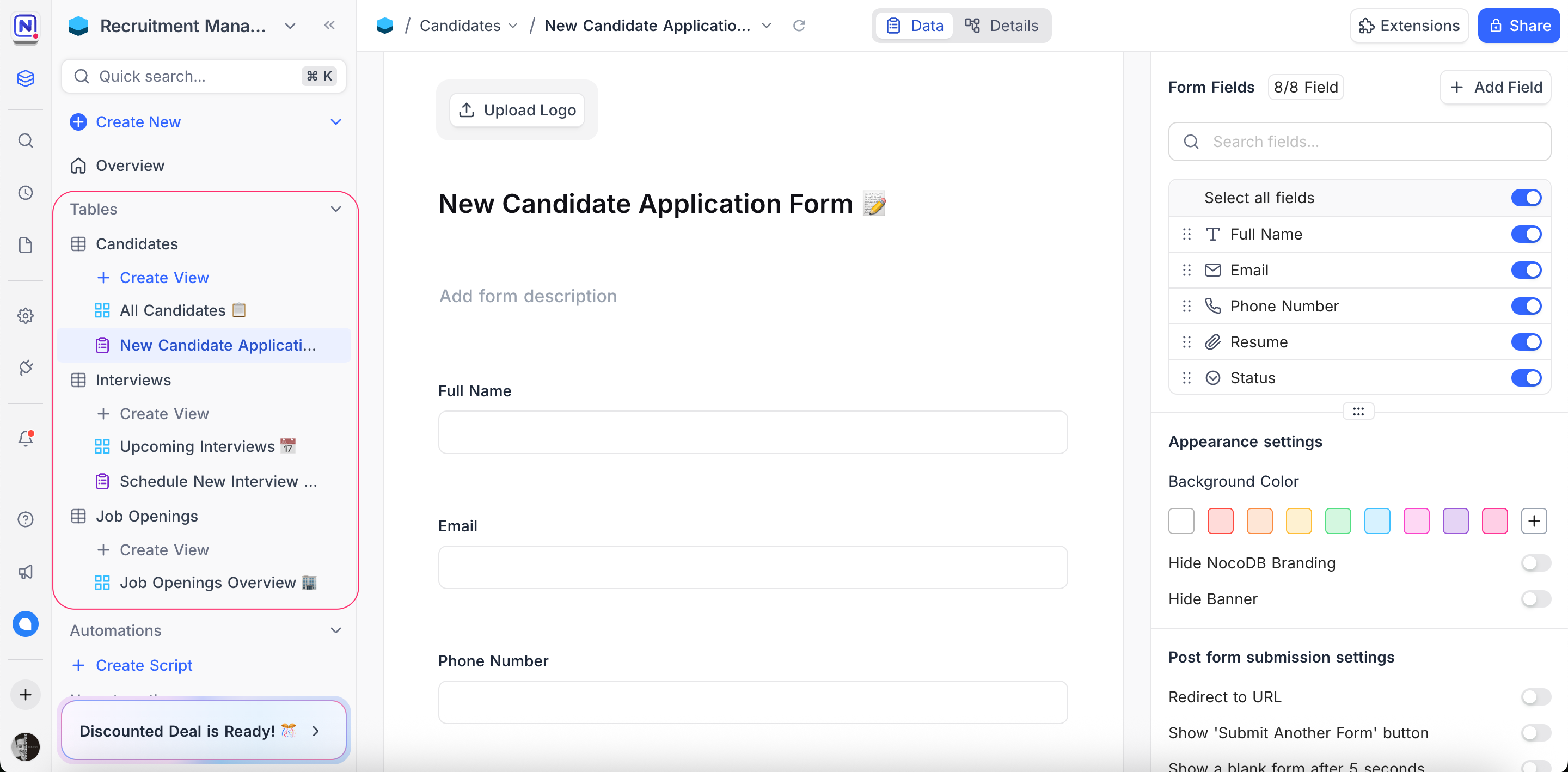
- Review Tables and Views
You’ll see all suggested tables and their associated views.
- Review Relationships using ERD
Switch to the Relationship Diagram tab to view an auto-generated ERD (Entity Relationship Diagram).
- Click Create Base
Once you’re happy with the structure, click Create Base to finalize and start using it.
Tips for Better AI Suggestions
Be clear and specific
Avoid vague descriptions like “make a project tracker.” Instead, try:Track multiple projects with assigned team members, tasks, deadlines, and project status updates.
Mention key entities and relationships
Include what you want to manage and how they relate.Each candidate can apply to multiple job openings and be scheduled for multiple interviews.
Add extra context
Use fields like Industry or Audience to help guide the AI.Start simple, refine later
You can edit the prompt and regenerate suggestions if needed.
Next Steps
Now that your base is created, explore additional NocoAI capabilities:
- AI-assisted View Suggestions
- AI-assisted Field Suggestions
- Prompt-based Formula Generation
- Smart Select Option predictions
Let AI do the heavy lifting, so you can focus on what matters.
Availability
- Creating a base with AI is available on NocoDB Cloud (Plus plan and above), where usage is metered by credits . On self-hosted deployments, it requires configuring your own AI integration (Business plan and above).
Related pages
- What NocoAI can do : The full list of actions the NocoAI assistant can take in NocoDB, the role each one needs, and what NocoAI cannot do yet.
- Create Tables Using AI : Use NocoAI to auto-generate tables and relationships based on natural language prompts.
- Create Views Using AI : Learn how to auto-generate useful views for your table using NocoAI.
- Filter Records Using AI : Use natural language to filter your table data with NocoAI.
- Create Fields Using AI : Automatically generate relevant fields for your tables using NocoAI.
- Create Options Using AI : Automatically generate field options for select fields using NocoAI.
- Generate Formulas Using AI : Use natural language prompts to generate formulas with NocoAI.
