
Use NocoAI to auto-generate tables and relationships based on natural language prompts.
Overview
With NocoAI, you can automatically generate tables — including their fields and relationships — just by describing your system in plain language. Ideal for getting started quickly with a new database structure or adding new modules to an existing base.
Steps to Create Tables Using AI
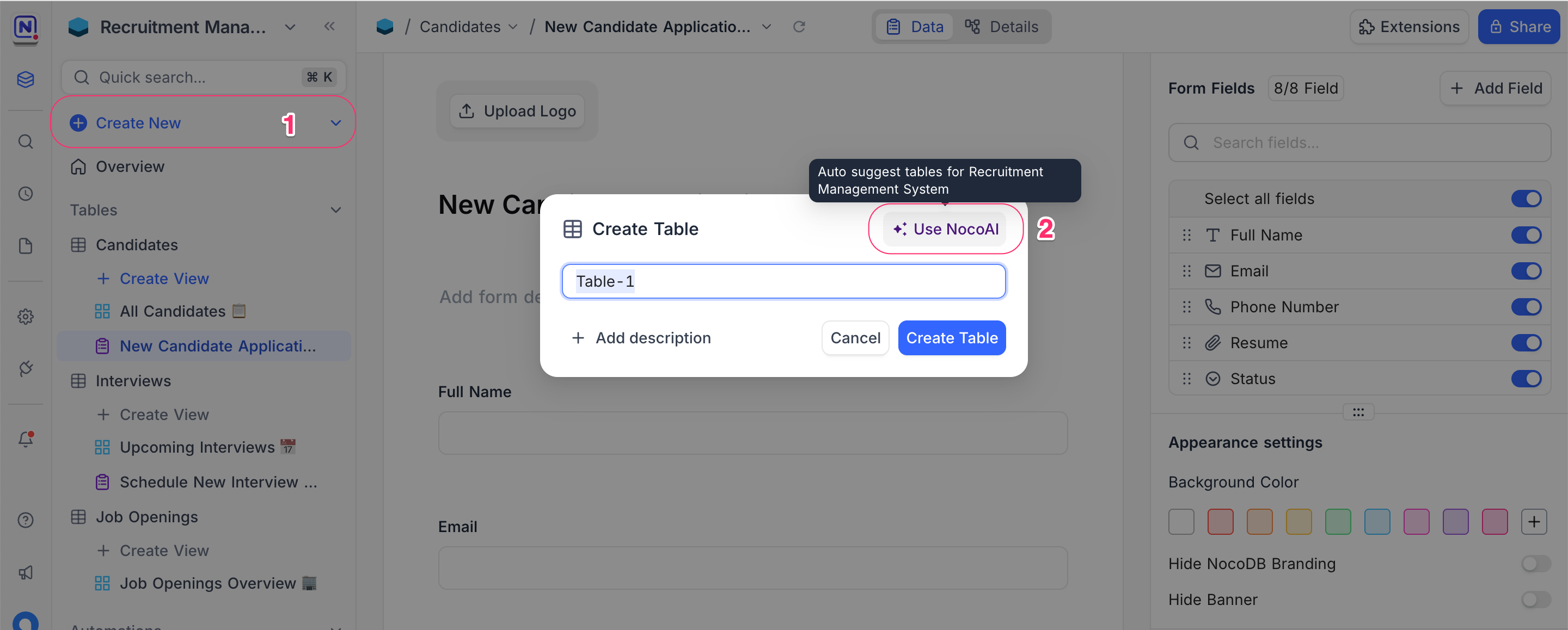
Open ** Create Table** modal From the left sidebar, Click + Create New , select Table
Select Use NocoAI
In the dialog, click on ✨ Use NocoAI to begin the AI-assisted process.Choose a Suggestion Mode
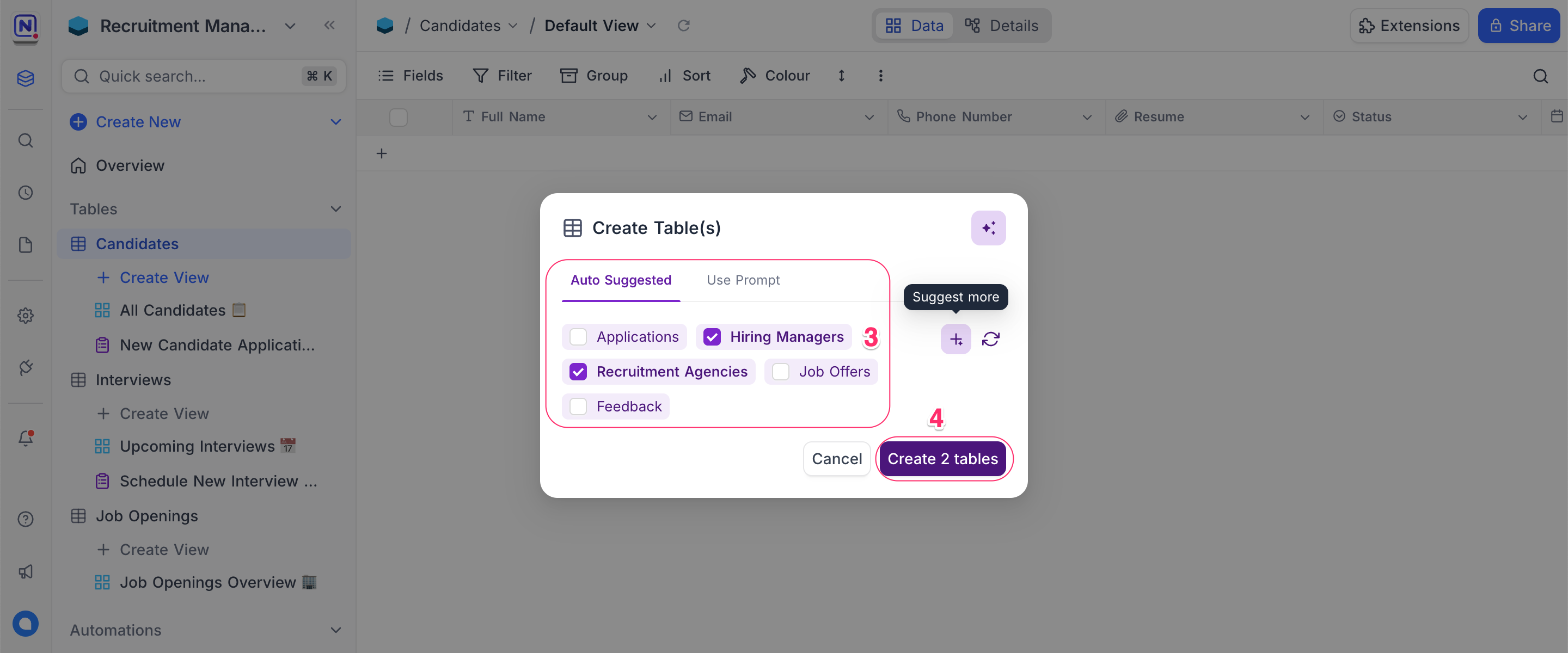
- Auto Suggested : NocoAI provides a set of suggested tables based on your current schema and context.
- Use Prompt : (Coming Soon) Describe what tables you want in your own words.
Click Create [X] Tables
Select the tables you want from the list and click Create .
Tips for Better AI Suggestions
Use meaningful table names in your base
The AI looks at existing names and structures to recommend relevant tables.Think in entities
Imagine the business objects you want to manage (e.g., Candidates, Applications, Feedback, Agencies) and how they connect.Preview and refine
If the suggestions aren't accurate, use the Suggest More button to regenerate.Add new modules incrementally
You can trigger NocoAI for different parts of your app — e.g., one time for recruiting, another for feedback — to build your schema progressively.
What's Next
Once your tables are created:
- Use NocoAI View Suggestions to generate meaningful views
- Create Fields using AI to automatically generate relevant fields for each table
NocoAI gives you a head start — you can customize everything further to meet your needs.
Availability
- AI table creation is available on NocoDB Cloud (Plus plan and above), where usage is metered by credits . On self-hosted deployments, AI requires configuring your own AI integration (Business plan and above).
Related pages
- What NocoAI can do : The full list of actions the NocoAI assistant can take in NocoDB, the role each one needs, and what NocoAI cannot do yet.
- Create Base Using AI : Quickly generate a fully-structured base using natural language prompts with NocoAI
- Create Views Using AI : Learn how to auto-generate useful views for your table using NocoAI.
- Filter Records Using AI : Use natural language to filter your table data with NocoAI.
- Create Fields Using AI : Automatically generate relevant fields for your tables using NocoAI.
- Create Options Using AI : Automatically generate field options for select fields using NocoAI.
- Generate Formulas Using AI : Use natural language prompts to generate formulas with NocoAI.
