
Automatically generate relevant fields for your tables using NocoAI.
Overview
With NocoAI, you can instantly generate a set of fields for your table by describing the kind of data you want to manage. Whether you're setting up a simple list or a complex workflow, NocoAI helps you get started with the right fields in seconds.
Steps to Create Fields Using AI
Open any existing table where you want to add fields.
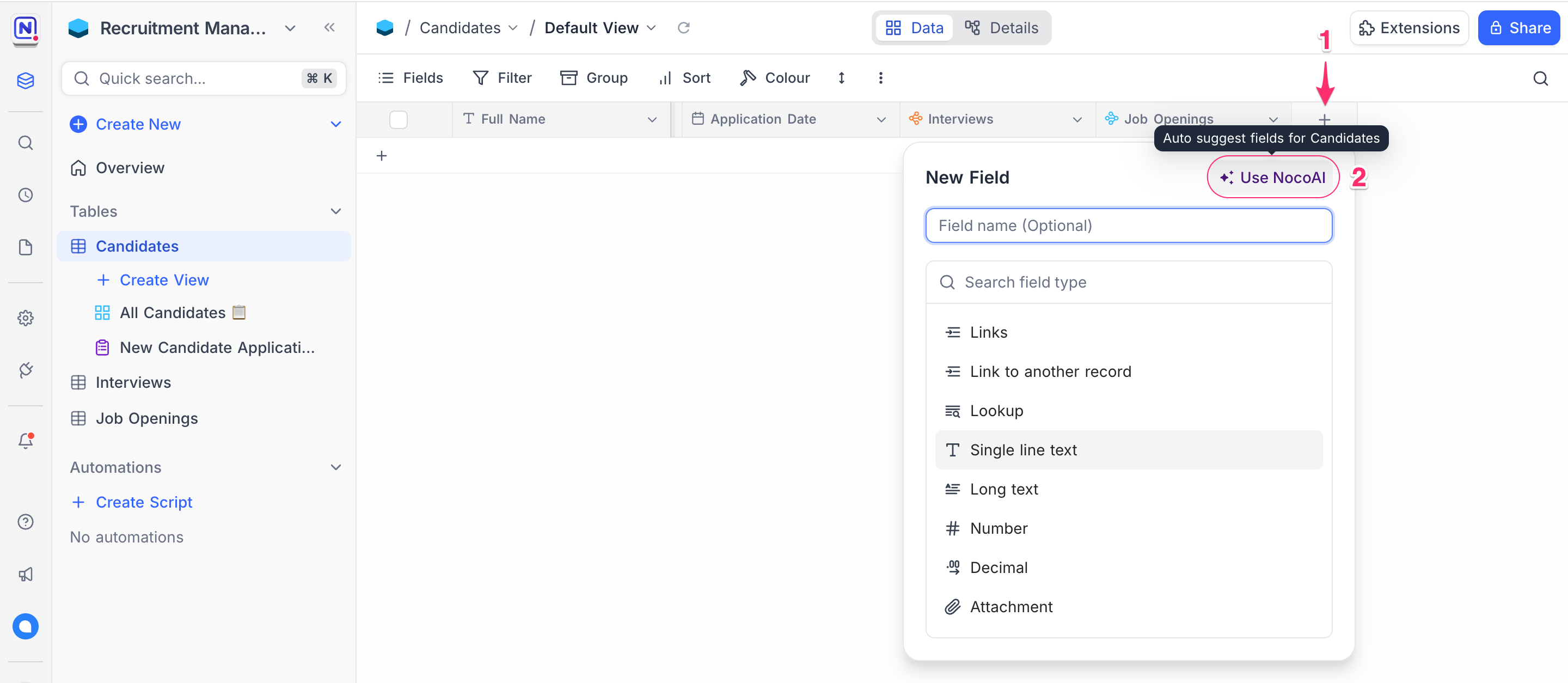
Open + Add Field modal
In the table header, click the + button to the right of the field list.
Use NocoAI Suggestions
In the field creation dialog, select ✨ Use NocoAI to get AI-powered suggestions.
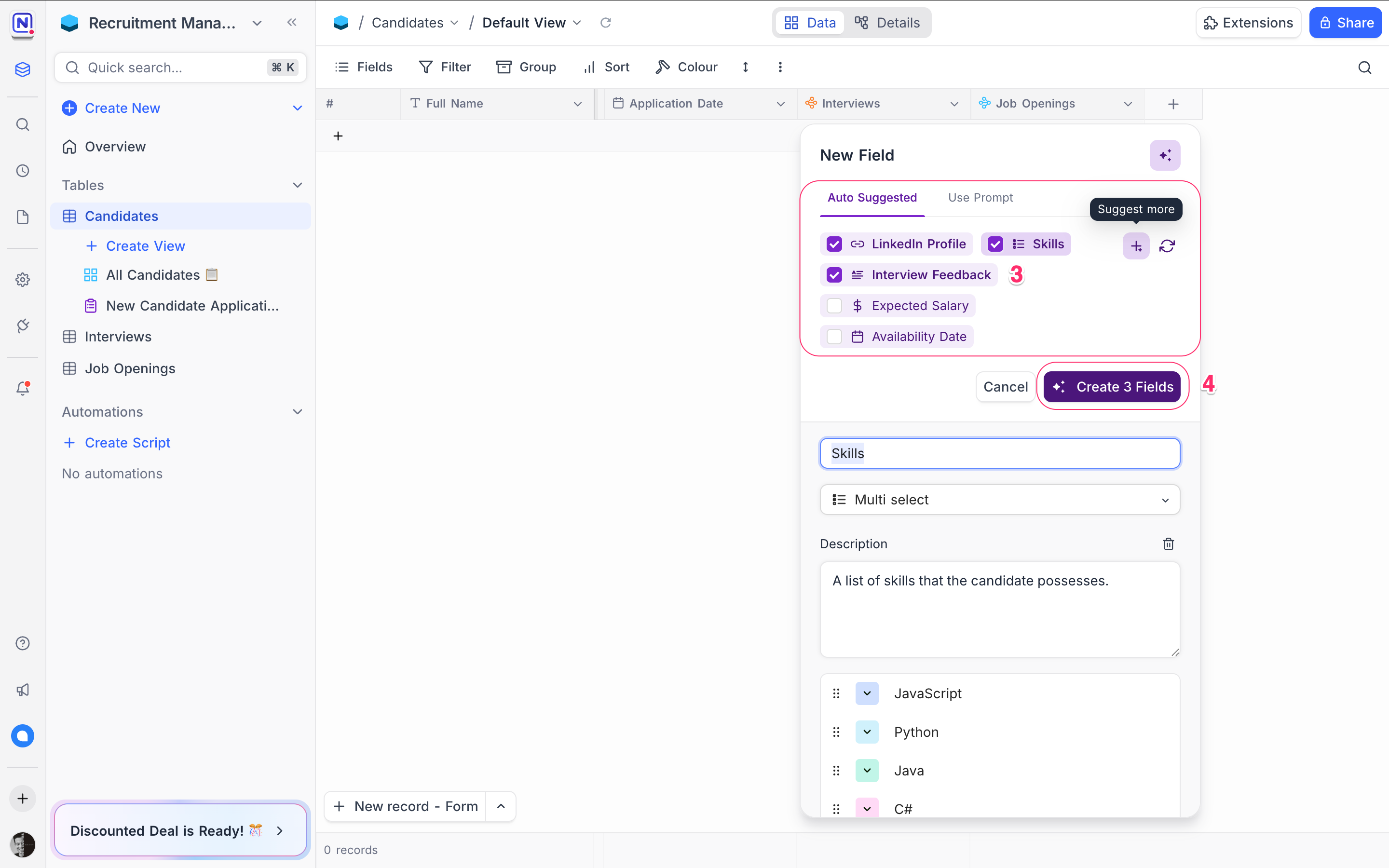
Choose from Suggested Fields
NocoAI will analyze your table name, existing fields, and related context to recommend relevant fields. You can edit field names, types, and options as needed.
Click Create [X] Fields
Select the ones you need and confirm to add them to your table.
Tips for Better AI Suggestions
Name your table clearly For example, use "Job Applications" instead of "Table 1" to help NocoAI make better field recommendations.
Think in terms of attributes Consider what information each record should store. Example : A “Candidate” table may need Full Name, Email, Phone, Resume, Status, and Applied Date.
Leverage existing fields NocoAI takes into account your current setup to avoid duplicates and suggest only what's missing.
Use it iteratively You can always run field suggestions multiple times as your table evolves.
Example Scenarios
Here are examples of what NocoAI might suggest based on table name:
| Table Name | Suggested Fields |
|---|---|
Leads | Name, Email, Source, Status, Last Contacted |
Tasks | Title, Due Date, Priority, Assigned To, Status |
Job Applications | Candidate Name, Resume, Email, Phone, Application Date |
What's Next
Now that your fields are ready, you can:
- Use NocoAI View Suggestions to visualize data more effectively
- Create Formulas using AI to automate calculations and logic
Let NocoAI take care of the structure — so you can focus on your workflow.
Availability
- NocoAI field suggestions are available on NocoDB Cloud (Plus plan and above), where usage is metered by credits . On self-hosted deployments, AI requires configuring your own AI integration (Business plan and above).
Related pages
- What NocoAI can do : The full list of actions the NocoAI assistant can take in NocoDB, the role each one needs, and what NocoAI cannot do yet.
- Create Base Using AI : Quickly generate a fully-structured base using natural language prompts with NocoAI
- Create Tables Using AI : Use NocoAI to auto-generate tables and relationships based on natural language prompts.
- Create Views Using AI : Learn how to auto-generate useful views for your table using NocoAI.
- Filter Records Using AI : Use natural language to filter your table data with NocoAI.
- Create Options Using AI : Automatically generate field options for select fields using NocoAI.
- Generate Formulas Using AI : Use natural language prompts to generate formulas with NocoAI.
