
Learn how to sort records in NocoDB.

Sorting enables you to arrange your data alphabetically (A → Z) or (Z → A) for text based types and in ascending or descending order for numerical types. NocoDB supports nested sorting, allowing you to select fields and the order in which to apply nested sorting.
สั่งงานด้วย NocoAI
Sort this view by [Due Date], earliest firstSort this view by [Priority], then by [Created] with the newest firstRemove all sorts from this view
Add or edit sort
- Click the
Sortbutton in the toolbar menu. - Choose the
Fieldto sort by. - Configure the sorting
Direction: ascending or descending - Use
+ Add Sort Optionto add additional fields for sorting.
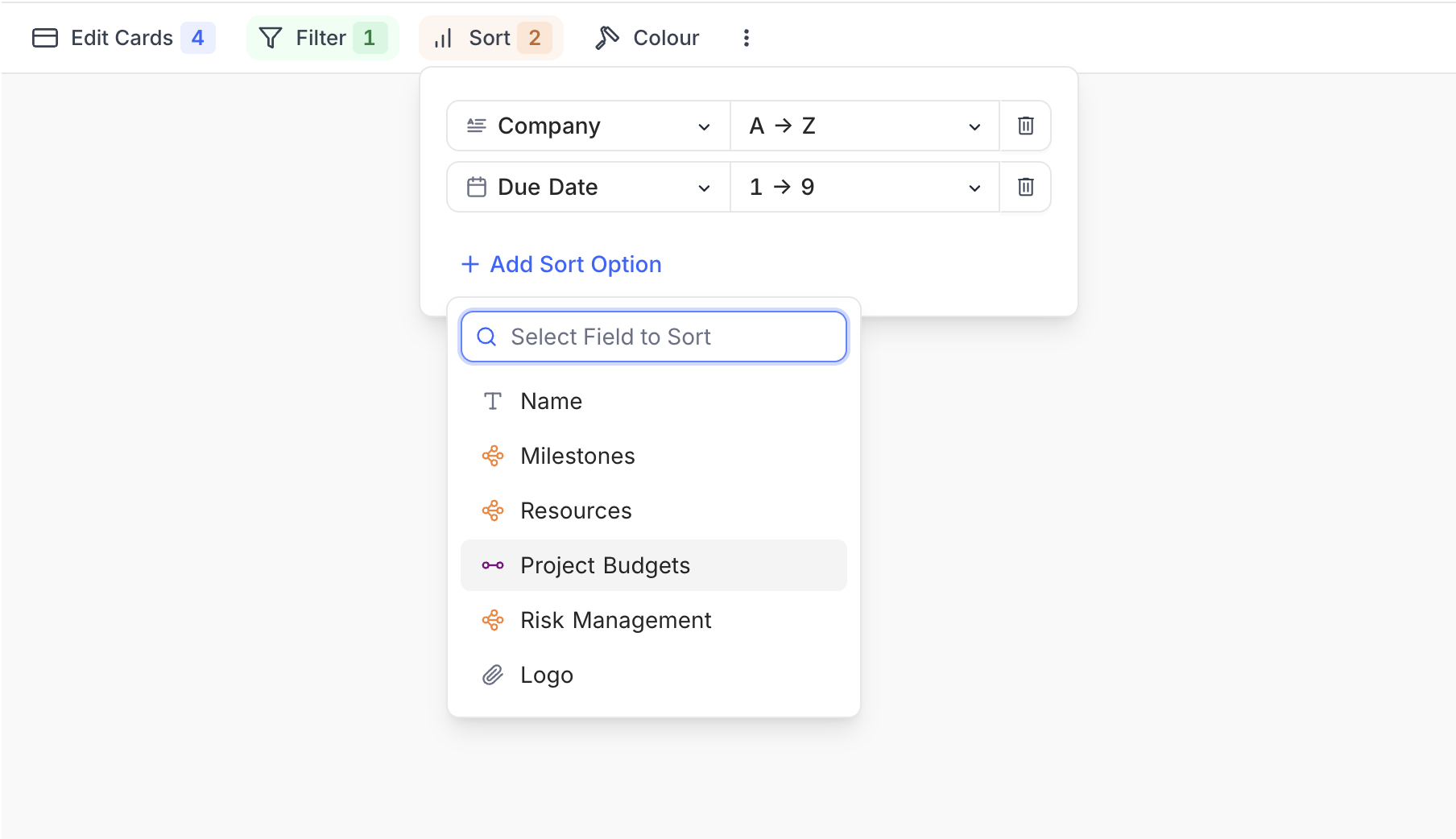
หมายเหตุ: The field listed at the top is used for primary sorting , followed by other fields in top-down order for secondary and tertiary sorting.
Enable or disable a sort condition ☁
หมายเหตุ: This feature is available on NocoDB Cloud and licensed self-hosted deployments.
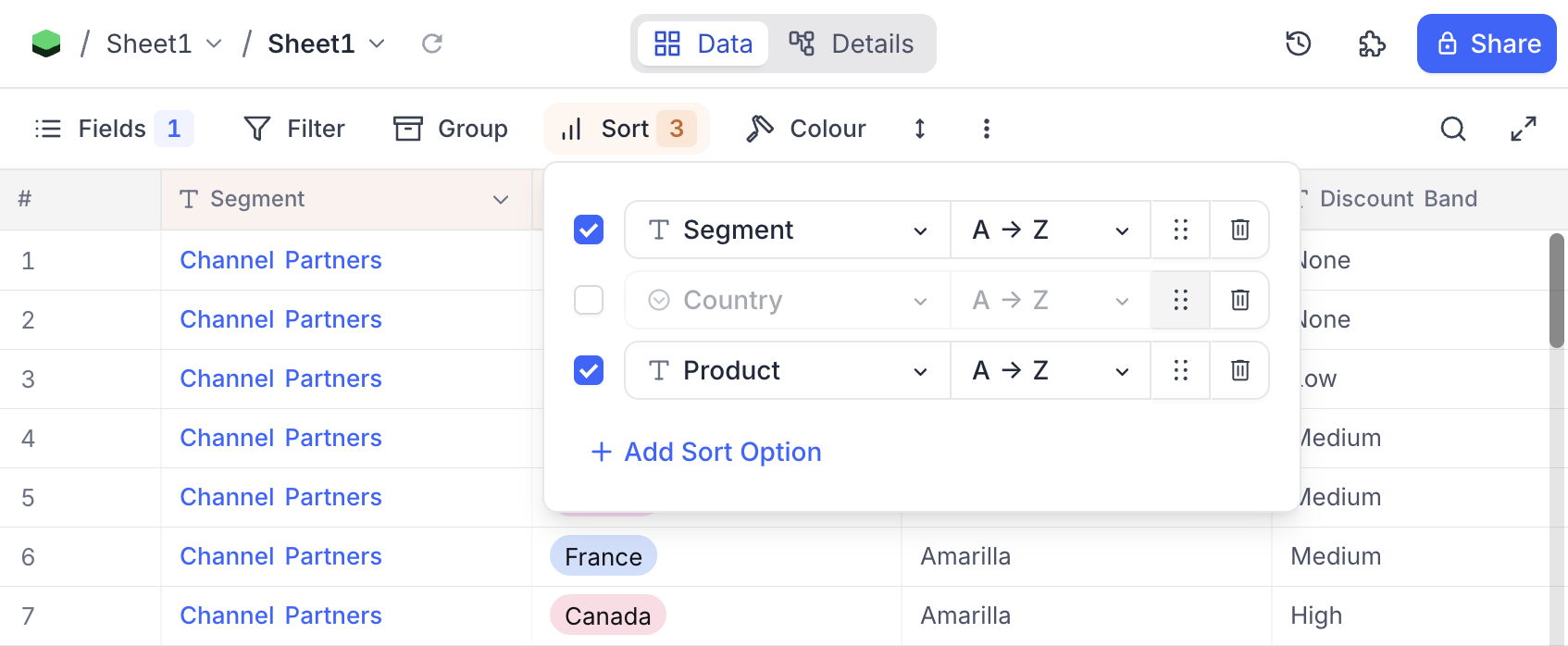
Each sort condition row has a checkbox to switch that condition on or off without deleting it. Disable a condition to temporarily remove it from the sort, then re-enable it later to restore the same configuration. In the example below, the Country sort is disabled while Segment and Product remain active.
Reorder sort conditions ☁
หมายเหตุ: This feature is available on NocoDB Cloud and licensed self-hosted deployments.
Each sort condition row has a drag handle (the dotted icon shown next to each row above). Drag a row up or down to change the priority of your sort conditions, where the topmost condition is applied as the primary sort.
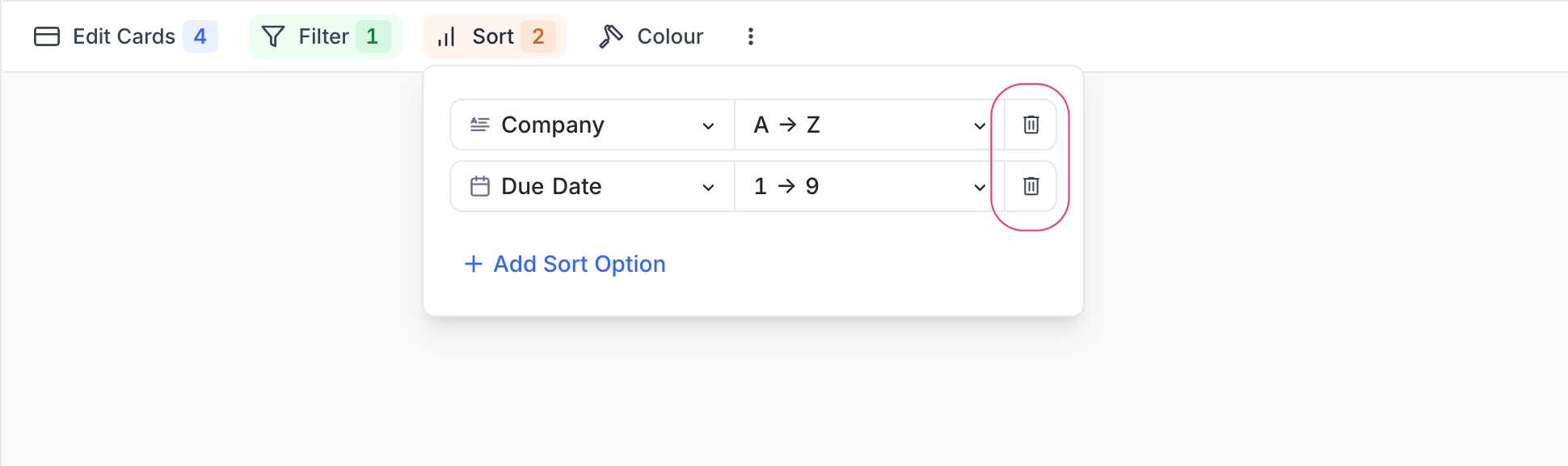
Delete sort
- Click the
Sortbutton in the toolbar. - Click on the trash / bin icon to the right of the sort you wish to delete.
Related pages
- Hide & Reorder Fields : Learn how to hide and reorder fields in NocoDB.
- Filtering Records : Learn how to filter records in NocoDB.
- Grouping Records : Learn how to group records in NocoDB.
- Colouring Records : Learn how to colour records and individual fields in NocoDB.
- Record Height : Learn how to adjust the height of records in NocoDB.
- Freeze Fields : Keep up to three fields pinned in place while scrolling horizontally in Grid view.
- Search : Learn how to search for records in NocoDB.
- Realtime Presence : See who else is working in a table, live, with per-collaborator markers in the grid.
