
Learn how to enable or disable experimental features in NocoDB to try out new capabilities before they are generally available.
NocoDB includes an Experimental Features panel that lets you try out new capabilities before they are generally available. These features are still under development and may change or be removed in future releases.
Accessing Experimental Features
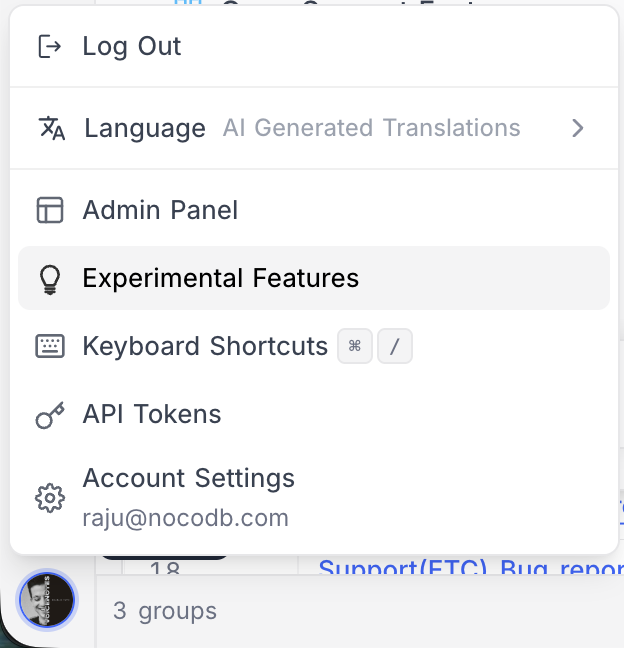
- Click on your profile picture in the bottom-left corner of the sidebar.
- Select Experimental Features from the menu.
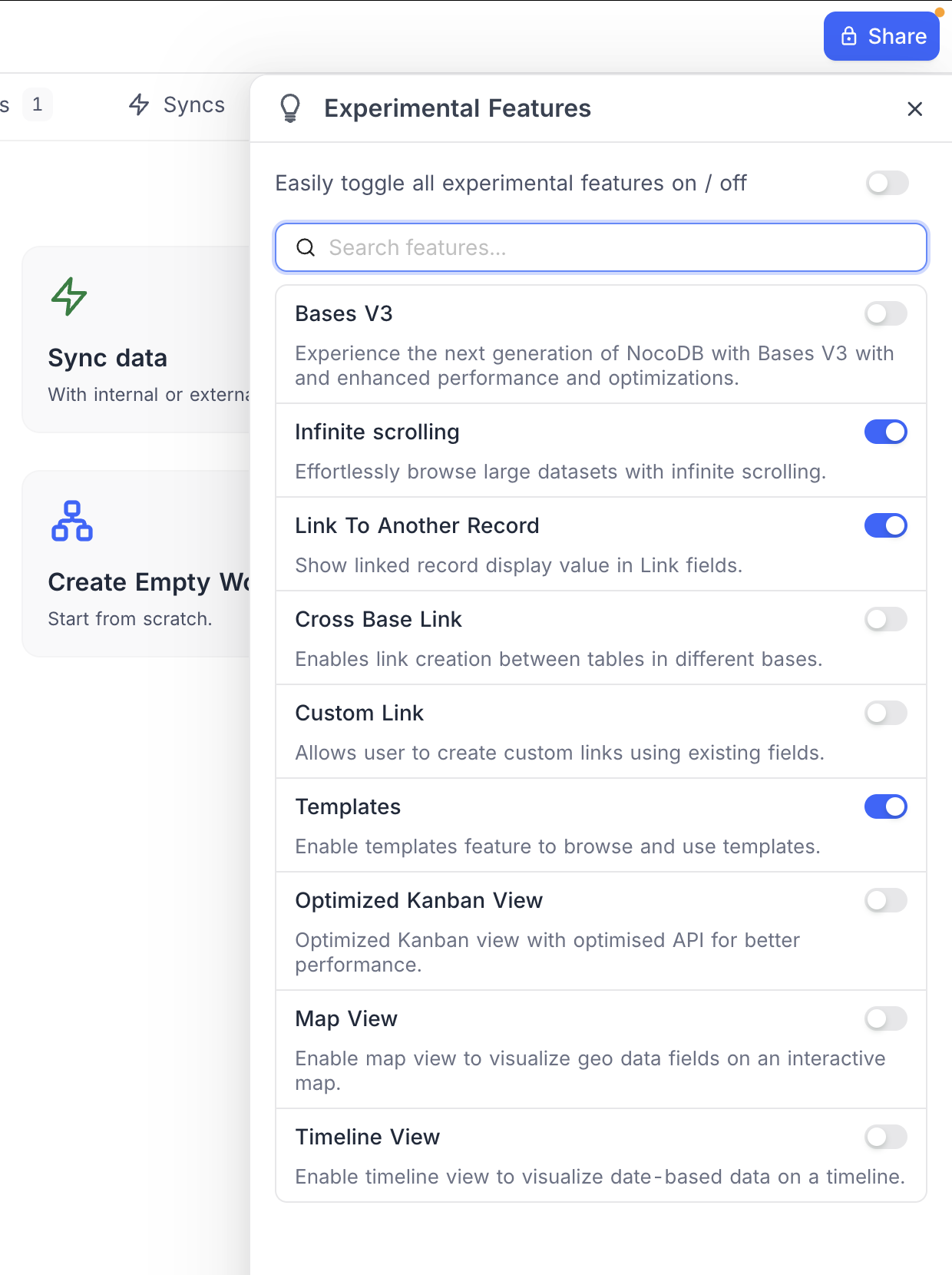
A panel opens listing all available experimental features, each with a toggle to enable or disable it and a brief description of what it does.
Available Experimental Features
| Feature | Description |
|---|---|
| Bases V3 | Experience the next generation of NocoDB with Bases V3 with enhanced performance and optimizations. |
| Infinite Scrolling | Effortlessly browse large datasets with infinite scrolling. |
| Link To Another Record | Show linked record display value in Link fields. |
| Cross Base Link | Enables link creation between tables in different bases. |
| Custom Link | Allows user to create custom links using existing fields. |
| Templates | Enable templates feature to browse and use templates. |
| Map View | Enable map view to visualize geo data fields on an interactive map. |
| Timeline View | Enable timeline view to visualize date-based data on a timeline. |
หมายเหตุ: The list of experimental features may vary across NocoDB versions as new features are added and existing ones are promoted to general availability. Additionally, the available features can differ depending on your deployment type — NocoDB Cloud, licensed self-hosted deployments (Business plan and above), or self-hosted Community Edition.
Toggle All Features
Use the toggle all switch at the top of the panel to enable or disable all experimental features at once. You can also use the search bar to quickly find a specific feature.
ข้อควรระวัง: Experimental features may be unstable or incomplete. Use them with caution in production environments.
Related pages
- Profile Page : This article explains how to manage your profile page.
- API Tokens : This article explains how to create and work with API Tokens, including fine-grained tokens with scoped permissions.
- Language Settings : This article explains how to change the language settings in NocoDB.
- Appearance : This article explains how to customize the appearance of the NocoDB interface, including switching between Light, Dark and System modes.
- In Community Edition : This article explains Account settings specifics in Community Edition NocoDB.
