
This article explains how to change the language settings in NocoDB.
NocoDB supports multiple languages for its user interface to help users work in their preferred language.
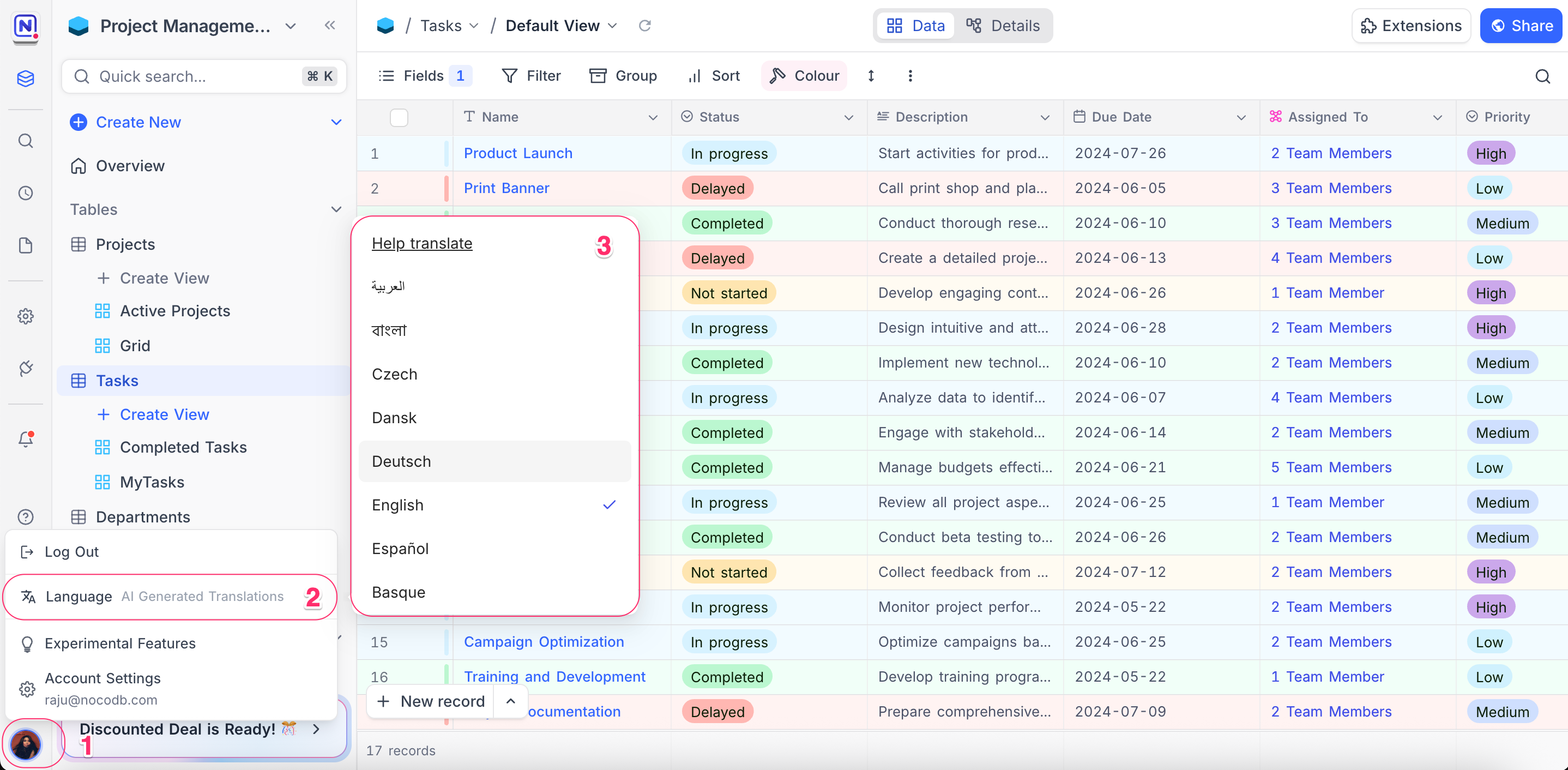
You can change the language directly from the app:
- Click on your profile picture in the bottom-left corner.
- Select Language from the dropdown menu.
- Choose from the list of available languages.
Contribute to Translations
You can help improve translations or add support for new languages through our community translation platform on Crowdin .
- NocoDB Project link: https://crowdin.com/project/nocodb
To contribute:
- Sign up or log in to Crowdin.
- Join the NocoDB project.
- Select your language and start translating or reviewing existing translations.
For more details, refer here
Every contribution helps make NocoDB more accessible across the world!
Good to know
- Language support is currently in beta. Some parts of the interface may still appear in English, as translations might be incomplete or missing.
- The translations in NocoDB are community-driven and enhanced using AI-generated translations. As a result, some phrases or words may be inaccurate or not fully localized. We appreciate your help in improving translations!
Related pages
- Profile Page : This article explains how to manage your profile page.
- API Tokens : This article explains how to create and work with API Tokens, including fine-grained tokens with scoped permissions.
- Appearance : This article explains how to customize the appearance of the NocoDB interface, including switching between Light, Dark and System modes.
- Experimental Features : Learn how to enable or disable experimental features in NocoDB to try out new capabilities before they are generally available.
- In Community Edition : This article explains Account settings specifics in Community Edition NocoDB.
