
This article explains Account settings specifics in Community Edition NocoDB.
Some of the Account settings features are available only in Community Edition NocoDB. This article explains details about such specifics.
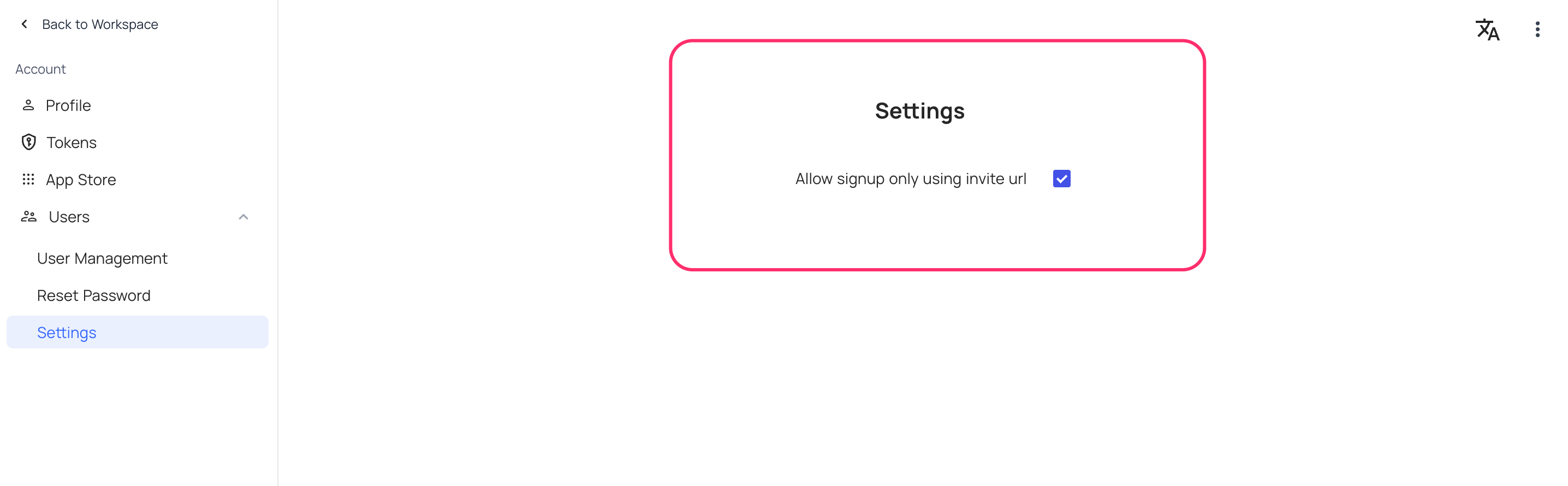
Enable / Disable Signup
Signup without an invitation is disabled by default and can be managed from UI by a super admin.
Self-Hosted Licenses
The Self-Hosted Licenses section in your NocoDB Cloud account lets you purchase and manage licenses for your self-hosted instances.
Navigate to Account → Self-Hosted Licenses in your NocoDB Cloud account.
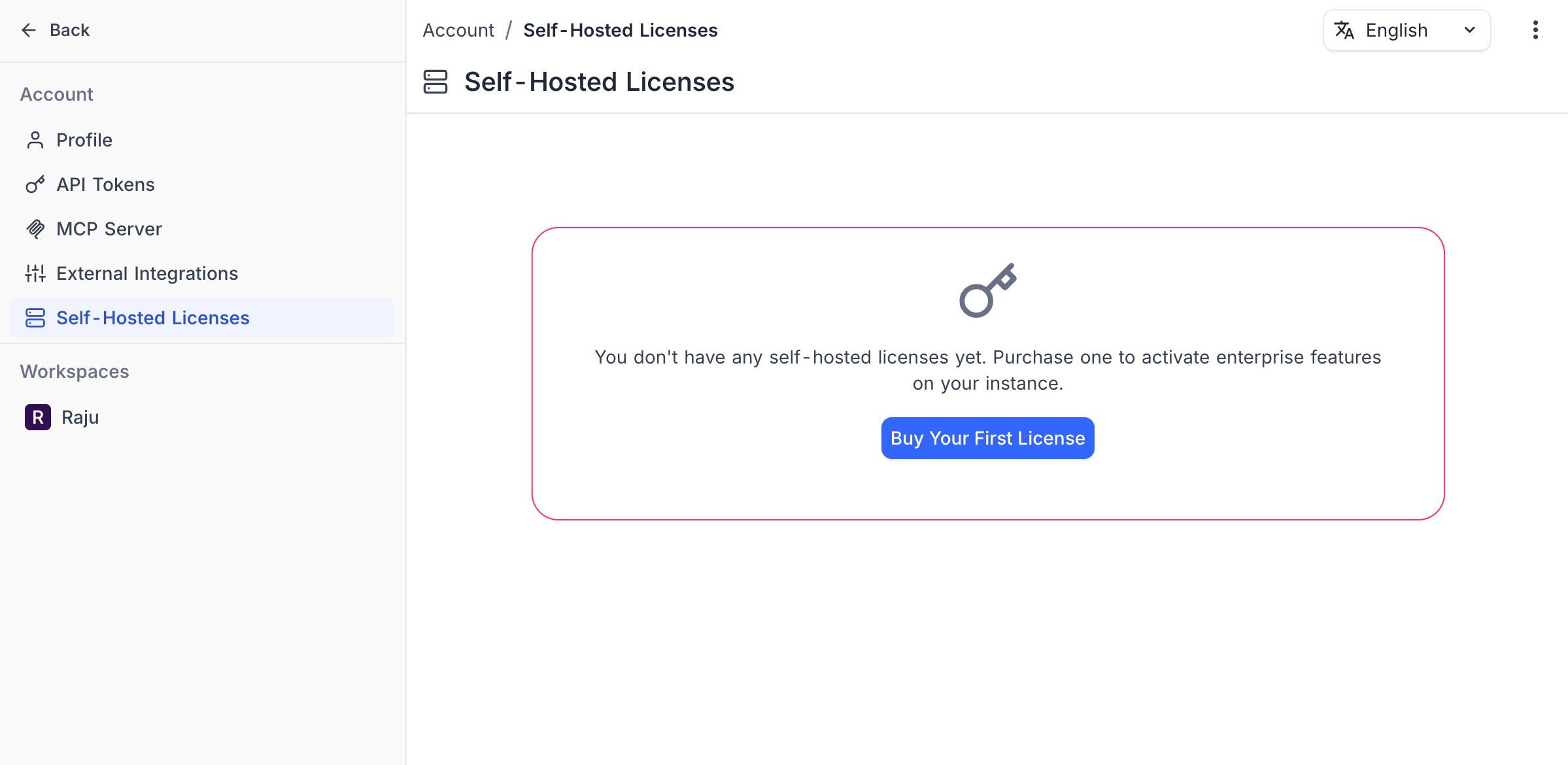
If you have no licenses yet, click Buy Your First License to get started. Existing licenses are listed with their plan, status, billing period, and license key.
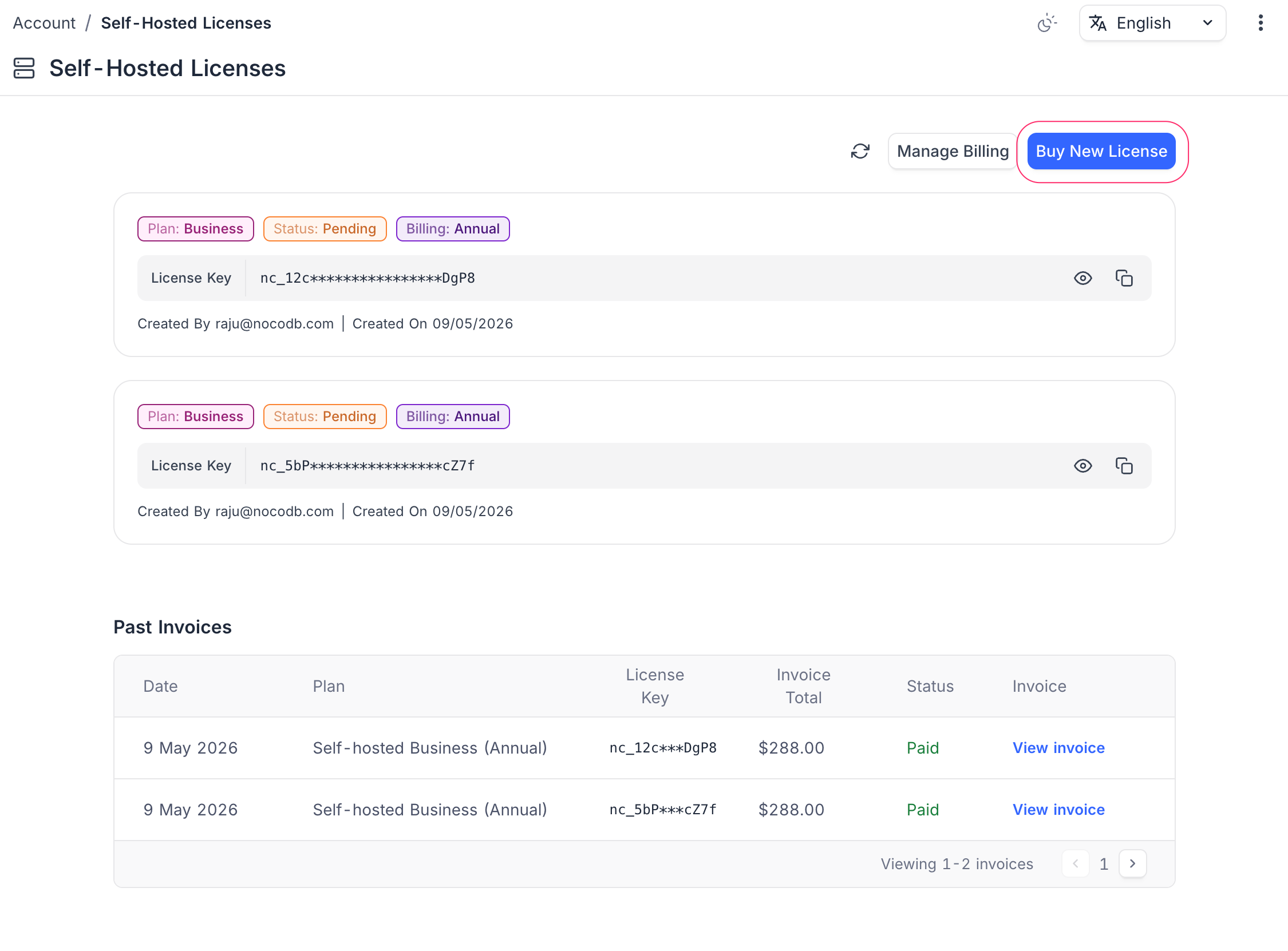
From this page you can:
- Copy your license key to activate it on your self-hosted instance
- Sync licenses from Stripe if a purchase is not reflected (use the sync icon)
- Manage Billing — opens the Stripe billing portal to view subscriptions, invoices, and payment methods
- Buy New License — purchase an additional license for another instance
To purchase a license, see Purchase a License . To activate it on your instance, see License Activation .
App Store
App store lists available integrations for NocoDB. You can install and configure these integrations from the App store.
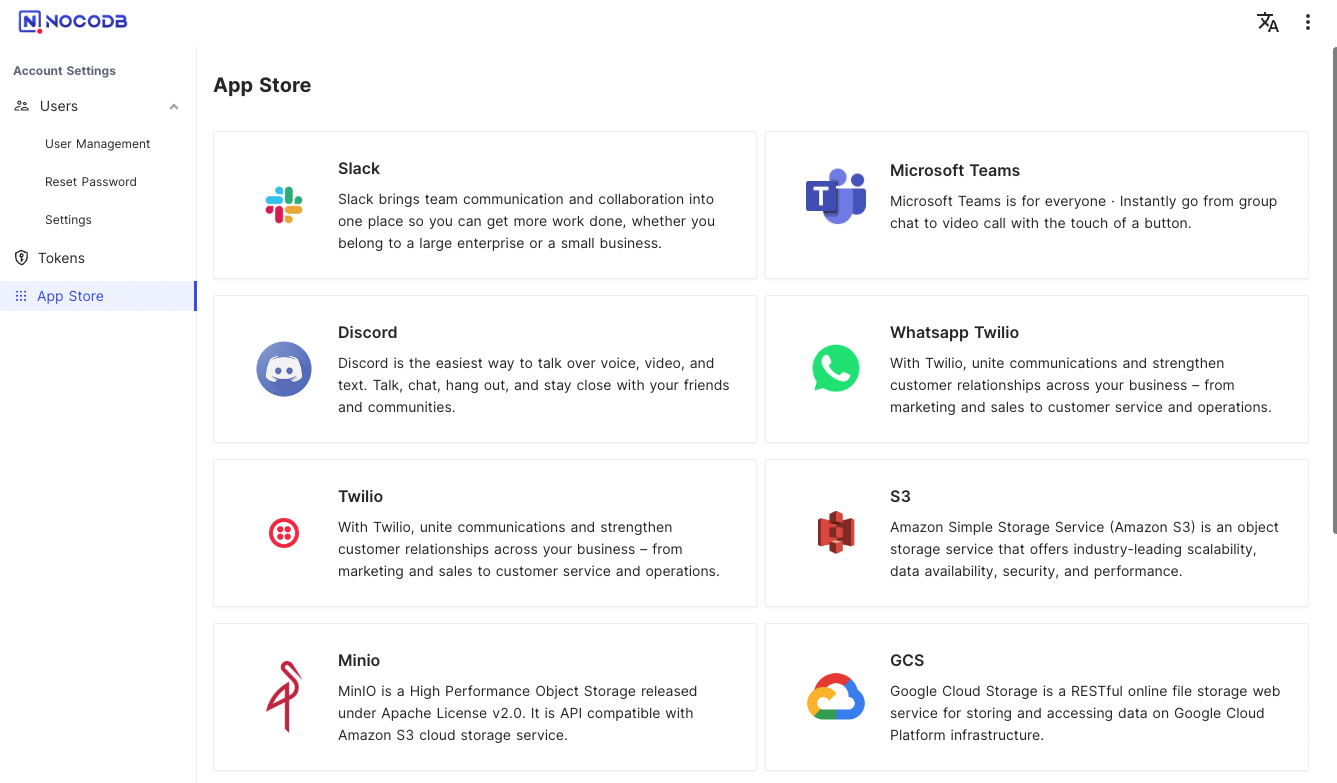
We provide different integrations in three main categories.
| Category | App Name |
|---|---|
| Chat | Microsoft Teams Discord Twilio Whatsapp Twilio Mattermost Slack |
| SMTP MailerSend AWS SES | |
| Storage | AWS S3 Minio Google Cloud Storage Spaces Backblaze B2 Vultr Object Storage OvhCloud Object Storage Linode Object Storage UpCloud Object Storage Scaleway Object Storage |
Related pages
- Profile Page : This article explains how to manage your profile page.
- API Tokens : This article explains how to create and work with API Tokens, including fine-grained tokens with scoped permissions.
- Language Settings : This article explains how to change the language settings in NocoDB.
- Appearance : This article explains how to customize the appearance of the NocoDB interface, including switching between Light, Dark and System modes.
- Experimental Features : Learn how to enable or disable experimental features in NocoDB to try out new capabilities before they are generally available.
