
This article explains how to manage your profile page.
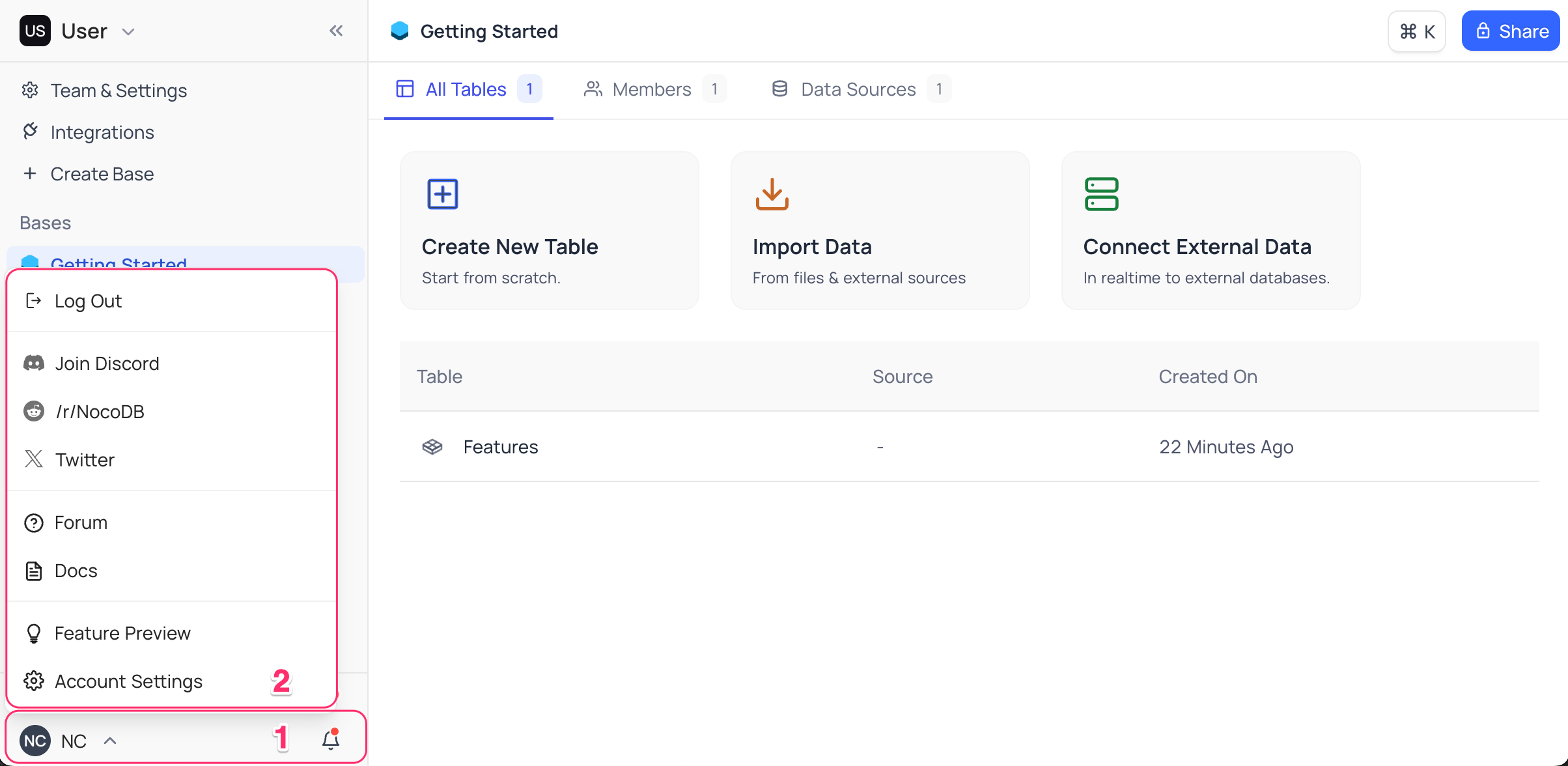
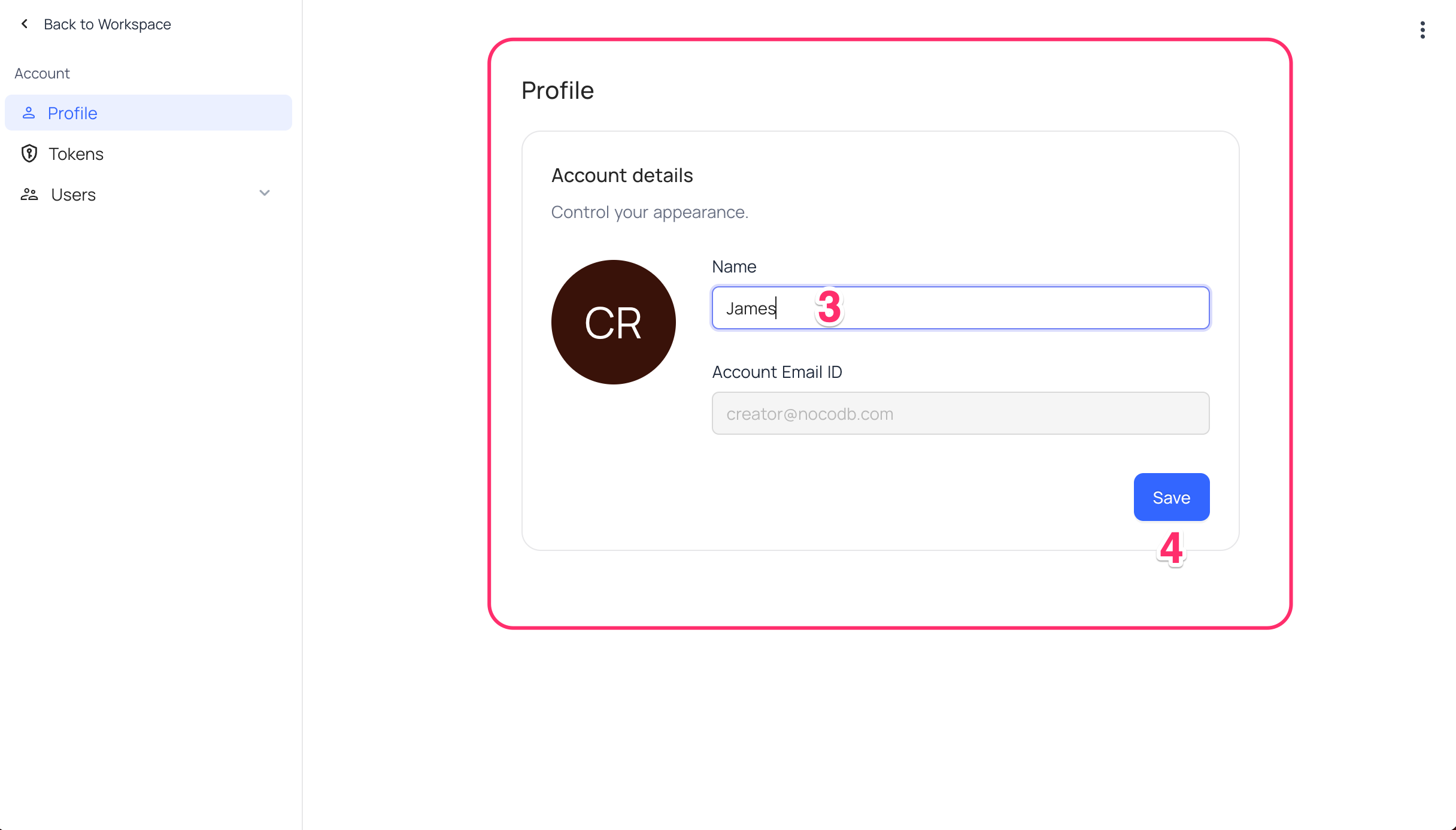
Profile page is the place where you can manage your profile information. Currently, only a custom username can be setup as part of profile configuration. To access your profile page,
- Click on
User menuin the bottom left corner of the sidebar, - Select
Account Settingsfrom the dropdown - Change
Profile name - Click on
Savebutton to save the changes
Delete Account
หมายเหตุ: Deleting your account is currently available only on NocoDB Cloud.
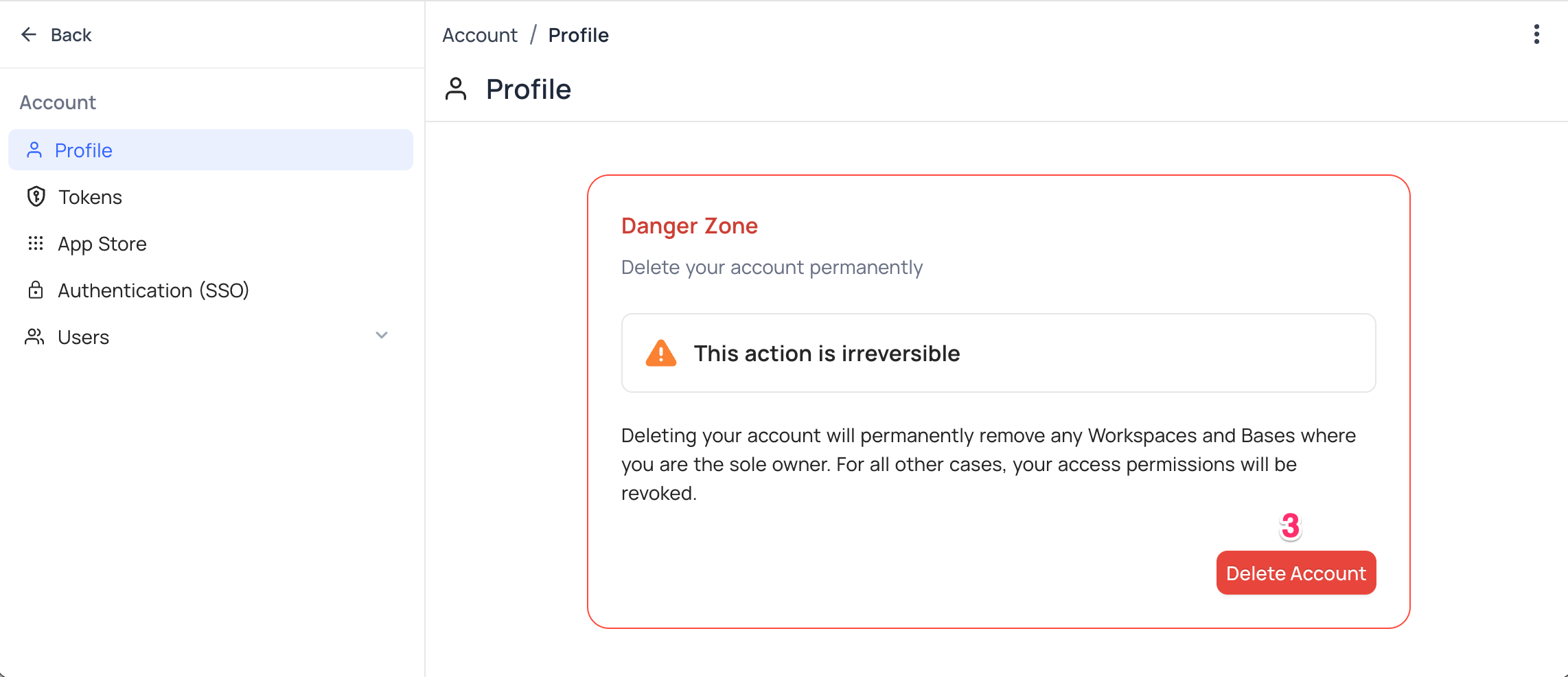
To delete your account permanently,
- Click on
User menuin the bottom left corner of the sidebar, - Select
Account Settingsfrom the dropdown - In the section for delete account, click on
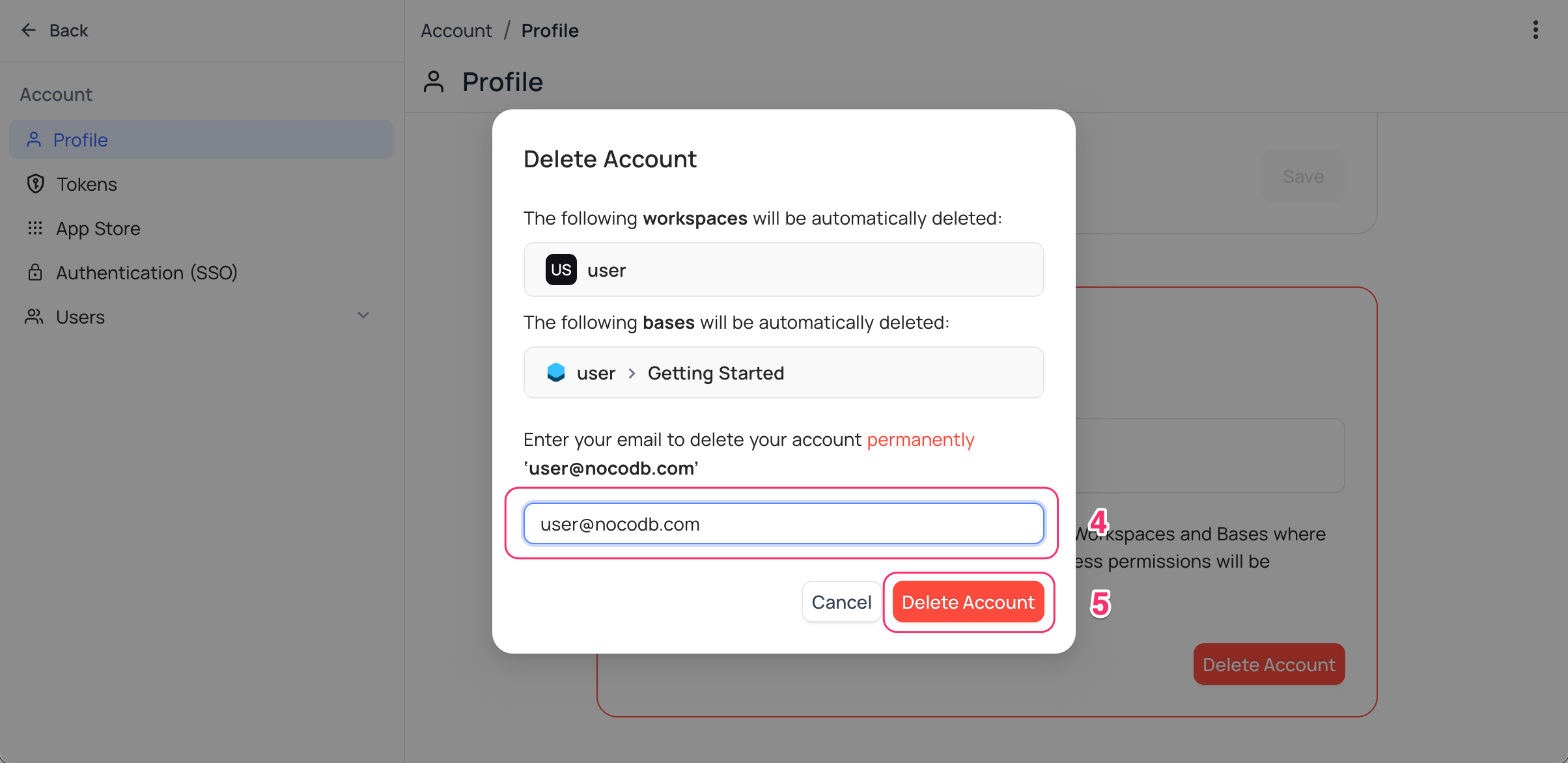
Delete Accountbutton - Confirmation modal displays the Workspaces, Bases & Tokens that will be invalidated upon deletion. As a confirmation step, you will be asked to enter your email address associated with the account.
- Click on
Delete Accountbutton to delete the account permanently.
หมายเหตุ: * Deleting the account is irreversible and all the data associated with the account will be lost permanently.
- All the workspaces & bases for which you are the sole owner will be deleted. For all other workspaces & bases, you access permissions will be revoked.
- All the tokens associated with the account will be invalidated.
- You will be allowed to re-register with the same email address. However, you will require invite from the existing workspace owner to access the workspaces & bases.
Related pages
- API Tokens : This article explains how to create and work with API Tokens, including fine-grained tokens with scoped permissions.
- Language Settings : This article explains how to change the language settings in NocoDB.
- Appearance : This article explains how to customize the appearance of the NocoDB interface, including switching between Light, Dark and System modes.
- Experimental Features : Learn how to enable or disable experimental features in NocoDB to try out new capabilities before they are generally available.
- In Community Edition : This article explains Account settings specifics in Community Edition NocoDB.
