
Learn how to configure and manage access to Private Bases in NocoDB.
A Private Base in NocoDB allows base owners to fully control access at the base level, independently of workspace-level roles. This feature is ideal for projects that require confidentiality, restricted visibility, or selective collaboration within a workspace.
How Private Base Works
When a base is marked as private :
- Workspace role inheritance is disabled — users with roles like Owner, Editor, or Viewer at the workspace level will not automatically gain access.
- By default, only the base creator (Owner) can access the base.
- Access must be explicitly granted to other members by assigning a base-specific role (Owner, Creator, Editor, Commenter, or Viewer).
หมายเหตุ: Members without explicit access will not see the base listed in their workspace
Creating a Private Base
- Click New Base → From Scratch on the workspace Bases page.
- Enter a name for the base.
- Select Private as the Base Type .
- Click Create Base .
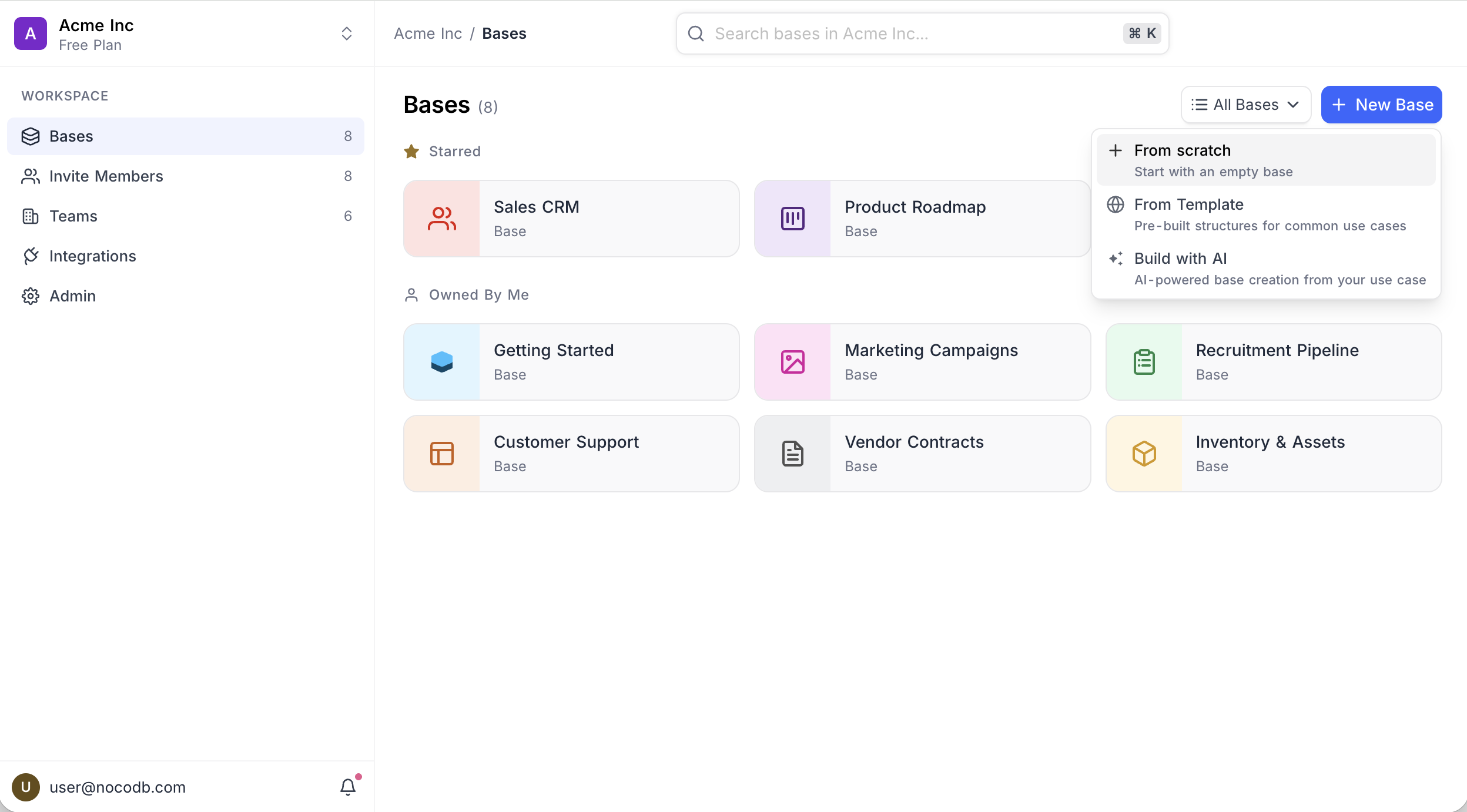
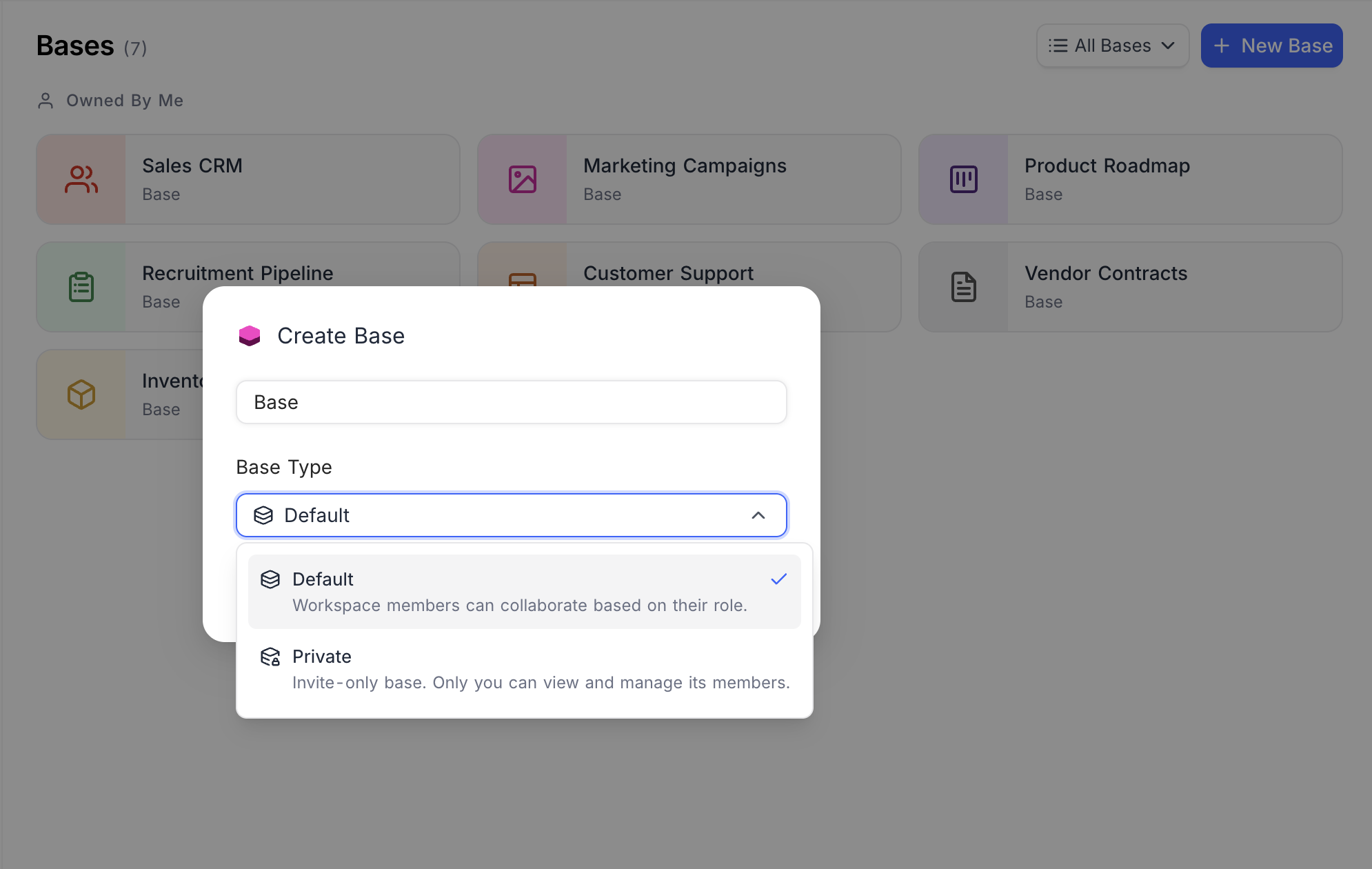
หมายเหตุ: Only the base creator will have access by default. Other workspace members, including Workspace Owners, will not see the base unless explicitly added.
หมายเหตุ: Private bases cannot be shared publicly. All view-sharing (except Form views) is restricted.
Converting an Existing Base to Private
- Open the base and go to Base Settings → Admin → Base Type .
- Select Private .
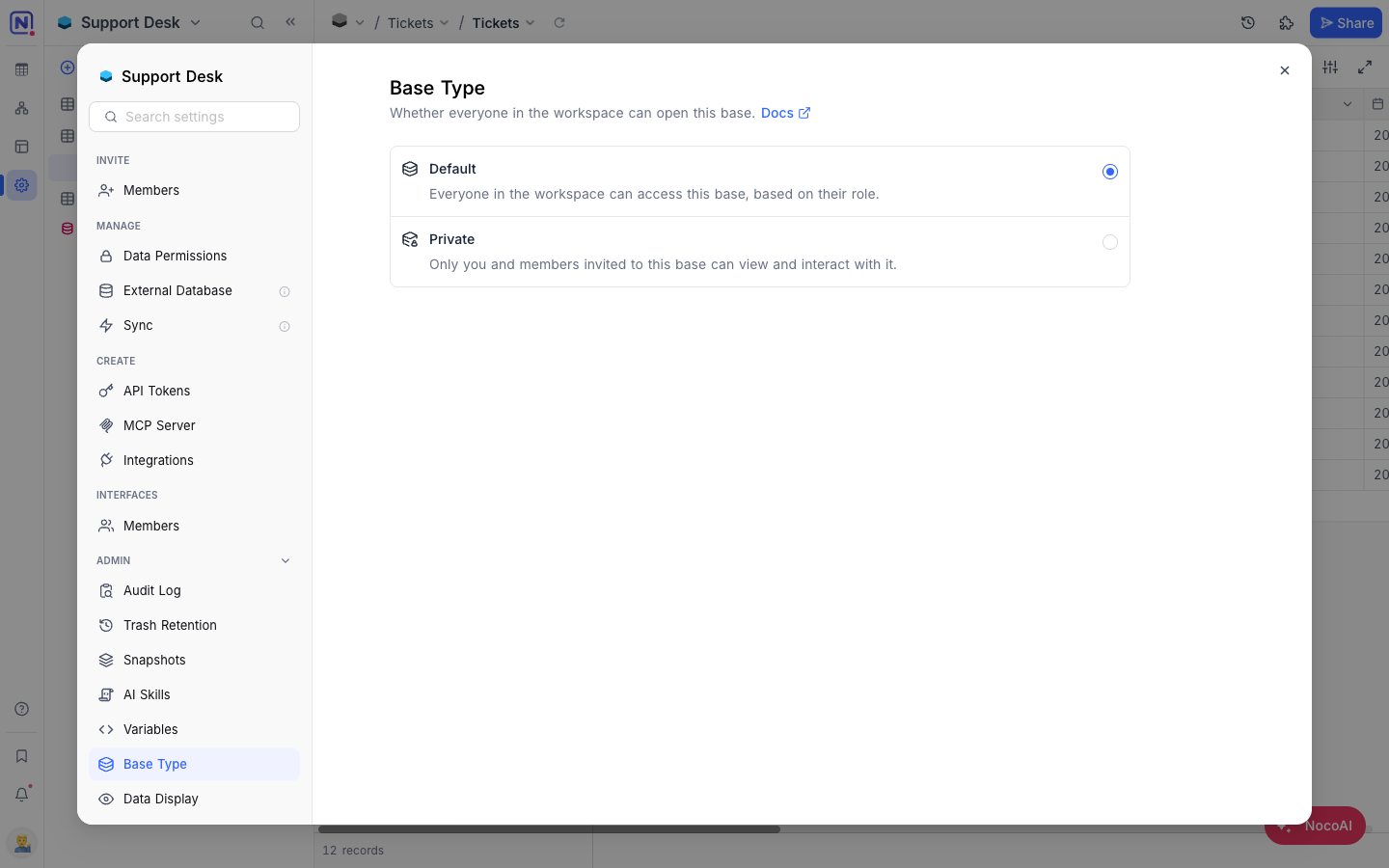
หมายเหตุ: Explicitly configured base-level roles will be retained. Inherited workspace access for other users will be removed.
หมายเหตุ: If the base or view is currently shared publicly, sharing will be disabled when switching to private.
Disabling Private Access
- Open the base and go to Base Settings → Admin → Base Type .
- Select Default .
หมายเหตุ: Workspace-level role inheritance will be re-enabled. Members with workspace roles will regain corresponding access. Explicit base roles remain unchanged.
Managing Access in a Private Base
Managing user access in a private base follows the same process as any other base. You can invite workspace members and assign them roles explicitly at the base level. Role changes at the workspace level will not affect access to a private base unless the base type itself is set back to default access.
For detailed steps, refer to the Base Collaboration Guide .
หมายเหตุ: On a private base, only the base Owner can create an invite link . Links created by anyone else stop working while the base is private.
Availability
- The Private Base feature is available only on the Business plan and above
Related pages
- Create Base : Learn how to create a base in NocoDB.
- Folders : Organize tables, documents, and dashboards into collapsible folders in the base sidebar.
- Import Airtable to NocoDB : A complete import of your Airtable base to NocoDB within minutes
- Base Collaboration : This article explains how to invite members or teams to your base, manage their roles, and remove them when needed.
- Share Base : Procedures to share a base & generating embedded iframe
- Base Snapshots : Procedures to create and manage snapshots
- Base Trash ☁ : View, restore, and permanently delete trashed items — records, tables, views, fields, dashboards, widgets, workflows, scripts, and extensions — from a single base-level Trash.
- Trash Settings ☁ : Configure per-table trash retention and disable trash on a per-table basis.
