
Overview of bases in NocoDB and how they help organize data and collaboration.
In NocoDB, a base is the core structure where your data lives. It contains tables, views, forms, dashboards, and more — a complete environment for organizing and collaborating on data. Each base belongs to a specific workspace.
The person who creates a base becomes its owner , and a base must always have at least one owner. Ownership can be shared, with multiple owners having full control over base settings and permissions.
Base-level Permissions
Each base has its own set of members and permissions, independent of workspace-level access. This allows fine-grained control over who can view or edit content within a base. See Base Collaboration for details on managing members, and Table Permissions / Field Permissions for granular access control.
Base Dashboard
The base dashboard is the landing page when you open a base. It provides quick access to common data actions.
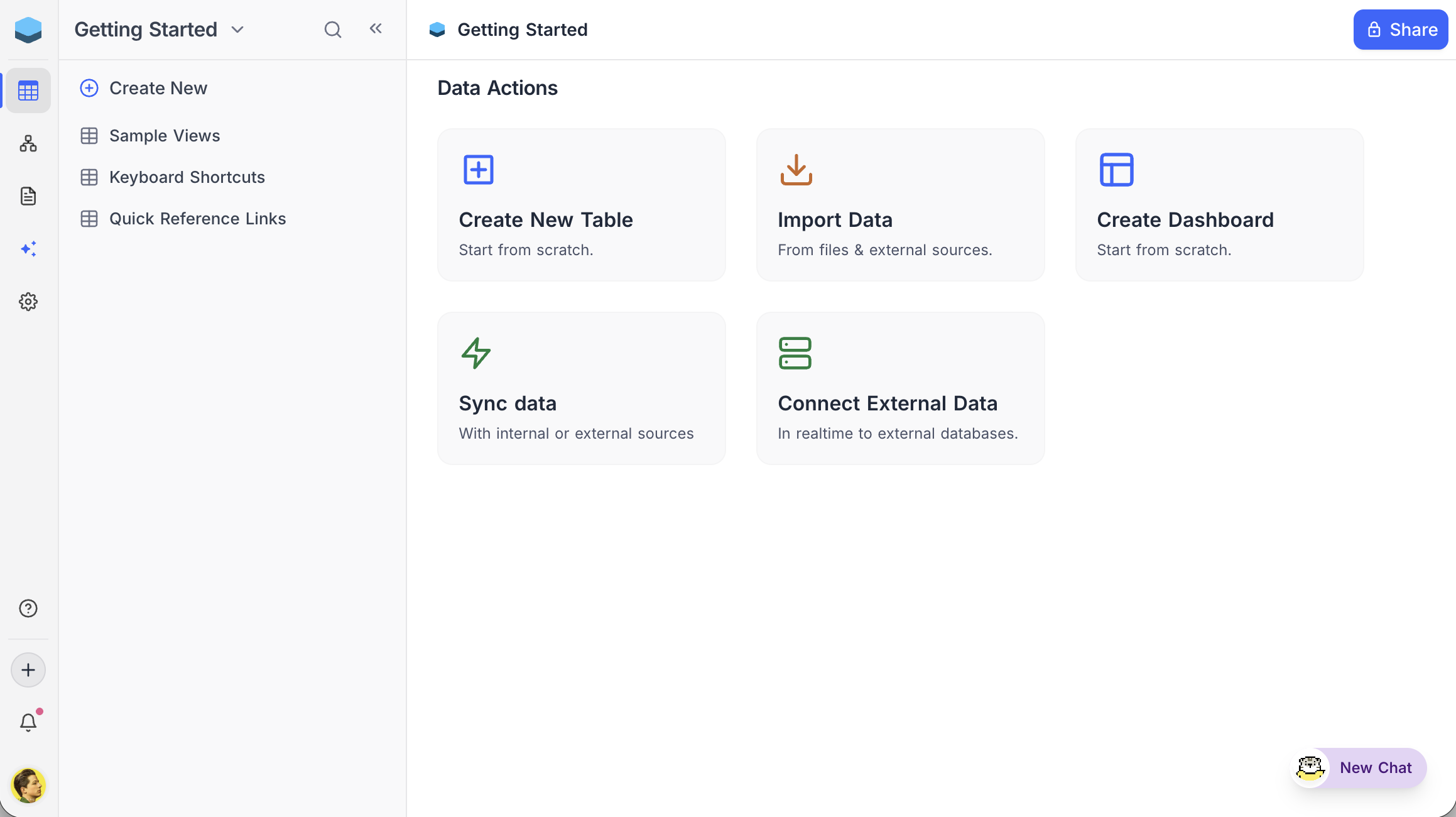
Data Actions
- Create New Table — Start building a table from scratch.
- Import Data — Upload from files and external sources.
- Create Dashboard — Build dashboards with charts and widgets to visualize data.
- Sync Data — Mirror a Grid view from another base ( NocoDB Sync ) or pull data from an external system ( App Sync ).
- Connect External Data — Connect in realtime to external databases like MySQL or PostgreSQL.
Availability
- Creating a new base requires Creator or Owner role at the workspace level.
Related pages
- Create Base : Learn how to create a base in NocoDB.
- Folders : Organize tables, documents, and dashboards into collapsible folders in the base sidebar.
- Import Airtable to NocoDB : A complete import of your Airtable base to NocoDB within minutes
- Base Collaboration : This article explains how to invite members or teams to your base, manage their roles, and remove them when needed.
- Share Base : Procedures to share a base & generating embedded iframe
- Base Snapshots : Procedures to create and manage snapshots
- Base Trash ☁ : View, restore, and permanently delete trashed items — records, tables, views, fields, dashboards, widgets, workflows, scripts, and extensions — from a single base-level Trash.
- Trash Settings ☁ : Configure per-table trash retention and disable trash on a per-table basis.
