
Configure per-table trash retention and disable trash on a per-table basis.
Owners can control Trash per table — turn it off when deletes should be permanent, or pick a retention period that differs from the plan default.
Open trash settings
- Open the base and go to Base Settings → Admin → Trash Retention .
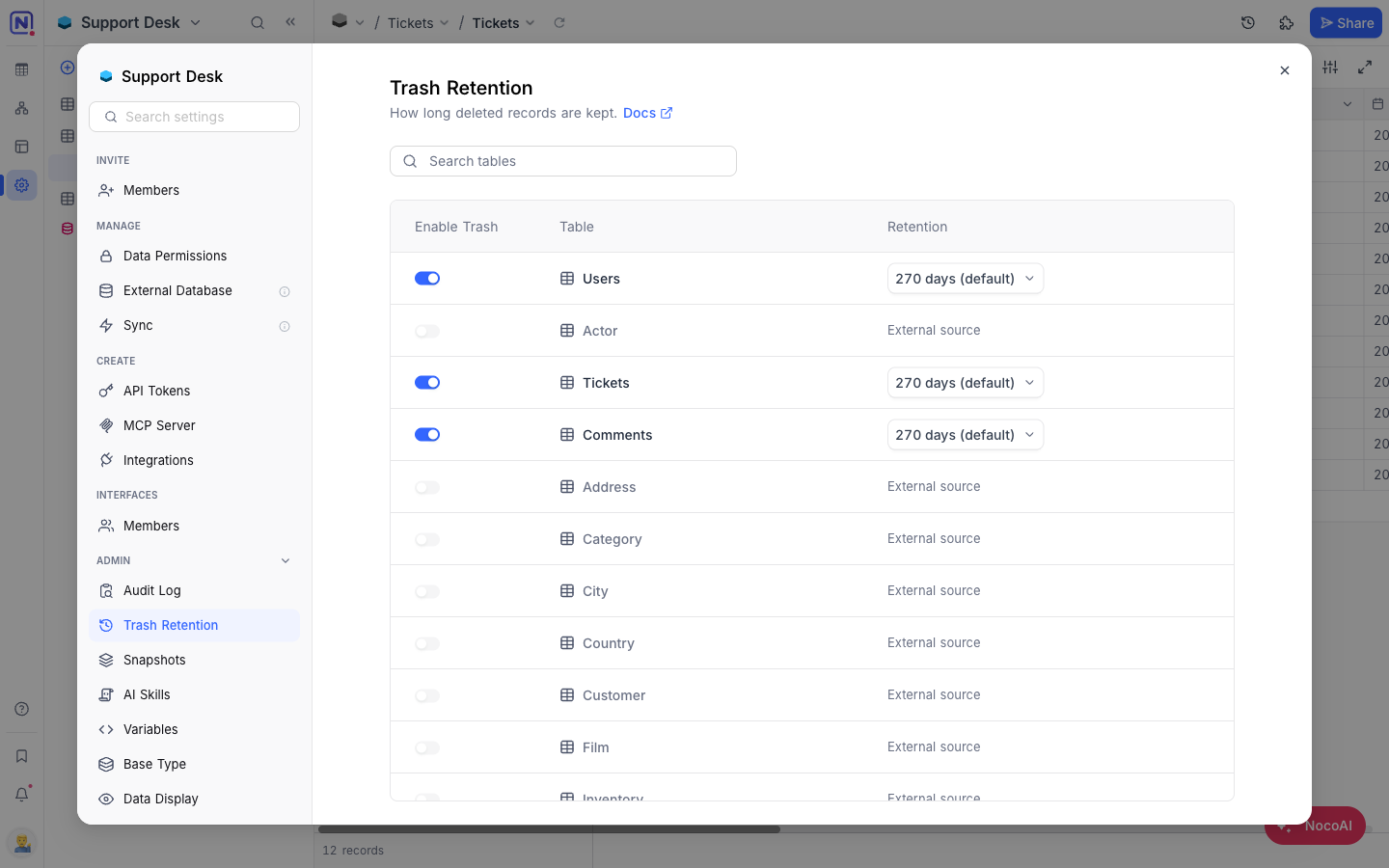
Per-table controls
Each table has two controls:
- Enable Trash — When on, deletes go to the Trash. When off, deletes are permanent and cannot be restored. The retention column shows
—for disabled tables. - Retention — How long trashed records are kept before automatic cleanup. Pick from 30 / 60 / 90 / 180 / 365 days . The default varies by workspace plan.
Disable trash
- Toggle Enable Trash off for the table.
- Confirm the dialog.
ข้อควรระวัง: All existing trashed records for the table are permanently deleted when trash is turned off and cannot be recovered. Future deletes skip the Trash.
Change retention
- Click the retention value (e.g. 30 days ) for the table.
- Select one of the preset durations — the change is saved immediately.
Role permissions
| Action | Owner | Creator | Editor | Commenter | Viewer |
|---|---|---|---|---|---|
| View trash settings | Yes | No | No | No | No |
| Modify trash settings | Yes | No | No | No | No |
Availability
- Trash settings are available on NocoDB Cloud (Scale plan and above) and licensed self-hosted deployments (Scale plan and above).
Related
Related pages
- Create Base : Learn how to create a base in NocoDB.
- Folders : Organize tables, documents, and dashboards into collapsible folders in the base sidebar.
- Import Airtable to NocoDB : A complete import of your Airtable base to NocoDB within minutes
- Base Collaboration : This article explains how to invite members or teams to your base, manage their roles, and remove them when needed.
- Share Base : Procedures to share a base & generating embedded iframe
- Base Snapshots : Procedures to create and manage snapshots
- Base Trash ☁ : View, restore, and permanently delete trashed items — records, tables, views, fields, dashboards, widgets, workflows, scripts, and extensions — from a single base-level Trash.
- Private Base : Learn how to configure and manage access to Private Bases in NocoDB.
